Download Camtasia for macOS
Educators recording online lessons, product teams building software demos, and trainers turning PowerPoint decks into polished videos all reach for Camtasia. The 2026.2.3 update keeps things stable on both Apple Silicon and Intel Macs, so you can focus on your first project instead of troubleshooting.
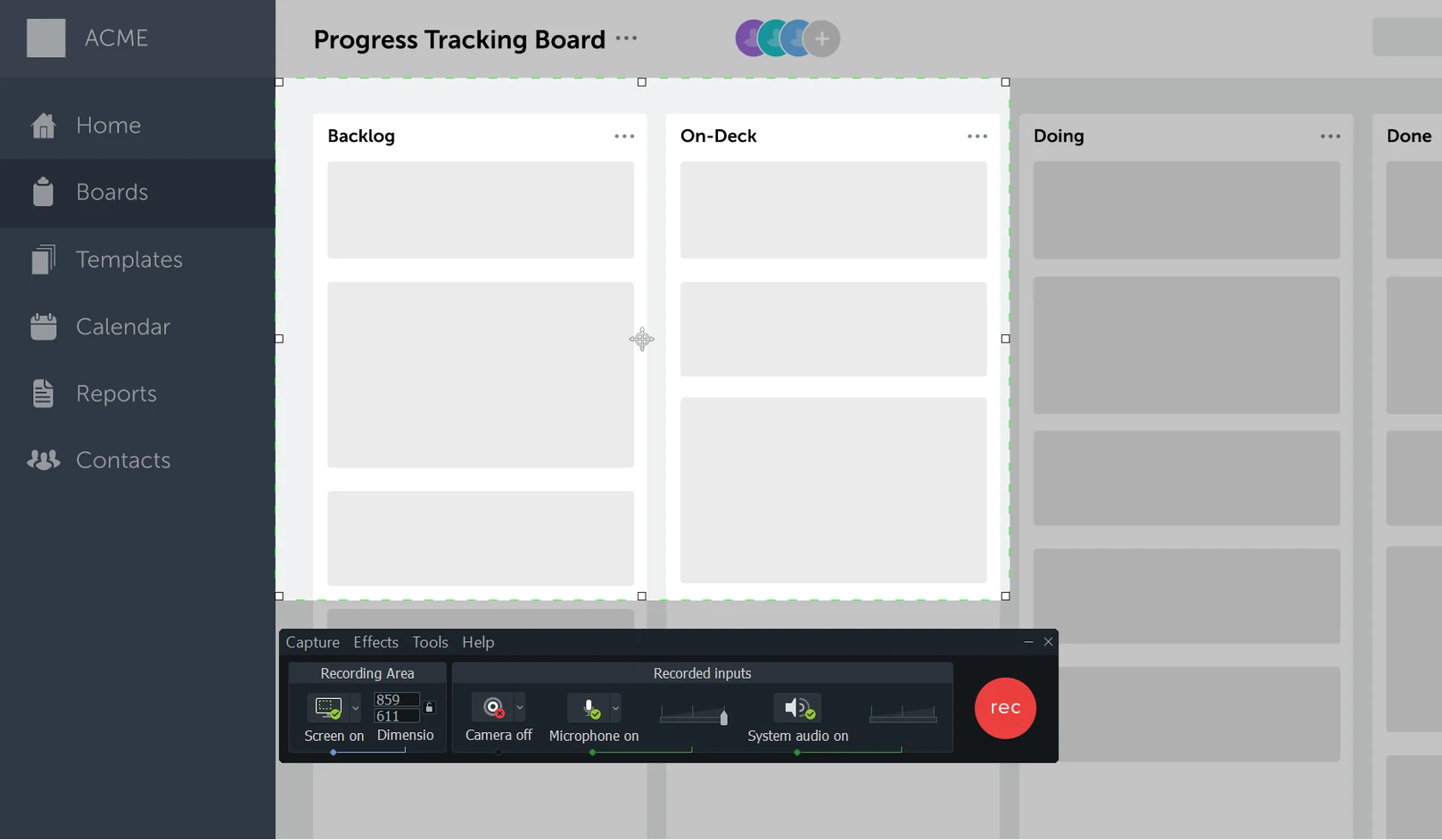
Screen-and-camera recording for software walkthroughs
- Recording your screen and camera at the same time for software walkthroughs
- Importing existing PowerPoint presentations and adding voiceover
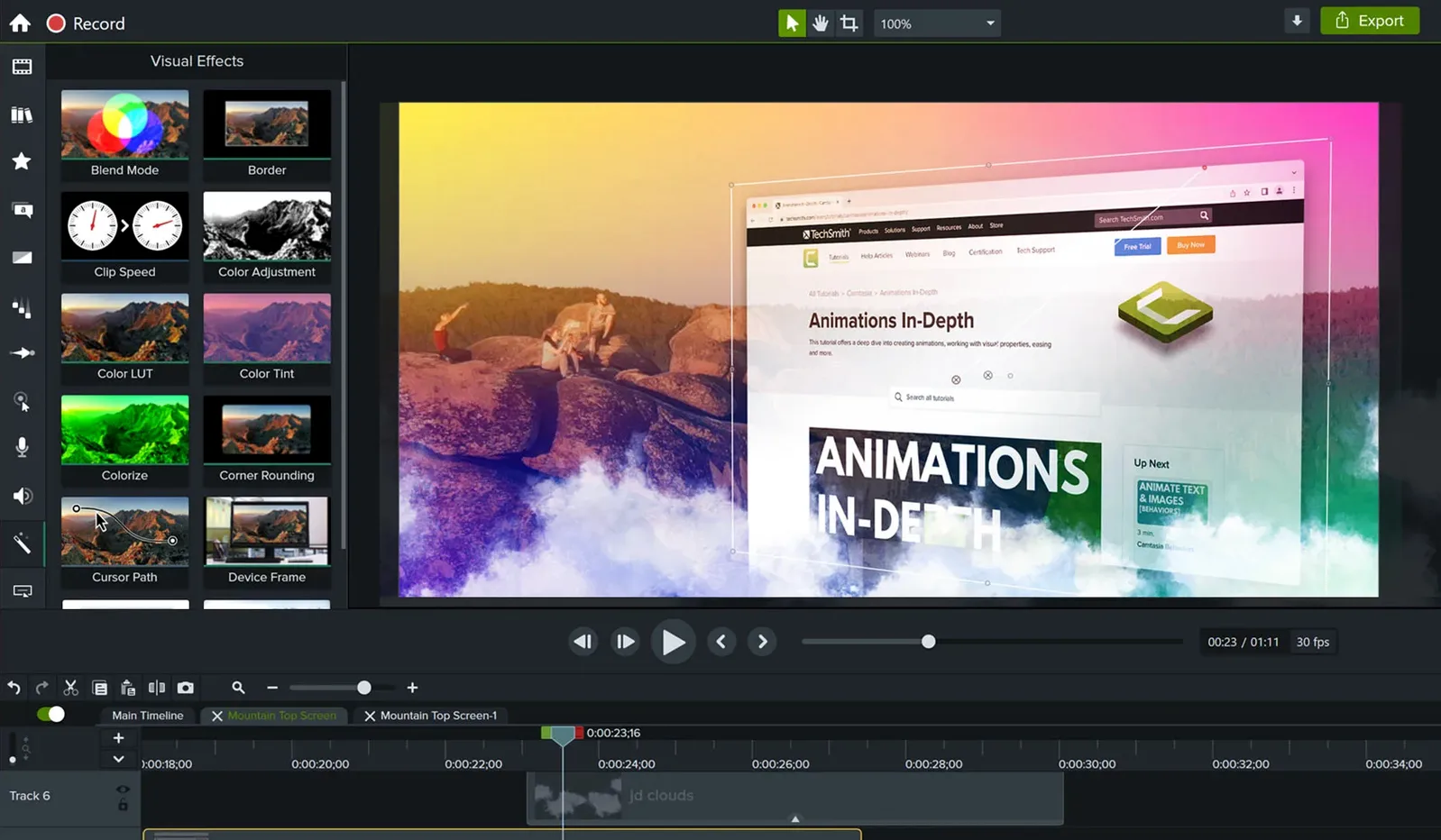
- Building product tutorials with callouts and cursor effects
- Working in English, German, Spanish, French, Portuguese, Simplified Chinese, or Japanese
macOS 13 minimum leaves older Macs behind
- Requires macOS 13 or later — not an option for older Macs stuck on macOS 12
- The interface language set covers seven options but not every localization you might expect
How Camtasia sits alongside similar Mac apps
If you've looked around, you've probably spotted a few names that keep coming up. ScreenFlow tends to be the closest match — both record and edit on a single timeline, both target the tutorial-and-demo crowd. Where Camtasia pulls ahead for me is the sheer number of ready-made assets. Drag-and-drop intros, lower thirds, and cursor effects land faster than building them from scratch in ScreenFlow. ScreenFlow fights back with finer audio routing controls and a timeline that feels a little snappier on huge projects, but Camtasia's template library means you can assemble a respectable software walkthrough in under an hour without touching a keyframe.
OBS Studio gets thrown around a lot in searches for camtasia for mac free setups, and it's brilliant at what it does — but what it does is record and stream, not edit. You'll be jumping into DaVinci Resolve or iMovie afterward to trim and polish, which doubles the apps in your workflow. Camtasia keeps recording and editing under one roof, complete with annotations and transitions that understand instructional content. OBS wins on live streaming flexibility, but for a recorded product demo that needs callouts, zooms, and a clean export, Camtasia cuts out the middle steps.
Then there's Loom. Quick sharing, no timeline to learn, perfect for a fast bug report or a one-take internal update. It's not chasing the same goal. The moment you need to splice in a slide deck, add a title card, or fade between a talking-head clip and a screen recording, Loom hands the baton to something heavier. Camtasia lives in that heavier space without feeling heavy.
Startup crash fix and bug squashes
The 2026.2.3 update won't grab headlines — it fixes a crash that could ambush you on startup or during export, plus the usual round of bug squashes. In everyday use, that startup fix matters. Crashing right as you're about to export a 45-minute course module is exactly the kind of stress you don't need before coffee. The miscellaneous improvements TechSmith bundled in also seem to have tightened up playback scrubbing on Apple Silicon Macs; timeline scrolling feels less jittery than it did a few releases back, especially when you're zoomed in and nudging clips frame by frame.
Looking back a few versions, the trend has been toward stability rather than feature landgrabs. The template browser got faster to preview, and media bin performance stopped degrading when you piled in a dozen source recordings. None of this shows up in a splash screen, but it's the kind of polish that keeps a daily driver feeling like a daily driver.
Who clicks with Camtasia fastest
Software trainers and onboarding specialists get the most out of Camtasia, and it's not subtle why. The cursor effects — highlight rings, click animations, smoothing paths — are tuned for showing people where to click, not for flash. If you're recording CRM tutorials or walking new hires through internal tools, those little visual cues do heavy lifting without much effort from you.
Course creators who start in PowerPoint also find a natural home here. Dropping a .pptx file onto the timeline unpacks slides as separate media clips, keeping animations intact. From there you layer voiceover, drop in a webcam picture-in-picture, and you've turned a dry slide stack into a video lesson without rebuilding everything. University lecturers and corporate L&D teams I've watched tend to settle into Camtasia for exactly that reason — it respects the PowerPoint workflow they already have.
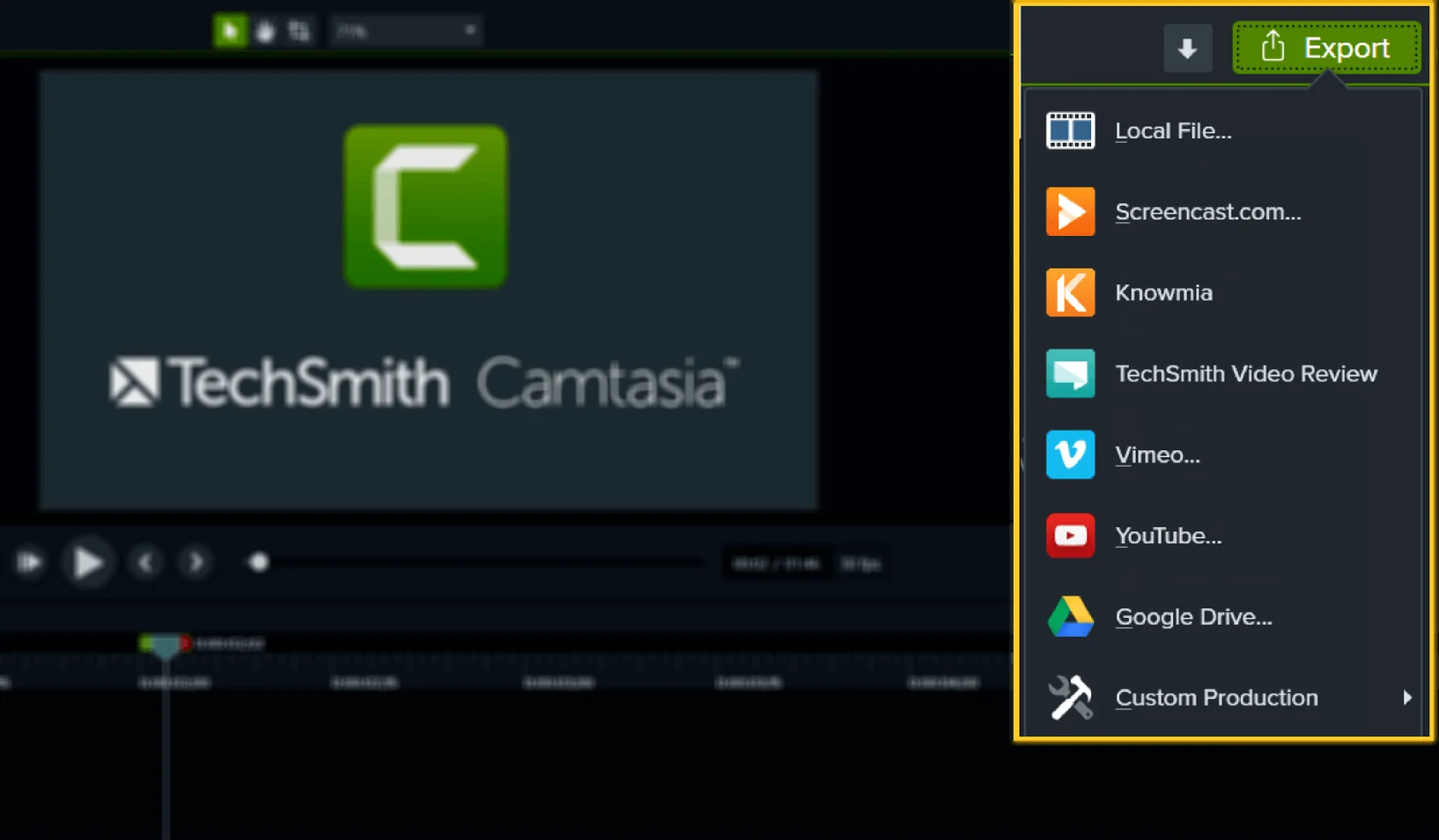
Mac users who record in short bursts — think five-minute feature walkthroughs, not hour-long symposiums — will feel the interface stays out of their way. The timeline doesn't demand advanced editing knowledge, and the share presets push straight to the formats your LMS or YouTube channel expect.
Small comforts that are easy to miss
- Hold the Option key while dragging a clip edge and you'll ripple-trim without hunting through menus. Tiny thing, but it saves a dozen right-clicks a day.
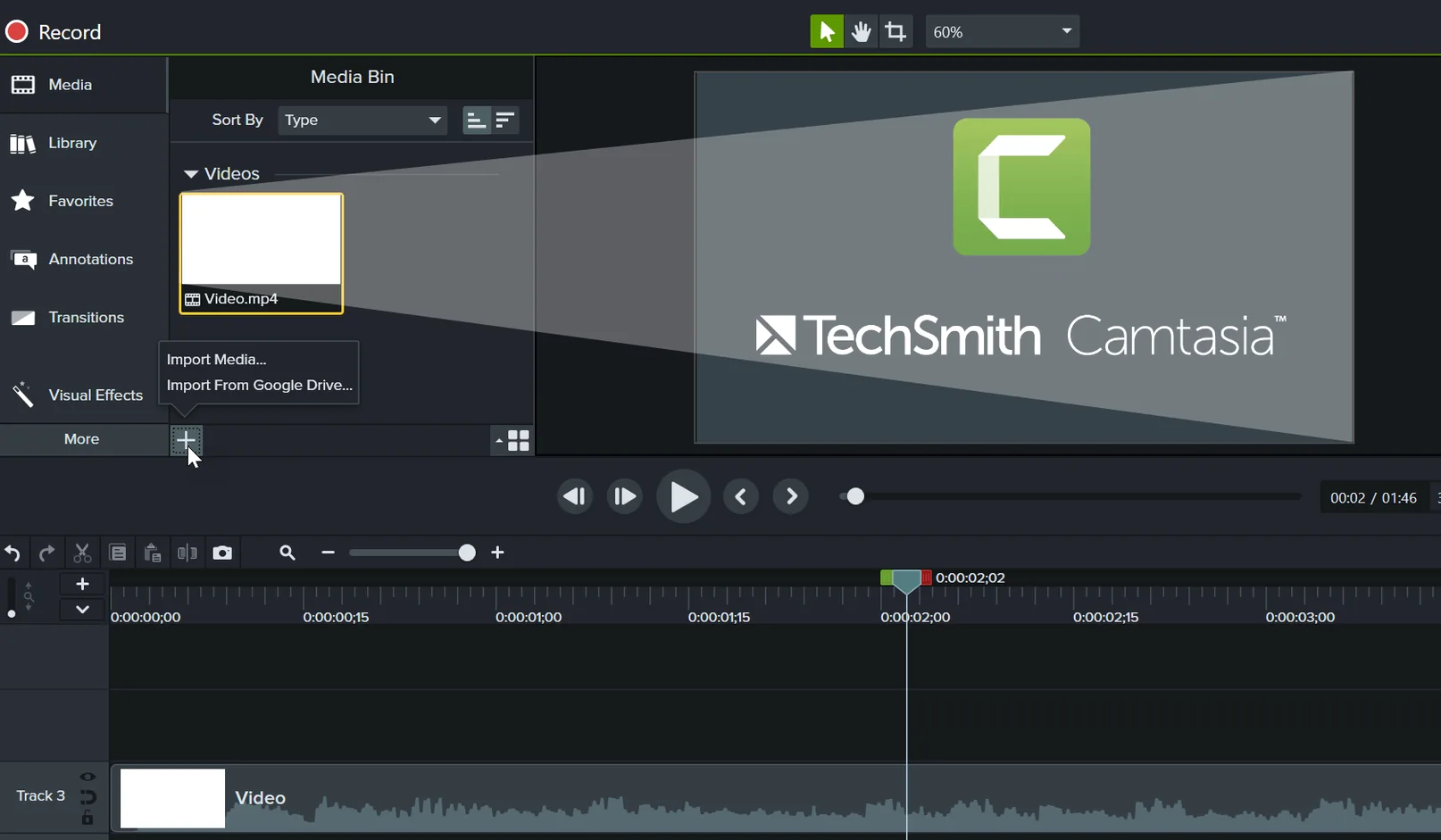
- The media bin remembers folders between sessions. Dump your brand assets, screen recordings, and music into separate folders once, and they stay organized across projects instead of resetting.
- Cursor path editing works in the properties panel, not just on-canvas. You can nudge a click point by pixels with arrow keys when you need surgical precision on a tiny UI button.
- Template previews play before you commit. Hover over any template thumbnail in the library and it animates a short preview loop, so you know what an intro looks like before dragging it in and undoing.
- Export presets save your last-used settings per format. If you always output MP4 at 30 fps with a specific bitrate, Camtasia remembers; you won't re-tick those boxes every time you render.
Camtasia 2026.2.4 brings the latest maintenance fixes and quietly improves reliability during longer recording and encoding sessions.
- macOS 13 or later
- Apple Silicon or Intel 64-bit Mac
Questions people ask
Which languages does the Camtasia Mac interface support?
You can switch the app interface to English, German, Spanish, Simplified Chinese, Portuguese, French, or Japanese.
What macOS version do I need for Camtasia 2026.2.3?
The current version requires macOS 13 (Ventura) or later and runs natively on both Apple Silicon and Intel Macs.
Also on readers' docks
Sign in or create an account to leave a comment.
No comments yet. Tell me how it got on with your other devices.