Download BuhoLaunchpad for macOS
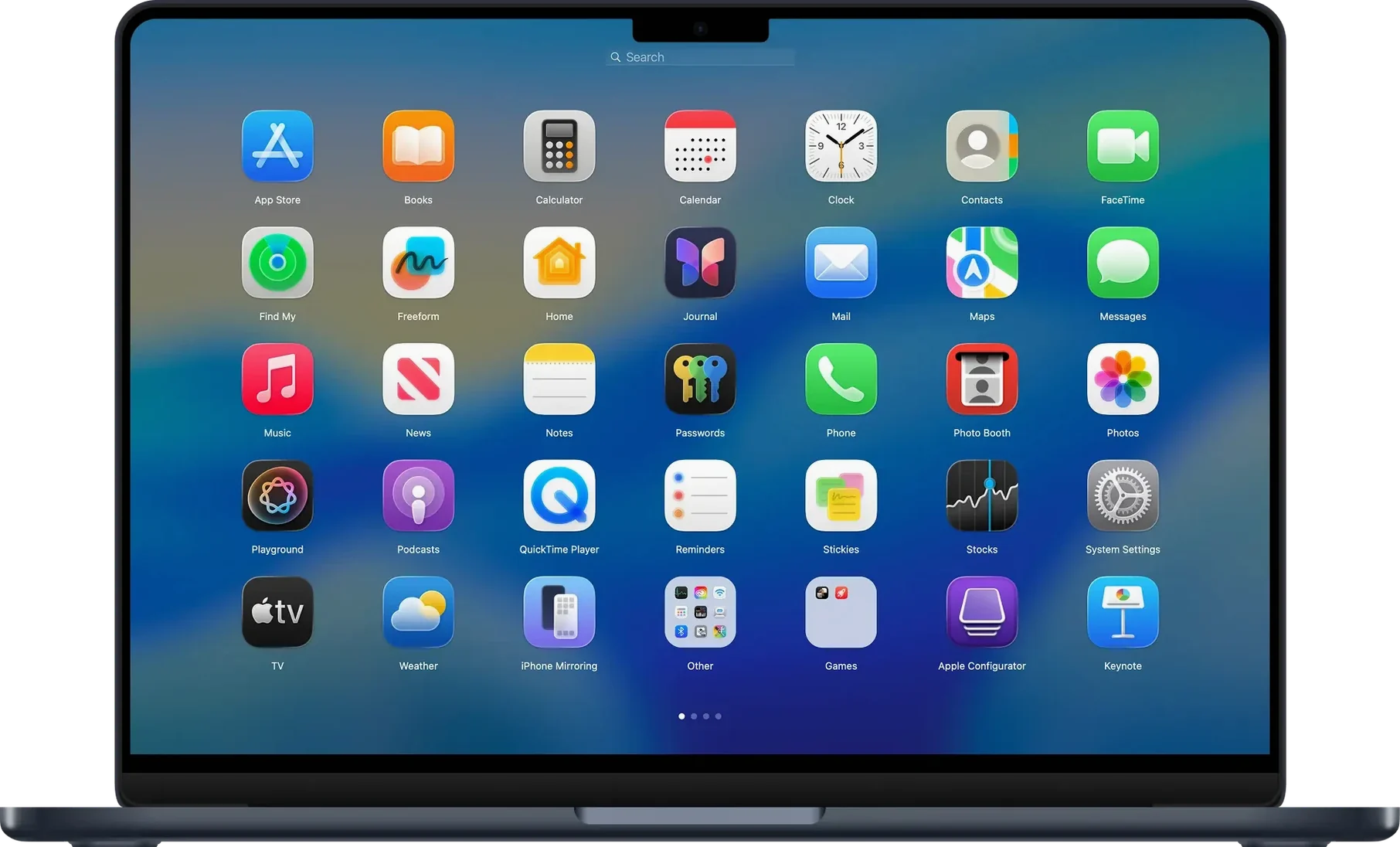
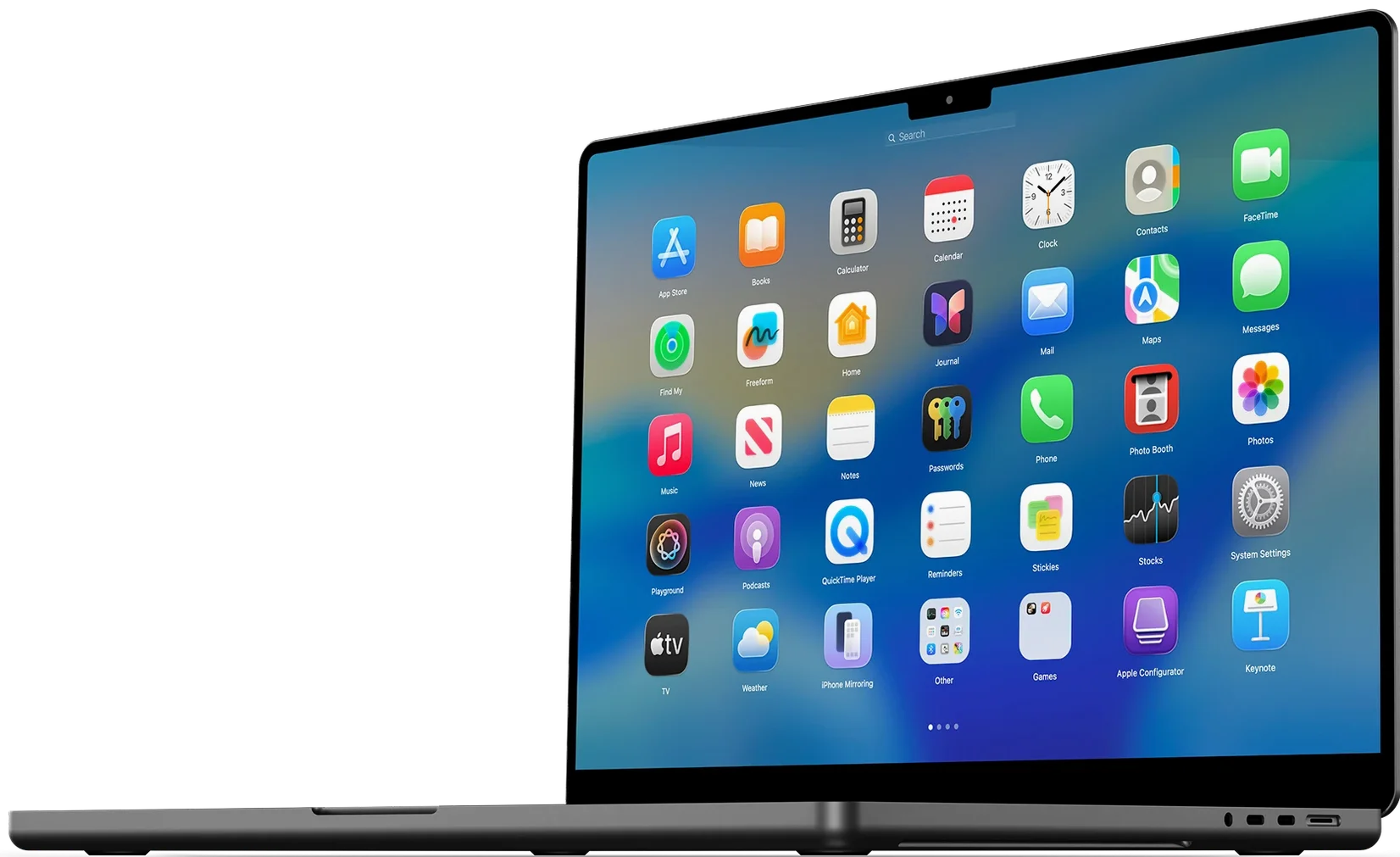
macOS used to have a perfectly good full-screen app launcher, and then Apple muddied it with folders and a cramped layout that never feels quite right. BuhoLaunchpad brings back the clean, sprawling grid you actually want when you're hunting for an app.
Getting the grid to feel like yours
- Set your grid dimensions. Open the app’s preferences and pick how many apps you want per row and column. No more squinting at tiny icons shoved into the middle of your display.
- Drag things into place. Grab any icon and drop it where it makes sense to you. The whole layout supports straightforward drag-and-drop organization, so you can group utilities on the left and creative tools on the right without fighting a folder structure.
- Group what belongs together. Drop one app onto another to create a group. And if you change your mind, version 1.10.2 adds a simple Ungroup option in the context menu to pull them apart again.
- Save your arrangement. Once everything is exactly how you like it, back up your layout. If an update or a mishap scatters your icons, you can restore the whole setup in seconds.
It also respects macOS 26’s icon styles, so the grid looks natural whether you’re in light, dark, or tinted mode. It’s a focused tool for anyone who prefers a full-screen app picker over the Dock or Spotlight.
Pick one gesture and avoid early tweaking
Give yourself a day or two of just using it before you go deep on tweaking. The muscle memory takes a little time, but it lands quicker than you'd think.
- Pick your gesture and stick with it. Head into System Settings and assign BuhoLaunchpad to a four- or five-finger trackpad swipe. Use that same gesture every time for the first few days — your fingers will learn it faster than your brain does.
- Start with a rough sort, not a perfect one. Drag your most-used dozen apps into the top-left corner and leave the rest alone. You'll naturally shuffle things around as you notice what you reach for and what you ignore, and that organic layout tends to age better than one you overthink on day one.
- Try calling it with the keyboard too. Tap an arrow key right after the grid appears and you can navigate entirely without the mouse. It's a small thing, but mixing trackpad swipes and arrow-key nudges makes the launcher feel less like a separate mode and more like an extension of whatever you were already doing.
Fix apps missing from the grid
A few things can trip you up early on, and most of them have simple fixes.
- Apps not showing up at all. BuhoLaunchpad pulls from your Applications folder. If you've tucked an app somewhere unusual — say, inside a subfolder you created — it won't appear until you move it back into the main Applications directory or add that path in the app's preferences.
- Gesture stops working after a restart. macOS sometimes resets custom gesture assignments after system updates. If your four-finger swipe suddenly does nothing, revisit the trackpad settings in System Settings and reassign it. It's annoying, but it's a macOS quirk, not a BuhoLaunchpad bug.
- Layout feels sluggish with hundreds of apps. If you've got an enormous grid, dial down the number of apps per row in the grid settings. A slightly smaller grid scrolls more smoothly, and the search box is always there when you need something fast without scrolling at all.
- Crash when renaming apps in Finder. That exact scenario was squashed in version 1.10.2, so if you're still seeing it on an earlier build like buholaunchpad 1.8.5 for mac or buholaunchpad 1.8.1 for mac, updating should put it to rest immediately.
- Imported layouts from macOS Tahoe look scrambled. The import grabs your old positions but doesn't always account for a different grid size. After importing, set your row and column counts close to what you had before, then nudge the stragglers into place. It's a one-time cleanup.
Version 2.0.0 has landed. The developer hasn't shared a public list of changes for this build, so think of it as a quiet but meaningful refresh — likely smoothing out performance, squashing bugs that popped up under newer macOS releases, and keeping things feeling snappy whether you're on Intel or Apple Silicon. The jump to a whole-number version usually signals something solid under the hood.
- macOS 11 (Big Sur) or later
- Apple Silicon or Intel 64-bit Mac
Questions people ask
Will this work on my current version of macOS?
BuhoLaunchpad is designed for macOS 15.0 and later.
Can I set how many apps appear in a row?
Yes, you can customize the number of apps per row and column in the preferences to fit your screen.
Also on readers' docks
Sign in or create an account to leave a comment.
No comments yet. Tell me how it got on with your other devices.