Download BookReader for macOS
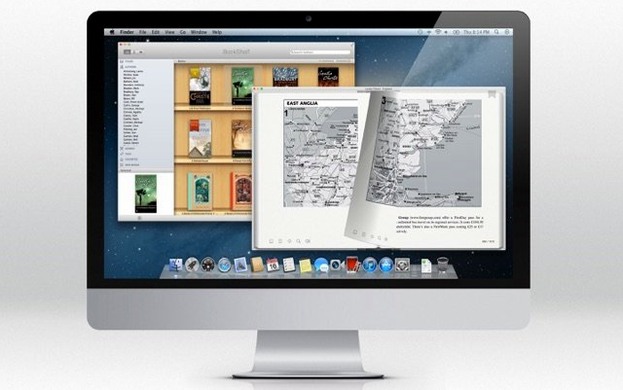
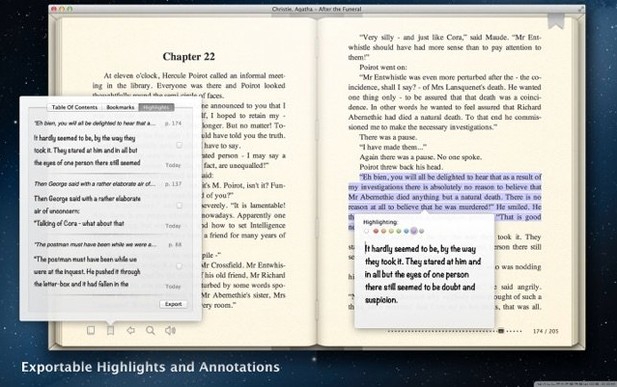
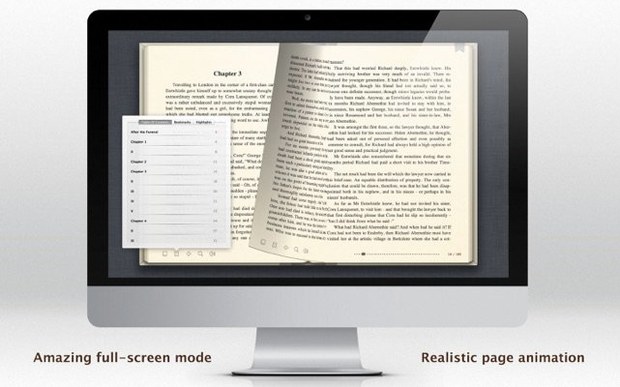
If you've ever opened a book in Apple Books, you already know the clean, no-distraction feel of a dedicated reader. BookReader takes that same straightforward spirit and layers on genuine format flexibility. It's an app that just wants to open your books, whatever shape they're in.
- Add a book. Drag in an EPUB, MOBI, FB2, or even a Word DOC. It handles PDFs and plain TXT files without complaint.
- Make it yours. Change the font, text color, and background color until the page looks right for your eyes, whether that's a warm sepia tone at night or crisp black-on-white during the day.
- Navigate naturally. Hypertext links inside books work as they should, so you can tap through footnotes and cross-references.
- Let it read to you. When your eyes need a rest, turn on Text to Speech and listen along.
It's a focused tool for people with sprawling, multi-format libraries who don't want to convert files just to settle in with a story. The interface is localized in Russian, English, and Italian, so you can read in the language you think in. If you've collected books across different ecosystems and just want a single, quiet place to read them on your Mac, BookReader fits that spot nicely.
How BookReader stacks up against other Mac readers
If you've spent any time hunting for a Mac ebook app, you've probably tripped over Calibre. It's the Swiss Army knife of ebook management—conversion, metadata editing, a built-in server, the works. But as a reader, it feels like piloting a spreadsheet that happens to display text. BookReader flips that priority: it opens your books directly and gets out of the way, no library-management chores required. If you already have a folder full of EPUBs and MOBIs and just want to read, BookReader is the lighter lift.
Yomu is another contender in the bookreader mac space, and it shares BookReader's clean-reading philosophy. Yomu leans harder into PDF annotation and has a more modern Cocoa feel, but its format support is narrower—EPUB and PDF, mostly. BookReader's willingness to open MOBI, AZW, FB2, and even Word DOCs gives it an edge if your collection is a grab bag from different sources. The trade-off is that Yomu feels a bit more polished around the edges, while BookReader stays utilitarian.
Then there's Apple Books itself, which is free, beautiful, and annoyingly picky about what it opens. If a book isn't an EPUB or a PDF, or if it carries DRM-free MOBIs from an old Kindle backup, Apple Books won't touch it. BookReader fills that gap without trying to be a storefront or a cloud-sync hub. It's a reader first, and that's what makes the comparison work in its favor for mixed-format libraries.
Sequoia compatibility without breaking old formats
Version 5.16 is a quiet, keep-the-lights-on update. The headline change is newer macOS support, which means it stays compatible with recent system releases without breaking its older format engines. In practice, that's the kind of update you don't notice—until you upgrade macOS and realize your reader still launches without a hiccup. The underlying text-rendering pipeline and Text to Speech hooks remain untouched, so books look and sound the same as they did before, just on a fresher OS.
For everyday reading, the practical takeaway is stability. No flashy new features, no redesigned bookshelf, no broken shortcuts. If you've been using BookReader across macOS updates, 5.16 keeps the familiar rhythm going without asking you to relearn anything.
DRM‑locked EPUBs from Apple or Kobo won’t open
Book won't open, or opens as gibberish. This is almost always a DRM issue. BookReader can't decrypt protected EPUBs from storefronts like Apple or Kobo, and it won't handle Kindle files still wrapped in Amazon's encryption. The fix is straightforward: use it with DRM-free files. If a MOBI or AZW file came from a personal backup or a DRM-free source and still won't load, try re-downloading it—sometimes a corrupted transfer is the real culprit.
Text to Speech sounds robotic or rushes through paragraphs. This ties into macOS's built-in voice settings rather than BookReader itself. Head to System Settings > Accessibility > Spoken Content, pick a voice you like (the Siri voices are surprisingly natural), and adjust the speaking rate. BookReader taps into that same engine, so tweaking it there changes how your books sound here.
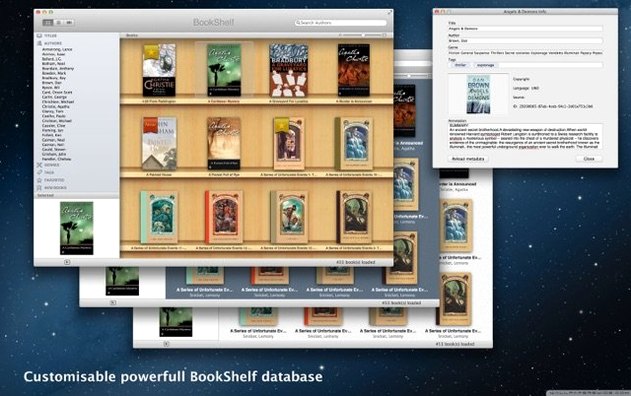
Bookshelf view looks empty after adding files. BookReader's library view relies on metadata embedded in the file. If a book shows up with a blank cover or a garbled title, the file's metadata is missing or malformed. A quick pass through Calibre's metadata editor—just to clean up the title and author fields—usually fixes it, and BookReader will pick up the changes next time you open the book.
This update adds support for newer versions of macOS.
- macOS 11.5 or later
- Works on both Intel and Apple Silicon Macs
Questions people ask
Which file formats does BookReader support?
BookReader opens EPUB, MOBI, PRC, AZW, FB2, PDF, HTML, Microsoft Word DOC, RTF, RTFD, TXT, xHTML, and Safari Webarchive files, all without DRM.
Also on readers' docks
Sign in or create an account to leave a comment.
No comments yet. Tell me how it got on with your other devices.