Download Binary Ninja for macOS
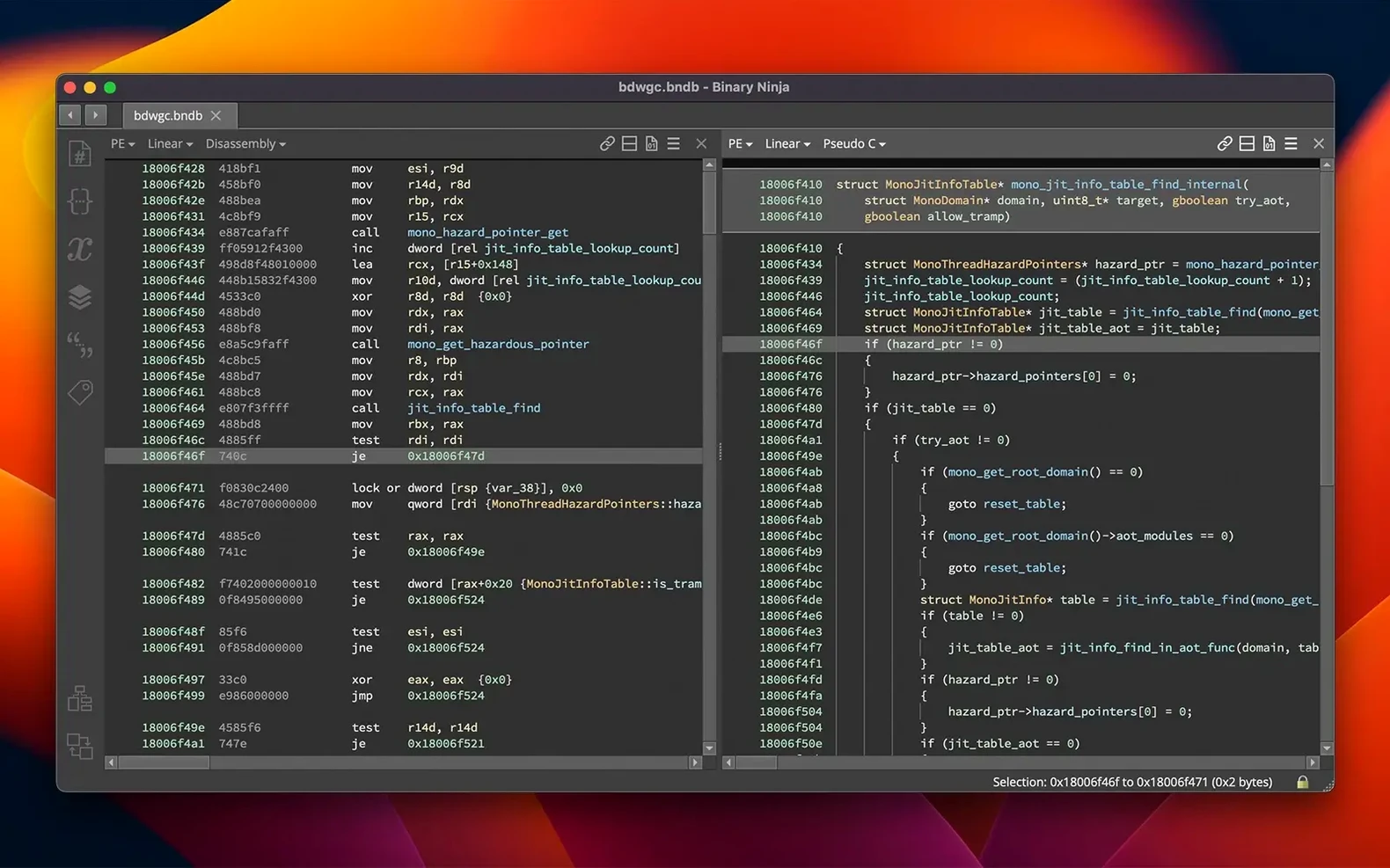
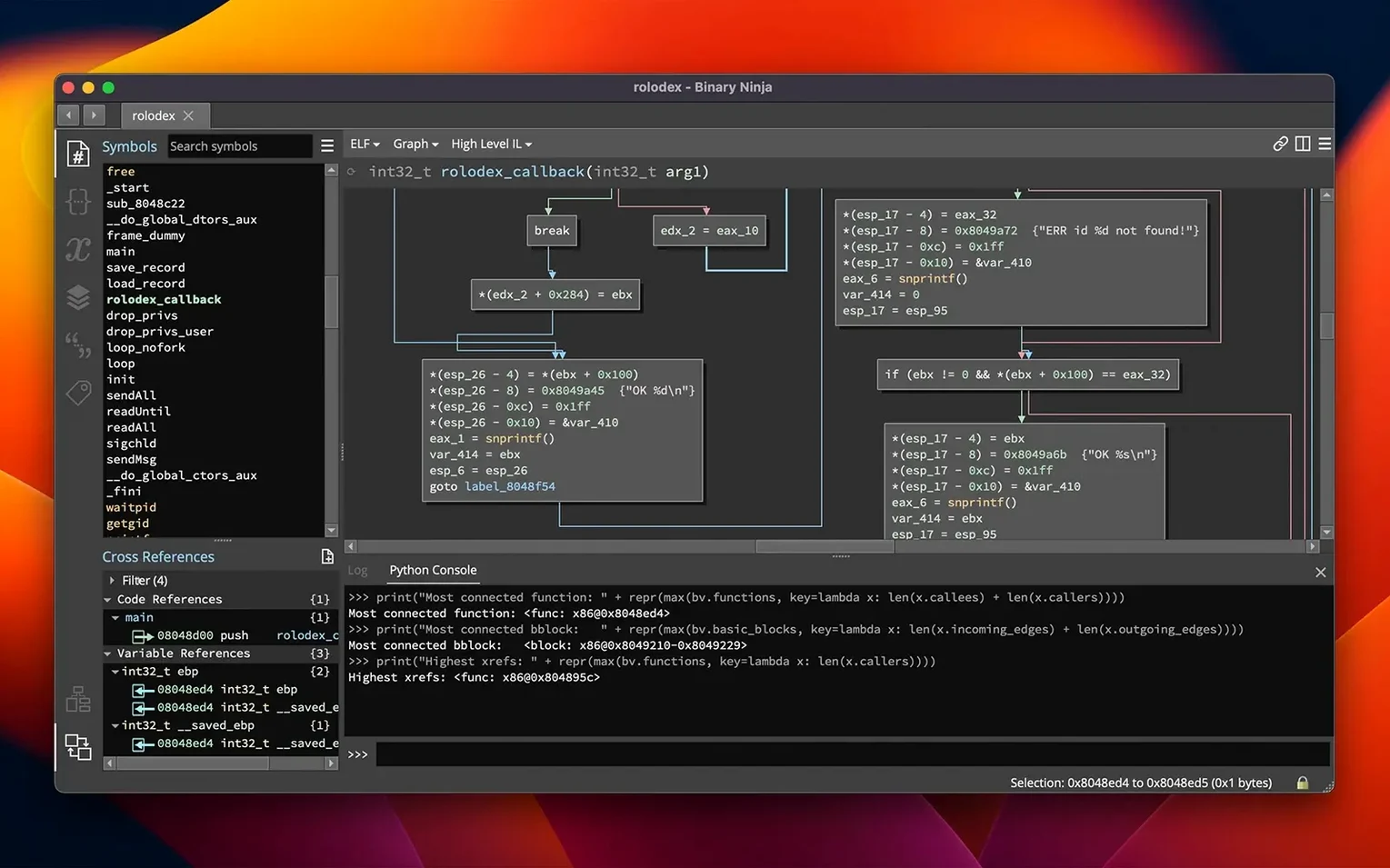
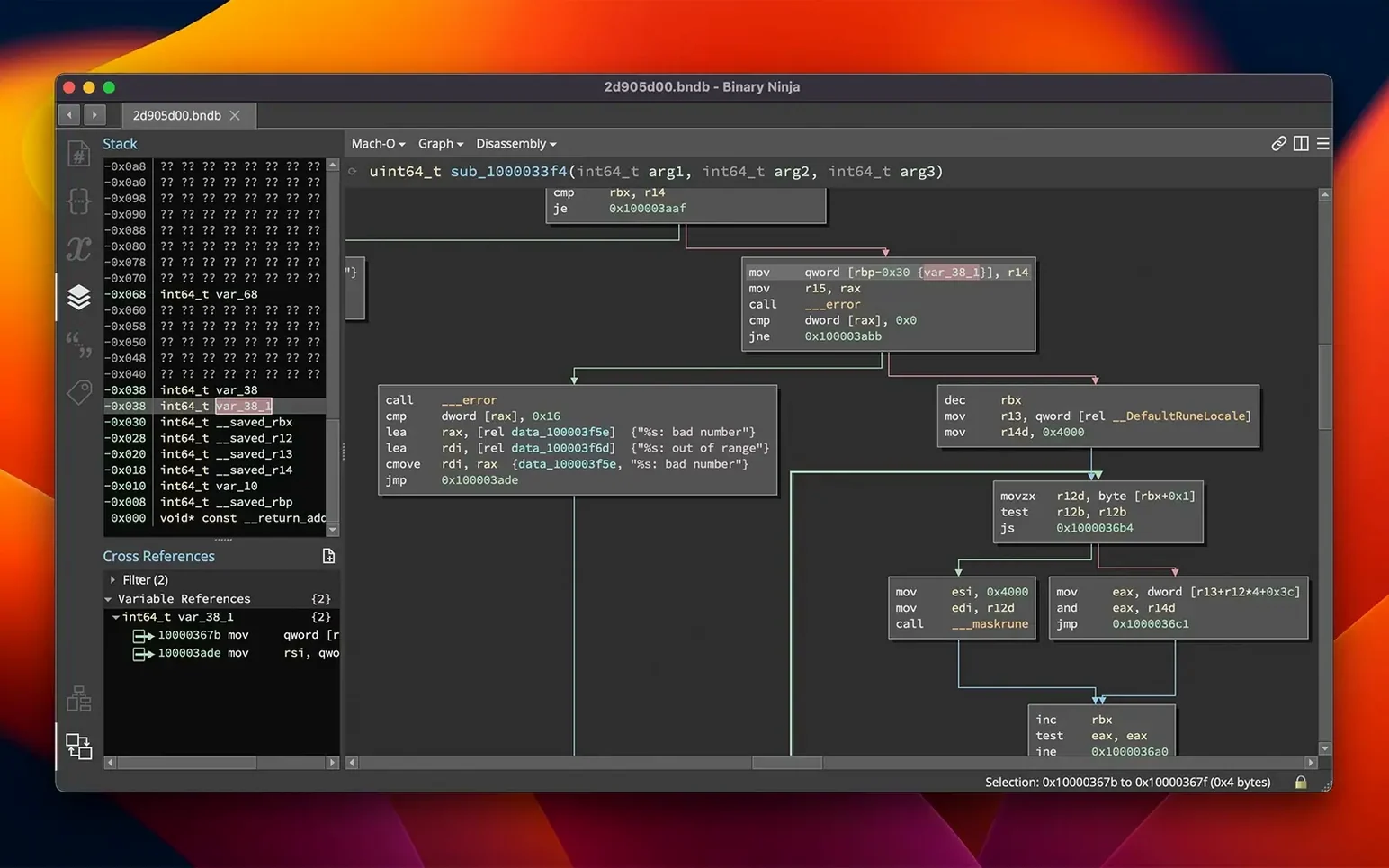
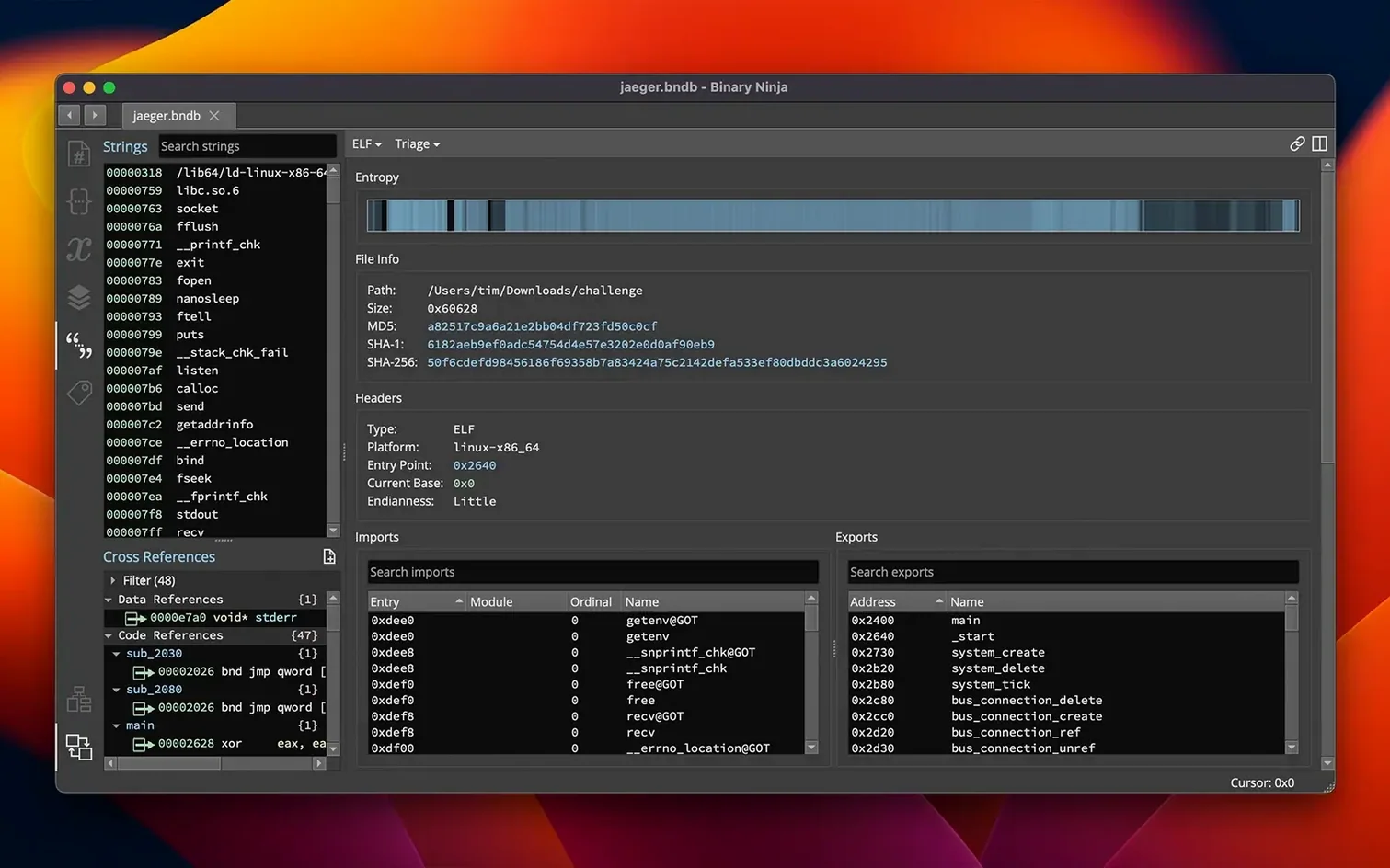
Binary Ninja is a reverse-engineering platform built to make disassembly, decompilation, and binary analysis feel fluid rather than like a wrestling match with hex. It opens executables and libraries across a wide spread of formats and architectures, then gives you interactive tools to pick apart how they tick. The interface leans hard into visual feedback, so following a program's logic becomes a conversation instead of a monologue. Here's a look at the jobs a few standout features actually do.
- Interactive control flow and cross-references — Instead of staring at a dead listing, you click through branches, loop back edges, and jump to references inline. It turns static disassembly into a map you can explore while staying oriented.
- Decompilation to C or BNIL — The platform lifts machine code into a higher-level representation. You can read the logic in C-like output or study the intermediate language layer, which helps when the raw assembly gets too dense to scan quickly.
- Headless analysis engine — You don't need to open the UI at all. Script it, run batch jobs across multiple binaries, or integrate it into automated pipelines where a GUI would just get in the way.
- Entropy graph — This visual overlay highlights regions of high randomness inside a binary. Packed or encrypted chunks stand out instantly, pointing you toward the most interesting areas without guessing.
- Plugin ecosystem via the Extension Manager — Version 6.0 redesigned the old Plugin Manager into a cleaner Extension Manager, so the platform stretches to fit niche architectures, custom loaders, and new analysis passes the community builds.
Across macOS, Windows, and Linux, Binary Ninja keeps the same feel and the same muscle. It's the kind of tool that grows with you — start with the entropy graph and control flow, then lean on headless scripting once your investigations get more ambitious.
Small conveniences that earn their keep
After a few sessions, you stumble on tricks that aren't shouted about in release notes but quietly reshape how fast you move. Here are a handful I've come to rely on.
- Middle-click navigation — Click a function name or an address with the middle mouse button, and Binary Ninja jumps you there instantly. No right-click menus, no hunting for the cross-reference pane. It's one of those things that feels like muscle memory after a single afternoon.
- Type libraries at your fingertips — Hit
Shift+Ton a function and you can pull in a known type signature from the built-in library. If you're reversing something that calls common C runtime functions, you'll have the parameters labeled in seconds rather than guessing at stack layouts. - Undo everywhere — Renamed a variable badly? Overwrote a type you didn't mean to touch?
Ctrl+Zwalks it back. Not every reverse-engineering tool treats your annotations as a living document, but here the undo stack covers comments, types, labels, and even patched bytes. - Sync groups — Open the same binary in a split view, lock the two panes together, and scroll through disassembly in one while the decompiled HLIL stays in step in the other. The sync toggle lives in the corner and it's easy to miss the first week you use the tool.
- Quick binary patching with SCC — The built-in C compiler lets you write a snippet in C, compile it right there, and splice the output bytes into the binary. No external toolchain, no switching windows. It turns "I wonder what happens if I nop this branch" into a ninety-second experiment.
Tighter UI, less government-project bloat
Stacked against Ghidra, Binary Ninja feels tighter. Ghidra gives you a sprawling feature set and a decompiler that handles deeply nested constructs well, but the interface carries the weight of a large government project. Binary Ninja trades some of that raw breadth for speed — the analysis engine chews through a moderate binary noticeably faster, and the UI doesn't fight you when you just want to click around and rename things. If you spend hours annotating, the responsiveness adds up.
Next to IDA Pro, the contrast is trickier because IDA's plugin ecosystem has decades of head start. IDA still wins on exotic architectures and sheer third-party script coverage. But Binary Ninja's API story — with first-class Python, C++, and Rust bindings — closes that gap steadily, and the headless mode feels less bolted-on than IDA's batch processing. The decompiler output sits somewhere between the two: cleaner than Ghidra's raw output on simpler functions, not quite as polished as IDA on heavily optimized loops. For everyday triage and malware analysis, it strikes a sweet spot that doesn't demand constant tweaking.
On the more specialized side, Hopper feels like a lightweight cousin. Hopper is fine for quick looks at small Mach-O binaries, but it doesn't have the intermediate language depth or the collaborative scripting surface Binary Ninja offers. Once you need to write custom analysis passes or automate across dozens of samples, Hopper runs out of road. Binary Ninja's BNIL layer and headless engine make it the tool you graduate to, not from.
Drag, drop, and the network weirdness surfaces in seconds
A colleague drops a suspicious Mach-O binary in chat with the message "this one's doing something weird with the network." I drag it onto Binary Ninja's dock icon. The analysis engine spins for maybe four seconds — long enough to sip coffee, not long enough to lose my train of thought.
First move: switch to the entropy graph. A tall spike jumps out near the middle of the file, a blob of high-entropy data that suggests packed or encrypted payload. I click into that region and toggle over to hex view, then back to disassembly. The surrounding functions are thin wrappers, nothing that explains the networking behavior my colleague mentioned.
So I open the cross-references pane and search for connect and send. Two hits. I middle-click the first one and land in a function that's been stripped of symbols — just a sea of sub_1000 names. I rename it maybe_beacon, then hit Tab to see the HLIL decompilation. The loop structure pops out immediately: a while that builds a buffer, calls send, sleeps, and repeats. I drop a comment on the sleep call noting the five-minute interval.
Next I press Shift+T on the function and pull in the POSIX socket types. The parameters resolve, and now the decompiler shows struct sockaddr_in instead of raw offsets. One less thing to hold in my head. I copy the HLIL output, paste it into my notes, and tag the binary for deeper analysis tomorrow. The whole session — from drag-and-drop to annotated findings — runs under twelve minutes. Most of that was thinking, not waiting on the tool.
Binary Ninja 6.0 is a major release that ships a new MCP server and a Binary Similarity feature. The old Plugin Manager has been redesigned as the Extension Manager, and the update introduces the TMS320C6x architecture.
- macOS 10.15 or later
- Supports both Apple Silicon and Intel 64-bit
Questions people ask
Can Binary Ninja decompile code?
Yes, it can decompile to C or to its own BNIL intermediate language for supported architectures.
Does Binary Ninja work without the graphical interface?
Absolutely. It supports headless analysis for scripting, batch processing, and integration into automated workflows.
What platforms does Binary Ninja run on?
It runs on macOS 10.15 or later, Windows, and Linux, with support for ARM and x86 64-bit architectures on macOS.
Also on readers' docks
Sign in or create an account to leave a comment.
No comments yet. Tell me how it got on with your other devices.