









Download BetterTouchTool for macOS
Version 6.726 landed with the kind of quiet polish that keeps a veteran utility feeling current, and it’s a good excuse to walk through something I’d been meaning to set up: a single tap that snaps a screenshot, annotates it, and drops the result straight into my clipboard history.
Building a screenshot-to-clipboard gesture
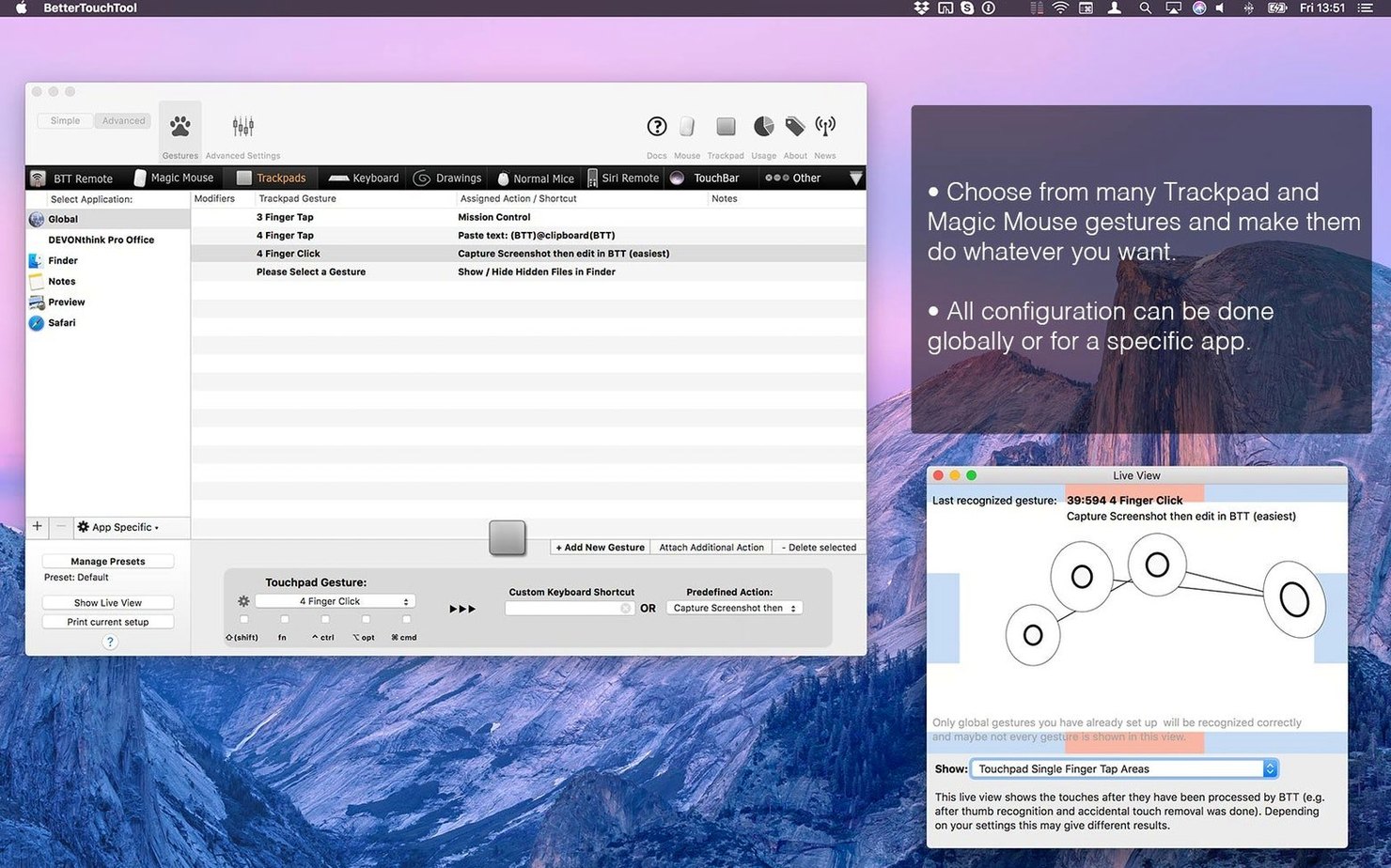
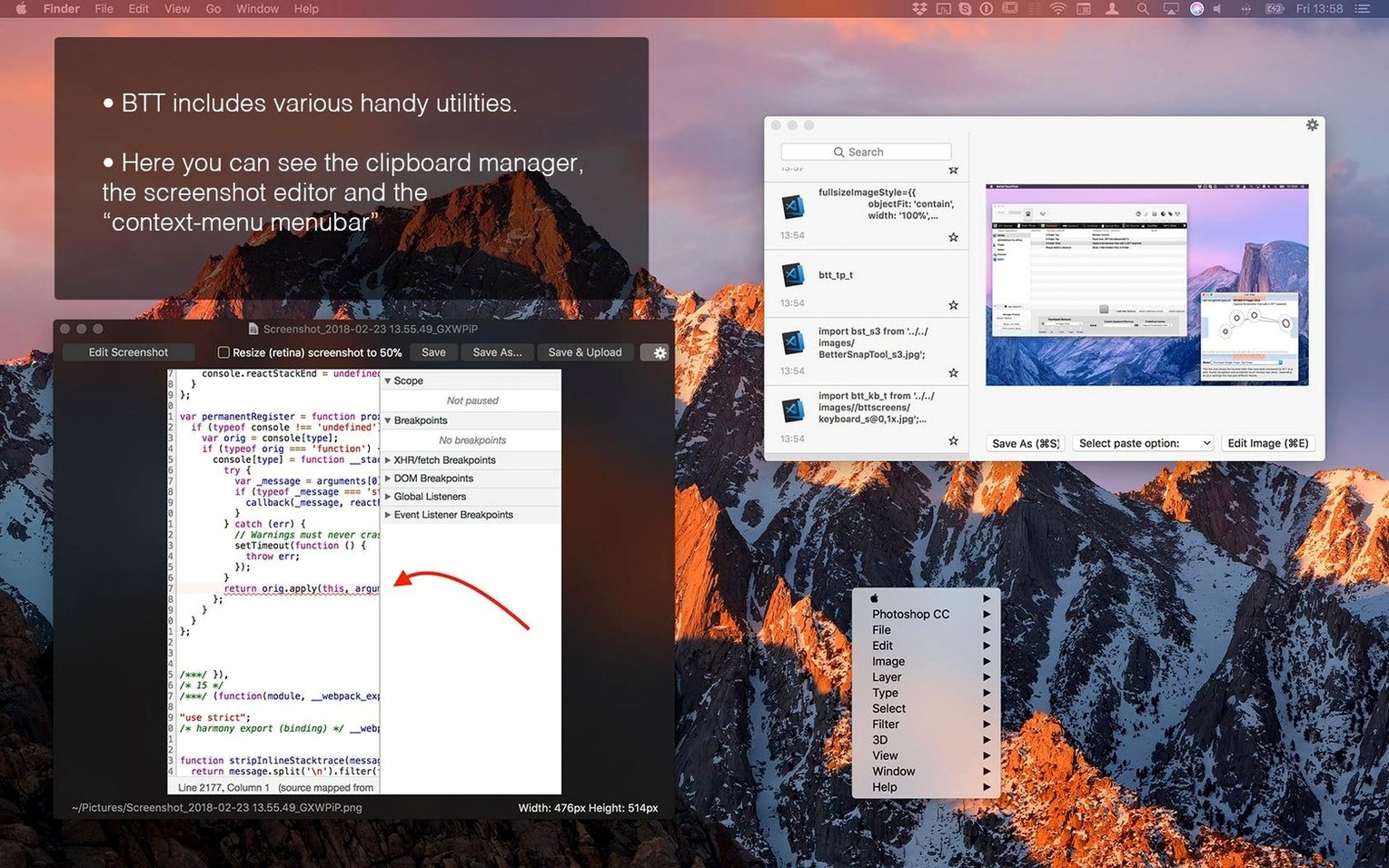
I opened the preference pane and added a new trigger for my Magic Mouse—a three-finger force click. BetterTouchTool lets you pin actions to specific apps, so I assigned this one to work everywhere. For the action, I chained two things together: first, the built-in screenshot tool with its on-the-fly editor, then the clipboard manager to catch the final image. I set the screenshot tool to capture a crosshair selection, and suddenly one hard press gave me a floating annotation window. Drawing an arrow and hitting ‘copy’ pushed it right into the clipboard stack.
Why the per-app rules matter
What makes the setup stick is that the same gesture does something different in Sketch. There, a three-finger force click hides the interface instead. The app’s ability to target individual applications means I’m not memorizing a universal shortcut map—the tool bends to the context. Between the gesture drawing, AppleScript hooks, and HTTP widgets Andreas mentions on his site, the utility feels less like a settings panel and more like a layer you shape around how you already work.
Scope vs. keyboard-first macro engines
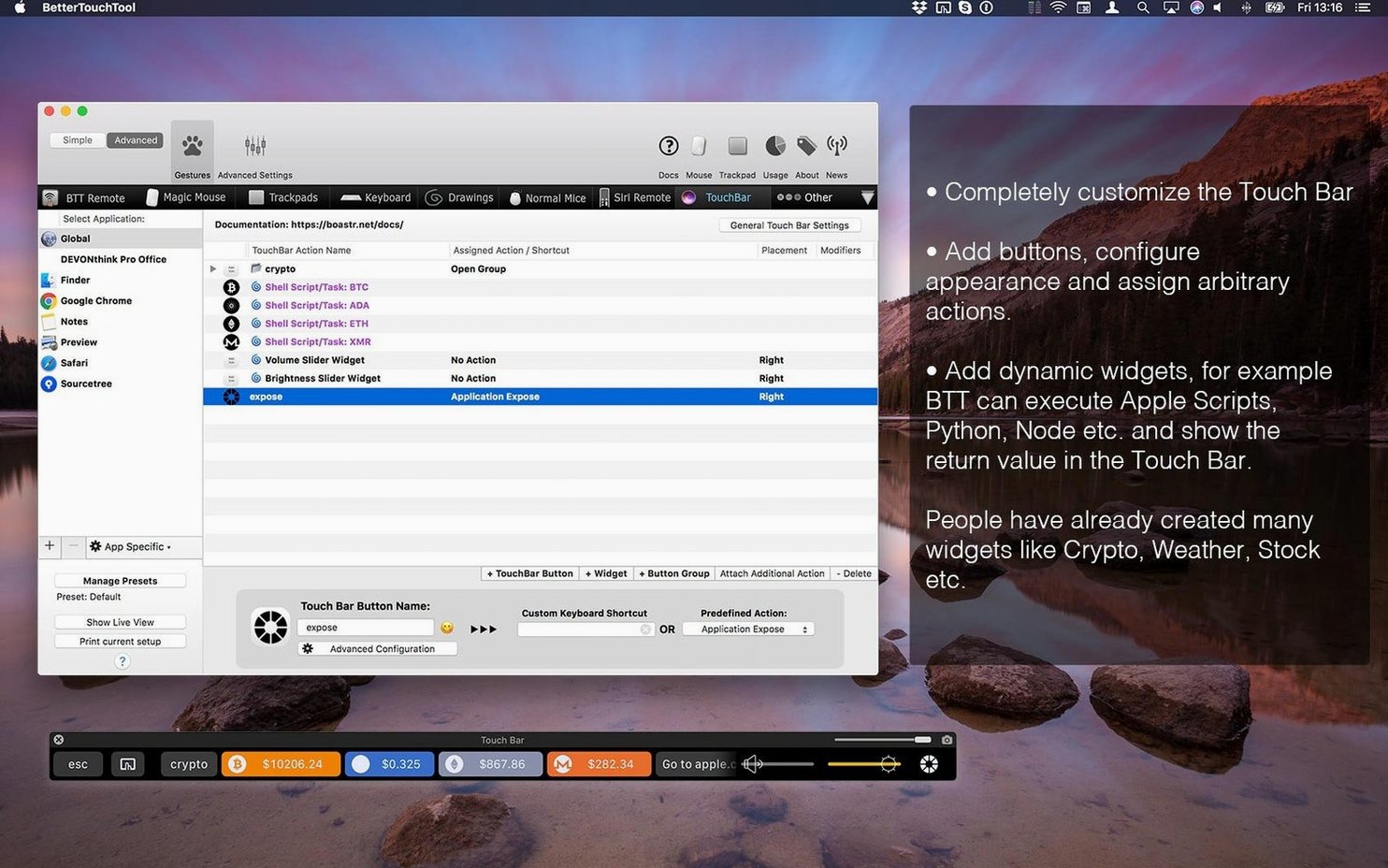
Put BetterTouchTool next to something like Keyboard Maestro, and the conversation usually lands on scope. Keyboard Maestro is the deeper automation engine—it's brilliant at multi-step macros, conditionals, and stringing together app-specific workflows that run without you touching a thing. BTT overlaps in trigger logic, but its real edge is in physical input. The gesture engine for trackpads and Magic Mouse sits a class above anything Keyboard Maestro attempts, and the Touch Bar widget builder is entirely its own kingdom. If you live on a laptop without an external keyboard, that gap widens fast.
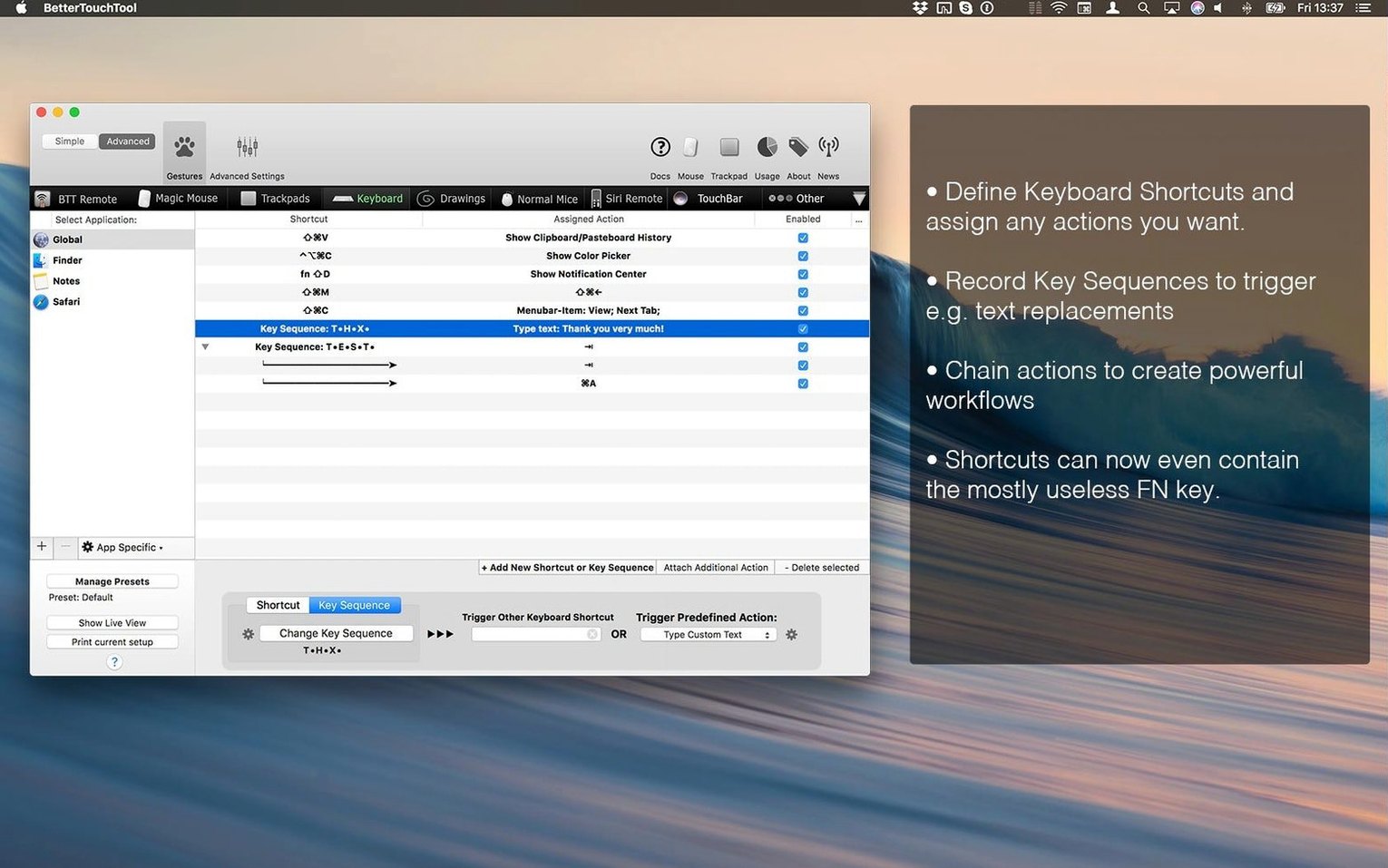
Then there's Karabiner-Elements, which is laser-focused on keyboard remapping and does it wonderfully—complex key layers, Vi-mode toggles, per-device rules. But it stops at keys. BTT pulls in mice, trackpads, the Siri Remote, and drawing gestures, and it wraps them around the same per-app rule system that governs shortcuts. Someone who only wants to remap caps lock should stick with Karabiner. Someone who wants a three-finger swipe to trigger a chain of AppleScript actions in Logic Pro while a corner-click dims the display? That's BTT territory.
You'll spot folks searching for bettertouchtool torrent or a better touch tool mac crack to test that breadth before committing, which makes sense given how much the app sprawls. The 45-day trial covers the same ground honestly, and version 6.726 includes activation instructions right in the package—no chasing down scattered guides.
Input lag vanishes to unnoticed
After a couple of weeks with the current build, the thing I notice most is what I don't notice: input lag. The gesture recognition sits close to the metal, and a three-finger tap fires with the same immediacy as a system trackpad shortcut. I've thrown some messy chained actions at it—screenshots that trigger resizes that call shell scripts—and the response stays snappy on both an M1 MacBook Air and an older Intel iMac. Memory usage hovers around 120–180 MB on my setups, which, for an app that's monitoring every input device plus managing a clipboard history and a screenshot editor, feels entirely reasonable.
CPU spikes are rare and brief, usually during the initial launch when it loads custom Touch Bar widgets or parses a large set of AppleScript-backed triggers. Once it settles, it idles quietly. I haven't hit a crash in daily use on version 6.726, and the one time a custom HTTP widget failed to load, the rest of the app kept humming—a contained failure rather than a beachball party. That sort of resilience matters when you've built enough muscle memory around custom gestures that losing them for an afternoon would feel like typing with gloves on.
The gesture translator beneath your other tools
BetterTouchTool doesn't try to replace Spotlight, Shortcuts, or Automator—it sits underneath them, translating physical gestures and key presses into calls those tools understand. I've got a corner-tap that triggers a Shortcut that texts my arrival time to my partner; BTT handles the touch, Shortcuts handles the logic, and the two never step on each other's toes. The URL scheme support means apps like Obsidian or Things can receive commands directly from a mouse gesture without an intermediate script, which keeps the chain short and the failure points obvious.
The clipboard manager plays well with macOS's own copy-paste behavior rather than fighting it. It doesn't override system paste—it extends it with a history you can summon when you need it. I've found myself using the screenshot tool's editor as a quick markup layer even for images I didn't capture through BTT; dragging a file onto the floating window trims the step of firing up Preview. The real integration win, though, is how per-app rules let the same input mean different things depending on the window under the cursor. That's a macOS feature—contextual behavior—that Apple ships sparingly, and BTT spreads it across every device you plug in.
Splitting time between keyboard and trackpad
Power users who split time between a keyboard and a trackpad or Magic Mouse get the most lift here, because the app treats both input types as first-class citizens in the same rule engine. Designers who want a stylus-like gesture set on a trackpad, developers who chain shell scripts to mouse buttons, and anyone still mourning the Touch Bar's potential all fall into the sweet spot. It's also quietly excellent for accessibility setups—custom gestures with low physical dexterity requirements can replace key combos that are hard to press, and the per-app scoping means those adaptations don't bleed into contexts where they'd interfere.
Casual users who just want a few extra keyboard shortcuts might find the interface a lot to chew through, and people who work primarily with a standard two-button mouse and no trackpad will leave half the feature set on the table. But if you've ever wished a swipe could mean something different in Finder than it does in Xcode, or that your Touch Bar showed system stats instead of emoji suggestions, BetterTouchTool is the kind of utility that shifts from "neat" to "can't work without" inside a week. The folks grabbing a bettertouchtool cracked copy or a better touch tool torrent are usually on the verge of that realization—they just haven't felt how deep the customization goes until they get in and build something that actually sticks.
- Version 6.726 rolls in minor fixes and refinements that keep the automation layer running smoothly on current macOS builds.
- macOS 10.15 or later
- Apple Silicon or Intel Mac
Questions people ask
Does BetterTouchTool keep a history of what I copy?
Yes, it includes a built-in clipboard manager that stores multiple copied items for quick access later.
Also on readers' docks
Sign in or create an account to leave a comment.
No comments yet. Tell me how it got on with your other devices.
More in Mac Apps
See all BetterMouse
1.7.8995 Mac Apps
7 MB
BetterMouse
1.7.8995 Mac Apps
7 MB
 BetterZip
6.0.6 Mac Apps
25 MB
BetterZip
6.0.6 Mac Apps
25 MB
 Updated BetterDisplay Pro
4.0.4 Mac Apps
16 MB
Updated BetterDisplay Pro
4.0.4 Mac Apps
16 MB
 Binary Ninja
6.0.10601-personal Mac Apps
584 MB
Binary Ninja
6.0.10601-personal Mac Apps
584 MB
 Beauty Box Photo
6.0.5 Mac Apps
107 MB
Beauty Box Photo
6.0.5 Mac Apps
107 MB
 Updated Bloom
1.5.46 Mac Apps
19 MB
Updated Bloom
1.5.46 Mac Apps
19 MB
 Bartender
7.0.4 Mac Apps
31 MB
Bartender
7.0.4 Mac Apps
31 MB
 BAO Mask Avenger
2.7.5 Mac Apps
6 MB
BAO Mask Avenger
2.7.5 Mac Apps
6 MB