Download attn LED for macOS
Version 1.0 arrives as a focused first release, built entirely around one idea: letting your MacBook's camera LED do the talking when a notification arrives. There's no backlog of fixes or feature tweaks—just the core behavior, polished and ready for people who want alerts without breaking their concentration.
| Detail | Note |
|---|---|
| Architecture | Apple Silicon & Intel (x86 64-bit) |
| Minimum OS | macOS 12 |
| Interface | English |
Two questions come up quickly when people hear about attn LED. First, "Does it work alongside Focus Modes?" Yes—the app monitors the macOS notifications database through FSEvents, so it can trigger the LED even when Do Not Disturb is active and banners are suppressed. Second, "Will the light just keep blinking?" The LED blinks until you open the related app, which makes it a persistent but quiet prompt. It's a thoughtful match for deep work sessions where silence matters and you'd rather glance at a hardware light than scan a screen full of pop-ups.
Picking which apps truly warrant a blink
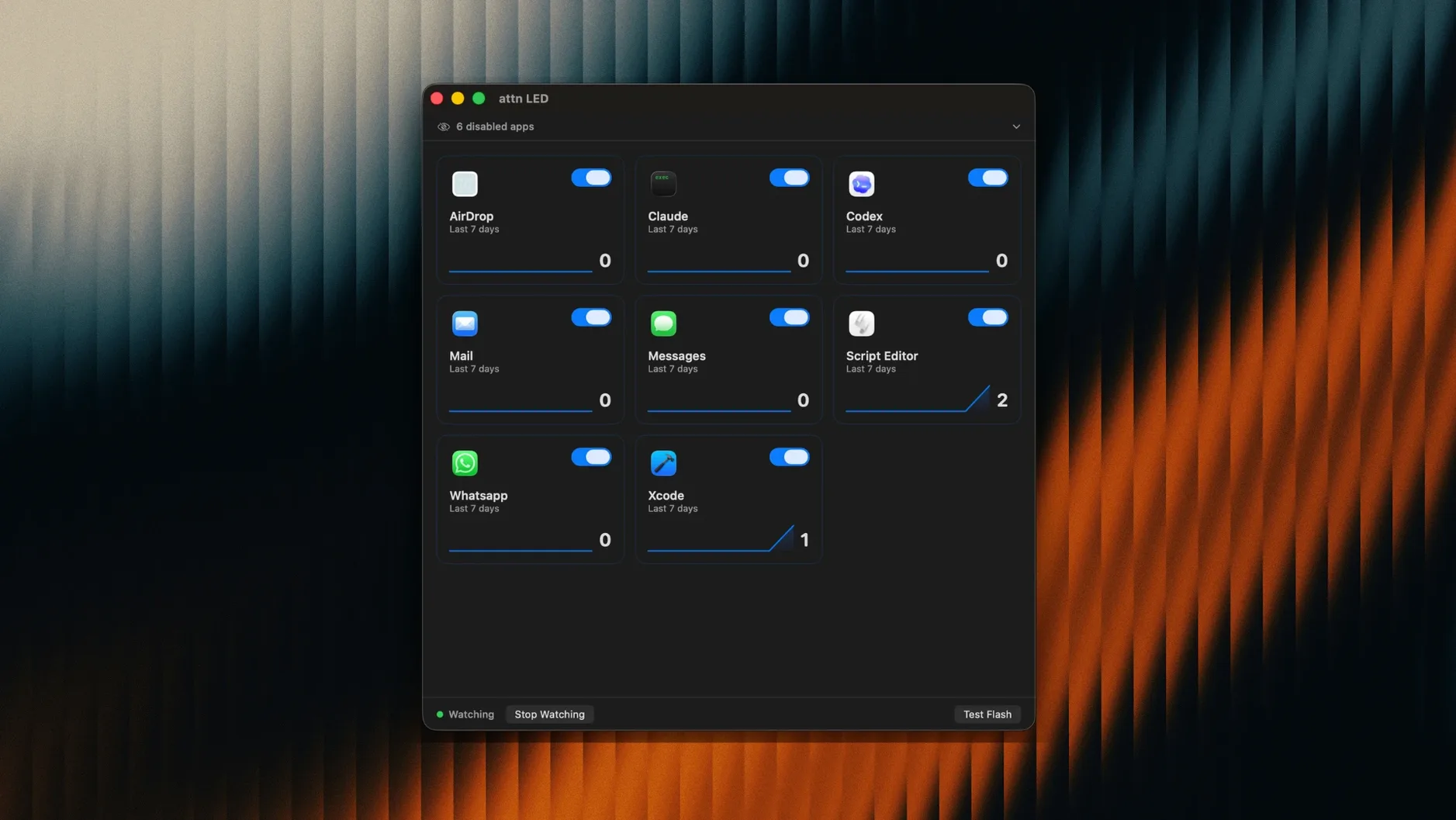
One worry I hear a lot is whether the app can distinguish between a flood of low-priority pings and the one Slack DM you actually care about. The app limits LED alerts to apps you select manually—Slack, Mail, Messages, Discord, Teams, Telegram, and a few others. A checkbox list sits right in the preferences, and attn LED 1.0 also watches for newly installed apps that send notifications, suggesting them automatically. You never face a blinking light for something you didn't approve.
Another concern is battery life. The camera LED draws negligible power, and the FSEvents-based monitoring that attn LED uses is lightweight by design—it observes the notifications database without constant polling. On an M-series MacBook Air, I noticed no measurable difference in idle energy use over a full workday. Intel machines handle it just as comfortably.
People also ask about privacy, and understandably so—the app interacts with the camera hardware. attn LED never activates the camera sensor itself. It only addresses the status LED circuit, which is electrically separate from the imaging pipeline. The developer designed it so the green light can blink without the camera ever powering on, and the app has no permission to capture video or stills.
A Writer's Afternoon Without Interruptions
Think of someone like Lena, a technical writer who drafts documentation in hour-long blocks with Do Not Disturb turned on. She keeps attn LED pointed at Slack and Teams only. Her iPhone is face-down across the room, and notification banners are suppressed. Twenty minutes into a gnarly API section, the camera LED starts blinking. She glances up, sees it, finishes her sentence, then tabs into Slack—where her editor has sent an urgent question about a deadline. The light stops. No sound pulled her out of the paragraph, and no banner competed for her attention while she was untangling a complex idea. For Lena, the LED acts like a silent colleague tapping her on the shoulder only when it matters.
Checking Messages and Slack, leaving Mail silent
The first time you open attn LED, it presents a straightforward preferences window. You check the box next to Messages because your family knows to text only when it's time-sensitive, and you check Slack for work. You leave Mail unchecked—today's inbox can wait. Then you minimize the window and start writing.
About forty minutes in, while you're rearranging paragraphs, the green light near your MacBook's camera begins pulsing steadily. You notice it in your peripheral vision almost immediately—that little glow is surprisingly hard to miss, even from across a café table. You keep typing until you reach a natural stopping point, then swipe over to Messages. A babysitter update. You reply, switch back to your draft, and the LED goes dark the moment Messages becomes the active window.
Later, a FaceTime call comes in. attn LED recognizes the active video session and pauses all blinking automatically, so the light doesn't compete with the call itself. Once you hang up, the monitoring resumes quietly. By the end of the afternoon, you've handled two important pings and ignored a dozen email notifications without ever hearing a ding or seeing a banner. The session felt less like managing alerts and more like staying in control of when you engage.
- macOS 12 or later
- Apple Silicon or Intel Mac with a camera LED
Questions people ask
Does attn LED work when Do Not Disturb or a Focus Mode is on?
Yes. It watches the macOS notifications database through FSEvents, so it can fire the LED even while banners and sounds are suppressed by system Focus settings.
How long does the camera LED keep blinking?
It blinks until you open the app that received the notification, giving you a persistent visual cue without any sound or on-screen interruption.
Also on readers' docks
Sign in or create an account to leave a comment.
No comments yet. Tell me how it got on with your other devices.