









Download AppZapper for macOS
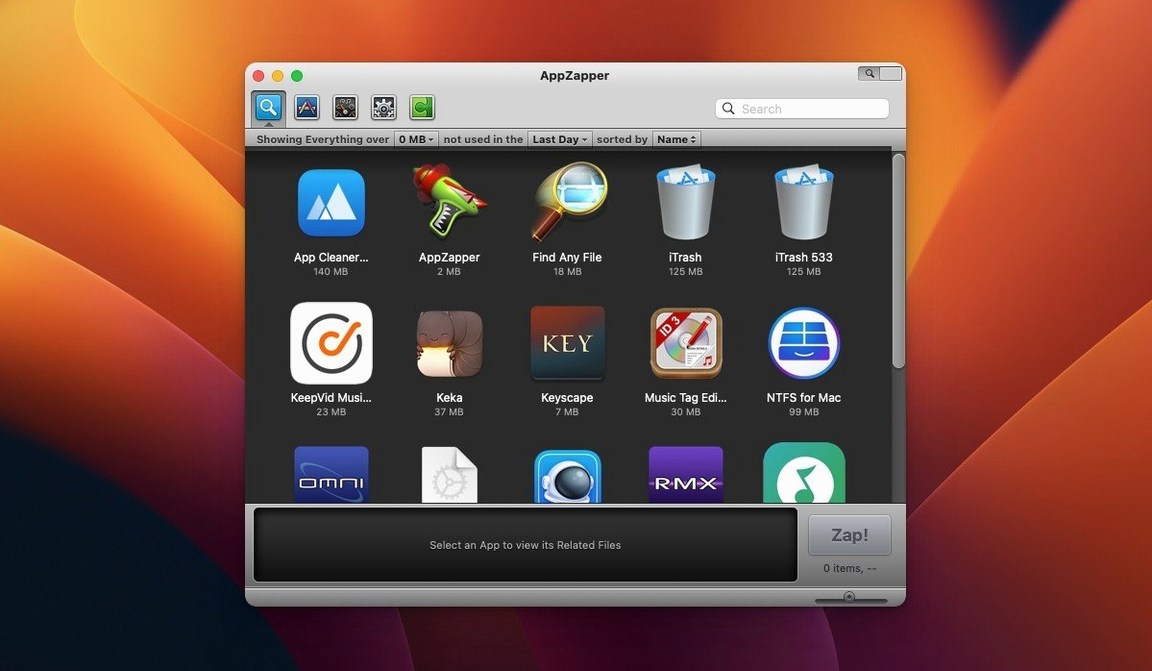
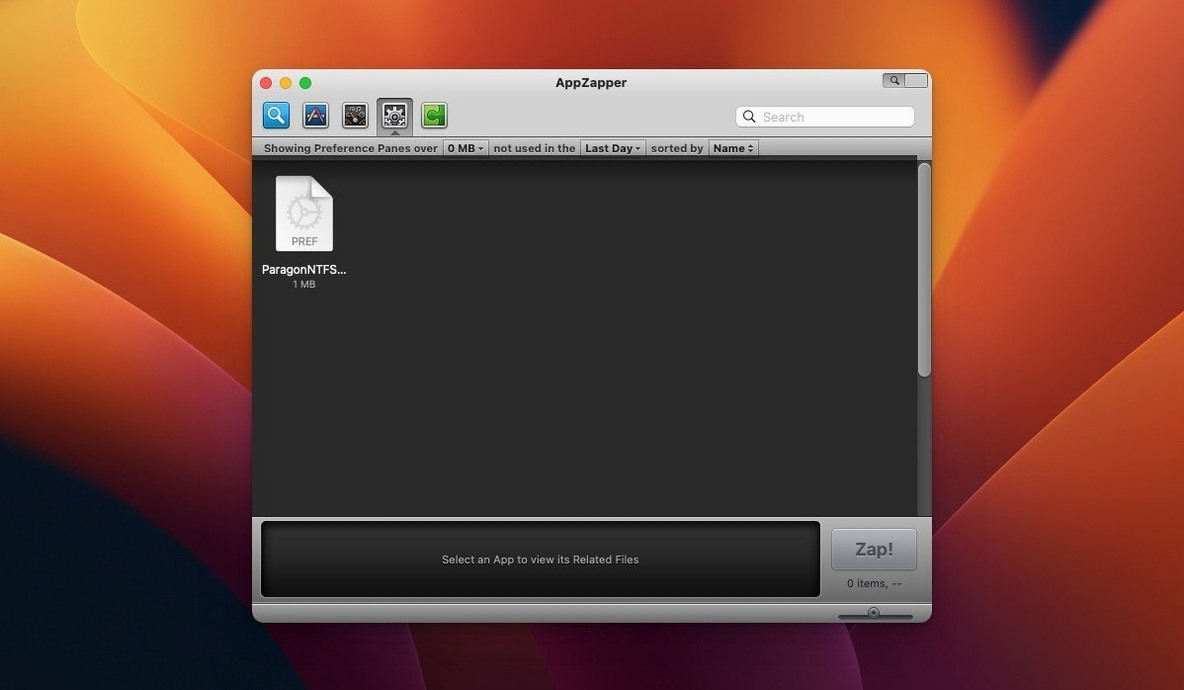
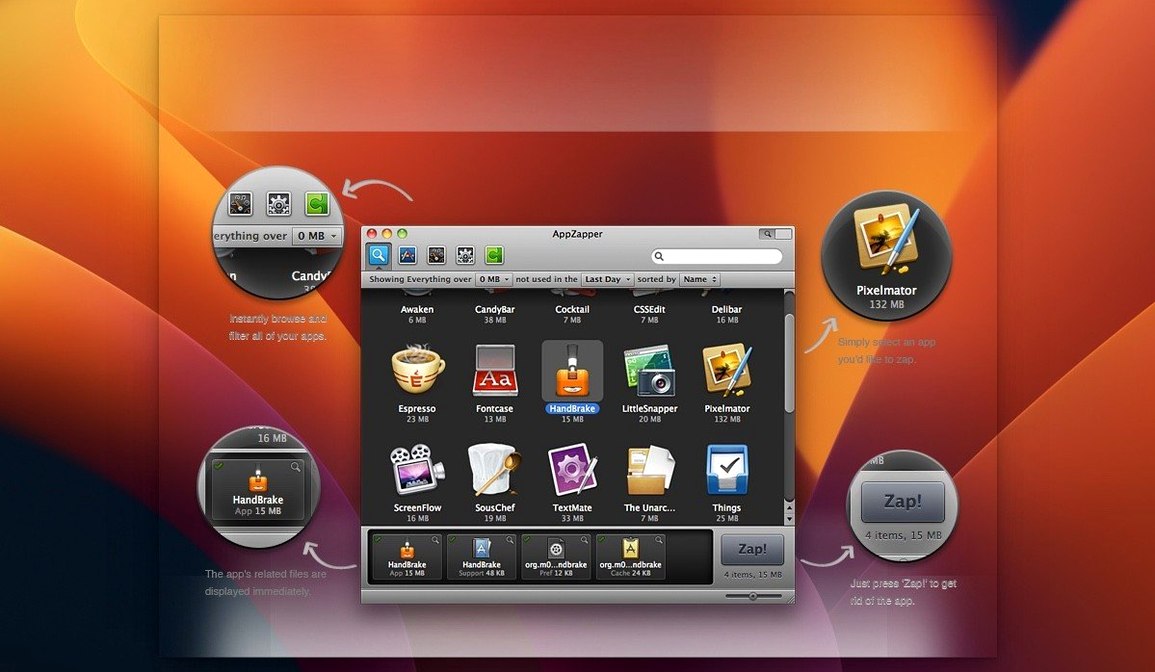
Version 2.0.3 fix keeps the core idea simple: you pick an app, AppZapper finds the related files, and everything goes in one pass. The big visual change arrived earlier with the second version's grid-style app browser, and that large-icon layout still defines how the current build feels.
Hunting down leftover preferences, caches, and support files
- Related-file hunting — it extends the usual macOS app-removal workflow by finding preferences, caches, and support files before deletion.
- Grid app browser — one button switches to a view with big app icons, which makes scanning an overstuffed Applications folder less tedious.
- ZapGenie browsing — the release notes point back to version 1.5.0 adding a way to filter installed apps by name or date last used.
- Exporting — version 1.7.0 brought the ability to export an app along with its related files, handy for moving setups between Macs.
English-only Intel 64-bit uninstaller on OS X 10.9 and later
AppZapper is still an English-only, Intel 64-bit uninstaller that runs from OS X 10.9 onward. Sparkle updates have been in place since version 1.6.0, so the current fix arrives through the app itself. If you have ever dragged an app to the Trash and later found leftover folders, this is aimed squarely at you.
Turn on the deletion confirmation dialog before your first zap
Open AppZapper's preferences window before you zap anything. The defaults are sensible, but a couple of tweaks make the app feel more predictable day to day.
- Safety confirmation — turn on the deletion confirmation dialog if it is not already active. Seeing a list of what is about to disappear is one thing; having to click Zap one extra time has saved me from muscle-memory mistakes more than once.
- ZapGenie filters — the app browser defaults to showing everything alphabetically. Switch the sort to Date Last Used and suddenly the view turns into a decluttering assistant. Apps you have not touched in two years sit right at the top, practically begging to go.
- Trash behavior — AppZapper moves deleted files to the Trash rather than obliterating them immediately, which means you can restore anything you regret removing. Keep that setting enabled unless you genuinely need a permanent wipe every time.
- Export destination — if you plan to use the export feature (handy for migrating a setup), set a dedicated folder ahead of time. Otherwise exported bundles scatter across your desktop.
Uninstalling three trial sketching apps after one project
Creative pros cycle through apps fast. A freelance illustrator might try four sketching programs in a month, settle on one for a project, then uninstall the other three when the trial period ends. Dragging those apps to the Trash leaves behind brush presets, license files, and cache folders that quietly eat disk space.
With AppZapper, she launches the grid browser, spots the three apps she no longer needs, and zaps them one after another. The related-files list shows preference panes she forgot were installed and a support folder buried in ~/Library/Application Support. She keeps the Trash behavior on, so if a client project needs one of those tools again next week, she can restore everything from the Trash without reinstalling from scratch. The whole cleanup takes under two minutes and frees several gigabytes.
It is not glamorous work. But for someone who installs and discards creative software constantly, an app zapper mac users can rely on turns a recurring chore into a quick habit.
Big-icon grid that lets you browse by visual recognition
Version 2.0 brought the grid-style app browser, and that single addition reshaped how most people interact with AppZapper. The older list view still works, but the large-icon grid makes it practical to browse by visual recognition—useful when you cannot recall an app's exact name.
Earlier milestones matter too. The authentication prompts added in version 1.8.0 mean the current build asks for permission when you are not on an admin account, which avoids silent failures. Version 1.7.0's export capability turns AppZapper from a simple uninstaller into a lightweight migration tool: you can bundle an app with its support files and move the whole package to another Mac. And Sparkle integration, wired in since 1.6.0, keeps the current 2.0.3 fix updating itself without manual downloads.
In practice, these changes add up to an app that feels less like a single-purpose utility and more like a small toolkit for managing what lives on your drive.
A workflow: clean out an old app and its leftovers completely
Say you want to remove an aging FTP client you replaced months ago. Here is the start-to-finish flow with the current version.
- Open AppZapper and switch to the grid browser. The large icons make it easy to spot the FTP app among dozens of entries.
- Drag the app into the AppZapper window—or select it directly from the grid. Either method triggers the related-files scan.
- Review the list that appears. You will typically see the app itself, a preferences plist, a cache folder, and maybe a saved-sites database. Uncheck anything you want to keep (perhaps you want those saved server addresses for another client).
- Click the Zap button. If you kept the confirmation dialog on, review the summary and confirm. Everything moves to the Trash.
- Check the Trash. AppZapper's restore option means you can fish out any file you second-guessed. If everything looks right, empty the Trash manually.
- Optional export. If the FTP client had a custom configuration you want to archive before deletion, use the export feature first. It bundles the app and its related files into a folder you can store on an external drive.
The whole process takes less than a minute once you know the steps. For anyone who has spent an afternoon hunting down leftover plist files manually, having an appzapper full mac setup that handles the detective work feels like a genuine time-saver.
- The second version added a grid-style app browser with large icons, making it easier to spot apps at a glance.
- OS X 10.9 or later
- Intel 64-bit
- Interface language: English
Questions people ask
What does AppZapper do that dragging an app to the Trash doesn't?
It finds related files such as preferences, caches, and support files, then removes them together with the app in one pass.
Which macOS versions does AppZapper 2.0.3 fix support?
It runs on OS X 10.9 and later as an Intel 64-bit app, with an English interface.
Also on readers' docks
Sign in or create an account to leave a comment.
No comments yet. Tell me how it got on with your other devices.
More in Mac Apps
See all Apple Remote Desktop
3.10 Mac Apps
16 MB
Apple Remote Desktop
3.10 Mac Apps
16 MB
 Apple Keynote
15.3.1 Mac Apps
356 MB
Apple Keynote
15.3.1 Mac Apps
356 MB
 AppCode
2023.1.5 Mac Apps
1.8 GB
AppCode
2023.1.5 Mac Apps
1.8 GB
 App Cleaner & Uninstaller
10.0 Mac Apps
47 MB
App Cleaner & Uninstaller
10.0 Mac Apps
47 MB
 AnyTrans for iOS
8.9.14 Mac Apps
398 MB
AnyTrans for iOS
8.9.14 Mac Apps
398 MB
 Updated Antivirus Zap - Virus Scanner
3.25.1 Mac Apps
49 MB
Updated Antivirus Zap - Virus Scanner
3.25.1 Mac Apps
49 MB
 AmpliTube
5.8.2 Mac Apps
3.1 GB
AmpliTube
5.8.2 Mac Apps
3.1 GB
 Alfred 5 Powerpack
5.8.1 Mac Apps
6 MB
Alfred 5 Powerpack
5.8.1 Mac Apps
6 MB