









Download Apple Keynote for macOS

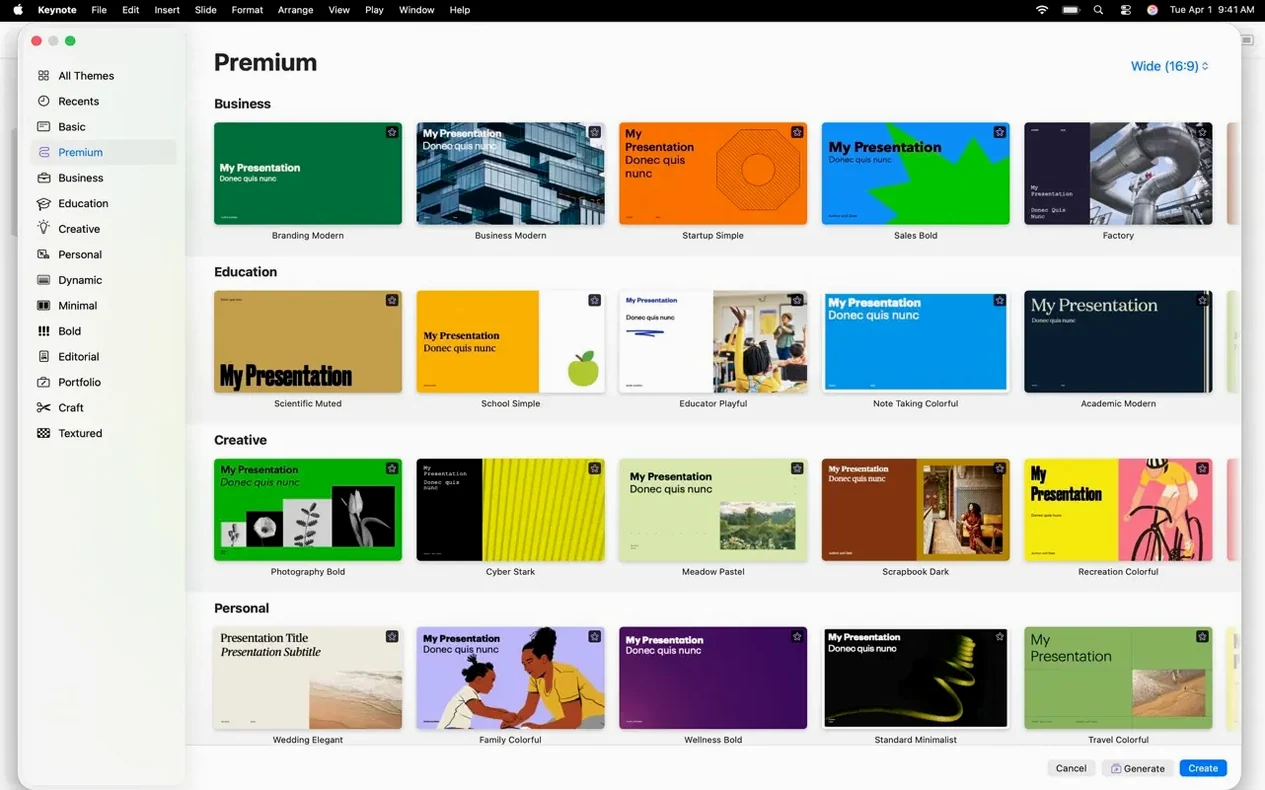
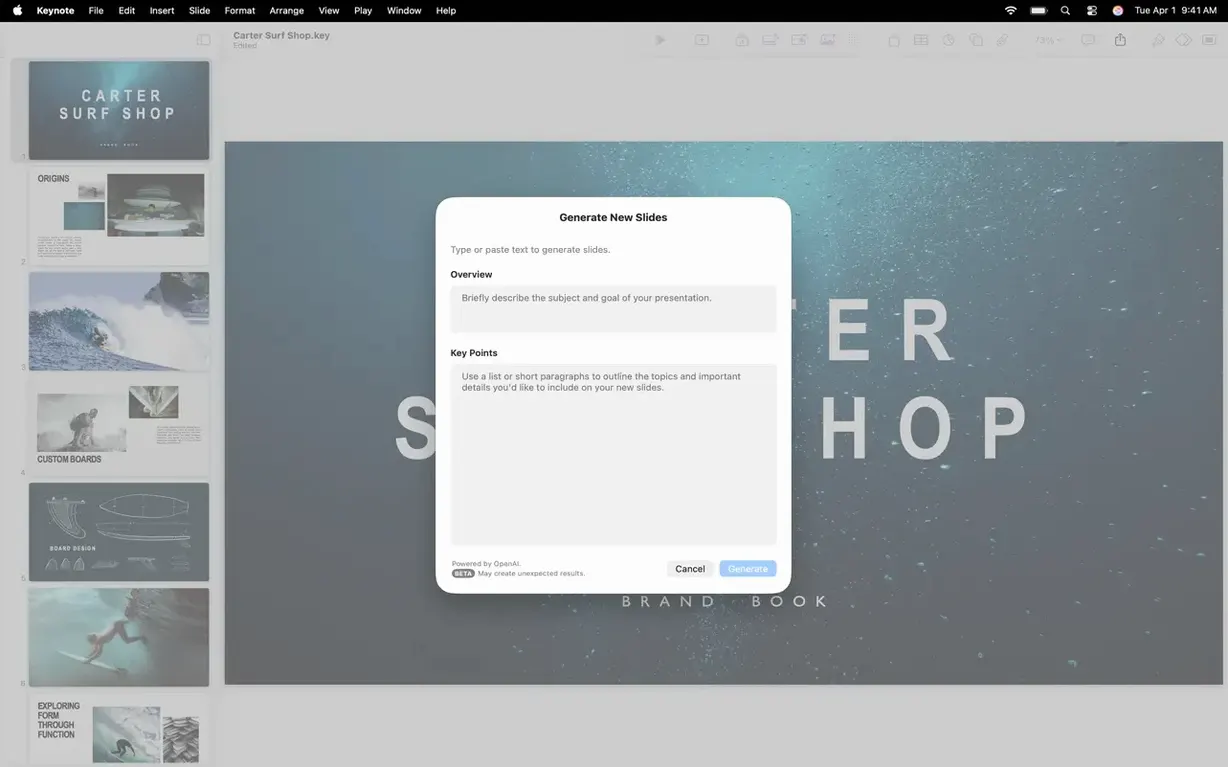
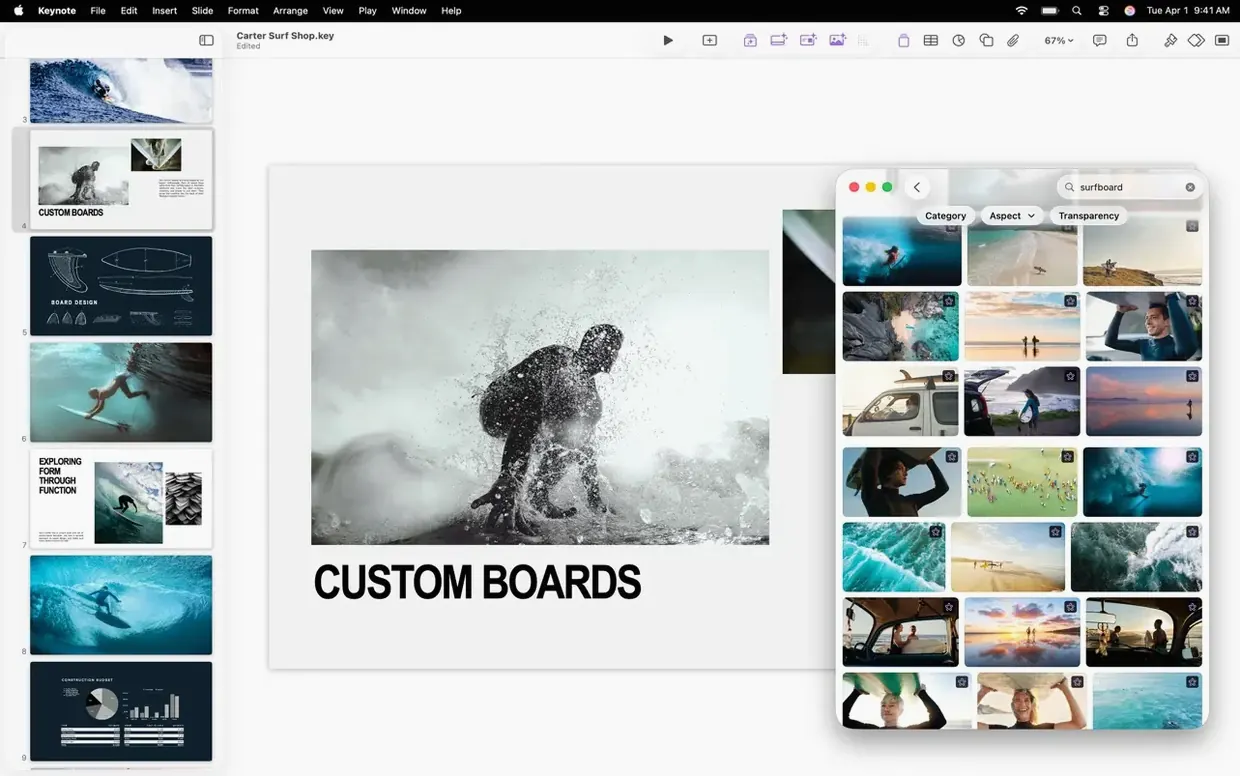
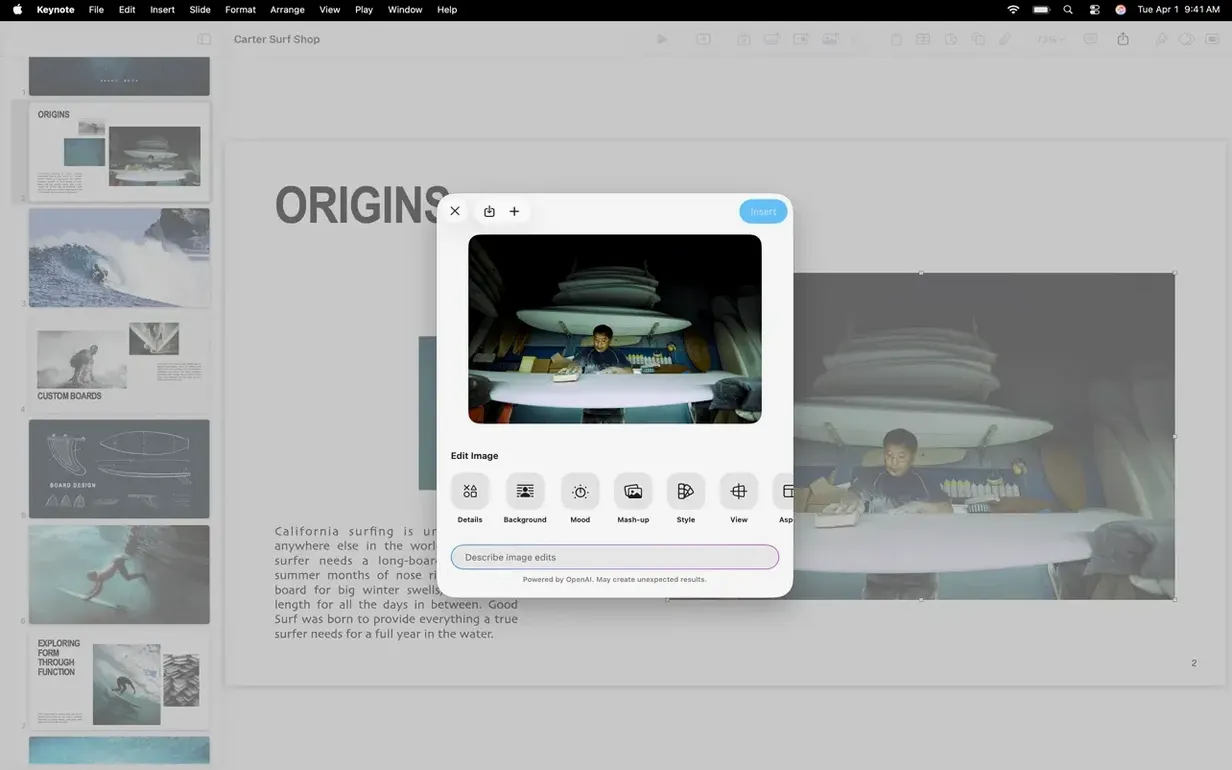
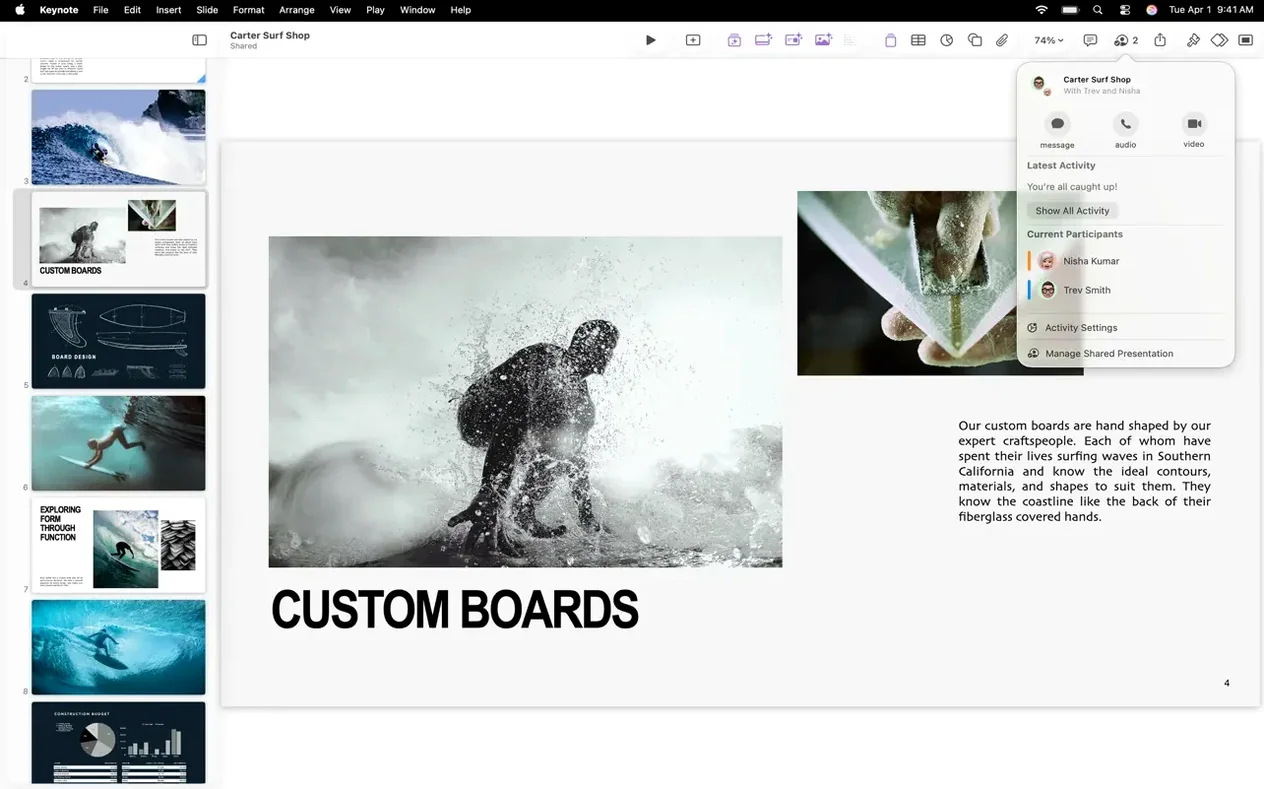
Teachers, marketing leads, and anyone who dreads a dull slide deck tend to gravitate toward Keynote. It’s the presentation app Apple builds right into the Mac experience, and it sidesteps the bloated feeling some other tools carry around. If you already live in an ecosystem with Pages for documents and Numbers for spreadsheets, Keynote slots in without friction — same toolbar logic, same format panel, same iWork brain.
Shared language with Pages and Numbers
- Alongside Pages and Numbers: The shared design language means you aren’t learning a new app from scratch each time.
- With Microsoft PowerPoint: Import and edit .pptx files without a conversion headache, then export right back to PowerPoint when a colleague insists on it.
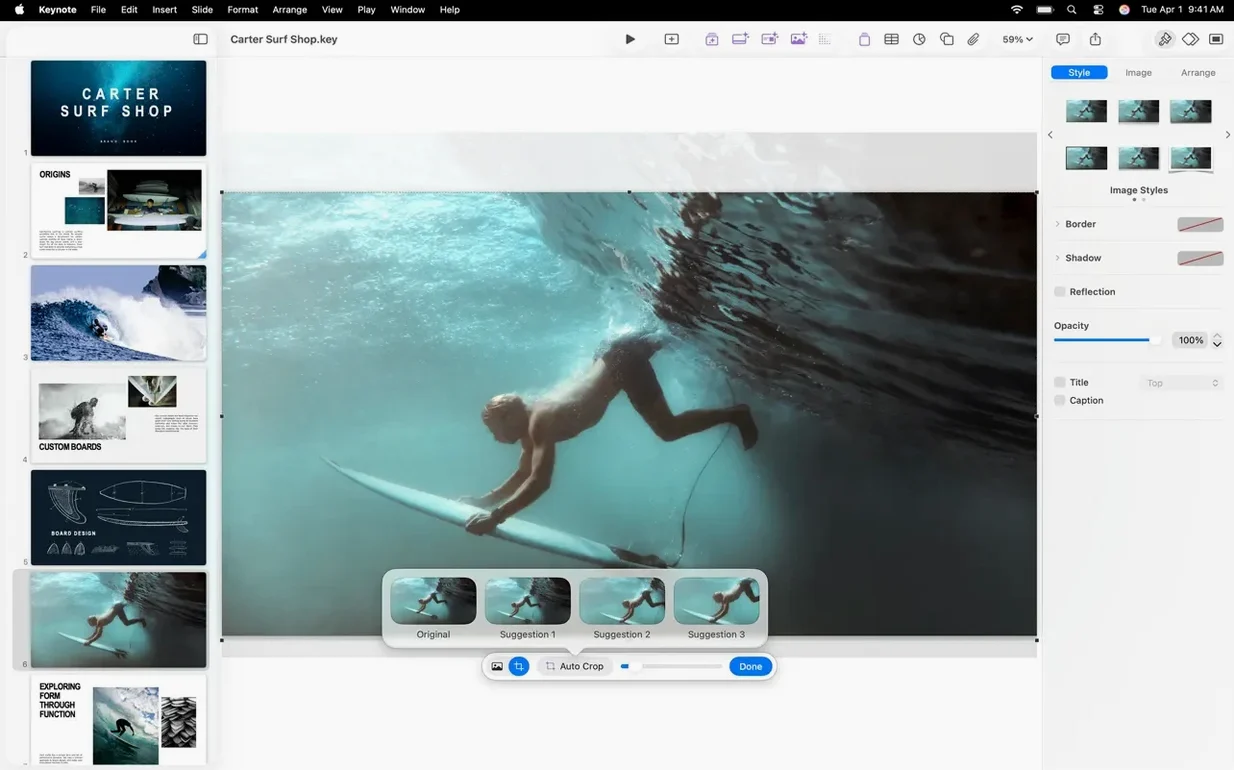
- Next to your media folder: Drop in audio recordings, video broadcasts, or image galleries, and lean on built-in masks and instant background removal instead of hopping out to an image editor.
Slides that move without the mess
Version 15.3.1 adds a handful of new transitions — shift, radial wipe, and a subtle character blur — that feel polished without demanding a timeline editor. The Content Hub now lets you swap images in a presentation with a couple of clicks, which saves a surprising amount of time when you’re iterating on a deck. Cinematic animations and Apple-designed themes handle the heavy lifting, so you can export a clean PDF, an HTML file, or even a movie without hunting for a third‑party converter.
Little conveniences you might walk past
A few shortcuts live just under the surface in Keynote, and they reward the search. Hold Option while dragging a slide thumbnail in the navigator, and you get an instant duplicate instead of a move — handy when you want to riff on a layout without rebuilding the original. The Format panel’s Arrange tab has a “Lock” checkbox I overlooked for years; lock a background element once and you stop accidentally selecting it while you tweak text boxes on top. If you’re presenting live, tap the K key mid‑slideshow for a quick black screen — way smoother than fumbling for a remote button, and it works whether you grabbed the keynote dmg for a fresh install or already had the app on your Mac.
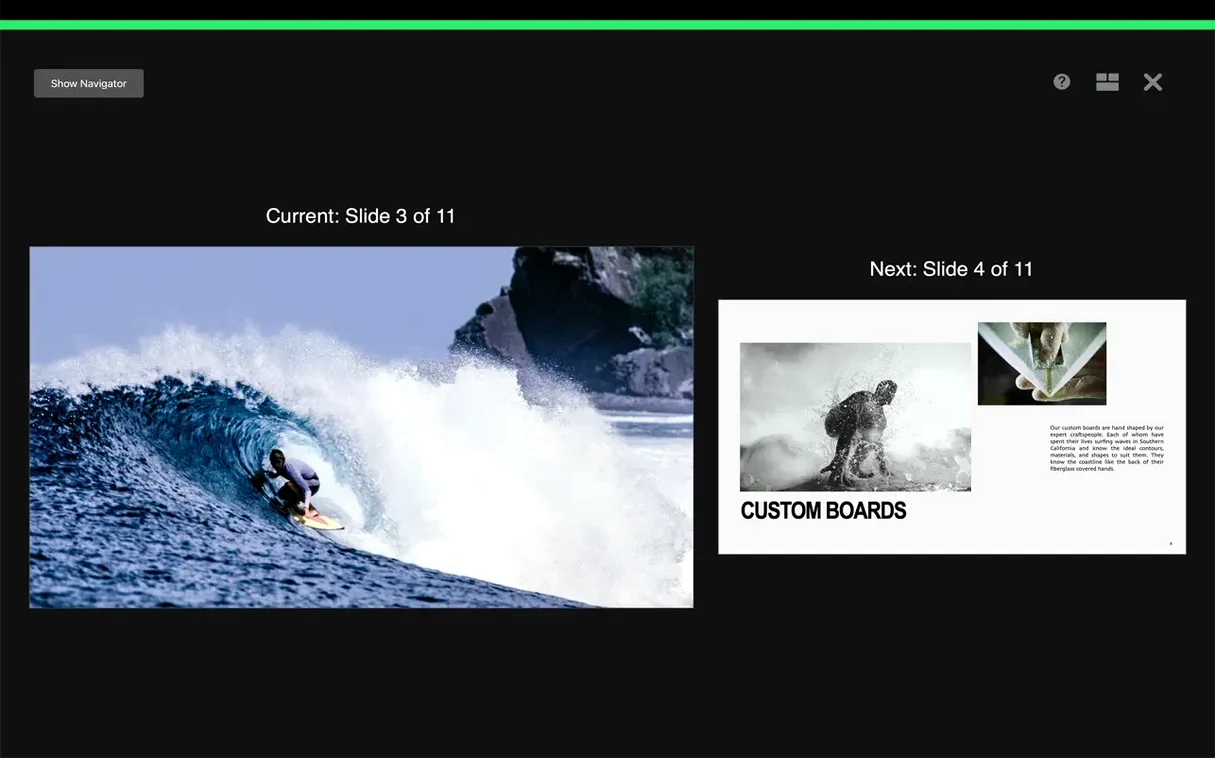
Another quiet feature: the presenter display lets you build a custom layout per slide. Drag the current slide preview to one corner, shrink the next‑slide thumbnail down, and keep your speaker notes in a wide strip across the bottom. The arrangement sticks between presentations once you set it. And when you’re pulling together assets, you can drag an image from Safari straight onto a slide placeholder — no saving to the desktop first. Small things, but they accumulate.
PowerPoint’s corporate depth versus Keynote’s light footprint
Microsoft PowerPoint for Mac carries the deepest feature set for corporate environments — SmartArt, chart linking to Excel, and collaboration tools that large teams rely on. The trade‑off is weight: PowerPoint feels heavier on launch, and its ribbon interface doesn’t shrink away as willingly when you want a distraction‑free design session. Keynote swings the other direction, staying lean and letting the canvas breathe. For anyone who doesn’t need the full Microsoft Office plumbing, it’s a less cluttered place to build.
Canva’s desktop experience overlaps for quick, template‑driven decks and has a lower barrier if you design with stock assets. But Canva lives in a browser‑first world, even when wrapped as a Mac app, and offline work can feel tacked on. Keynote is a native citizen — it respects dark mode, tracks changes locally when you’re off‑line, and renders complex transitions without stutter. If you’re hunting a keynote 15.1 download to stay current, you’re picking up that full native integration, not a web view in a shell.
Google Slides wins on frictionless sharing in a Chrome tab, and nothing beats it for simultaneous editing during a brainstorming call. The moment you want cinematic movement, though, you hit its ceiling. Magic Move alone — where objects glide and morph across slides — is something Keynote has polished for years, and version 15.3.1’s new radial wipe and character blur transitions extend that gap further.
Animating history lessons without After Effects
Educators who build visual lessons get a lot from Keynote’s animation timeline without needing After Effects. A history teacher can layer maps, fade annotations in sequence, then export a movie that plays on any student device. Science lecturers who annotate with Apple Pencil on the iPad side turn diagrams into live whiteboards — and the Mac app plays those annotated slides back faithfully.
Creative presenters — designers pitching portfolios, startup founders showing product mockups — tend to notice how Keynote handles image masks and the instant alpha‑channel background removal. Those tools keep the workflow inside one app instead of bouncing between Preview and Pixelmator. When someone says they grabbed a keynote 7 download years ago and never looked back, it’s usually because that image‑editing speed stuck with them.
Business users who live in mixed environments (a Mac on their desk, a PC in the conference room) benefit from the .pptx export being genuinely reliable. You can build a deck with all the Keynote‑native transitions, export it, and open it in PowerPoint with most fidelity intact. It’s not a promise every presentation app keeps, and it makes Keynote a bridge rather than a walled garden for anyone collaborating across platforms.
The latest update keeps things snappy with performance fixes and bug squashes, but it also sneaks in a few creative additions:
- New transitions and builds, including shift, radial wipe, and character blur.
- An easier way to replace images in your deck straight from the Content Hub.
- macOS 15.6 or later
- Works on both Intel and Apple Silicon Macs
Questions people ask
Can Keynote open Microsoft PowerPoint files?
Yes, you can import and edit PowerPoint presentations, then export them back to .pptx when you're done.
What export formats does Keynote support?
It exports to PowerPoint, PDF, HTML, movie files, and image files, covering most needs without extra software.
Does Keynote work with Pages and Numbers?
Absolutely. It’s part of Apple’s iWork suite, so it shares the same interface conventions and plays nicely alongside Pages and Numbers.
Also on readers' docks
Sign in or create an account to leave a comment.
No comments yet. Tell me how it got on with your other devices.
More in Mac Apps
See all AppCode
2023.1.5 Mac Apps
1.8 GB
AppCode
2023.1.5 Mac Apps
1.8 GB
 Apple Remote Desktop
3.10 Mac Apps
16 MB
Apple Remote Desktop
3.10 Mac Apps
16 MB
 AppZapper
2.0.3 Mac Apps
4 MB
AppZapper
2.0.3 Mac Apps
4 MB
 App Cleaner & Uninstaller
10.0 Mac Apps
47 MB
App Cleaner & Uninstaller
10.0 Mac Apps
47 MB
 AnyTrans for iOS
8.9.14 Mac Apps
398 MB
AnyTrans for iOS
8.9.14 Mac Apps
398 MB
 Updated Antivirus Zap - Virus Scanner
3.25.1 Mac Apps
49 MB
Updated Antivirus Zap - Virus Scanner
3.25.1 Mac Apps
49 MB
 AmpliTube
5.8.2 Mac Apps
3.1 GB
AmpliTube
5.8.2 Mac Apps
3.1 GB
 Alfred 5 Powerpack
5.8.1 Mac Apps
6 MB
Alfred 5 Powerpack
5.8.1 Mac Apps
6 MB