









Download AmpliTube for macOS
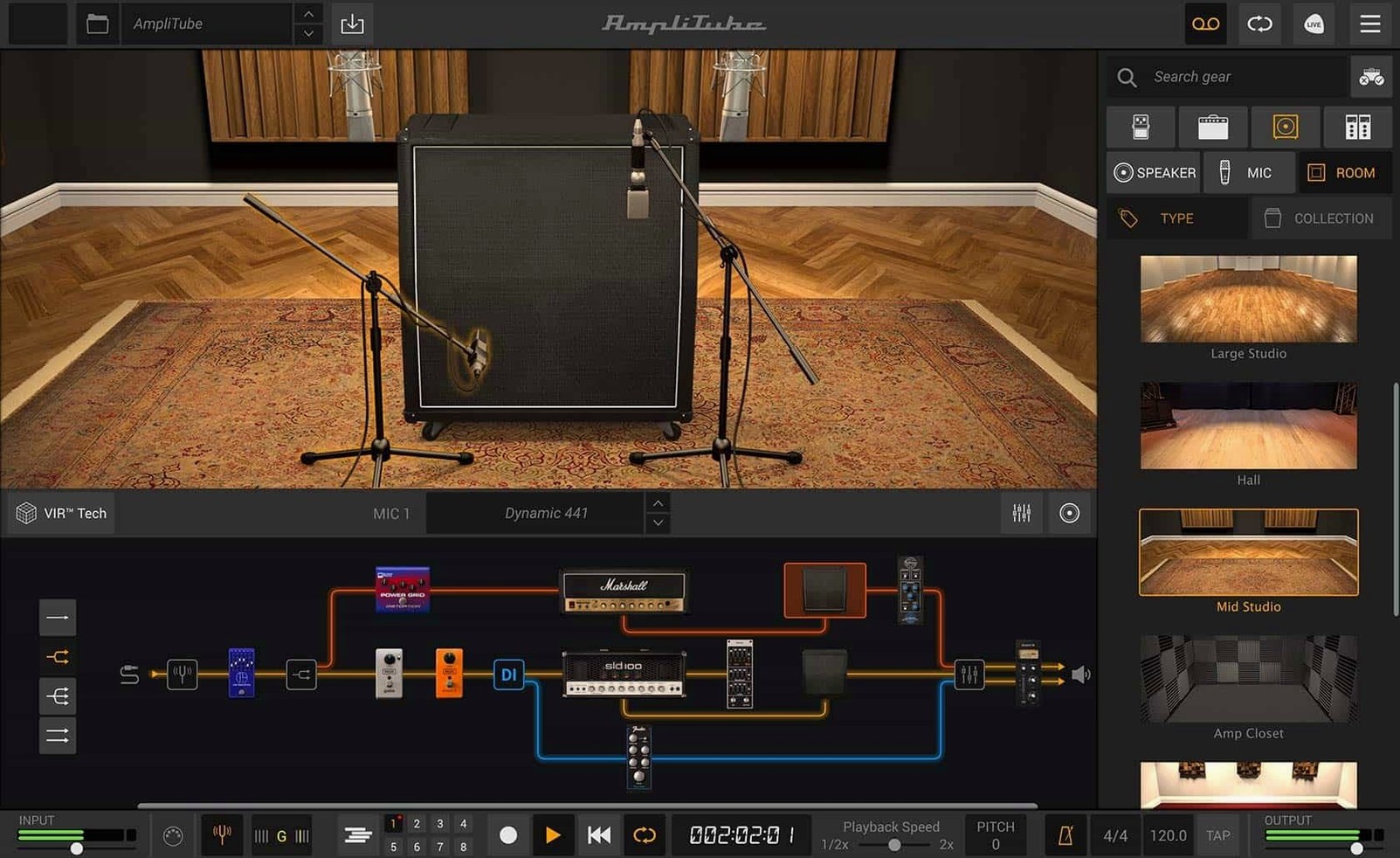
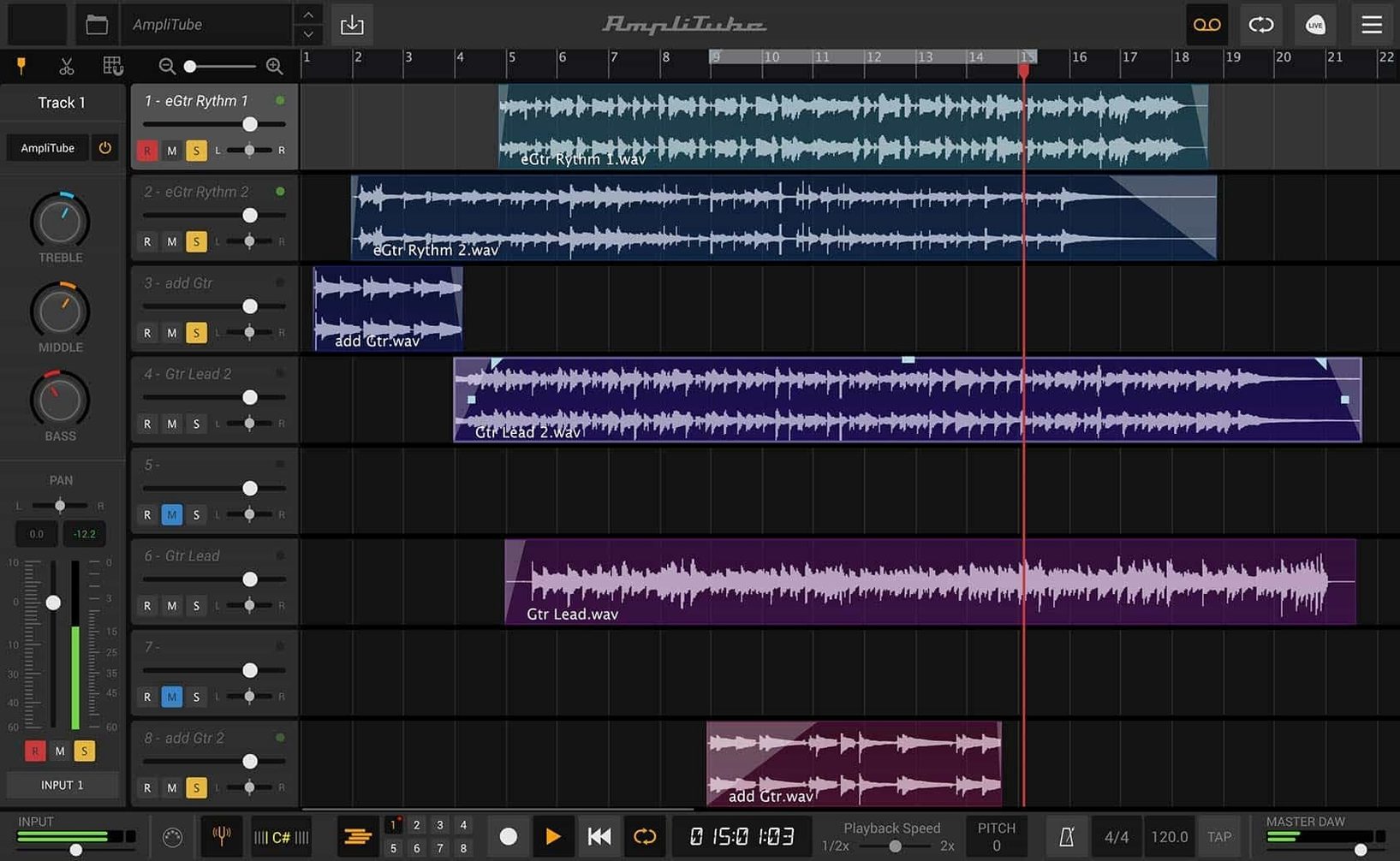
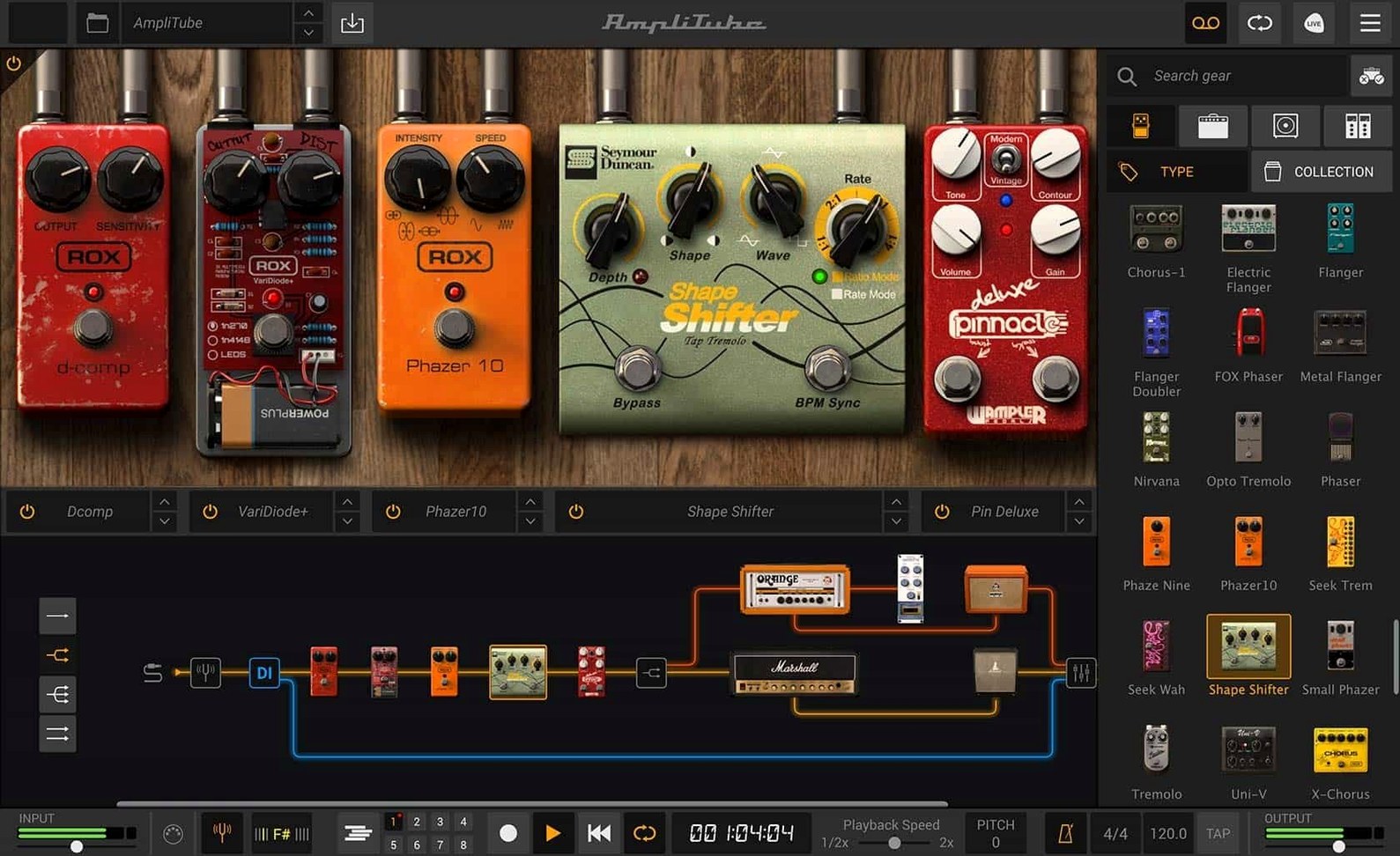
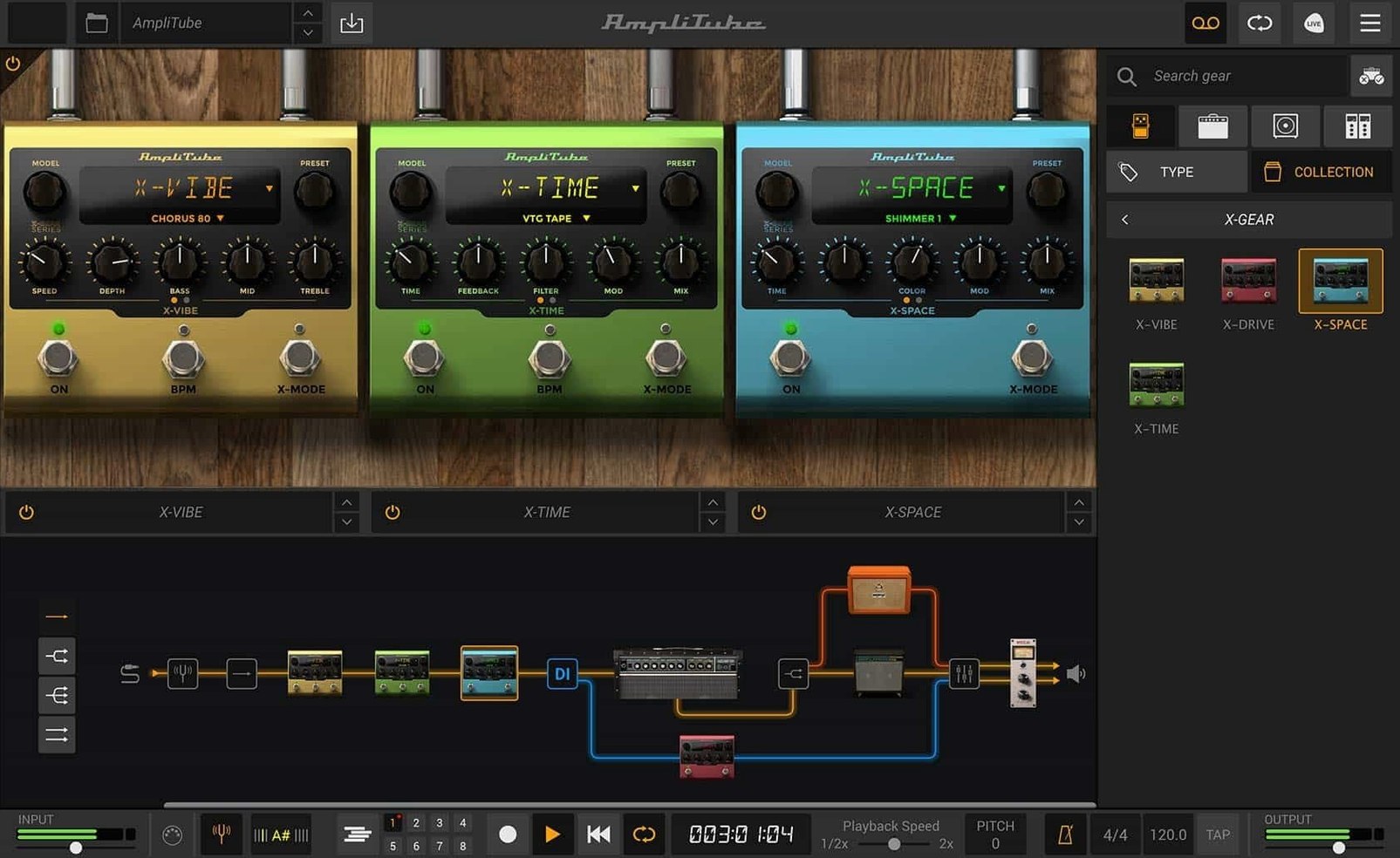
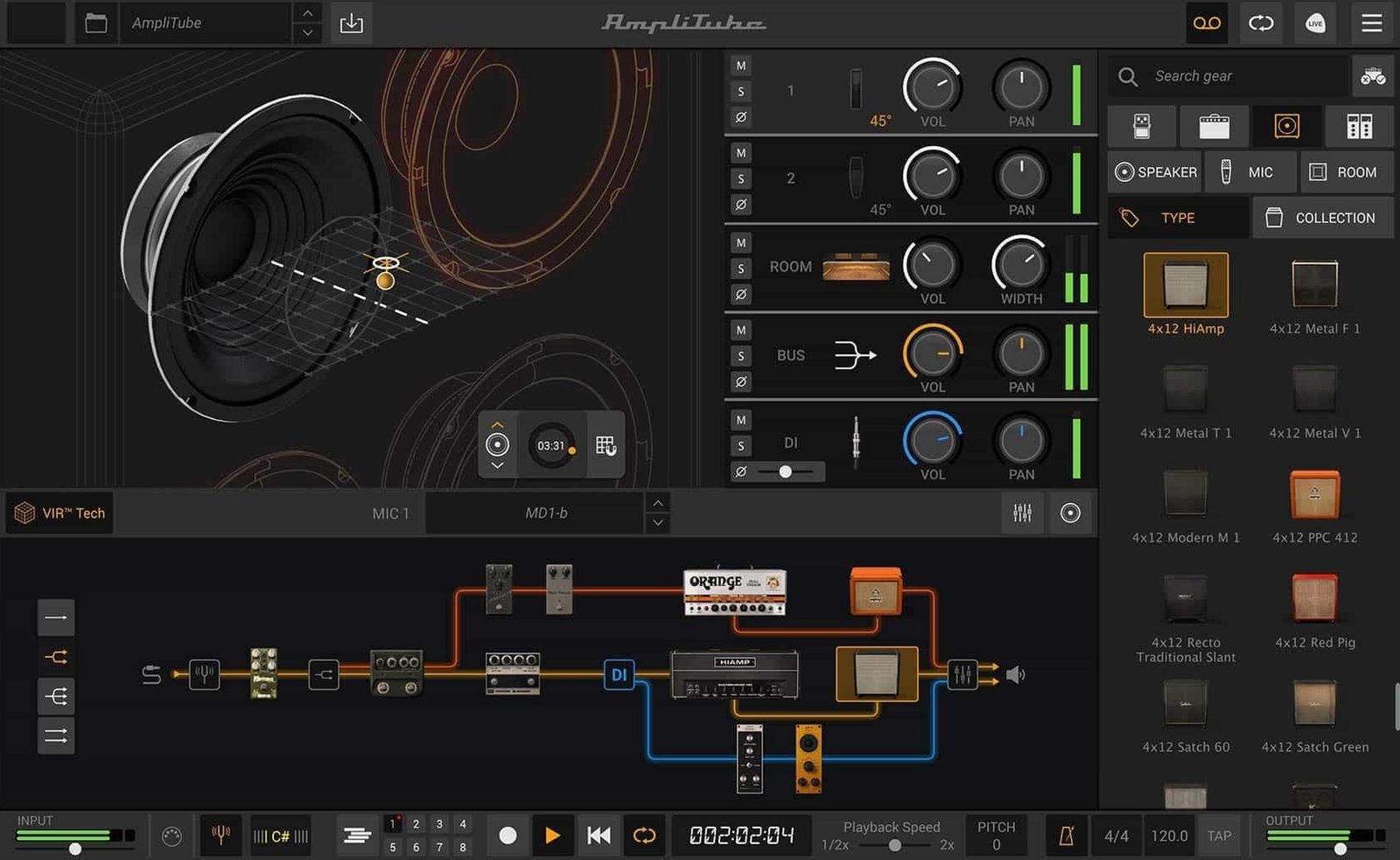
Who uses it: The guitarist who records at midnight, the bassist building a pedalboard that exists only on screen, and the producer who wants a wall of amps without waking the neighbors. IK Multimedia’s AmpliTube 5 is a deep modeling workshop that runs on your Mac as a standalone app or a plug-in inside any DAW that speaks AAX, VST, or AU.
| Key details | |
|---|---|
| Current version | 5.8.2 |
| Developer | IK Multimedia |
| Formats | Standalone, AAX, VST, AU |
The MAX edition goes big — 11 full brand and artist collections, north of 400 gear models, and the freedom to run up to 57 simultaneous bits of kit. You get two new stompboxes, 23 rack effects, and a routing system that lets you wire things in series, parallel, or any hybrid your signal chain needs. The cabinet section got the biggest glow-up here, leaning on IK’s VIR technology to capture speaker movement and room reflections with enough detail that loading your own custom IR files feels like a natural next step rather than a workaround. It’s a rig for people who think in signal flow.
Set Your Buffer Size Before Tone Chasing
Out of the box, AmpliTube 5 makes a few assumptions about your setup that are worth revisiting before you get lost in tone chasing. Open the Audio/MIDI Settings panel from the standalone app menu first — the buffer size defaults to a safe-but-slightly-soggy 512 samples on most systems. If you're monitoring through the app while tracking, bump it down to 128 or 64. Your fingers and the screen will feel more like they belong to the same moment.
While you're there, confirm the sample rate matches your interface. AmpliTube doesn't throw a fit when rates mismatch, but you'll notice a subtle glaze over the high end if your interface is set to 44.1 kHz and the session is running at 48 kHz. It's the kind of thing you chase for twenty minutes in the EQ section before remembering to check.
The other quiet quality-of-life fix: under Preferences > General, turn off "Show Tooltips" after your first week. The hover pop-ups are genuinely helpful while you learn the layout, but once you know which knob is gain and which is volume, they just obscure the panel you're trying to tweak. Also flip "Restore Last State on Launch" on — there's a particular despair in rebuilding a four-amp parallel rig from memory because you forgot to save the preset.
AU Plugin Slotting in Logic and MainStage
AmpliTube plays nicely with the Mac ecosystem in ways that feel thoughtful rather than tacked on. The AU version slots into Logic Pro without a hiccup — multiple instances, sidechain routing, the works. If you use MainStage for live performance, you can map AmpliTube's preset changes to the patch list and switch between a clean Fender-style combo and a saturated high-gain stack with a single footswitch. No additional MIDI mapping gymnastics required.
On the utility side, it respects Audio Unit v3 conventions, so it appears in any host that supports the format — GarageBand, Reaper, Ableton Live through the AU wrapper. The standalone app also plays ball with Aggregate Devices in Audio MIDI Setup. That means you can run AmpliTube as your amp sim while routing a backing track from Apple Music or YouTube through the same output. The mixer section handles this without needing a separate virtual audio cable. Just set your system output to the interface, pull up AmpliTube's mixer faders, and you're practicing along with a track without a second app in sight.
iCloud Drive integration is absent — presets live locally in the Documents folder unless you move them manually. But the preset file format is a tidy .at5p file, small enough to toss into any cloud folder or send through iMessage to a bandmate who also runs the software. No database, no proprietary library lock-in, just a file you can double-click.
Double-Click Any Knob to Reset Instantly
- Double-click a knob to reset it. This works on every control across the entire interface — amp dials, pedal knobs, rack unit sliders. No modifier key needed. It's the fastest way to undo a tweak that's gone sideways.
- Right-click any gear slot and choose "Replace" instead of dragging from the browser. The browser is great for discovery, but when you know you want to swap a Tube Screamer-style pedal for a fuzz, the contextual menu saves a trip across the screen.
- The "Lock" checkbox in the cabinet section. You can lock the cabinet while you scroll through amp heads above it. This means auditioning a Marshall-flavored head through the same Mesa-style 4x12 without re-selecting the cab each time. It's a tiny checkbox that changes how you explore the amp library.
- MIDI learn is one click away. Right-click any parameter, hit "Learn," and move your controller. AmpliTube remembers it per preset unless you set it globally. Great for expression pedals mapped to wah sweep or delay mix.
- Hold Option while dragging a splitter in the routing view to create a parallel path without opening the routing panel. It's an unadvertised gesture that speeds up building wet/dry blends.
The Free CS Edition Has No Nag Screens or Time Limit
Does the free version feel like a demo with a countdown clock? AmpliTube 5 CS isn't time-limited and doesn't throw up nag screens. You get 42 gear models — a handful of amps, a few pedals, some rack effects, and the full routing system. It's a functional rig out of the gate, just lean. You can record with it, save presets, and use it in a DAW. The ceiling is the model count, not crippled features.
Will it crush an older Mac? The system requirement sits at macOS 10.15, and the app runs natively on both Intel and Apple Silicon. On an M1 Air from 2020, a single amp with a few pedals barely nudges the CPU meter. Start stacking 57 models — which the app allows, not that anyone should — and even a recent machine will sweat. The engine is 64-bit and leans on the GPU lightly for the interface, but the heavy lifting is CPU-bound. An Intel Mac from 2018 handles a dozen-model chain without crackles at 128 samples.
Can I use my own impulse responses? Yes. The cabinet section has a dedicated "User IR" slot. Drag a WAV file onto it or browse from the menu. AmpliTube doesn't force a particular sample rate or length, though it resamples to its internal rate on import. The VIR tech still applies its room and mic positioning logic on top of your IR, which can sound either rich or phasey depending on how the two layers interact — the blend knob is your friend here.
Does it work offline? Yes, entirely. Authorization happens once, and after that the standalone app and all plug-in formats run without phoning home. No cloud-based preset sync means no internet dependency.
A Recording Session Through One User's Eyes
Consider a songwriter who tracks guitar and bass at home, late, after the kids are asleep. The audio interface is a modest two-input box, and the room is untreated — hardwood floors, a window that rattles when the low E rings out. AmpliTube is the rig that fits this room.
She opens the standalone app around 10 PM, plugs in a Telecaster, and pulls up a preset she built last week: a Vox-style amp with a spring reverb, a compressor at the front of the chain, and a slapback delay tucked into the mixer's send. The preset loads in under two seconds. She locks the cabinet and scrolls through three different amp heads while playing the verse riff — each change is instant, no loading spinner, no gap in the monitoring. She settles on a slightly darker amp, saves a new preset with one keystroke, and launches Logic.
Inside Logic, AmpliTube appears as an AU instrument on a new track. The same preset loads from a dropdown. She records a double-tracked rhythm part, then drops a second instance on a bass track — different preset, different routing, no noticeable latency added to the session. By 10:45, she's got four guitar layers and a bassline, all running through the same plug-in in different configurations, and the CPU meter in Logic hovers around 25%. No fan noise, no buffer errors. She closes the laptop and the rig vanishes until tomorrow night.
Version 5.8.2 carries the big 5-era updates forward:
- A new signal chain view with drag-and-drop routing and mixed DI signal handling.
- A reimagined cabinet section built on VIR technology for more authentic speaker and room response.
- A redesigned mixer with built-in effects for polishing your tone right inside the app.
- macOS 10.15 or later
- 64-bit application
- Runs on both Intel and Apple Silicon Macs
Questions people ask
What does the MAX edition add over the regular AmpliTube 5?
MAX bundles 11 full brand and artist collections with more than 400 gear models total, plus expanded routing, extra rack effects, and the ability to run up to 57 simultaneous models.
Can I use my own impulse responses with AmpliTube 5?
Yes, the cabinet section supports loading custom IR files, so you can pair any amp model with your own or third-party cabinet captures.
Also on readers' docks
Sign in or create an account to leave a comment.
No comments yet. Tell me how it got on with your other devices.
More in Mac Apps
See all Updated Antivirus Zap - Virus Scanner
3.25.1 Mac Apps
49 MB
Updated Antivirus Zap - Virus Scanner
3.25.1 Mac Apps
49 MB
 AnyTrans for iOS
8.9.14 Mac Apps
398 MB
AnyTrans for iOS
8.9.14 Mac Apps
398 MB
 App Cleaner & Uninstaller
10.0 Mac Apps
47 MB
App Cleaner & Uninstaller
10.0 Mac Apps
47 MB
 AppCode
2023.1.5 Mac Apps
1.8 GB
AppCode
2023.1.5 Mac Apps
1.8 GB
 Apple Keynote
15.3.1 Mac Apps
356 MB
Apple Keynote
15.3.1 Mac Apps
356 MB
 Alfred 5 Powerpack
5.8.1 Mac Apps
6 MB
Alfred 5 Powerpack
5.8.1 Mac Apps
6 MB
 Apple Remote Desktop
3.10 Mac Apps
16 MB
Apple Remote Desktop
3.10 Mac Apps
16 MB
 AlDente
1.39.4 Mac Apps
12 MB
AlDente
1.39.4 Mac Apps
12 MB