









Download Airflow for macOS
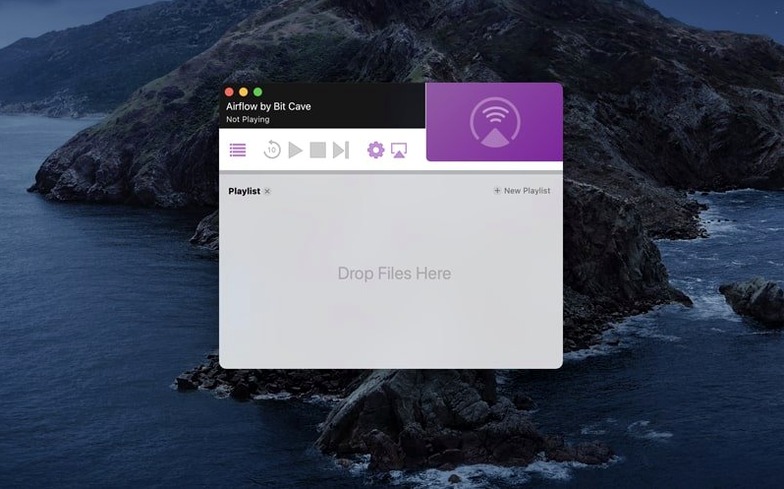
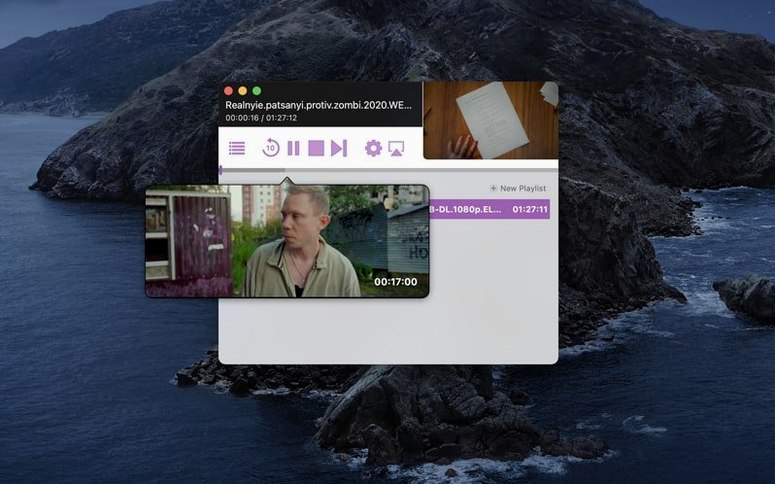
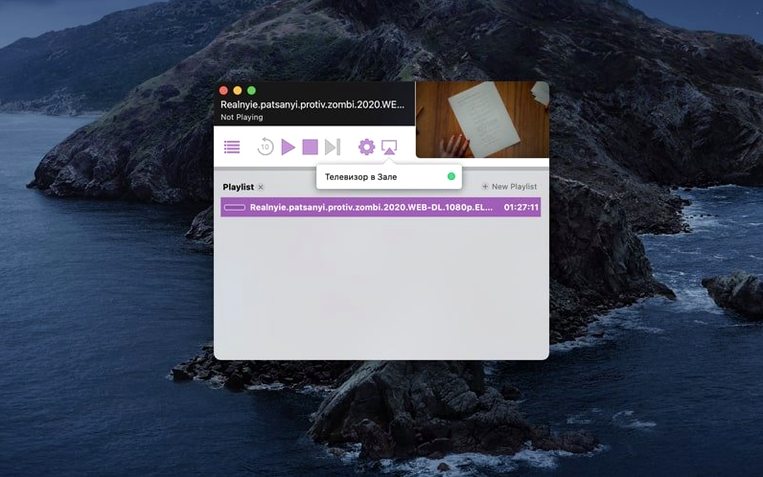
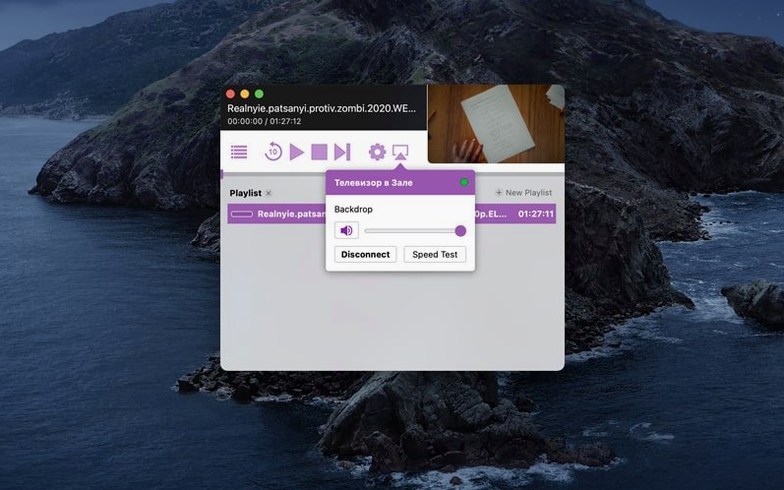
If you’ve ever wished VLC had a proper Cast button, Airflow is exactly that gap filled. It’s a focused Mac app that takes the video files sitting on your drive and beams them to any Chromecast on your network — no browser tabs, no workarounds.
- One-click device picker — Airflow scans your network and lists every Chromecast it finds. Just choose one and playback starts immediately.
- Direct file streaming — Drag in a video, and the app handles the heavy lifting of transcoding on the fly so your Chromecast understands it, even if the original format isn’t natively supported.
- Playback controls that stay out of the way — A compact on-screen remote gives you play, pause, seek, and volume without crowding the screen.
- Queue up a playlist — Load several files at once and they’ll play one after the other, handy for series or a movie night.
It’s built for people with a library of local files who want the simplest path from desktop to television. No cloud uploads, no media server configuration — just pick, cast, and watch.
Chromecast Discovery Fixes That Actually Work
Even a straightforward app like Airflow has its friction points. Most of them come down to network quirks rather than the app itself.
Chromecast not showing up? This is the number one headache. Airflow relies on mDNS (Bonjour) to discover devices, and some routers handle multicast traffic poorly. The quickest fix is to restart both your Mac and the Chromecast, but if that doesn't stick, check that your router isn't isolating wireless clients from wired ones — Airflow needs both devices on the same subnet. A less obvious culprit: VPNs. If you're connected to one, Airflow may scan the tunnel interface instead of your local network. Disconnect the VPN, restart the app, and the Chromecast usually pops right up.
Stuttering or buffering on high-bitrate files. Airflow transcodes on the fly, and that's CPU work. If you're pushing a 4K remux through an older Intel Mac, the transcoder can fall behind. Dropping the quality slider in Airflow's preferences — or pre-converting the file to h.264 with something like HandBrake — usually smooths things out. Also worth checking: if your Mac is on Wi-Fi and the Chromecast is on Wi-Fi, you're doubling the airtime congestion. Wire the Mac if you can, even temporarily.
Subtitles not appearing. Airflow supports embedded subtitle tracks and external .srt files, but they need to share the same filename as the video (minus the extension). If your .srt is named slightly differently — an extra space, a language suffix the app doesn't recognize — it gets ignored. Rename it to match exactly, and re-add the file to the queue.
Right-Click Queue Controls You Didn’t Notice
Airflow keeps its interface sparse, so a few thoughtful touches hide just beneath the surface.
- Right-click a file in the queue and you'll find Play from start and Remove from queue — faster than hunting for buttons when you've loaded a dozen episodes.
- The volume slider responds to scroll-wheel input when you hover over it. A tiny thing, but it beats clicking and dragging when you're fine-tuning levels mid-scene.
- Hold Option while launching and Airflow resets its device cache. Helpful if you've changed routers or your Chromecast got a firmware update and the app stubbornly shows it as unavailable.
- Keyboard shortcuts exist but aren't advertised. Space bar toggles play/pause, left and right arrows seek, and Command+F jumps to fullscreen on the Mac-side preview — useful if you're using Airflow to check a file before casting it.
Transcoder CPU Swings in Activity Monitor
Airflow 3.3.10 on an Intel Mac feels lean. Memory usage idles around 120–150 MB with a video loaded, and the transcoder process — visible in Activity Monitor as airflow-transcoder — scales its CPU draw based on the source file. A standard 1080p h.264 file barely nudges the processor; a 10-bit HEVC file will spin the fans on older hardware. The app hasn't crashed once across several evenings of use, though I've seen it momentarily lose sync with a Chromecast after the Mac wakes from sleep. Stopping and restarting playback fixes it within seconds.
Startup is near-instant on an SSD, and device discovery completes in under three seconds on a healthy network. The app doesn't install background daemons or launch agents — quit it, and it's truly gone. That's increasingly rare and genuinely appreciated.
Chromecast with Google TV Compatibility Caveat
When someone searches for airflow mac and lands on a download page, a few questions tend to come up repeatedly. Here's the straight talk.
Does this work with Chromecast with Google TV? Yes, but with a caveat. The newer Chromecast devices that run Google TV appear as cast targets just like the older models, and Airflow 3.3.10 handles them fine for video. The app doesn't interact with the Google TV interface itself — it's purely a casting pipe, not a remote for Android TV apps.
Will it handle a 4K file? It'll try. The limiting factor is your Mac's processor and your Wi-Fi throughput. If the transcoder can keep up and your network isn't congested, 4K playback works. On a 2017 MacBook Pro, expect the fans to get loud. On anything newer or with a dedicated GPU, it's smooth.
What formats are supported without transcoding? Airflow passes through h.264 in MP4 containers natively. Almost everything else — MKV, AVI, WMV, HEVC, older DivX encodes — gets transcoded. The app doesn't expose the transcoding pipeline in detail, but in practice, if VLC can play it, Airflow can cast it.
Is there an iOS companion? BitCave hasn't released one. Airflow is Mac-only, which surprises people who find references to airflow 3.3.9 or Airflow torrent searches that pull up old Windows builds from unrelated projects. The name's been used by a few different pieces of software over the years, so make sure you're grabbing the Chromecast-focused Mac app from BitCave.
Does it work over the internet, or just at home? Local network only. Airflow discovers Chromecasts on the same subnet and doesn't have a remote streaming feature. If you want to cast to a TV in another house, you'll need a VPN that bridges the two networks at the router level — not something the app itself handles.
- macOS 10.12 or later
- Intel processor
- Interface: English
Questions people ask
Can Airflow stream torrent files while they download?
Airflow can play growing files, so a video that’s still downloading will begin casting as soon as enough data is available.
What version of macOS does Airflow need?
Airflow 3.3.10 requires macOS 10.12 or later on an Intel Mac.
Does Airflow work with multiple Chromecasts?
Yes, the device picker shows every Chromecast on your network and lets you select which one to stream to.
Also on readers' docks
Sign in or create an account to leave a comment.
No comments yet. Tell me how it got on with your other devices.
More in Mac Apps
See all AirBuddy
3.0-890 Mac Apps
49 MB
AirBuddy
3.0-890 Mac Apps
49 MB
 Alcove
1.7.9 Mac Apps
14 MB
Alcove
1.7.9 Mac Apps
14 MB
 Air Printer - Printer Server
6.7.9 Mac Apps
47 MB
Air Printer - Printer Server
6.7.9 Mac Apps
47 MB
 AlDente
1.39.4 Mac Apps
12 MB
AlDente
1.39.4 Mac Apps
12 MB
 Alfred 5 Powerpack
5.8.1 Mac Apps
6 MB
Alfred 5 Powerpack
5.8.1 Mac Apps
6 MB
 Aiarty Video Enhancer
3.8 Mac Apps
182 MB
Aiarty Video Enhancer
3.8 Mac Apps
182 MB
 Aiarty Image Enhancer
3.14 Mac Apps
129 MB
Aiarty Image Enhancer
3.14 Mac Apps
129 MB
 AI Transcription
2.16 Mac Apps
5.1 GB
AI Transcription
2.16 Mac Apps
5.1 GB