









Download Aiarty Video Enhancer for macOS
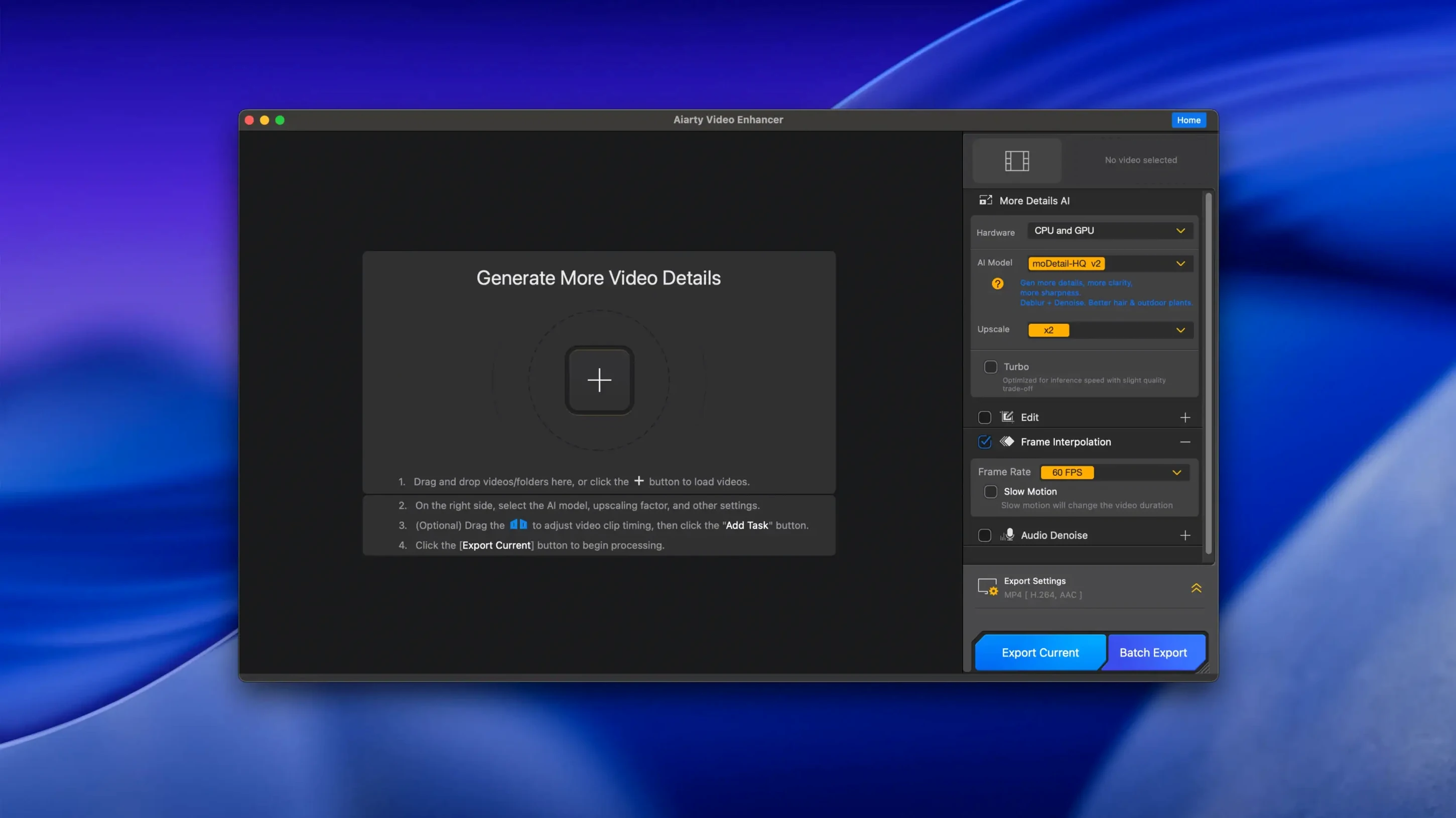
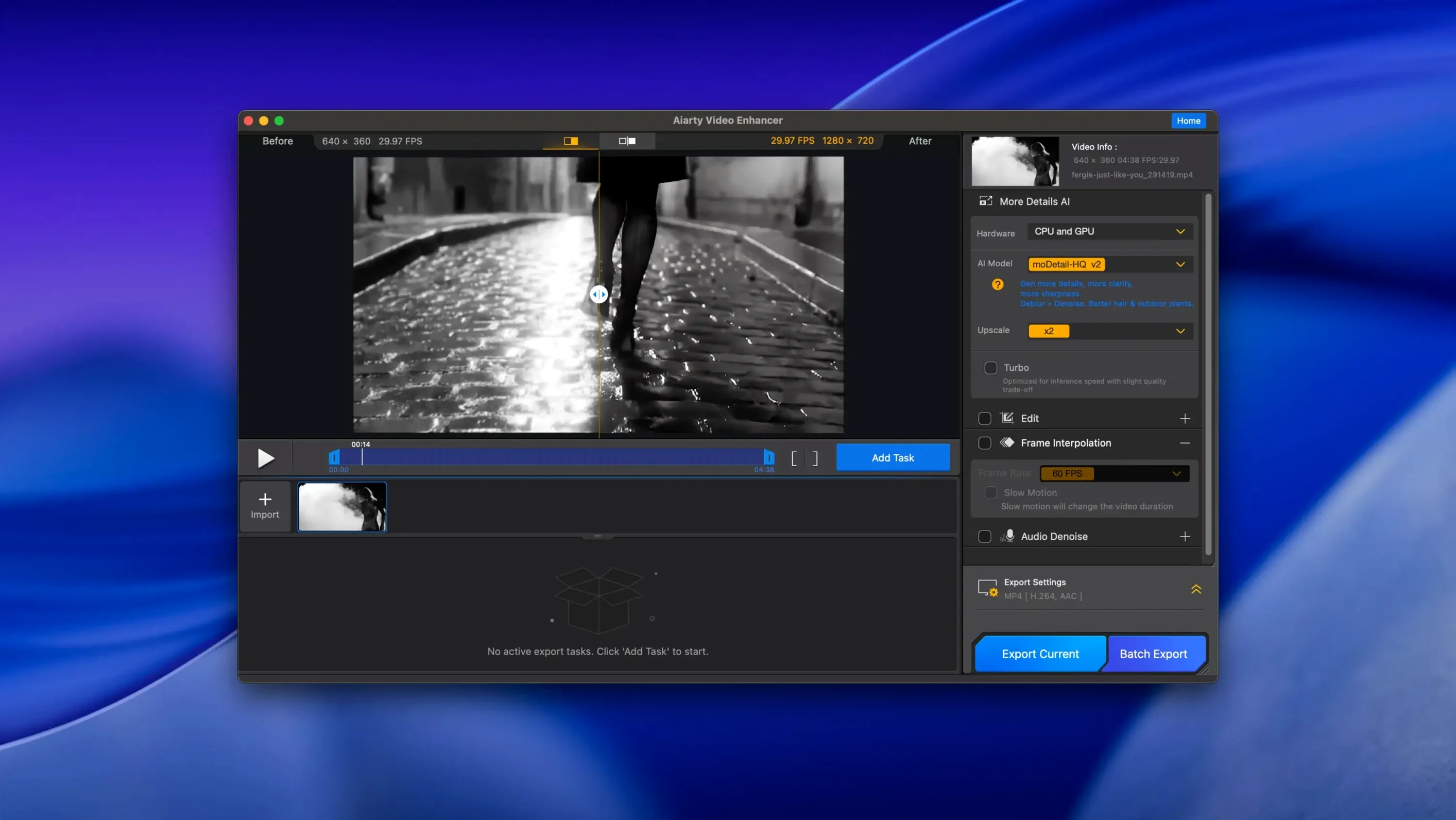
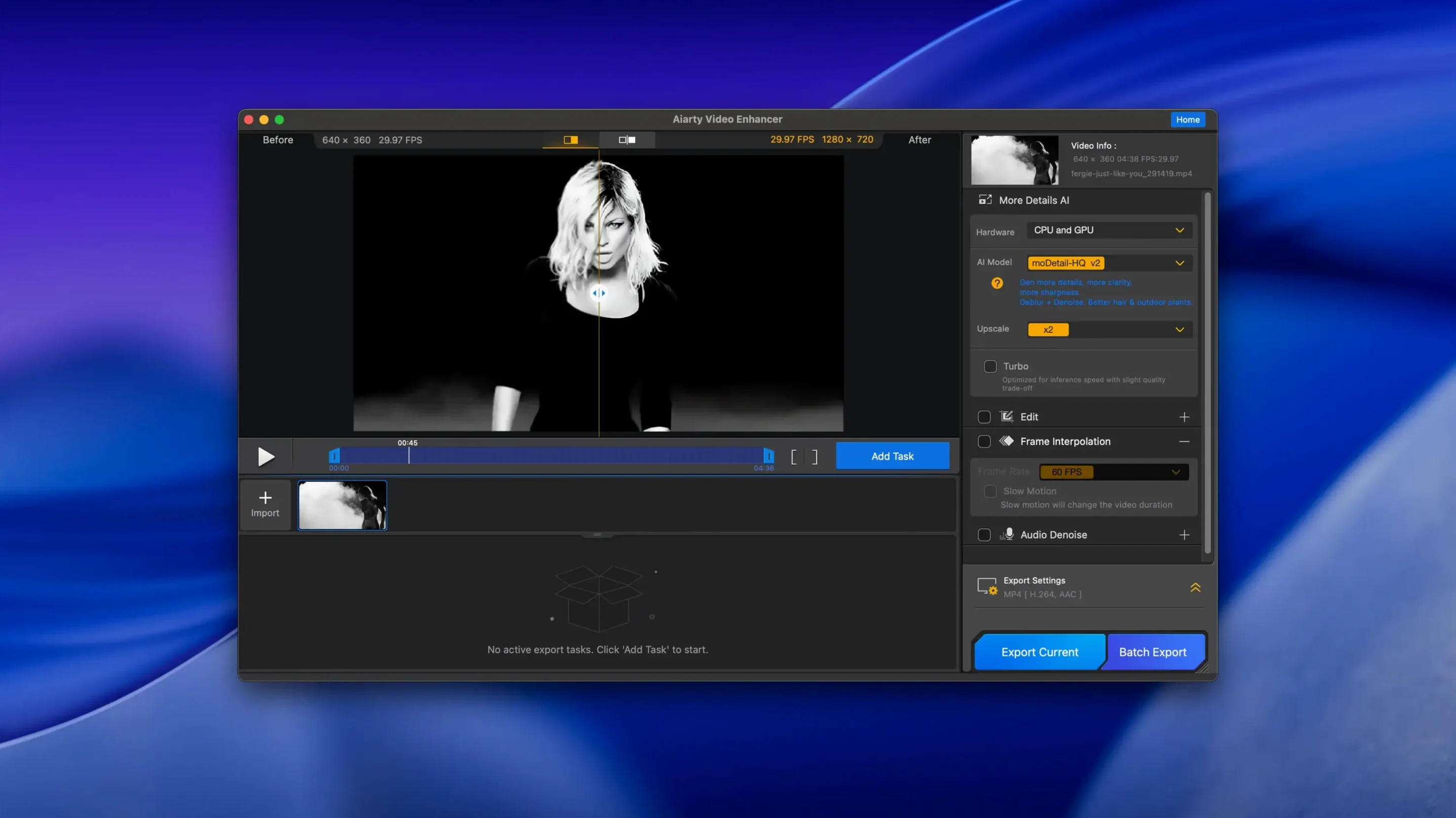
Pulling watchable frames out of noisy, poorly lit, or stuttering source footage isn't just about a one-click fix — it's about having enough control to salvage what's actually there. Aiarty Video Enhancer approaches this with a toolkit that rewards users willing to poke under the hood, pairing generative upscaling with frame-level adjustments and a surprisingly capable audio cleanup pipeline.
Frame interpolation and slow-motion control
Getting smooth slow motion from standard footage usually means living with ghosting or jerky cadence, but the interpolation engine here targets exactly that. It supports 8X and 16X slow-down with per-scene analysis that aims to keep motion natural rather than artificially smeared. Paired with the deblurring model, it's a solid way to rescue handheld clips or action shots that would otherwise end up in the rejects folder. Version 3.8's CUDA memory optimizations make these heavier passes noticeably more practical on NVIDIA hardware, reducing the stutter you sometimes hit when queueing multiple long clips.
Audio Denoise as a second pass
Most video enhancers treat audio as an afterthought, but the one-click Audio Denoise module genuinely pulls its weight. It isolates background hum and wind noise while lifting voice clarity, which means you can clean up interview or field recording tracks without bouncing out to a dedicated DAW. For Mac users, this all runs on both Apple Silicon and Intel machines — just be aware that Intel Macs need a dedicated GPU with at least 4 GB VRAM, and the app expects a hefty 512 GB of drive space to keep those large intermediate frames from clogging up your scratch disk.
Archival rescue for DV tapes and VHS transfers
Not every Mac user needs generative upscaling and frame interpolation, but a few groups find it indispensable. Video editors pulling archival footage into modern timelines get the most obvious win — old MiniDV tapes, digitized VHS, and early smartphone clips suddenly hold up on a 4K timeline without looking like a mosaic stretched across the screen. The deblurring and denoising models do a lot of the heavy lifting before you ever touch a keyframe.
Content creators who film in less-than-ideal conditions — think run-and-gun vlogging, event coverage in dim venues, or outdoor shoots where wind hits the mic — lean on both the video enhancement and the Audio Denoise module as a one-two punch. Being able to clean up footage and audio inside the same app cuts out a round-trip to external tools. Mac users on Apple Silicon also benefit from the native architecture support; the heavy AI passes run without the thermal throttling that older Intel machines sometimes wrestle with during long export queues.
Restoration hobbyists and anyone recovering family footage form a quieter but dedicated user base. The app rewards patience here: running multiple enhancement passes with different model strengths, comparing the output, and cherry-picking the best result feels closer to darkroom work than to slapping on a filter. The resumable exports added in version 3.8 are a practical nod to people who let these jobs run overnight and don't want a hiccup to nuke six hours of processing.
Dusk bike ride: noise, shake, and wind removal
Imagine a clip shot on an old action camera — footage from a bike ride at dusk, shaky and riddled with sensor noise, the built-in mic picking up more wind than voice. Dragging it into the app, the first stop is usually the preview window where you scrub to a representative frame and cycle through the AI models. The denoiser gets switched on first; the preview updates in a few seconds, and the gritty chroma noise that made the sky look like sandpaper flattens out without turning the whole image waxy.
Next comes upscaling. The clip is 1080p but headed for a 4K timeline, so the upscale model runs with a moderate sharpening pass layered underneath. Frame interpolation gets toggled on because there's a section of the ride that needs slowing down — the 8X setting keeps the handlebar motion smooth instead of jittery, creating intermediate frames that actually look like they belong. Once the video pipeline is dialed in, a click over to the Audio Denoise tab pulls up the waveform. The background hiss disappears with the default strength setting, and the voice in the clip — a short narration recorded on the bike — comes forward without sounding like it was recorded in a booth. Hit export, and the resumable queue means grabbing a coffee without worrying about losing progress if the Mac decides to install a system update.
M1 MacBook Air works without a dedicated GPU
Does this work on an M1 MacBook Air without a dedicated GPU? Yes — Apple Silicon Macs handle the processing through their unified memory architecture, so a discrete GPU isn't required. Intel Mac users, however, do need a dedicated card with at least 4 GB of VRAM to keep the AI models from crawling. Keep an eye on drive space too: the app's 512 GB recommendation isn't just padding, since intermediate frames from longer clips can balloon quickly. People searching for an aiarty video enhancer free download often ask about trial limitations, but the full capabilities unlock once everything is set up properly on supported hardware.
Will it handle MKV files natively now? Version 3.8 brought full MKV support, so those ripped Blu-ray archives and OBS recordings in Matroska containers no longer need a remux step before enhancement. That same update also added CUDA memory optimizations for Intel Macs with NVIDIA GPUs, which helps when batch-processing multiple long clips without hitting out-of-memory errors.
Is the audio cleanup actually usable, or just a checkbox feature? The Audio Denoise module holds its own for dialogue-heavy material — interviews, voiceovers, vlogs — by targeting steady background hum and wind noise while preserving the vocal range. It won't replace a full spectral repair tool for music restoration, but for spoken word it's practical enough to skip the round-trip into a separate audio editor. Those hunting an aiarty torrent or similar might wonder if the audio module is stripped down; it isn't — it ships in the same package and processes alongside the video models without extra steps.
Version 3.8 brings a few practical upgrades:
- Resumable exports so you don't lose progress if a render gets interrupted.
- MKV support added for more flexible file handling.
- CUDA memory optimizations that keep heavier frame interpolation jobs running smoothly.
- macOS 11 or newer
- 8 GB RAM
- 512 GB or more disk space
- Dedicated GPU with 4 GB VRAM or more on Intel Macs
- Apple Silicon or Intel processor
Questions people ask
What does the Audio Denoise feature actually do?
It removes background noise and improves voice clarity in one click, which is handy for cleaning up interview or outdoor footage without leaving the app.
Can Aiarty Video Enhancer create smooth slow motion?
Yes, its frame interpolation supports 8X and 16X slow motion by analyzing motion per scene to avoid the ghosting you get with simpler frame blending.
Does it run on older Intel-based Macs?
It supports Intel processors, but you'll need a dedicated graphics card with 4 GB VRAM or more, plus macOS 11 and at least 512 GB of disk space.
Also on readers' docks
Sign in or create an account to leave a comment.
No comments yet. Tell me how it got on with your other devices.
More in Mac Apps
See all Aiarty Image Enhancer
3.14 Mac Apps
129 MB
Aiarty Image Enhancer
3.14 Mac Apps
129 MB
 AI Transcription
2.16 Mac Apps
5.1 GB
AI Transcription
2.16 Mac Apps
5.1 GB
 Air Printer - Printer Server
6.7.9 Mac Apps
47 MB
Air Printer - Printer Server
6.7.9 Mac Apps
47 MB
 AirBuddy
3.0-890 Mac Apps
49 MB
AirBuddy
3.0-890 Mac Apps
49 MB
 Airflow
3.3.10 Mac Apps
69 MB
Airflow
3.3.10 Mac Apps
69 MB
 Affinity Publisher
2.6.5 Mac Apps
783 MB
Affinity Publisher
2.6.5 Mac Apps
783 MB
 Affinity Photo
2.6.5 Mac Apps
789 MB
Affinity Photo
2.6.5 Mac Apps
789 MB
 Affinity Designer
2.6.5 Mac Apps
779 MB
Affinity Designer
2.6.5 Mac Apps
779 MB