Download AirBuddy for macOS
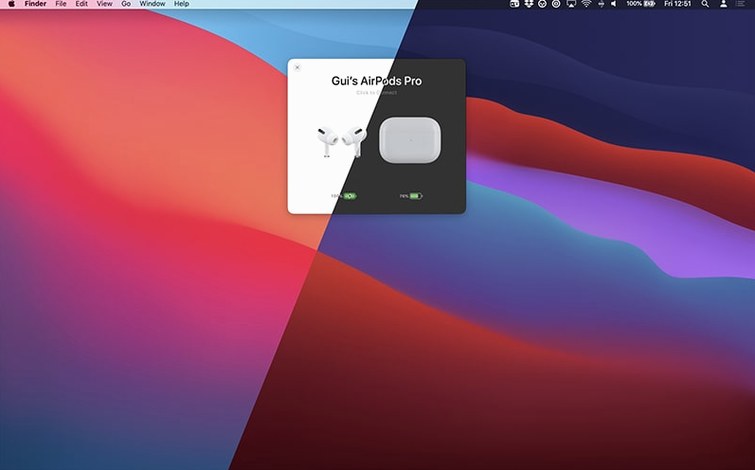
AirBuddy 3 landed with a fresh beta that finally lets you pick your menu bar poison: the full app icon, just the battery indicator, or nothing at all. It is a small change that makes the app feel properly settled on your Mac, and it sets the tone for a version that is all about putting you in control of how your Apple and Beats gadgets behave.
Pick your menu bar icon and click to connect
- Pick your menu bar icon. Head into preferences right after install and decide which icon style you want living up there. The battery indicator alone is a nice minimal touch once you learn the keyboard shortcuts.
- Click once to connect. Open the status window and a single click on any nearby AirPods or Beats model connects it instantly. No Bluetooth menus, no waiting.
- Set up a connection mode. This is where AirBuddy shines. Create a mode that, for example, sets your AirPods Pro to Transparency, drops the volume to 30%, and mutes the mic the moment they connect. Perfect for a morning coffee routine.
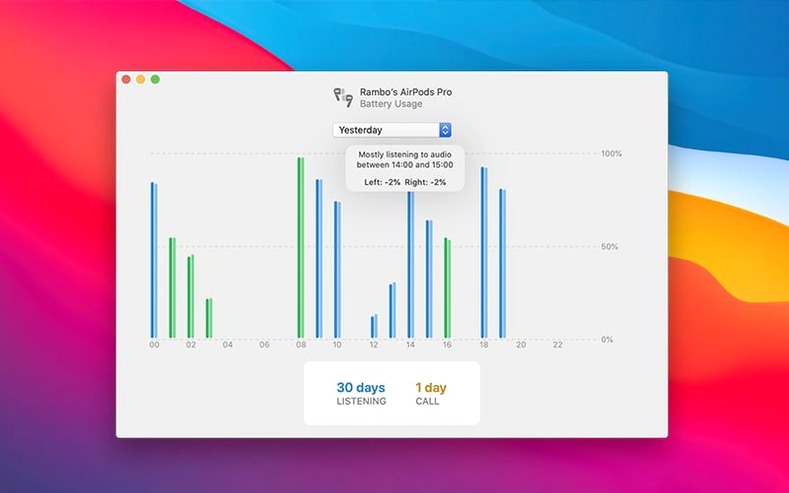
- Check the history tab. A quick look at the last 12 or 24 hours of headset usage is surprisingly useful for spotting a pair you forgot to charge.
- Assign a keyboard shortcut. Bind a key combo to cycle listening modes and you will rarely need to open the window at all.
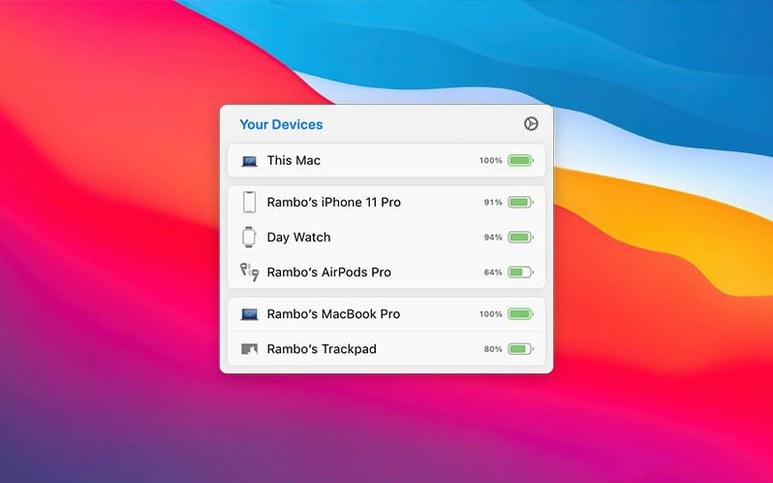
The status window itself comes in small and large designs, and it groups devices smartly — your iPhone sits next to your AirPods because the app understands the relationship. Other Macs and iPads show up too, so you get a proper overview of your whole desk ecosystem. If you regularly move peripherals between machines, the "move to this Mac" option keeps a mouse or keyboard within reach without re-pairing. AirBuddy 3 works on Intel and Apple silicon Macs running macOS 14, and the single English interface keeps everything legible and fast.
Tweak the menu bar icon and a few key defaults
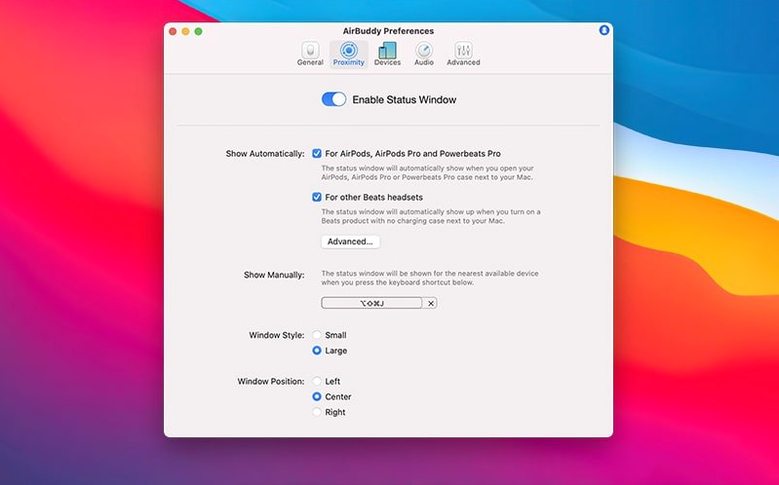
Open Preferences before you do anything else. The new menu bar icon options in this build — app icon, battery indicator, or nothing — are the obvious pick, but a few other tweaks make AirBuddy feel like it belongs to you specifically. Turn on auto-connect for the AirPods you use every day and you will never think about pairing again. Next, map the listening mode shortcut. I bound mine to ⌃⌥⌘L, and cycling through Transparency, Adaptive, and Noise Cancellation without touching the window changes how fast the whole interaction feels.
If you use AirPods Pro across multiple Apple devices, the connection mode editor deserves ten minutes of your time. Create a specific mode named after a place or activity — say, "Desk" — that sets volume to 40%, enables Transparency, and leaves the mic active. Another profile called "Focus" could switch to Noise Cancellation with the mic muted. When your AirPods connect to the Mac, AirBuddy applies everything automatically. It is the kind of personalization Apple does not expose, and it sticks.
Reads Control Center's Bluetooth state without interference
AirBuddy slots into the Mac without fighting what is already there. It reads the same Bluetooth state as Control Center, so it does not interfere with Handoff, Universal Clipboard, or the way your AirPods switch to an iPhone mid-call. In practice, this means you can run the adobe beta generative fill experiments on a big screen while keeping an eye on headphone battery via the menu bar indicator, and nothing steps on anything else. The affinity beta crowd working across Photo and Designer on a MacBook will appreciate that AirBuddy shows iPad battery right alongside the AirPods status — you know when to grab a charger before the tablet dies mid-sketch.
Magic Handoff for peripherals feels like an extension of Universal Control's philosophy. Moving a Magic Keyboard between two Macs with a single click in AirBuddy means your desk setup shifts in seconds, and macOS treats the keyboard as native input the moment it arrives. The app also respects Focus modes: connection mode triggers will not override system silence, so a pair of AirPods connecting during a scheduled Do Not Disturb window behaves sensibly. Combined with Shortcuts support, you can build automations that switch listening modes when a specific app launches — open Logic Pro, and AirBuddy sets Noise Cancellation without you touching a thing.
This beta adds a menu bar icon choice: keep the full AirBuddy icon, switch to a compact battery indicator, or hide the icon completely.
- macOS 14 or later
- Intel or Apple silicon Mac
Questions people ask
Can I see the battery of my iPhone and iPad in AirBuddy 3?
Yes, the device status view includes iPhone, iPad, and other Macs alongside your AirPods and Beats accessories.
Does AirBuddy 3 work on older Intel Macs?
It does. The developer supports both Intel and Apple silicon Macs as long as they run macOS 14 or later.
What can a custom connection mode change automatically?
A mode can set your listening mode, volume level, and microphone state the moment a device connects to your Mac.
Also on readers' docks
Sign in or create an account to leave a comment.
No comments yet. Tell me how it got on with your other devices.