








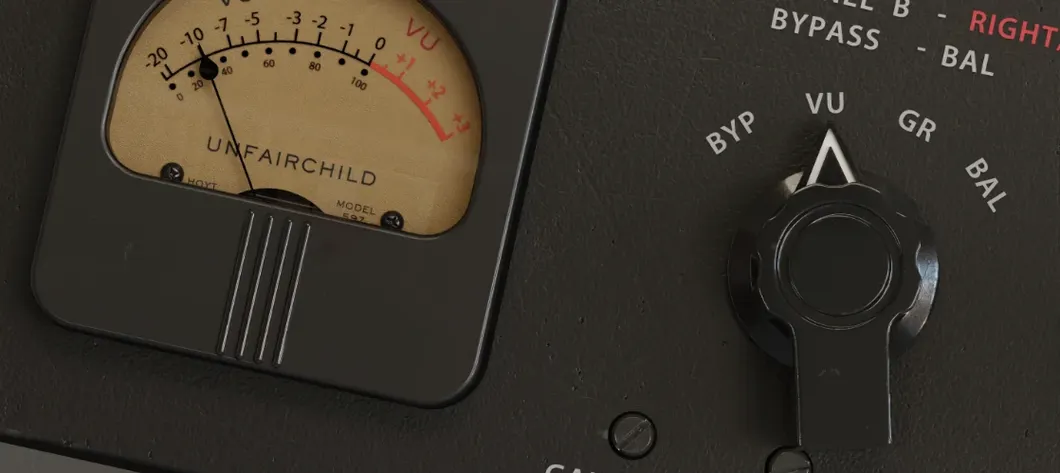
Download UnderTone Audio UnFairchild for macOS
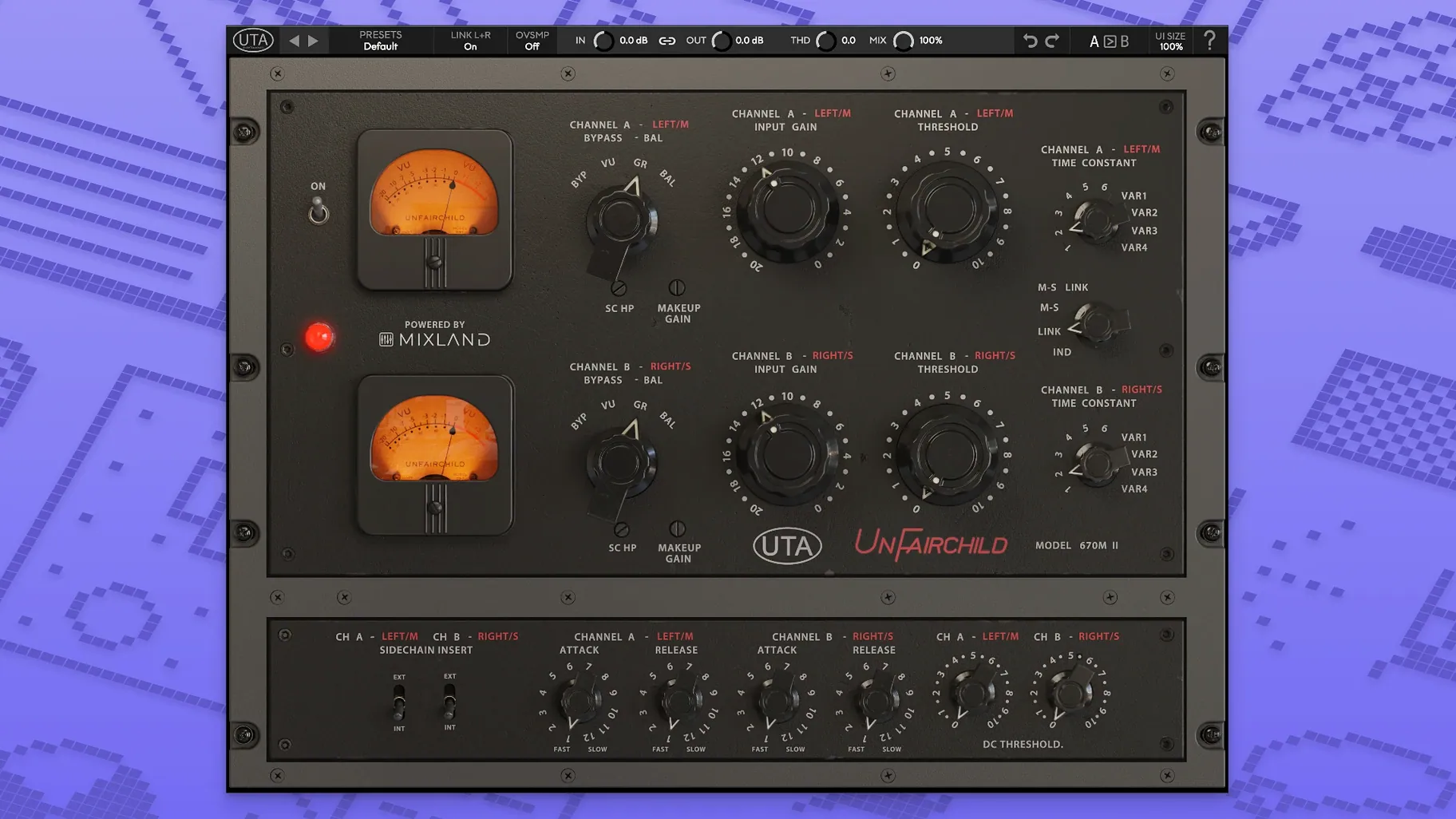
Twelve tubes, two paths. That's the starting point for what the UnFairchild plugin packs into a single instance. UnderTone Audio, working with MIXLAND and Eric Valentine, turned their 670M mkII vari-mu hardware into a painstaking recreation, and the controls tell you exactly where the weight comes from.
Dialing in the Weight
- Pick your detection path. Flip between Feed-Back and Feed-Forward. Feed-Back gives you that classic, grabby vari-mu envelope — slower to react, rounder on release. Feed-Forward tightens things up, clamping faster on transients, which is why I reach for it on drums.
- Set the DC Threshold. This isn't a fixed knee. The user-adjustable DC Threshold lets you decide how hard the signal has to push before the compression circuit starts to saturate. Back it off for a cleaner grab, or lower it to drive into the tubes sooner — vocals get a velvety thickness here without losing articulation.
- Blend with the wet/dry. Parallel compression is built right in. Nuke the input, then blend the smashed signal back underneath the dry track to retain the transient snap while adding sustain. It’s a fast way to make a roomy drum bus feel enormous without flattening the stick attack.
- Add overall THD. The Total Harmonic Distortion control isn't tied to the compression amount — it's a separate seasoning knob. Crank it slightly to add a warm haze around the edges of a vocal, or push it harder on a bass DI to make it sit in a sparse mix.
- Level it out. The output control keeps your gain staging honest after all that tube modeling works the signal over.
The plugin runs natively on both ARM and 64-bit x86 Macs, so it slots into modern sessions without the translation layer tax. It feels like having a piece of outboard that doesn't need recall sheets, just a good ear for when the iron starts to saturate.
First Days: Three Settings to Learn First
Don't try to master every control at once. The plugin rewards methodical exploration, and a few focused sessions will get you further than random knob-twisting.
- Map the time constants to your memory. The six original preset positions and four variable settings aren't just numbers — they're musical choices. Spend an evening running a drum loop through each one at matched gain reduction. You'll quickly hear which constants flatter transients and which ones make sustained sources bloom. Make quick voice memos on your phone as you go; you'll refer back to them later when a snare feels too choked or a vocal won't sit.
- Push the DC Threshold into obvious distortion once. Crank it low on a bass DI until it's clearly overdriven, then back it off until the grit just disappears. Now you know where the edge lives. That one exercise teaches you more about the tube modeling than any spec sheet, and you can replicate it on any source in about thirty seconds.
- Save a parallel crush preset. Dial in heavy compression with a fast time constant, set wet/dry to about 30% wet, add a touch of THD, and save it. This becomes your instant starting point for drum room mics, backing vocal stacks, or any group that needs width and sustain without losing its front edge.
Vocal Sweetening, Start to Finish
Here's a repeatable chain I reach for when a lead vocal needs presence without pokiness. The MS function makes this one special.
- Insert the plugin post-fader on the vocal track, not on a bus. You want the compression reacting to the exact level the fader sends.
- Engage MS mode and solo the Mid channel. Set Feed-Forward for a quicker, more controlled response — vocals don't usually want the bloom of Feed-Back here.
- Dial a variable time constant around 0.8 to 1.2 on the dial, watching for enough release to avoid pumping but fast enough to catch plosives. Aim for 3–5 dB of reduction on the loudest phrases.
- Swap to the Side channel and shave off 1–2 dB more. This pulls the stereo ambience around the vocal inward slightly, which tightens the image without making things mono.
- Blend in 15–20% wet from the parallel path to restore any lost air. Add a whisper of THD — just enough to warm the 2–4 kHz range where many condenser mics get brittle.
- Use the left/right balance fine adjustment to nudge the image back to dead center, since tube circuit asymmetry can shift things a hair even in MS mode.
The result is a vocal that feels closer and more present without the telltale squeeze of a faster solid-state compressor. It's subtle, but it stacks up across a full mix.
Post-Production: Taming a Documentary Mix
I watched a post-production editor drop the UnFairchild onto a dialogue bus for a documentary with wildly inconsistent location audio. One interview was recorded in a tiled kitchen, another outside on a windy hillside. The side chain input, fed from a filtered copy of the dialogue bus with a narrow boost around 800 Hz, let the compressor grab harder on chesty resonance while ignoring wind rumble below. Feed-Back mode smoothed the transitions between speakers — the slower envelope gave each voice change a natural, unhurried feel instead of the abrupt ducking you'd get from a faster topology. A hint of THD across the entire bus added a subtle tape-like cohesion that made the disparate recordings feel like they belonged in the same film. The left/right balance fine adjustment caught a slight drift on one lavalier mic, recentering the image without needing a separate utility plugin. By the time the mix hit the limiter, the dialogue already felt hand-stitched. That kind of invisible problem-solving is where the unfairchild plugin earns its keep — not as a character piece, but as a quiet technician that happens to have tubes under the hood.
- macOS 10.13 or newer
- Supports Intel 64-bit and Apple Silicon Macs natively
- Interface language: English
Questions people ask
What hardware is the UnFairchild plugin based on?
It is a recreation of the UnderTone Audio UnFairchild 670M mkII vari-mu compressor, developed in collaboration with MIXLAND and Eric Valentine.
What instruments does the UnFairchild plugin work well on?
Its vari-mu character suits vocals beautifully, and the Feed-Forward mode combined with the wet/dry control makes it a powerful tool on drums.
Also on readers' docks
Sign in or create an account to leave a comment.
No comments yet. Tell me how it got on with your other devices.
More in VST Plugins
See all UJAM Symphonic Elements STRIIIINGS
1.3.1 VST Plugins
4.4 GB
UJAM Symphonic Elements STRIIIINGS
1.3.1 VST Plugins
4.4 GB
 uJAM Cinedream
1.0.1 VST Plugins
3.5 GB
uJAM Cinedream
1.0.1 VST Plugins
3.5 GB
 UJAM Beatmaker VICE
2.4.0 VST Plugins
262 MB
UJAM Beatmaker VICE
2.4.0 VST Plugins
262 MB
 Valhalla DSP Bundle
2025.12 VST Plugins
61 MB
Valhalla DSP Bundle
2025.12 VST Plugins
61 MB
 VocalNet
1.0.4 VST Plugins
669 MB
VocalNet
1.0.4 VST Plugins
669 MB
 VocalSynth 2
2.6.1 VST Plugins
259 MB
VocalSynth 2
2.6.1 VST Plugins
259 MB
 Toontrack EZmix Bundle
3.2.2 VST Plugins
977 MB
Toontrack EZmix Bundle
3.2.2 VST Plugins
977 MB
 Toontrack EZkeys
2.1.5 VST Plugins
707 MB
Toontrack EZkeys
2.1.5 VST Plugins
707 MB