








Download VocalNet for macOS
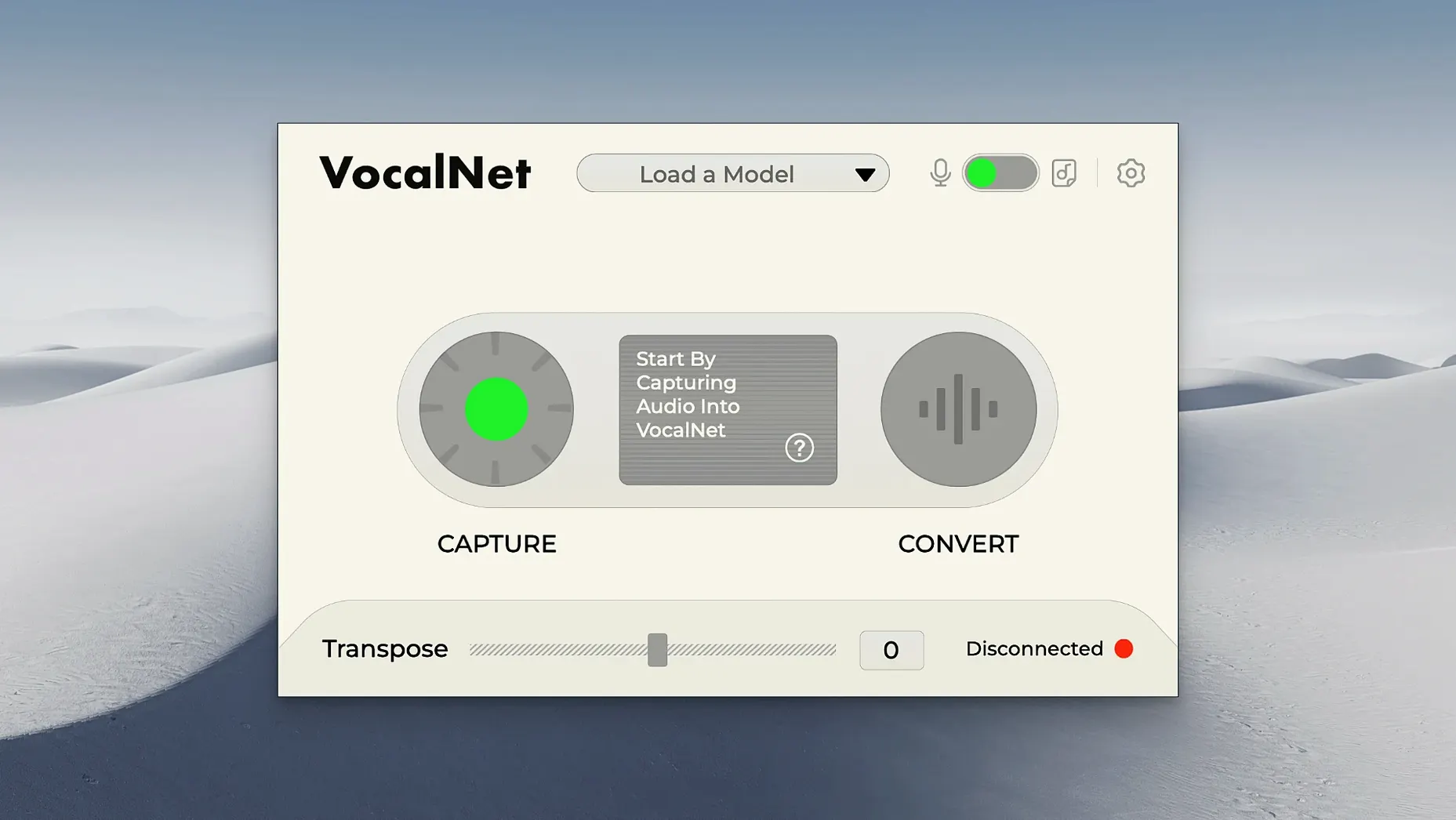
VocalNet runs natively on Apple Silicon and Intel Macs, requiring macOS 10.15 Catalina or later. That broad support means it slots comfortably into most modern music setups without a Rosetta translation layer slowing things down.
| Developer | Session Loops |
|---|---|
| Current Version | 1.0.4 |
| Processing | Real-time AI |
| Architecture | Apple Silicon & Intel 64-bit |
Where VocalNet really shines is on insert slots for vocal tracks and on aux buses when you want to blend a processed signal with the dry original. Drop it on a lead vocal to shift timbre while tracking, or use it as a real-time effect during a spoken word performance. The core trick is moving smoothly between different voice samples, which lets you create hybrid vocals that aren't quite one person or another — perfect for sparking a new direction when a take feels flat. You can raise or lower a voice's character, blend several samples at once, and try out ideas quickly without committing to anything permanent. Because all the audio processing stays local on your Mac, the recordings remain private throughout. It's a straightforward creative tool for producers who reach for vocal transformation at the mix stage rather than as an afterthought.
Clean Voice Samples That Won't Load
A few things tend to trip people up in the first hour with VocalNet, and they're nearly always quick to fix. The most frequent head-scratcher is loading custom voice samples — the plugin expects short, clean, single-voice recordings without background noise. If you toss in a full mix or a podcast clip with two people talking, the timbre analysis gets confused and the output turns muddy. Trim your samples to three to eight seconds of isolated vocal, and the difference is night and day.
Another occasional hiccup is a DAW reporting the plugin as "not found" after a clean install. This almost always comes down to the host application scanning the wrong folder. The Mac installer from the Session Loops VocalNet disk image drops AU, VST3, and AAX files into their standard locations, but some DAWs — Reaper and older Ableton Live versions especially — need a manual rescan or a pointed nudge toward /Library/Audio/Plug-Ins/Components. A quick restart of the DAW after that rescan clears it up.
Latency can also cause a brief moment of panic. Real-time neural processing is CPU-hungry, and at buffer sizes above 512 samples the delay becomes noticeable during live monitoring. Dropping your interface buffer to 128 or 256 while tracking, then raising it back for mixing, keeps the vocal transformation responsive without crackles. On M1 and M2 machines the plugin handles 128-sample buffers comfortably; older Intel Macs might need 256 for stable performance.
Logic Pro AU Validation Finally Fixed
Version 1.0.4 wasn't a headline-grabbing overhaul, but it tidied up a few things that make daily use smoother. The biggest practical fix was improved AU validation in Logic Pro — earlier builds occasionally threw a failed validation warning that required a manual workaround. Now the plugin passes Logic's scan cleanly on both Intel and Apple Silicon, which means less time troubleshooting and more time twisting vocals.
Under the hood, the timbre interpolation received a subtle polish. Crossfading between two voice samples used to introduce a brief phasey artefact right at the midpoint of the blend knob. The 1.0.4 update tightened that transition, so moving from a breathy character to a sharper, nasal one now stays coherent across the whole sweep. Small thing, but it saves having to automate an extra EQ cut just to mask a wobble that shouldn't be there.
Session Loops also quietly improved the sample analysis speed. Loading a new voice sample on an M-series Mac now completes in roughly half the time it took in the initial release. On older Intel machines the gain is less dramatic but still welcome — enough that you're not staring at a spinning wheel mid-session.
Runs Entirely Offline on Your CPU
Does VocalNet need an internet connection to work? Not at all. The AI processing runs entirely on your Mac's CPU. Once installed, you can unplug the ethernet cable, switch off Wi-Fi, and it'll transform vocals just fine. That also means the voice samples you feed it never leave your machine — handy if you're working with sensitive session recordings or just prefer to keep things local.
Will it work in my DAW? If your host supports VST3, AU, or AAX formats on macOS 10.15 or later, you are covered. Logic Pro, Ableton Live, Cubase, Pro Tools, Studio One, Reaper, and Bitwig all load it without fuss. The vocalnet vst format in particular plays nicely with Cubase and Studio One's sandboxing, which keeps the host stable even if the plugin chokes on a corrupted sample file.
Can I use it live on stage? Yes — within reason. The plugin processes in real time, and with a low buffer size the latency is manageable for sung or spoken input. The practical limit is your processor: an M1 MacBook Air can handle one instance at 128 samples without breaking a sweat, but stacking three or four on a live vocal chain will push it. For studio tracking it is perfectly comfortable; for a live set, stick to a single instance and print the effect if you need more layers.
Shift-Drag for Smoother Voice Blends
The blend knob supports fine-tuning with a Shift-drag, which unlocks much smoother interpolation between voice samples than the default mouse movement allows. It's the sort of thing you stumble upon by accident, but once you know it's there, you'll use it every time you're dialling in hybrid vocal characters.
Right-clicking any loaded sample slot brings up a quick audition option that plays the raw source recording. It is a genuine timesaver when you have half a dozen samples loaded and cannot remember which is the airy falsetto and which is the gravelly chest voice. No need to open Finder and preview files separately.
On iPad and iPhone: There is no iOS companion for VocalNet. It lives entirely on the desktop. If your workflow hops between Logic on Mac and GarageBand on iPad, you will need to print the effected vocal on the Mac side before transferring stems.The input and output gain sliders are linked by default, which is useful for level-matched auditioning, but holding Option while dragging decouples them. That little move lets you drive the internal processing harder without blowing up your output level — perfect for saturating the timbre engine with a hot signal while keeping the fader where your mix wants it.
Lastly, the sample slots remember their last-loaded folder between sessions. If you keep a dedicated voice-samples library — perhaps snippets from old takes, field recordings, or bits you found while digging through a VocalNet torrent archive — the plugin picks up right where you left off. No hunting through Finder every time you open a project.
- macOS 10.15 or later
- Apple Silicon or Intel 64-bit processor
Questions people ask
Does VocalNet send my vocal recordings to the cloud?
No, all audio processing happens locally on your computer so your recordings stay private.
Also on readers' docks
Sign in or create an account to leave a comment.
No comments yet. Tell me how it got on with your other devices.
More in VST Plugins
See all VocalSynth 2
2.6.1 VST Plugins
259 MB
VocalSynth 2
2.6.1 VST Plugins
259 MB
 WaveLab Pro
13.0.30 VST Plugins
WaveLab Pro
13.0.30 VST Plugins
 Waves Ultimate
v17-26.10.07 VST Plugins
10.3 GB
Waves Ultimate
v17-26.10.07 VST Plugins
10.3 GB
 Valhalla DSP Bundle
2025.12 VST Plugins
61 MB
Valhalla DSP Bundle
2025.12 VST Plugins
61 MB
 UnderTone Audio UnFairchild
1.0.8 VST Plugins
220 MB
UnderTone Audio UnFairchild
1.0.8 VST Plugins
220 MB
 XLN Audio Life
1.2.3 VST Plugins
442 MB
XLN Audio Life
1.2.3 VST Plugins
442 MB
 UJAM Symphonic Elements STRIIIINGS
1.3.1 VST Plugins
4.4 GB
UJAM Symphonic Elements STRIIIINGS
1.3.1 VST Plugins
4.4 GB
 uJAM Cinedream
1.0.1 VST Plugins
3.5 GB
uJAM Cinedream
1.0.1 VST Plugins
3.5 GB