








Download WaveLab Pro for macOS
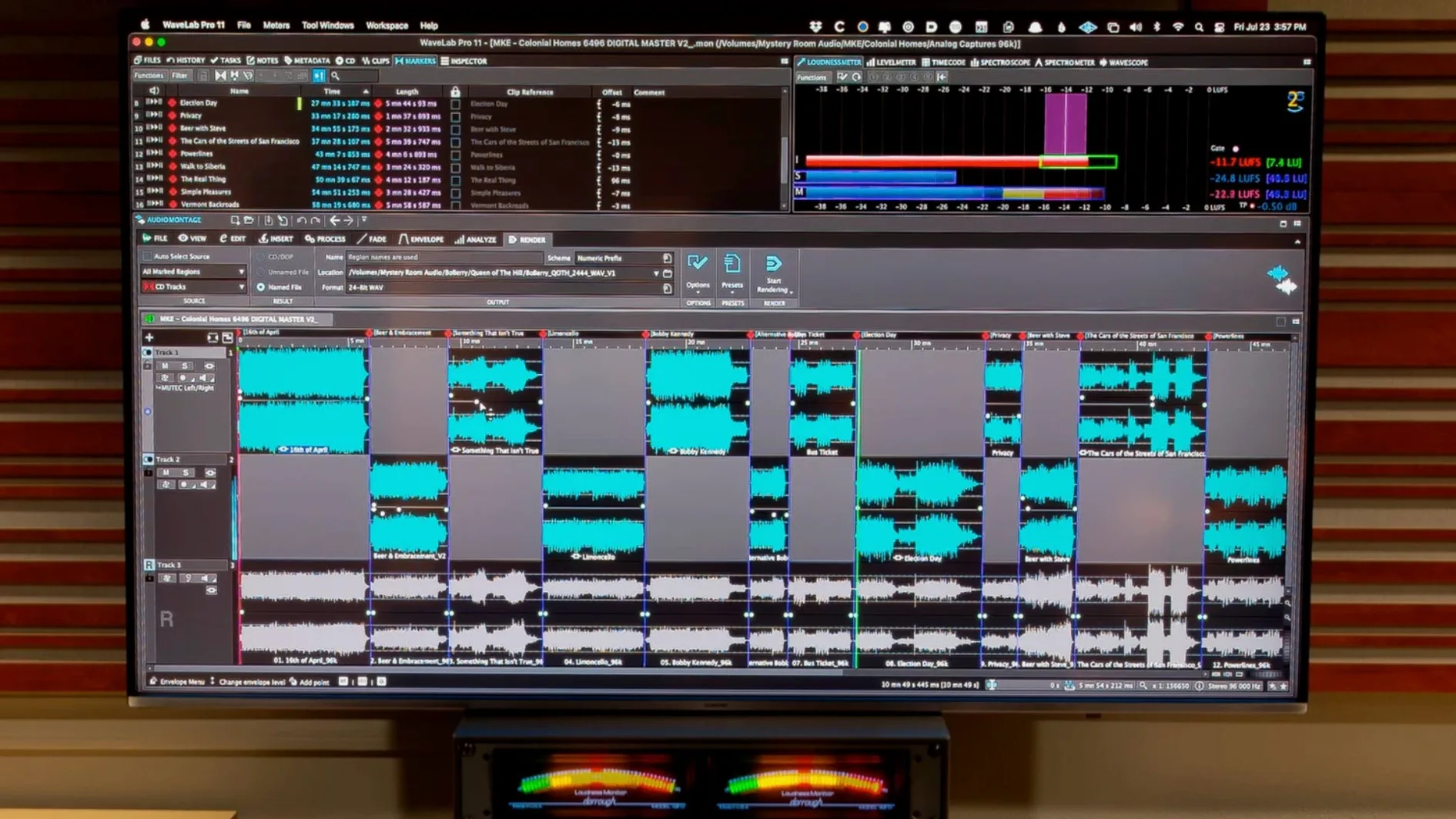
WaveLab Pro is Steinberg's dedicated audio mastering and editing environment, built to carry a project from raw mix to finished master without bouncing between half a dozen utilities. It lives comfortably alongside a DAW like Cubase or Logic Pro, handling the final polish stage where sample-accurate cuts, spectral cleanup, and loudness compliance actually matter.
Master chain, montage, and restoration in one window
- Mastering chain that stays put. The montage window holds your album assembly, track markers, fades, and plug-in processing in one view, so you aren't juggling separate editor and CD-layout apps.
- Restoration and forensics. Built-in tools cover de-clicking, de-noising, and spectral editing. The forensic analysis features mean you can inspect a suspect audio file right inside the same application you master in—no round-trip to a separate editor.
- Clip transfer with or without effects. You can push a processed or dry audio range directly to another Mac application, which fits nicely when a project needs a quick stem in your DAW or a sample in a sampler instrument.
- Dolby Atmos binaural monitoring. Version 13.0.30 adds support for loading a personal HRTF profile, so the fold-down check on headphones uses your own spatial hearing data instead of a generic curve.
What the Mac build actually supports
The current WaveLab Pro 13 runs natively on Apple silicon and Intel 64-bit Macs, requiring macOS 13 or later. The interface is in English, and Steinberg's documentation confirms it handles everything from stereo CD masters to Dolby Atmos montages that can include channel-based surround files. For a home or project studio on a Mac, it means one piece of software covers editing, restoration, and final delivery formatting—the stuff that usually pulls you into three different windows.
There are a handful of settings I reach for on a fresh install, mostly tucked away in Preferences where they quietly shape the editing feel. Open WaveLab Pro > Preferences > Global > Editing and switch on Auto-scroll during playback if you want the waveform window to chase the playhead—off by default, but I find it far less disorienting when you're hunting clicks. Right below it, tick Sync file and montage navigation so scrolling in one pane mirrors the other. That tiny change saves endless manual window chasing when you jump between a source file and its montage assembly.
Still in Preferences, head to Display > Waveform and enable Auto-scale peaks to visible area. It keeps quiet passages from turning into a flat line when you zoom in, which matters more than you'd think when you're drawing spectral edits by eye. While you're there, bump the waveform resolution to the highest your Mac's display can handle—the default is a little soft on a Retina screen.
The audio device routing under Audio Connections deserves a minute too. WaveLab Pro ships with a generic stereo mapping, but if you run an interface with multiple outputs, assign a dedicated cue bus for the monitor section. That way the Master Transport's speaker switching actually controls your real-world monitors instead of fighting your system mixer.
Small things that aren't obvious
A few shortcuts I stumbled into months after starting: double-click a marker in the montage track and you can type a CD-Text entry right there instead of opening a separate dialogue. Hold Option while dragging a clip edge and WaveLab Pro stretches time without opening the Time Stretch tool—great for quick crossfade tweaks. And if you press Shift-M with nothing selected, the montage window drops a marker at the playhead position, which is faster than the toolbar button when you're laying out CD tracks by ear.
The ARA plug-in side of things works the other direction too. Inside Cubase 13, Nuendo 13, Reaper 7, or Studio One 6.5, you can open a clip directly into WaveLab Pro's editor and return the processed version to the DAW timeline without leaving the host. The transfer preserves or strips effects depending on what you choose in the send dialogue—a small tick box that's easy to miss the first time.
Built-in PQ editing and DDP delivery for mastering engineers
Mastering engineers who deliver DDP images and Red Book-compliant masters get the most obvious lift. The PQ editing, CD-Text handling, and loudness metering are built for that workflow from the ground up, not bolted on as an afterthought. If you're printing masters for streaming platforms alongside physical media, the montage window handles both simultaneously—LUFS targets on one lane, track gaps on another.
Post-production editors working with forensic audio or restoration-heavy dialogue tend to discover WaveLab Pro through the spectral tools and stick around. The combination of sample-accurate editing and the de-noising suite means you can clean a location recording and assemble a compliant deliverable in the same session. On a Mac that already runs a video editor, not having to farm audio cleanup out to a separate machine keeps the day moving.
Even a home-studio musician who only masters their own singles benefits from the visible waveform auto-scaling and the montage approach, because the alternative is stacking three different free utilities and hoping nothing clips between them. The question isn't really whether you master audio—it's whether you'd rather do it in a tool that knows where the export buttons for ISRC codes and DDP folders live. Plenty of users hunting for a wavelab for mac solution land here because the integrated restoration tools cut out the step where you'd otherwise reach for a standalone repair app. Some searches start with phrases like wavelab torrent or wavelab mac torrent, and while those paths miss the activation that keeps updates flowing, the draw is the same: a single-window workflow that doesn't feel like a patchwork of plug-ins.
WaveLab Pro 13.0.30 brings two key workflow expansions:
- Dolby Atmos master montages now accept channel-based surround files, giving you more flexibility in object-bed layouts.
- Binaural monitoring for Dolby Atmos can load a personal HRTF profile, so the headphone fold-down matches your own spatial hearing.
- macOS 13 or later
- Apple silicon or Intel 64-bit processor
- English interface
Also on readers' docks
Sign in or create an account to leave a comment.
No comments yet. Tell me how it got on with your other devices.
More in VST Plugins
See all Waves Ultimate
v17-26.10.07 VST Plugins
10.3 GB
Waves Ultimate
v17-26.10.07 VST Plugins
10.3 GB
 VocalSynth 2
2.6.1 VST Plugins
259 MB
VocalSynth 2
2.6.1 VST Plugins
259 MB
 VocalNet
1.0.4 VST Plugins
669 MB
VocalNet
1.0.4 VST Plugins
669 MB
 XLN Audio Life
1.2.3 VST Plugins
442 MB
XLN Audio Life
1.2.3 VST Plugins
442 MB
 XLN Audio XO
1.8.10-2026.09.04-Complete VST Plugins
2.3 GB
XLN Audio XO
1.8.10-2026.09.04-Complete VST Plugins
2.3 GB
 Xpand!2
2.3.1 VST Plugins
1.2 GB
Xpand!2
2.3.1 VST Plugins
1.2 GB
 Valhalla DSP Bundle
2025.12 VST Plugins
61 MB
Valhalla DSP Bundle
2025.12 VST Plugins
61 MB
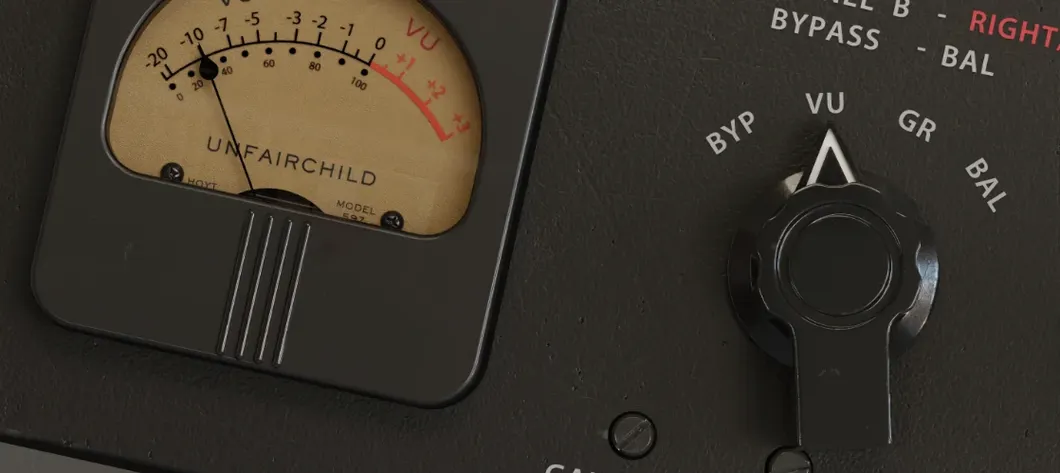 UnderTone Audio UnFairchild
1.0.8 VST Plugins
220 MB
UnderTone Audio UnFairchild
1.0.8 VST Plugins
220 MB