









Download Toontrack EZkeys for macOS
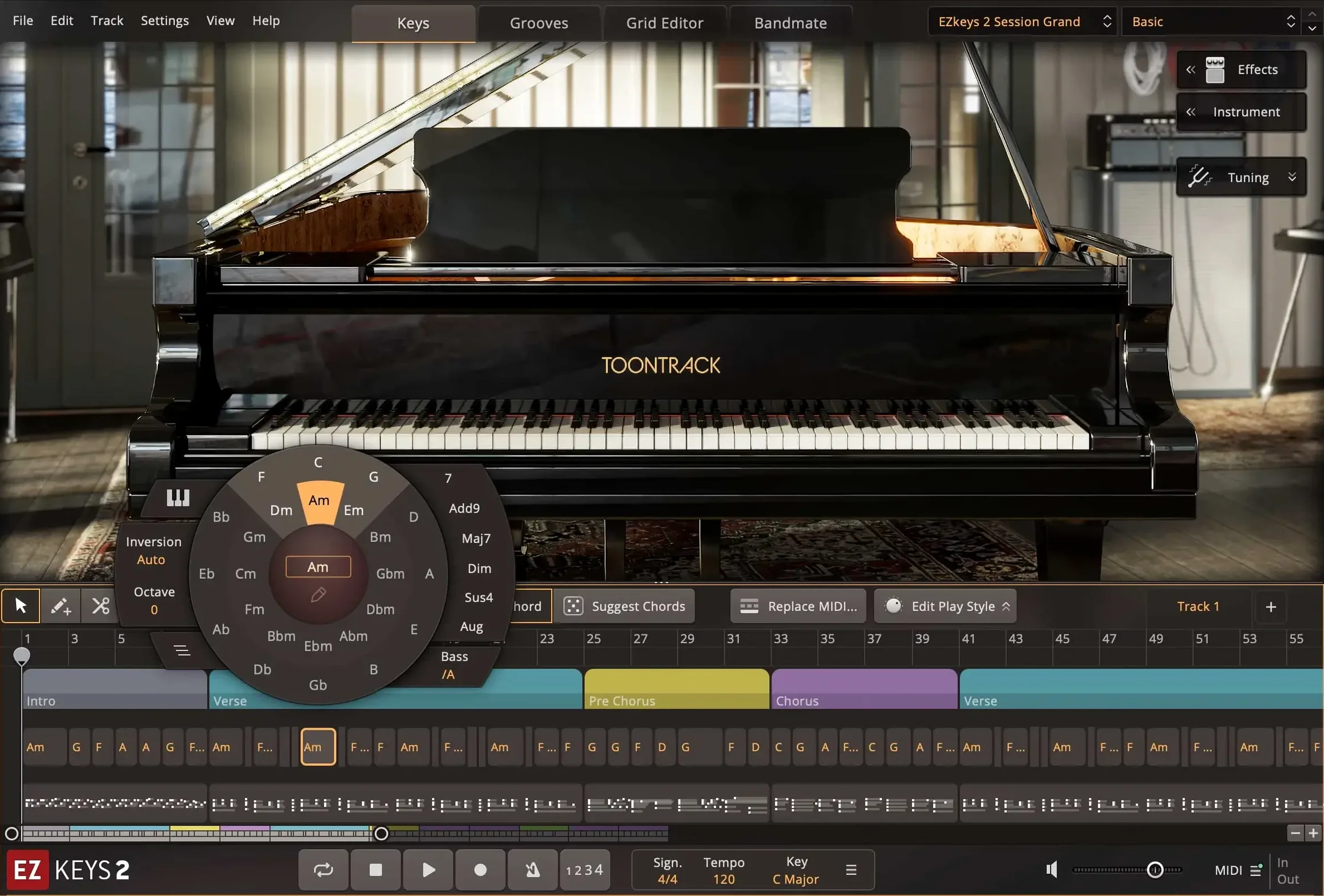
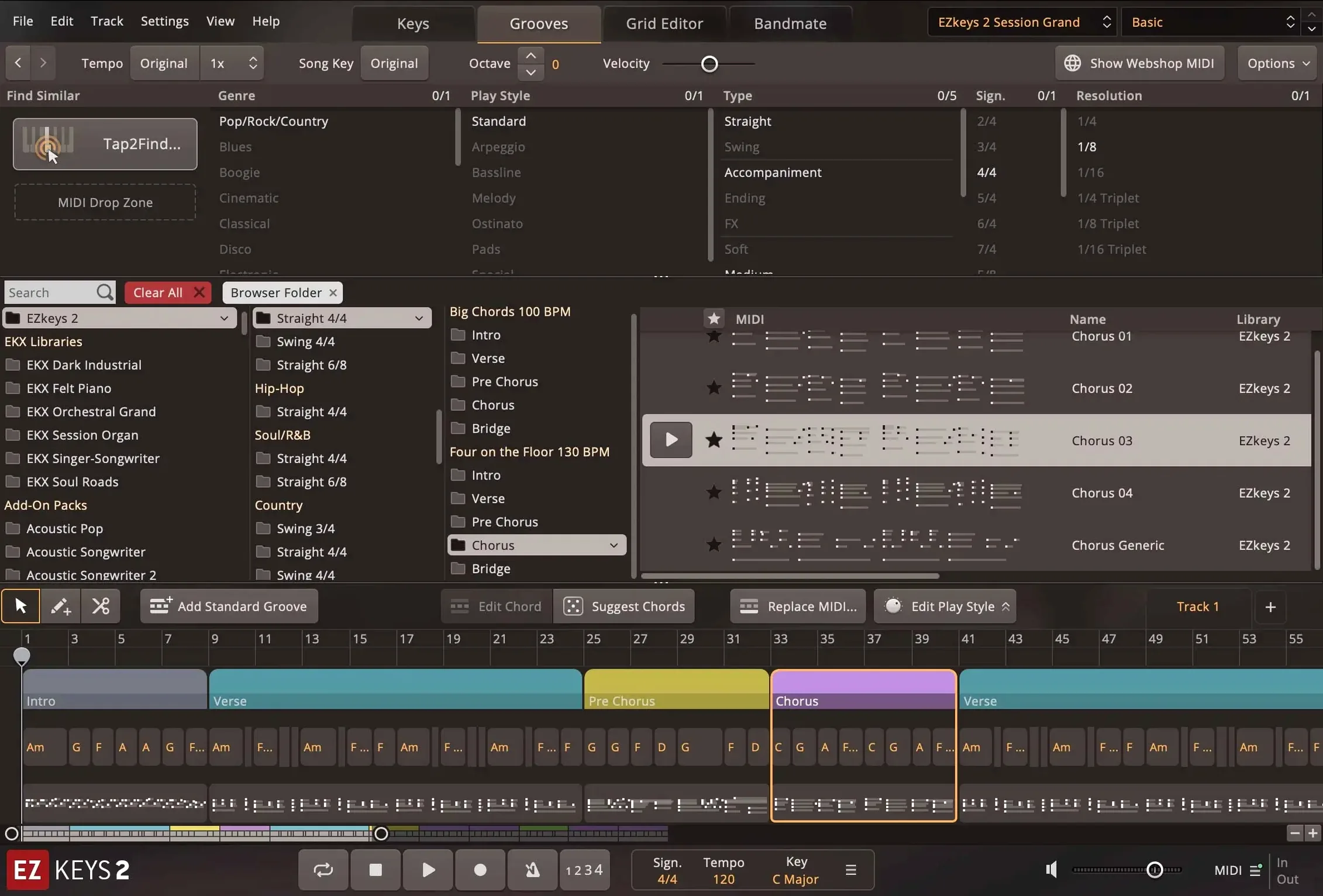
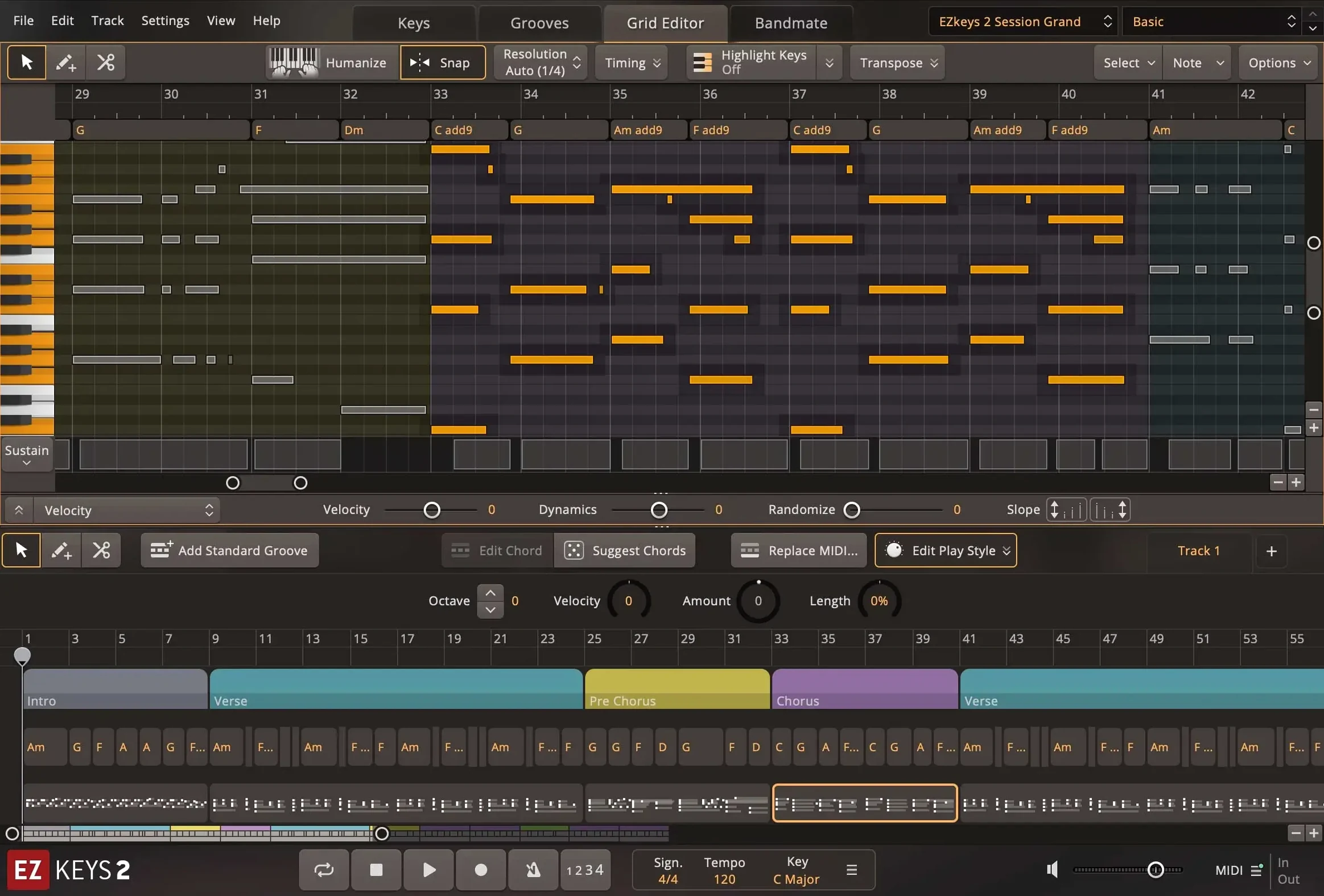
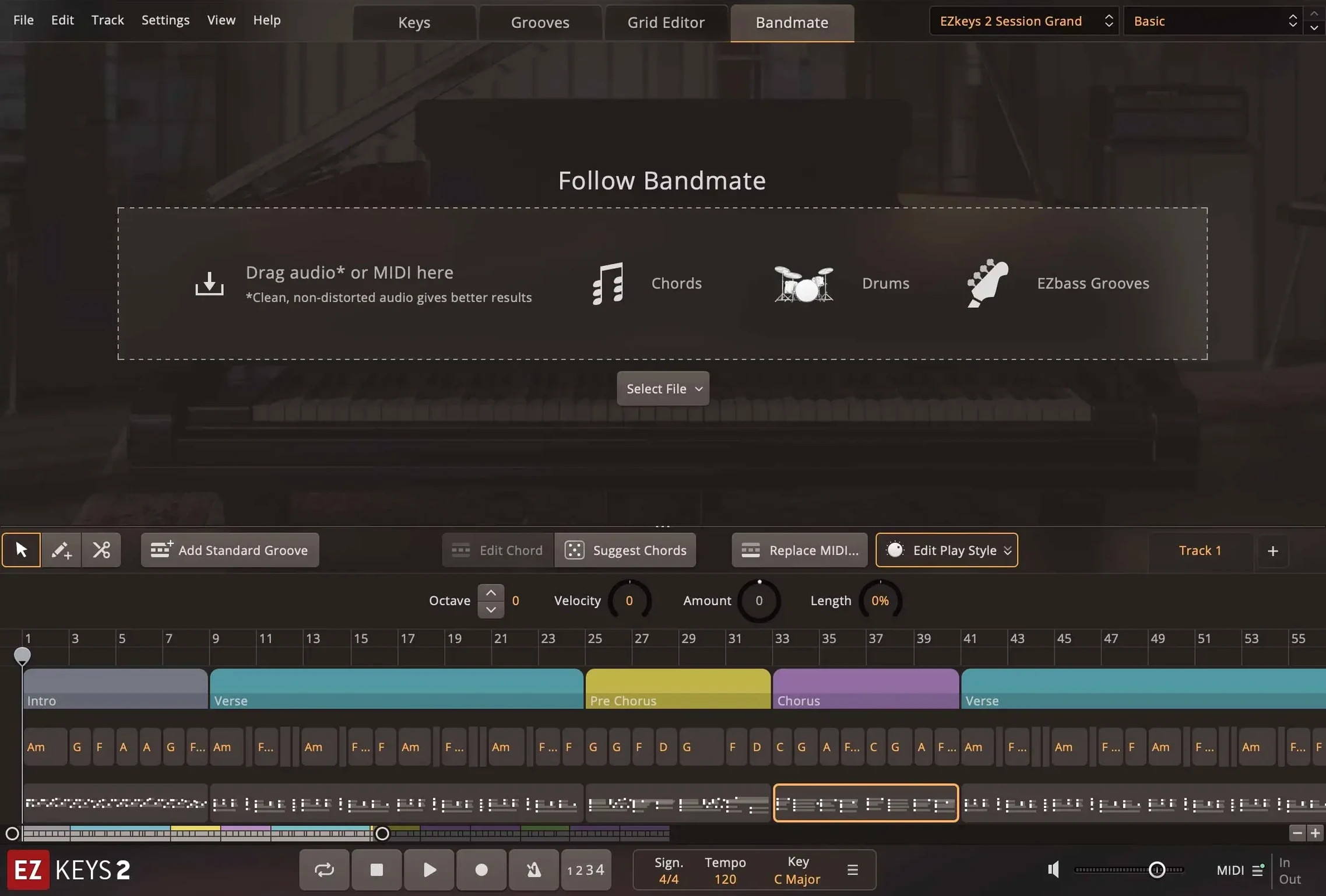
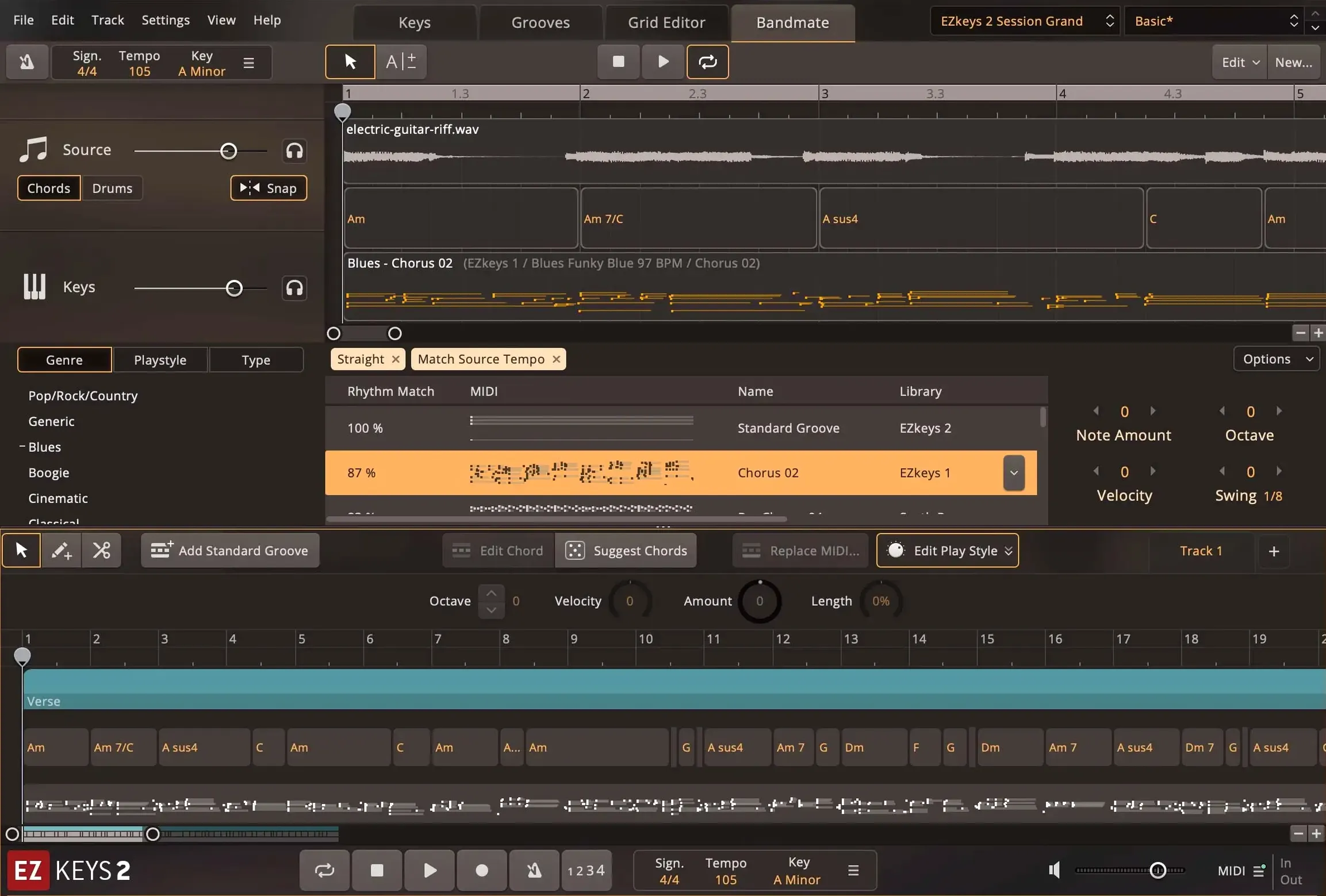
Writing a song shouldn't mean staring at a blank piano roll and feeling stuck. EZkeys turns that block into a dialogue. The core of it starts with a Fazioli F212 grand recorded at Riksmixningsverket in Stockholm, captured with multiple mic setups and room ambiences. That sound alone is gorgeous, but it's the controls that make it talk back.
Shaping a Performance, Step by Step
- Dial in the tone. Pull up the mix-ready presets and scroll through styles until the piano sits where you want it. The room mics and close mics blend instantly, so you go from a tight pop presence to a wide cinematic wash in one click.
- Tap a rhythm. Tap2Find listens to your timing and the notes you play. It suggests accompaniment patterns that match your energy, so you're not hunting through menus—you're auditioning ideas that feel like they came from a bandmate.
- Lock the harmony. The Chord Wheel and Songwriting Scales keep everything musically coherent. You can drag chords straight into your DAW and the engine builds voicings that flow, even if theory isn't your first language.
The result lands in a mix like a real instrument, not a sterile sample pack. The fully resizable interface stays out of your way, and multi-core CPU improvements make the whole thing snappier on a modern Mac. Whether it's running as a standalone sketchpad or an AAX plugin inside a session, EZkeys earns its keep as a songwriter's co-pilot with a truly expressive grand piano at the center.
Where the Tahoe-Style Icons Show Up First
Version 2.1.5 doesn't shout about itself, but a few things feel different the moment you open a project. The updated standalone and project icons in the macOS Tahoe style are a small touch, yet they make EZkeys look at home on a recent Mac instead of like a leftover from an older era. Practical? Barely. But it's the sort of polish that keeps the workspace feeling current.
The bigger deal is the multi-core CPU improvement. On an Apple Silicon machine, scrolling through the MIDI library while playback runs used to hitch occasionally—now it glides. Loading larger arrangements and switching between mix presets feels more immediate. If you stack multiple EZkeys instances in a dense session, the difference adds up.
Transistor Organ EKX support also landed, which means users who grab that expansion can pull up organ tones right inside the same interface. The String Machine EKX got a small but welcome knob for the expression pedal in the Keys tab, saving you from menu-diving when you want to swell a pad part while playing.
Silence After Moving Your Sound Library
One recurring headache is missing sound content after installation. EZkeys looks for its core library in a specific location, and if you moved the folder or put it on an external drive, the standalone app greets you with silence. The fix is straightforward: open the Settings menu, point the Content Location path to the right folder, and restart. Everything snaps back.
Another issue crops up with the AU plugin not showing in Logic Pro after an update. Rescanning in the Plug-in Manager usually sorts it, but occasionally you need to reboot the Mac so the audio system picks up the new component. It's boring advice, but it works more often than not.
People sometimes grab an ezkeys sound library download and then scratch their heads when the MIDI packs don't appear. The MIDI content lives separately from the core library, and EZkeys scans for it in the same root folder. Keep both the sound library and the MIDI folder inside the same parent directory and the browser populates correctly.
Lag When Previewing MIDI Patterns
If auditioning grooves from the browser stutters, check your audio buffer size. EZkeys streams samples and MIDI previews simultaneously, and a low buffer that works fine for playback might choke when you rapidly click through patterns. Bumping to 256 or 512 samples during the browsing phase smooths things out, then dial it back down for tracking.
Tap2Find Sits Idle Until You Feed It a Rhythm
New users often treat EZkeys like a simple rompler—pick a preset, play a chord, move on. That misses most of what it offers. The Tap2Find feature sits idle because nobody taps anything into it. Spend five minutes feeding it a rhythm, even just finger-drumming on a desk, and it starts returning patterns that feel personal rather than generic.
Another early mistake is ignoring the Chord Wheel entirely and dragging in progressions that clash with the song's key. The wheel doesn't just suggest chords; it highlights substitutions that work harmonically. Beginners who lean on it for even ten minutes start internalizing relationships they'd otherwise take months to figure out by ear.
Some folks grab an EZkeys torrent or track down an EZ Keys torrent to jump straight into songwriting, and the MIDI packs can feel disjointed until you learn the browser. The secret is that the browser filters by genre, time signature, and playing style—three dropdowns at the top of the window. Ignoring them means wading through jazz brushes when you need a straight pop eighth-note feel. Set those filters first, then browse, and the results immediately make musical sense.
Version 2.1.5 adds official support for the Transistor Organ EKX expansion, updates the standalone and project icons on Mac to match the macOS Tahoe style, and brings smoother CPU performance when multi-core processing kicks in.
- macOS 10.13 or newer
- Works on Intel and Apple Silicon Macs
Questions people ask
What piano was recorded for the core EZkeys sound library?
The core library is based on a Fazioli F212 grand piano recorded at Riksmixningsverket in Stockholm, Sweden.
Does EZkeys work as a standalone app on Mac?
Yes, it runs as a standalone application and as an AAX, AU, or VST plugin.
Also on readers' docks
Sign in or create an account to leave a comment.
No comments yet. Tell me how it got on with your other devices.
More in VST Plugins
See all Tone Empire EDYN
1.0.2 VST Plugins
198 MB
Tone Empire EDYN
1.0.2 VST Plugins
198 MB
 Toontrack EZmix Bundle
3.2.2 VST Plugins
977 MB
Toontrack EZmix Bundle
3.2.2 VST Plugins
977 MB
 UJAM Beatmaker VICE
2.4.0 VST Plugins
262 MB
UJAM Beatmaker VICE
2.4.0 VST Plugins
262 MB
 uJAM Cinedream
1.0.1 VST Plugins
3.5 GB
uJAM Cinedream
1.0.1 VST Plugins
3.5 GB
 UJAM Symphonic Elements STRIIIINGS
1.3.1 VST Plugins
4.4 GB
UJAM Symphonic Elements STRIIIINGS
1.3.1 VST Plugins
4.4 GB
 T-RackS
6.3.2 VST Plugins
2.3 GB
T-RackS
6.3.2 VST Plugins
2.3 GB
 UnderTone Audio UnFairchild
1.0.8 VST Plugins
220 MB
UnderTone Audio UnFairchild
1.0.8 VST Plugins
220 MB
 Synapse Audio The Legend HZ v2.0.2.R1
2.1 VST Plugins
472 MB
Synapse Audio The Legend HZ v2.0.2.R1
2.1 VST Plugins
472 MB