








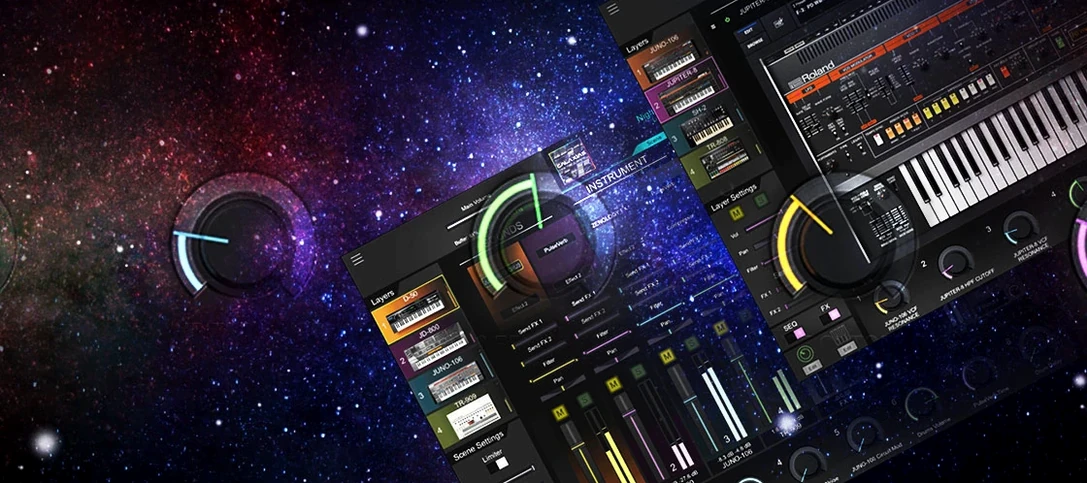
Download Roland Cloud Legendary Series for macOS
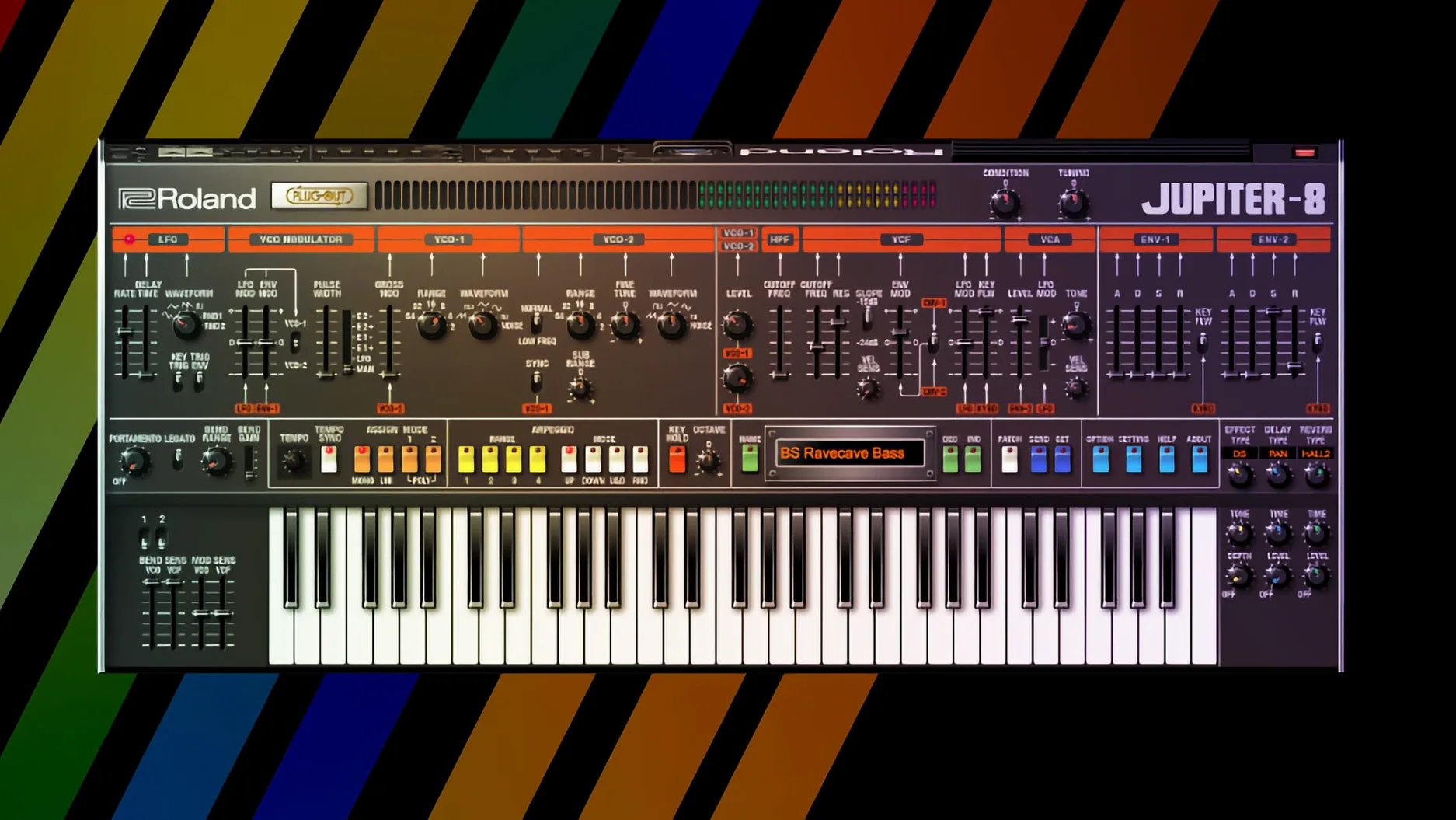
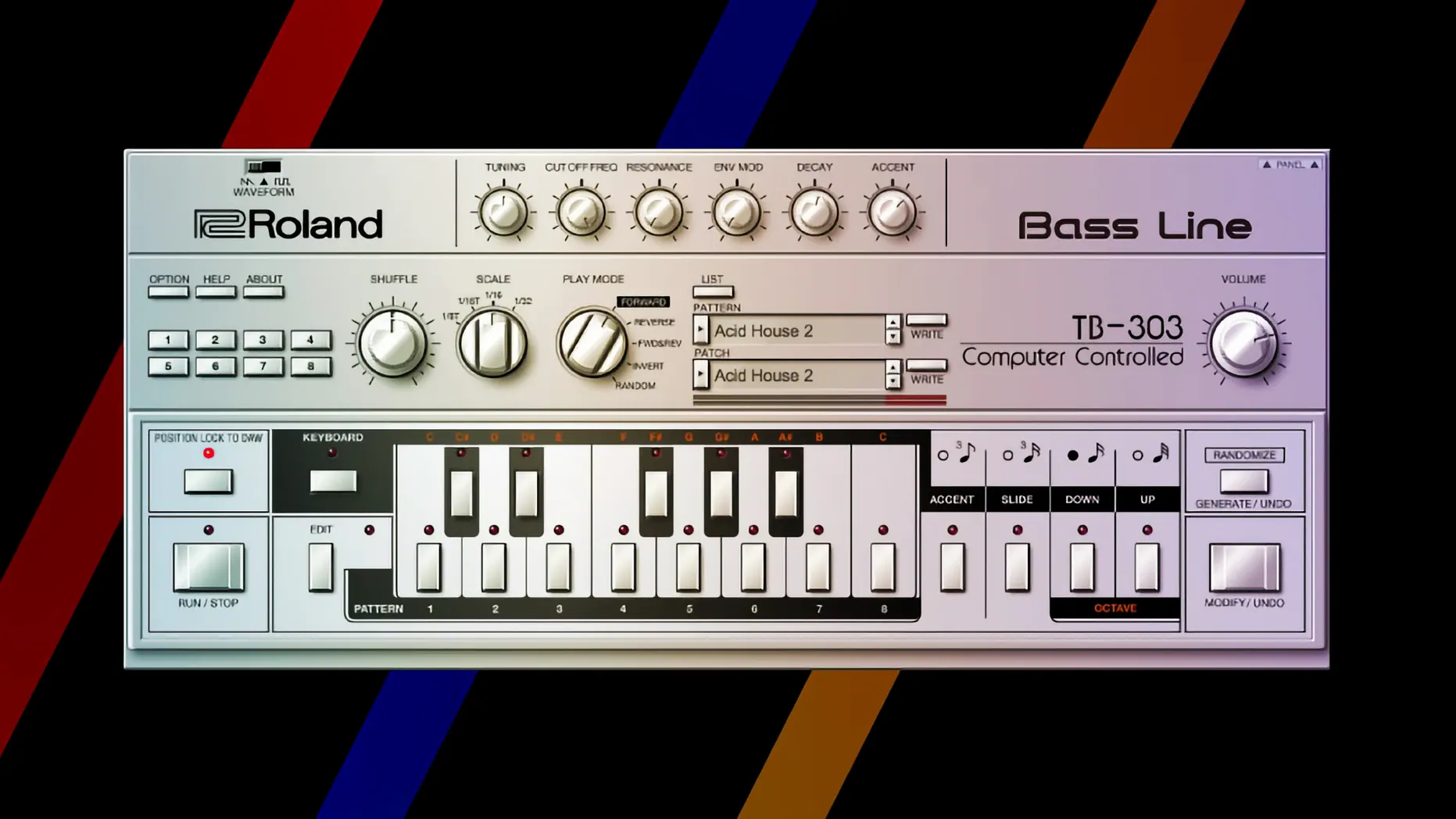
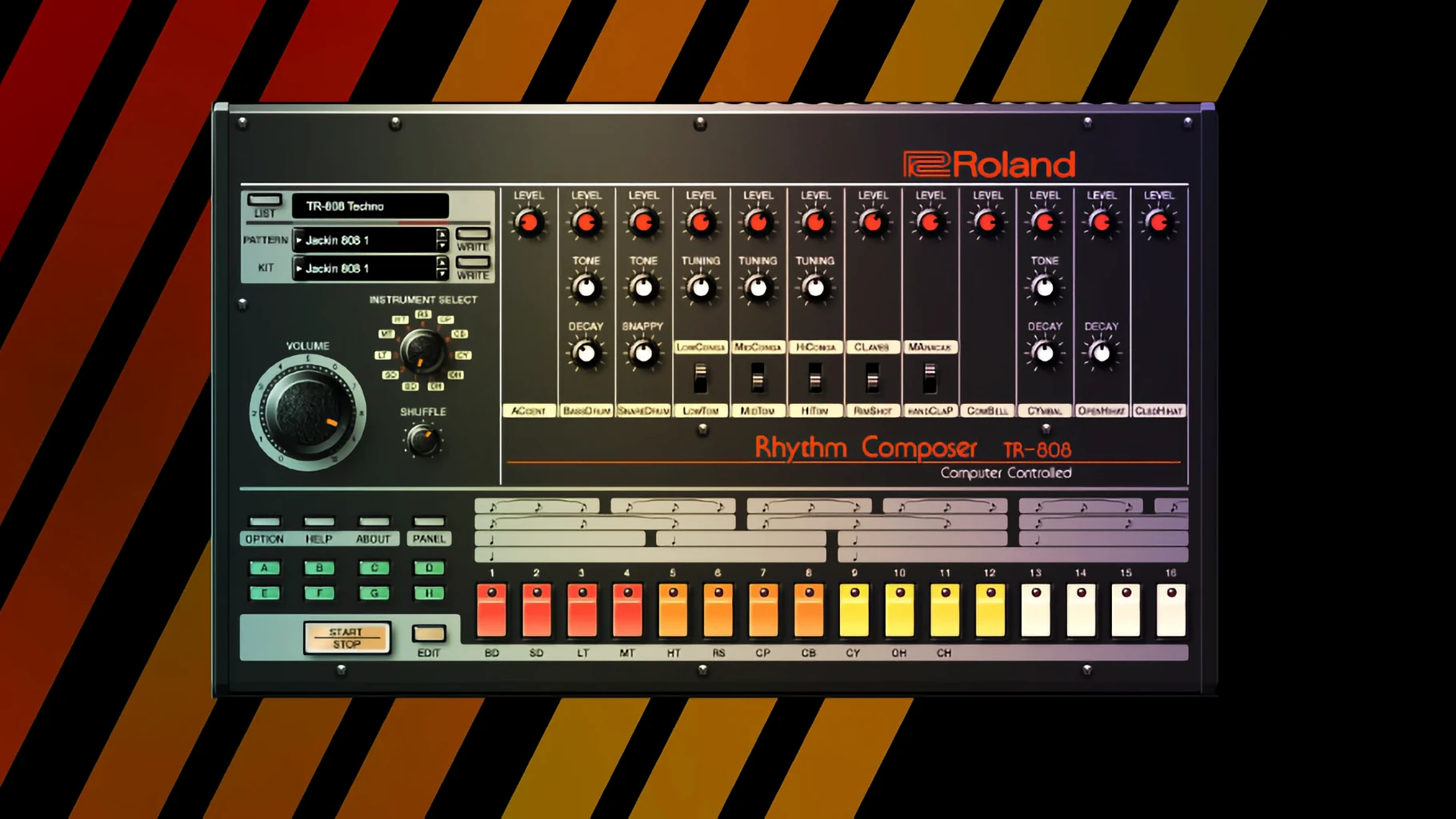
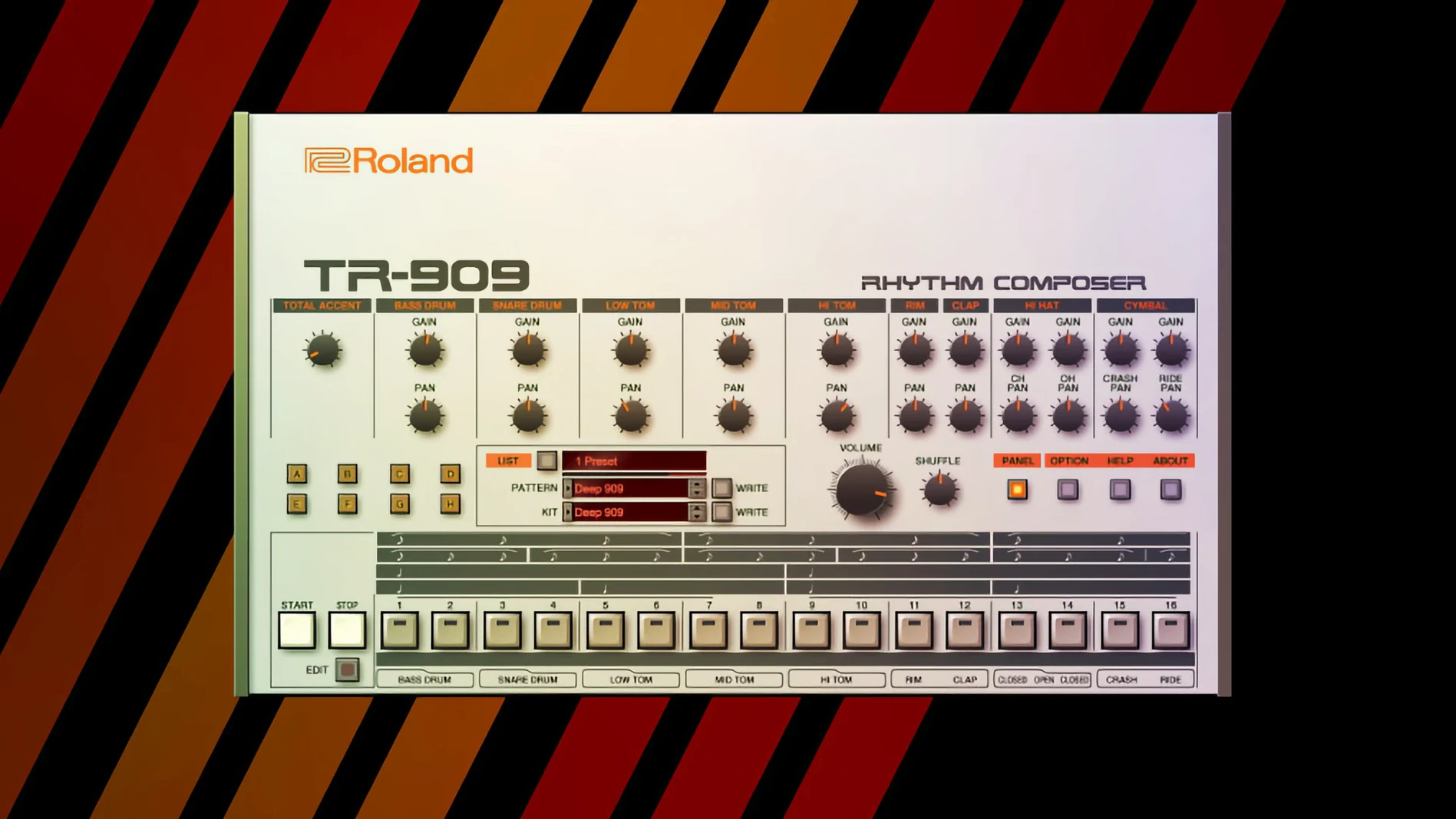
Producers who cut their teeth on hardware and newcomers chasing that unmistakable Roland sheen both end up here. The Legendary Series isn't one synth — it's a growing rack of them, and the workflow of pulling one up feels like patching in a real module, minus the hum and the dust.
Dialing in the sound
- Pick your weapon. Load up a JUNO-106 for shimmering pads, a TR-808 for booming kicks, or a SH-101 for squelchy basslines. The high-resolution interfaces on the newer instruments scale beautifully on a modern display, so tweaking a cutoff knob never feels cramped.
- Reach for the filter. This is where Analog Circuit Behavior modeling shows its teeth. Crank the resonance on a JUPITER-8 patch and you get that singing, almost liquid whistle that sample packs never quite nail. It reacts to velocity and mod wheel moves like the original circuits would.
- Layer the rhythm. Drag a TR-909 onto a new track. The knobs for tuning, decay, and snap aren't just for show — twisting them slightly off-center gives a hi-hat pattern a shuffling, alive feel that static samples lack.
- Stack and mix. A JUNO chorus on a pad, a 808 cowbell tucked behind a beat, a SH-101 bassline with the internal sequencer running — the instruments sit together in a mix the way their hardware ancestors did, with a cohesive, warm midrange that glues a track without extra processing.
What you're really hearing is component-level behavior — not just the tone, but how circuits drift, saturate, and interact under load. It makes pulling up a preset feel like an honest starting point rather than the finished idea. For anyone who builds tracks from scratch and wants the controls to shape the outcome as much as the notes do, this collection fits right in.
A finished track in an afternoon — one producer's workflow
I had a loose chord progression and a Saturday free, so I built a track entirely inside the Legendary Series. Here's the path I took, start to finish.
I opened Logic Pro and loaded a JUNO-106 onto the first instrument track. Browsed to a warm pad preset called "Starlight Strings" and immediately dropped the filter cutoff to around 400 Hz — the patch was too bright out of the gate. I played in four bars of suspended chords with the mod wheel barely nudged forward, enough to open the filter on the third beat so the progression breathes. That became the backbone.
Next track: a JUPITER-8 for a plucky arpeggio. I dialed the arpeggiator to 1/16 notes, set it to random mode, and limited the range to two octaves. A touch of the built-in phaser gave it motion without washing out the transient. The note pattern came from a MIDI region I played in sloppily and quantized to 60% — tight enough to feel intentional, loose enough to sound human.
For bass I reached for the SH-101. A single saw wave, filter envelope set fast with zero sustain, and the internal sequencer running a simple four-note pattern I tapped in via the on-screen keyboard. I routed the SH-101's output to a bus with a stock compressor and let it pump gently against the kick, which was coming from the TR-808.
Speaking of drums: the 808 handled kick, snare, and clap. I pitched the kick up two semitones from default and shortened the decay until it punched without ringing into the bass. The TR-909 supplied hats and ride — I programmed a closed hat pattern across sixteen steps, then added open hats on offbeats with the decay knob turned slightly left, so they choked naturally rather than splashing everywhere.
I arranged it all into a three-minute structure with a breakdown in the middle where everything drops out except the arp and a filtered 808 rimshot. The JUNO pad swells back in on the final chorus with the chorus button engaged — that single switch is worth its weight in gold. Mixed down with nothing but level balancing, a bit of low-end cleanup on the master, and the JUPITER-8's onboard reverb handling the space. Two hours from blank session to a track I'd actually play for someone.
Remap MIDI CCs to Match Your Controller
Fresh installs ship with sensible defaults, but a handful of tweaks make the instruments feel more like yours.
- MIDI CC mapping. By default, the Legendary instruments respond to a standard set of CC messages, but you'll want to check the MIDI learn assignments in your DAW. Right-click any knob on a JUNO or JUPITER and assign it to a physical controller — mapping cutoff to a rotary encoder on your keyboard transforms how you perform a patch.
- Sample rate and buffer size. Analog Circuit Behavior modeling is hungry. If you're running multiple Legendary instances, bump your buffer to 256 or 512 samples during composition. Drop it to 128 or lower only when you're ready to record a live performance.
- Interface scaling. The v2 instruments (JUPITER-4, JUPITER-8, JUNO-106) default to a size that works on a laptop screen, but on a 27-inch display you'll want to drag the corner to about 150%. The wood-paneled JUPITER-8 at full size is a genuinely beautiful thing to stare at while you tweak.
- Plugin format preference. If your DAW supports both AU and VST3, test both. I've found the AU version loads slightly faster in Logic, but VST3 gives more predictable automation behavior in Ableton Live. Not a rule — just something to check in your setup.
- Master tuning. The SYSTEM-8 engine inside several Legendary instruments defaults to 440 Hz. If you produce lo-fi or collaborate with artists who detune their hardware, dropping to 432 Hz or adjusting the fine-tune in cents per instrument keeps everything from fighting.
Logic Smart Controls Map Instantly
The Legendary Series slots into a broader studio environment without demanding you rearrange everything around it.
With Logic Pro, each instrument appears in the instrument slot like any AU plugin, and Logic's Smart Controls map automatically to the most useful parameters — cutoff, resonance, envelope amount — so you can tweak from the track header without opening the plugin window. Ableton Live users get the same treatment; dropping a JUNO into a MIDI track and hitting Configure lets you expose whatever knobs you'll actually ride during a performance.
On the macOS side, Audio Unit hosting works reliably across hosts. I keep a JUPITER-8 instance inside MainStage for live keyboard gigs, and the patch recall is instant — no different from loading a Sculpture or Alchemy preset. MIDI over Bluetooth plays nicely too. I paired a lightweight controller to my MacBook, fired up the SH-101 plugin, and had a battery-powered bass synth rig that weighed less than three pounds.
The instruments also sit well alongside third-party effects. I regularly route the TR-909's individual outputs (where the plugin version supports multi-out routing) into ValhallaDSP reverbs or Soundtoys delays. The raw drum tones take processing the way hardware would — the 909 clap through a saturated tape echo becomes something the original machine never quite managed on its own.
iCloud Drive handles preset backup without fuss. I saved a folder of custom JUNO patches to iCloud, and they appeared on my studio Mac within seconds. No proprietary cloud service required for the patches themselves, just the plugin authorization. If you're collaborating, zipping your custom preset folder and sharing it over AirDrop gets a bandmate up and running faster than explaining MIDI dump procedures.
Dialing Up a Worn-Out Synthwave Sketch
Thursday night, 9 PM. I've got a coffee and a blank Ableton session. The goal is a synthwave sketch that feels like it came off a worn-out cassette.
9:05. I load the JUNO-106 and pull up an init patch. Single saw wave, no chorus yet. I play a four-chord progression — D minor, B-flat major, F major, C major — and record it as a MIDI clip. Quantize to 1/8 notes. Still sounds sterile, but the bones are there.
9:15. I engage the chorus. Immediately the chords thicken — that stereo spread the JUNO chorus is famous for. I bump the noise slider to about 15%. On a real JUNO, the chorus circuit was slightly noisy; the modeling captures that, and a whisper of hiss adds texture. I add a second JUNO track for a counter-melody using a pulse wave with PWM modulated by a slow LFO.
9:35. Drums. TR-808 on a new MIDI track, programmed in the piano roll. Kick on steps 1, 5, 9, 13. Snare on 5 and 13. Closed hats on every offbeat. I extend the kick decay slightly — the default is snappy, but I want a little more boom. The accent knob on the 808 gets pushed to about 70%, which makes the snare crack harder without distorting.
9:50. Bassline time. SH-101, square wave sub-oscillator mixed in at half volume. I play a simple root-note pattern following the chords, sliding between notes using the portamento knob. The SH-101's sequencer is fun, but tonight I'm playing it in live and looping the MIDI.
10:10. I add a JUPITER-8 for a lead. The arpeggiator runs a descending pattern in the breakdown section. I automate the filter cutoff to open slowly over eight bars, then snap closed at the drop. The onboard delay, synced to the project tempo, creates a ping-pong effect that fills the stereo field without any additional plugins.
10:40. Arrangement is done. I bounce stems and pull them into a rough mix. The 808 kick and SH-101 bass are fighting around 60 Hz, so I high-pass the bass at 50 Hz and sidechain it gently to the kick. The JUNO pad gets a gentle low-shelf cut at 200 Hz to leave room. Master bus gets a touch of compression and limiting — nothing heavy.
11:15. I render the track and listen on headphones while pacing the kitchen. It sounds like a record. Not a perfect one — I'll tweak the hi-hat pattern tomorrow — but the core vibe is there, and every sound came from a single collection of plugins that behave like instruments rather than presets.
Reauthorize After a macOS Update
No plugin suite is frictionless, and the Legendary Series has a few predictable rough spots. Here's what I've run into and how I worked through it.
Authorization hiccups after a macOS update. Sometimes a system update invalidates the plugin's authorization state. The fix is straightforward: open Roland Cloud Manager, sign out, sign back in, and let it re-sync. If the plugins still show as unauthorized in your DAW, clear the AU cache by deleting ~/Library/Caches/AudioUnitCache and restarting. Your DAW will rescan and pick up the fresh authorization tokens.
CPU spikes with multiple Legendary instances. A single JUNO-106 might sit at 5% CPU on an M1 Mac, but six of them plus a TR-808 and TR-909 and a JUPITER-8 can push past 50%. Freeze tracks you're done programming — Logic's freeze function or Ableton's freeze-and-flatten workflow works perfectly, and the frozen audio retains the analog character without the real-time modeling overhead.
Arpeggiator sync drift. Occasionally the JUPITER-8 arpeggiator loses sync with the host transport, especially
- macOS 11 or later
- Apple Silicon or Intel Mac
Questions people ask
What technology does the Legendary Series use to recreate the classic instruments?
Roland uses Analog Circuit Behavior technology, which models the individual components and circuit paths of the original hardware to reproduce their sound and behavior.
Do the newer Legendary instruments work well on large displays?
Yes, Roland states that the newer instruments in the series feature a high-resolution interface built for modern DAWs and large displays.
Also on readers' docks
Sign in or create an account to leave a comment.
No comments yet. Tell me how it got on with your other devices.
More in VST Plugins
See all Roland ZENOLOGY Pro
2.0.7 VST Plugins
1.8 GB
Roland ZENOLOGY Pro
2.0.7 VST Plugins
1.8 GB
 RipX DAW Pro
8.0.3 VST Plugins
1.6 GB
RipX DAW Pro
8.0.3 VST Plugins
1.6 GB
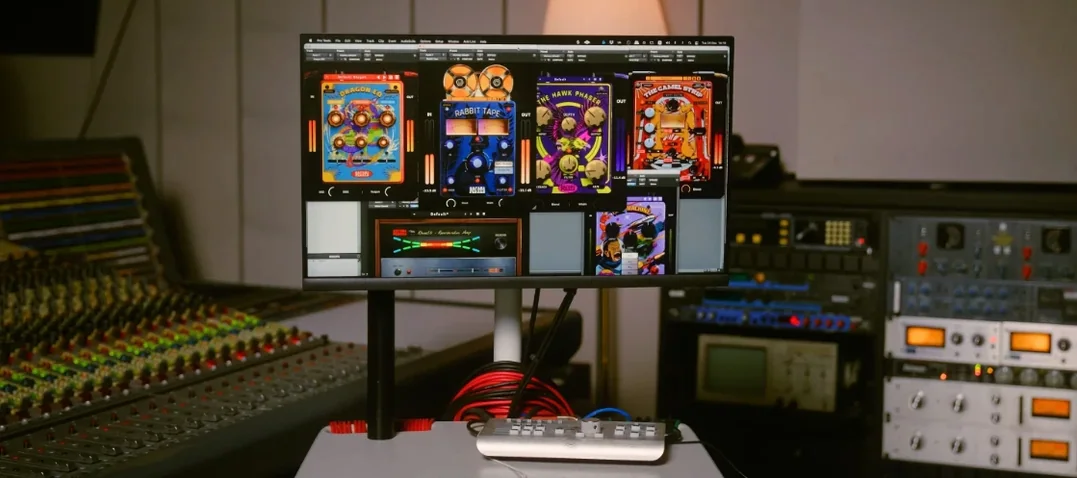 Safari Pedals Everything Bundle
2026.05 VST Plugins
628 MB
Safari Pedals Everything Bundle
2026.05 VST Plugins
628 MB
 Revoice Pro
5.1.30 VST Plugins
39 MB
Revoice Pro
5.1.30 VST Plugins
39 MB
 Sauceware Audio Scorch 2
1.0.4 VST Plugins
2 GB
Sauceware Audio Scorch 2
1.0.4 VST Plugins
2 GB
 Scaler 3
3.3.2 VST Plugins
1.4 GB
Scaler 3
3.3.2 VST Plugins
1.4 GB
 reFX Nexus
5.5.21 VST Plugins
72 MB
reFX Nexus
5.5.21 VST Plugins
72 MB
 RC-20 Retro Color
1.5.1 VST Plugins
170 MB
RC-20 Retro Color
1.5.1 VST Plugins
170 MB