








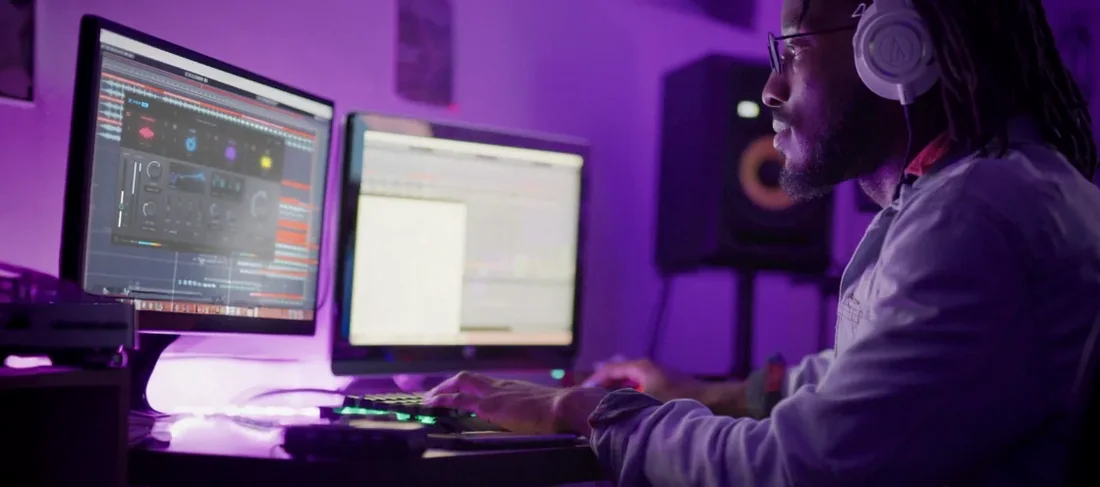
Download Nuro Audio XVOX Pro for macOS
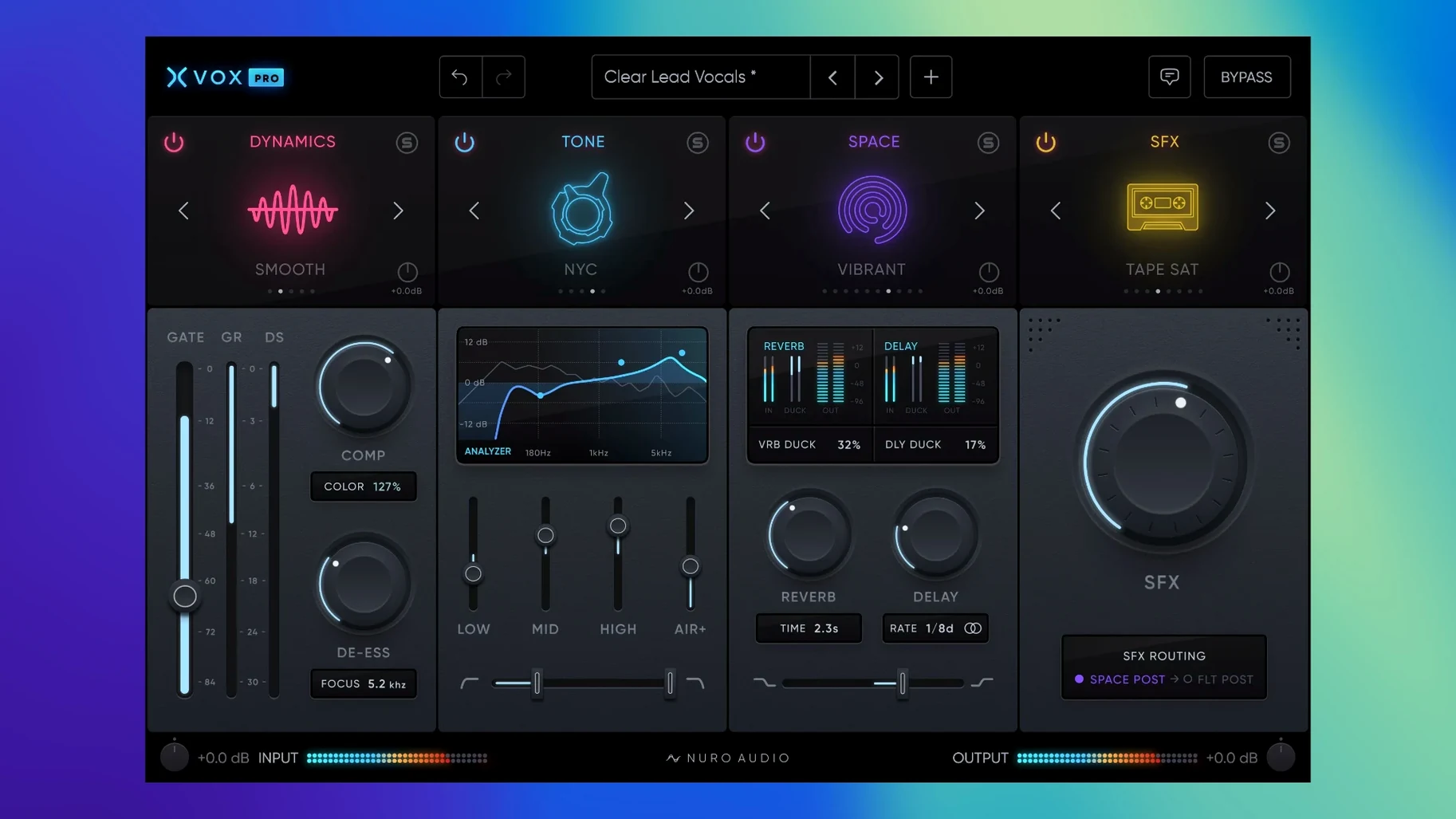
A vocal track lands in your session raw and a little untamed. You drop XVOX Pro on the insert, and the six modules light up in a single window — compression, de-essing, tone shaping, and spatial effects all reachable without juggling five separate plugins.
Insert slot — where most vocal work happens. Stack XVOX Comp and XVOX DS right on the track to catch peaks and tame sibilance before they hit the next processor.
Bus send — XVOX Space and XVOX SFX feel right at home here. Send your lead and backing vocals to a shared auxiliary, then dial in reverb and widening that sits behind the dry signal rather than smearing it.
Print track — the main XVOX Pro module acts as a hub. When a vocal needs quick character, I’ll pull up a Tone preset, nudge the compression threshold, and commit the sound without a chain of disconnected tools.
De-essing — XVOX DS handles the sharp “s” and “t” transients that slip past a broadband compressor. It slots neatly after the gain staging but before any spatial effects, keeping the reverb tail clean.
The suite plays nicely inside Ableton Live 11 and later, REAPER, Pro Tools 2021 and up, and even GarageBand 10.1.1. That covers the DAWs I see most often in home and project studios.
If you’ve been using XVOX Pro since its earlier releases, version 1.5.2 brings a handful of quiet but meaningful tweaks. The most welcome one for me is the tightened preset navigation — patches now load a beat faster, which adds up when you’re auditioning vocal chains across a dense session. The metering inside XVOX Comp also feels snappier, with less visual lag on gain reduction, so you’re not second-guessing what the threshold is actually doing to the transient.
I’ve also noticed the modules play a little friendlier with undo history in hosts like Logic and REAPER. In earlier builds, toggling between Tone and the main XVOX Pro hub could sometimes leave behind stray parameter steps; now the workflow feels cleaner when you’re A/B-ing aggressive EQ moves.
Where XVOX Pro fits in a wider macOS workflow
Because the suite comes packaged as AU, VST3, and AAX, it slots into almost any environment without friction. I keep XVOX DS on the recording template in Logic Pro X alongside stock channel EQ, so sibilance gets caught early — before it ever reaches the bus compressor. The plugin respects native Apple silicon without a Rosetta bridge, so CPU headroom stays predictable even when multiple instances run across a vocal stack.
On the creative side, XVOX SFX has become my go-to for widening doubled choruses. I’ll route a clean vocal to one bus and a lightly pitched, delayed copy through SFX to another, then blend them with the faders. Because the suite sits inside the same plugin family, dragging settings between the Space and SFX modules feels more like rearranging a pedalboard than managing separate manufacturers’ UIs.
It also works well with macOS system-level routing tools. When I’m using nuro audio xvox pro mac download alongside something like BlackHole to capture reference vocals outside a DAW, the plugin sits happily on an Audio Hijack chain, letting me shape the voice before it hits the recording app. That flexibility is the quiet strength of a suite built only for one job — vocals — and nothing else.
- macOS 10.13 High Sierra or later
- Intel or Apple Silicon Mac
- 8 GB RAM minimum
- AU, VST3, or AAX 64-bit host
Questions people ask
Which DAWs support XVOX Pro on Mac?
The plugin runs in hosts that load AU, VST3, or AAX 64-bit formats. The developer lists Ableton Live 11+, REAPER, Pro Tools 2021+, and GarageBand 10.1.1+ as supported.
What modules are included in the suite?
Six modules come in the package: XVOX Pro (the main hub), XVOX Comp, XVOX DS (de-esser), XVOX Tone, XVOX Space, and XVOX SFX.
Can I use XVOX Space on its own?
Yes, XVOX Space works as an independent spatial effects module. You can load it on a send or insert without opening the full suite.
Also on readers' docks
Sign in or create an account to leave a comment.
No comments yet. Tell me how it got on with your other devices.
More in VST Plugins
See all Nuro Audio Xpitch
1.5.2 VST Plugins
190 MB
Nuro Audio Xpitch
1.5.2 VST Plugins
190 MB
 oeksound Spiff
1.4.4 VST Plugins
140 MB
oeksound Spiff
1.4.4 VST Plugins
140 MB
 Nudist Audio Nudistort
1.2.5 VST Plugins
45 MB
Nudist Audio Nudistort
1.2.5 VST Plugins
45 MB
 noteGRABBER
2.0.0 VST Plugins
35 MB
noteGRABBER
2.0.0 VST Plugins
35 MB
 Omnisphere
3.0.2c VST Plugins
205 MB
Omnisphere
3.0.2c VST Plugins
205 MB
 Output Portal
1.2.1 VST Plugins
319 MB
Output Portal
1.2.1 VST Plugins
319 MB
 Neural DSP Soldano SLO-100 X
1.0.0 VST Plugins
340 MB
Neural DSP Soldano SLO-100 X
1.0.0 VST Plugins
340 MB
 Neural DSP Parallax X
1.0.0 VST Plugins
179 MB
Neural DSP Parallax X
1.0.0 VST Plugins
179 MB