








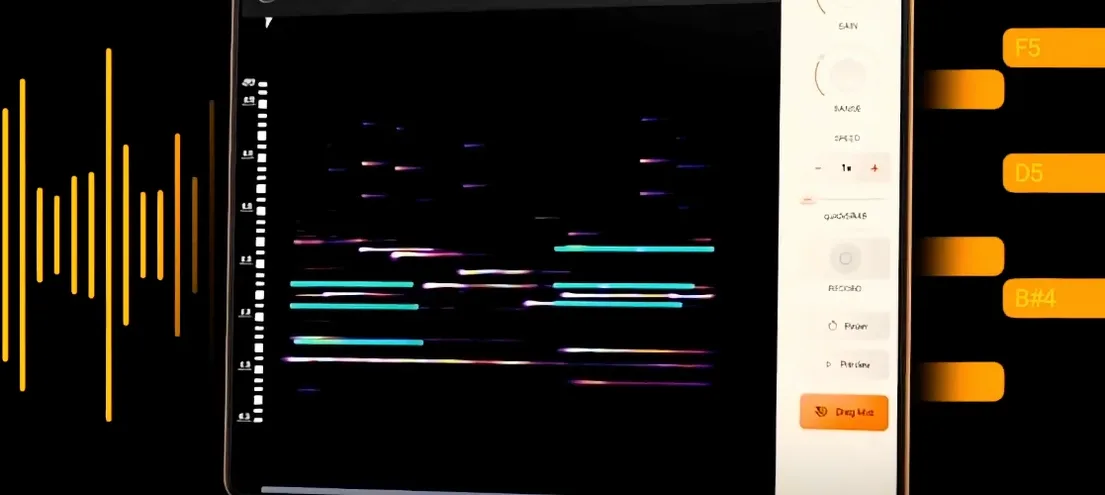
Download noteGRABBER for macOS
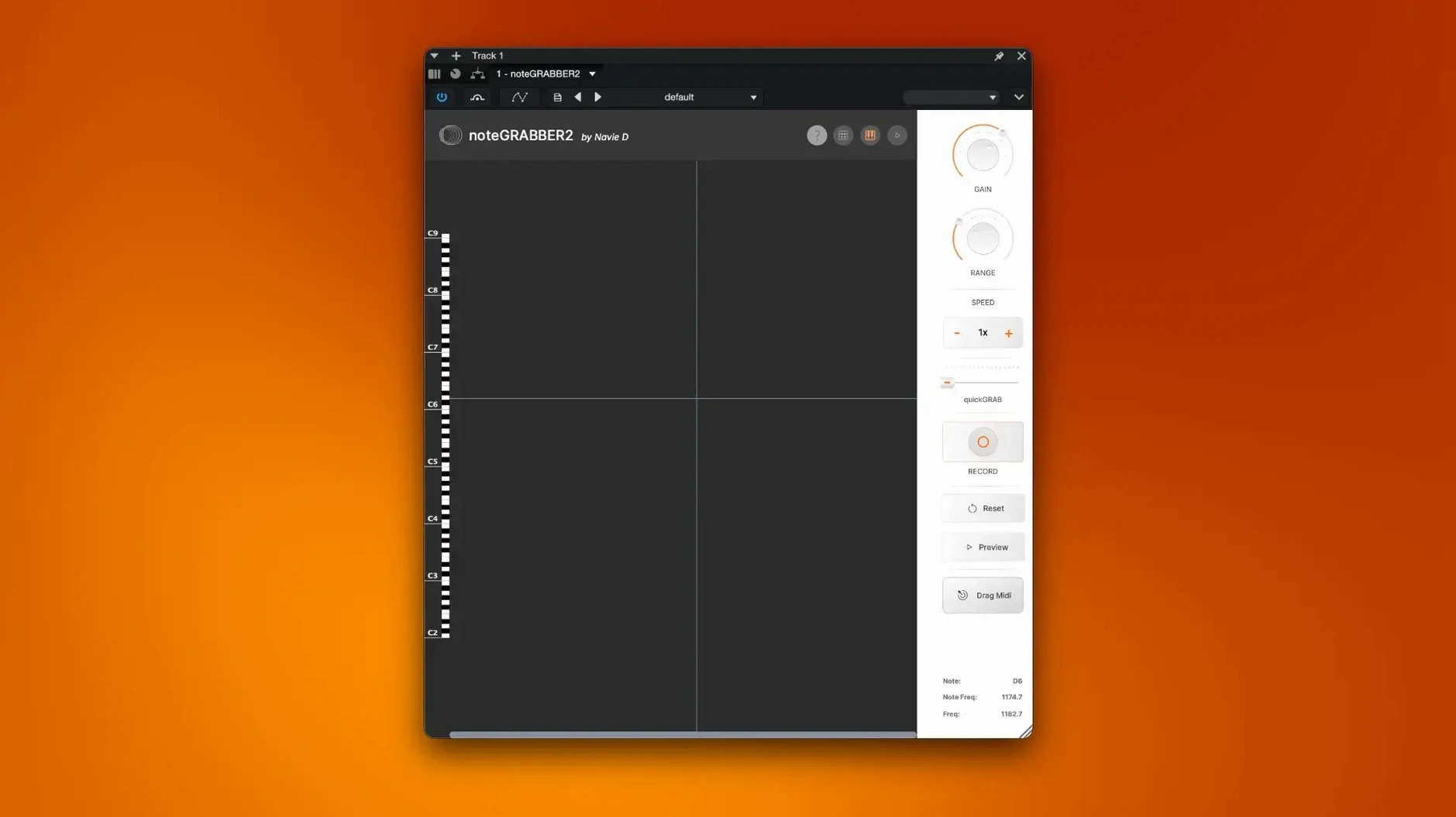
Sampling is a fantastic way to kick off a track, but getting a loop to sit right in a project is tough when you can't touch the individual notes. You're stuck with a rigid audio file, unable to change the melody or swap out the sound without a messy re-record. That's exactly the headache noteGRABBER solves. It analyzes the audio you feed it and pulls out the musical notes, handing you back editable MIDI data you can reshape however you like.
| What it does | Key detail |
|---|---|
| Core task | Converts audio notes into MIDI |
| Current version | 2.0.0 |
| Mac support | Apple Silicon & Intel 64-bit |
| Minimum OS | macOS 10.12 |
Once a sample's notes are captured as MIDI, you're no longer locked into the original recording. You can rewrite a lackluster melody, develop a fragmented idea into a full hook, or create completely new rhythmic patterns by moving notes around the piano roll. It's also a brilliant shortcut for layering sounds—grab the note data from a vocal chop or a synth stab and instantly double it with a fresh instrument. Instead of staring at a waveform, you're working with flexible musical information you can edit, transpose, and play with freely.
Built for beatmakers who dig through crates and sample packs
Beat makers who build tracks around dusty vinyl chops and obscure sample packs will feel right at home. If your workflow starts with dropping a loop into the DAW and hunting for the key by ear, this plugin cuts out a big chunk of guesswork. Instead of playing detective with a tuner and a piano roll, you let noteGRABBER do the heavy lifting and get straight to flipping the melody into something new.
Sound designers and producers who layer multiple sources also benefit hard. Picture grabbing the tonal content from a resonant texture, a pitched percussion hit, or a weird field recording—stuff that's messy to transcribe manually. The MIDI output gives you a clean scaffold to hang other instruments on, turning abstract audio into usable musical material without squinting at a spectrogram for half an hour.
It's less critical for musicians who play everything in from a keyboard or work entirely with soft synths. If you're already writing MIDI by hand, the plugin solves a problem you don't really have. But for sample-based composers who treat audio like raw clay, noteGRABBER fits right into the creative rhythm.
Rookie mistakes worth avoiding
The most common stumble is feeding it dense, polyphonic material and expecting a spotless transcription. Throw a full mix with drums, bass, and chords at the plugin, and the analysis gets overwhelmed fast. noteGRABBER works best with monophonic or lightly polyphonic sources—think vocal lines, horn stabs, bass riffs, and clean synth melodies. A messy input gives you messy MIDI, and no amount of cleanup settings can fully rescue a cluttered signal.
Another slip is ignoring the source audio's tuning stability. Samples with heavy pitch drift, warble from old tape, or inconsistent intonation confuse the detection algorithm. The resulting MIDI can scatter across semitones in ways that look like random noise. A quick pass with pitch correction before analysis—or simply choosing cleaner source material—makes a dramatic difference to what comes out the other side.
New users also tend to take the MIDI output as gospel without checking note lengths and velocities. The plugin makes smart guesses, but it's not mind-reading. Spent fifteen seconds nudging note ends or adjusting velocity curves after conversion, and the results feel far more human. Treat the output like a helpful assistant who needs a quick review, not a finished product.
Instant analysis that won't drag down your session
In daily use, noteGRABBER runs light enough that you won't notice it sitting on a track. The analysis happens almost instantly for short clips—drop a four-bar loop on a channel, hit analyze, and you've got MIDI before your finger leaves the mouse. Longer samples take proportionally more time, but even a full minute of audio processes in a few seconds on an Apple Silicon machine. Intel Macs handle it fine too, just with a slightly longer wait on bigger files.
Memory usage stays modest. The plugin doesn't hog RAM or spike the CPU after the initial analysis pass, so it plays nicely in sessions with dozens of tracks and other hungry plugins already running. I've had it loaded alongside heavy samplers, convolution reverbs, and a pile of synth instances without any crackling or dropouts. Stability-wise, version 2.0.0 has been solid across Logic Pro, Ableton Live, and FL Studio—no surprise crashes or corrupted sessions to report.
The only occasional hiccup comes with very quiet or dynamically uneven audio, where the detection can waver. Boosting the clip's gain before analysis usually sorts that out. It's a small extra step, but one worth remembering when the MIDI comes back looking sparse or inaccurate. Overall, the plugin feels snappy and dependable enough to stay in the regular toolkit rather than gathering dust in a "maybe someday" folder.
- macOS 10.12 or newer
- Apple Silicon or Intel 64-bit processor
- Interface language: English
Questions people ask
What does noteGRABBER actually do?
It analyzes the pitch and timing of notes in an audio sample and converts that information into MIDI data your DAW can use.
Can I use it on Intel and Apple Silicon Macs?
Yes, the plugin includes native support for both Intel 64-bit Macs and newer Apple Silicon machines, running on macOS 10.12 and up.
Does it work for rhythmic material or just melodies?
It captures the notes regardless, so you can use the resulting MIDI to create new rhythmic patterns or layer melodic instruments over a percussive sample.
Also on readers' docks
Sign in or create an account to leave a comment.
No comments yet. Tell me how it got on with your other devices.
More in VST Plugins
See all Nudist Audio Nudistort
1.2.5 VST Plugins
45 MB
Nudist Audio Nudistort
1.2.5 VST Plugins
45 MB
 Nuro Audio Xpitch
1.5.2 VST Plugins
190 MB
Nuro Audio Xpitch
1.5.2 VST Plugins
190 MB
 Nuro Audio XVOX Pro
1.5.2 VST Plugins
625 MB
Nuro Audio XVOX Pro
1.5.2 VST Plugins
625 MB
 oeksound Spiff
1.4.4 VST Plugins
140 MB
oeksound Spiff
1.4.4 VST Plugins
140 MB
 Neural DSP Soldano SLO-100 X
1.0.0 VST Plugins
340 MB
Neural DSP Soldano SLO-100 X
1.0.0 VST Plugins
340 MB
 Neural DSP Parallax X
1.0.0 VST Plugins
179 MB
Neural DSP Parallax X
1.0.0 VST Plugins
179 MB
 Neural DSP Mantra
1.0.1 VST Plugins
153 MB
Neural DSP Mantra
1.0.1 VST Plugins
153 MB
 Neural DSP Archetype Rabea X
1.0.1 VST Plugins
742 MB
Neural DSP Archetype Rabea X
1.0.1 VST Plugins
742 MB