








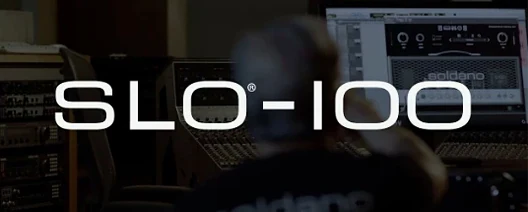
Download Neural DSP Soldano SLO-100 X for macOS
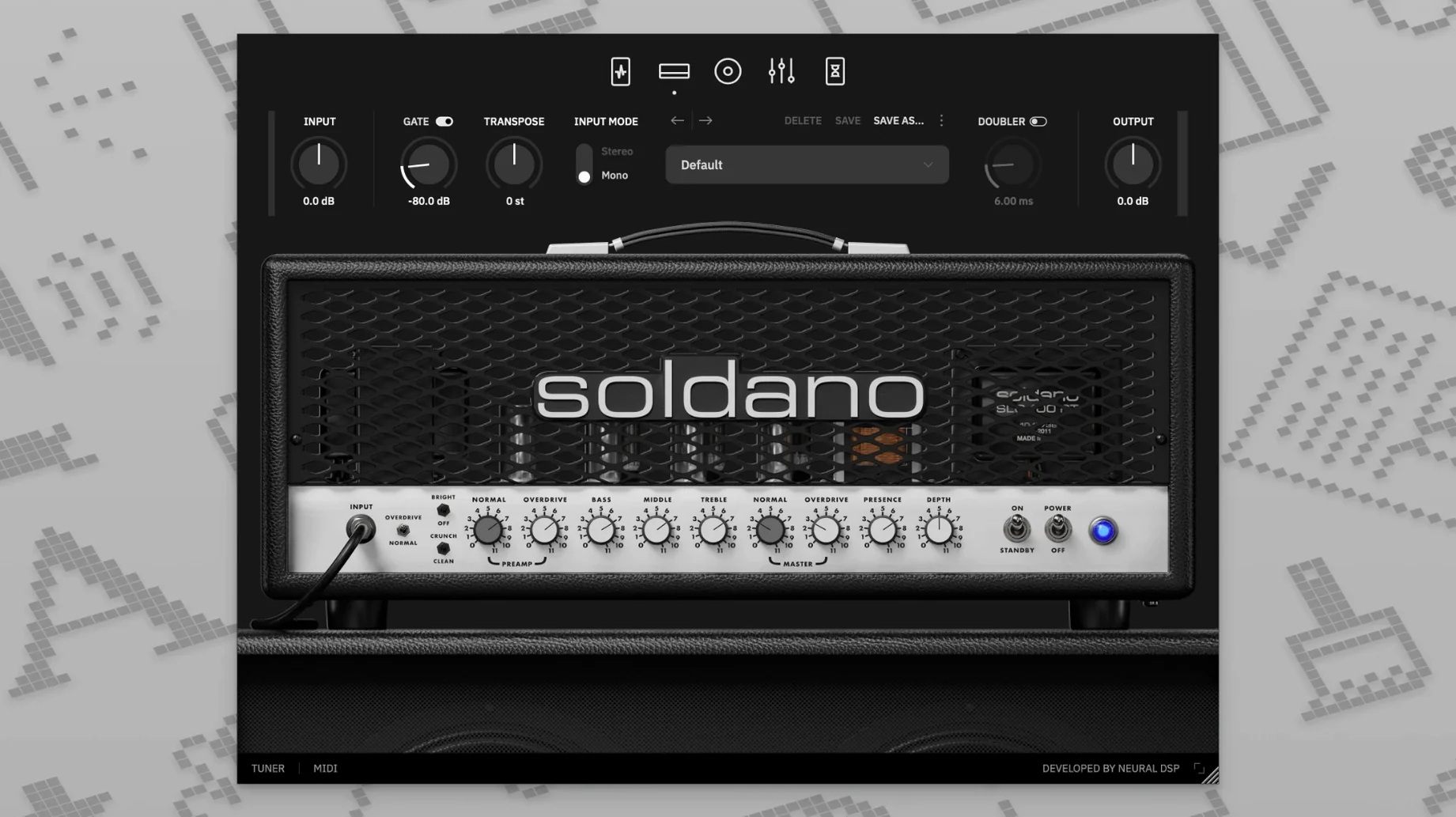
The nine-band EQ alone tells you this isn't a casual Saturday noodler. Drag a high-pass filter up to tighten the low end, then nudge the 2 kHz band forward until the crunch bites exactly where you want it — all before the signal even hits the delay and reverb sitting after the power section. The SLO-100 X puts the full studio signal chain inside one window, and the compressor, boost, overdrive, and vintage chorus modules in the preamp section mean you're shaping tone long before the amp model gets to work.
What the X update changes
- Updated modeling technology rebuilds the amp's response from the ground up
- Transposition lets you shift tuning up or down without touching the instrument
- User cabinet file loading opens the door to impulse responses you already trust
- Runs as AU in Logic Pro X 10.5 or later, and AAX in Pro Tools 12 through 2020
A Living SLO-100 Circuit Inside Your DAW
This is the amp that defined American high-gain tone, and Neural DSP's X revision treats it like a living circuit rather than a snapshot. You can run it inside Logic as an AU plugin, drop it into a Pro Tools session via AAX, or nest it inside a 64-bit host you already use daily. Loading your own cabinet files bridges the gap between the stock sound and the speaker response you've collected over years of recording — no export tricks, just drag and drop. For the Mac user who already has a pedalboard chain figured out but wants one less reason to mic a cabinet at 11 p.m., this fits.
A full track in one window
Here's a workflow I keep coming back to when a riff needs to sit right the first time. Open the standalone app, load a fresh instance, and switch the amp to Crunch mode. Drop the onboard compressor first — just enough to even out pick attack without squashing dynamics. Next, nudge the boost pedal before the amp to push the front end a little harder; the SLO-100 eats that up beautifully. Dial the nine-band EQ so the low mids breathe around 400 Hz and the high-pass filter clears everything below 80 Hz. Then head straight to the cabinet section, grab one of the hundred-plus presets that matches a 4x12 with ribbon mics, and pull the room mic back to about 30%. After the power section, add a touch of plate reverb and a stereo delay set to dotted eighth notes. Finally, hit the doubling effect to spread the stereo image wide. Record into your DAW, drop the transposition down a whole step for a thicker double-track, and bounce. One plugin, no external routing, done.
Silent Late-Night Tone Crafting
Home studio owners who track late and can't crank a real cabinet get the most mileage here. The standalone mode means you don't even need a DAW open to dial in tones after midnight. Producers juggling multiple genres lean on the Clean and Bright modes for pop verses, then flip to Overdrive for choruses without loading a different plugin. Mix engineers I've watched work love dropping user impulse responses they've collected from sessions — a Sunset Sound room IR or a favorite 2x12 cab file slots right in. Guitar students chasing recorded tones benefit from the transposition feature; drop the tuning to match a song without keeping a second guitar set up. If you already live inside Logic or Pro Tools and want one less hardware variable, the plugin format slots into that workflow without friction.
Watch for Incompatible User IR Folders
The cabinet section can trip people up at first. If your tone suddenly sounds thin, check that you haven't accidentally loaded a user IR folder the plugin can't read — stick to WAV files at 44.1 kHz or 48 kHz sample rates. Another hiccup I've seen: the doubling effect's width can phase when collapsed to mono. Keep the mix knob under 40% and test in mono before committing to a final bounce. The transposition control adds slight latency, so track with it off and enable it during playback or mixing. Occasionally, a neural dsp mac torrent floating around won't include the factory cabinet presets properly — if you get silence after the amp stage, that's often why. A clean install from a verified neural dsp soldano slo-100 free download package sorts that. On Apple Silicon Macs, the AU version loads smoother in Logic when you launch Logic in native mode rather than Rosetta, so double-check that setting if you hit random dropouts.
Neural DSP revisited the SLO-100 with updated modeling technology for the X version, rebuilding the amp's core response while adding transposition and user cabinet loading:
- Updated modeling technology across the entire amp and effects section
- Transposition for tuning changes without retuning your guitar
- Support for loading your own cabinet impulse response files
- macOS 10.15 or later
- Intel or Apple Silicon Mac
- 64-bit host software (AU or AAX)
Questions people ask
Does the Soldano SLO-100 X include effects, or just the amp?
It includes compressor, boost, overdrive, and vintage chorus before the amp, plus delay and reverb after it.
Can I use my own impulse responses with this plugin?
Yes, the plugin allows loading user cabinet files so you can pair the amp model with impulse responses you already own.
Which DAW hosts are officially supported on macOS?
The user guide lists Logic Pro X 10.5 or higher as a supported AU host, and Pro Tools 12 through 2020 for AAX.
Also on readers' docks
Sign in or create an account to leave a comment.
No comments yet. Tell me how it got on with your other devices.
More in VST Plugins
See all Neural DSP Parallax X
1.0.0 VST Plugins
179 MB
Neural DSP Parallax X
1.0.0 VST Plugins
179 MB
 Neural DSP Mantra
1.0.1 VST Plugins
153 MB
Neural DSP Mantra
1.0.1 VST Plugins
153 MB
 Neural DSP Archetype Rabea X
1.0.1 VST Plugins
742 MB
Neural DSP Archetype Rabea X
1.0.1 VST Plugins
742 MB
 Neural DSP Archetype Petrucci
1.0.0 VST Plugins
745 MB
Neural DSP Archetype Petrucci
1.0.0 VST Plugins
745 MB
 Neural DSP Archetype Nolly X
1.0.2 VST Plugins
583 MB
Neural DSP Archetype Nolly X
1.0.2 VST Plugins
583 MB
 Native Instruments Noire KONTAKT
1.2.1 VST Plugins
14.7 GB
Native Instruments Noire KONTAKT
1.2.1 VST Plugins
14.7 GB
 Native Instruments Massive X
1.7.1 VST Plugins
1.6 GB
Native Instruments Massive X
1.7.1 VST Plugins
1.6 GB
 noteGRABBER
2.0.0 VST Plugins
35 MB
noteGRABBER
2.0.0 VST Plugins
35 MB