








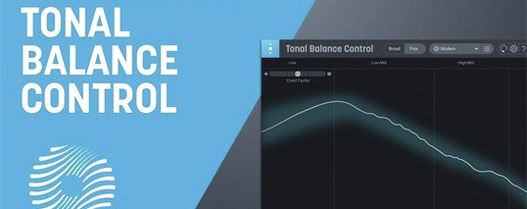
Download iZotope Tonal Balance Control for macOS
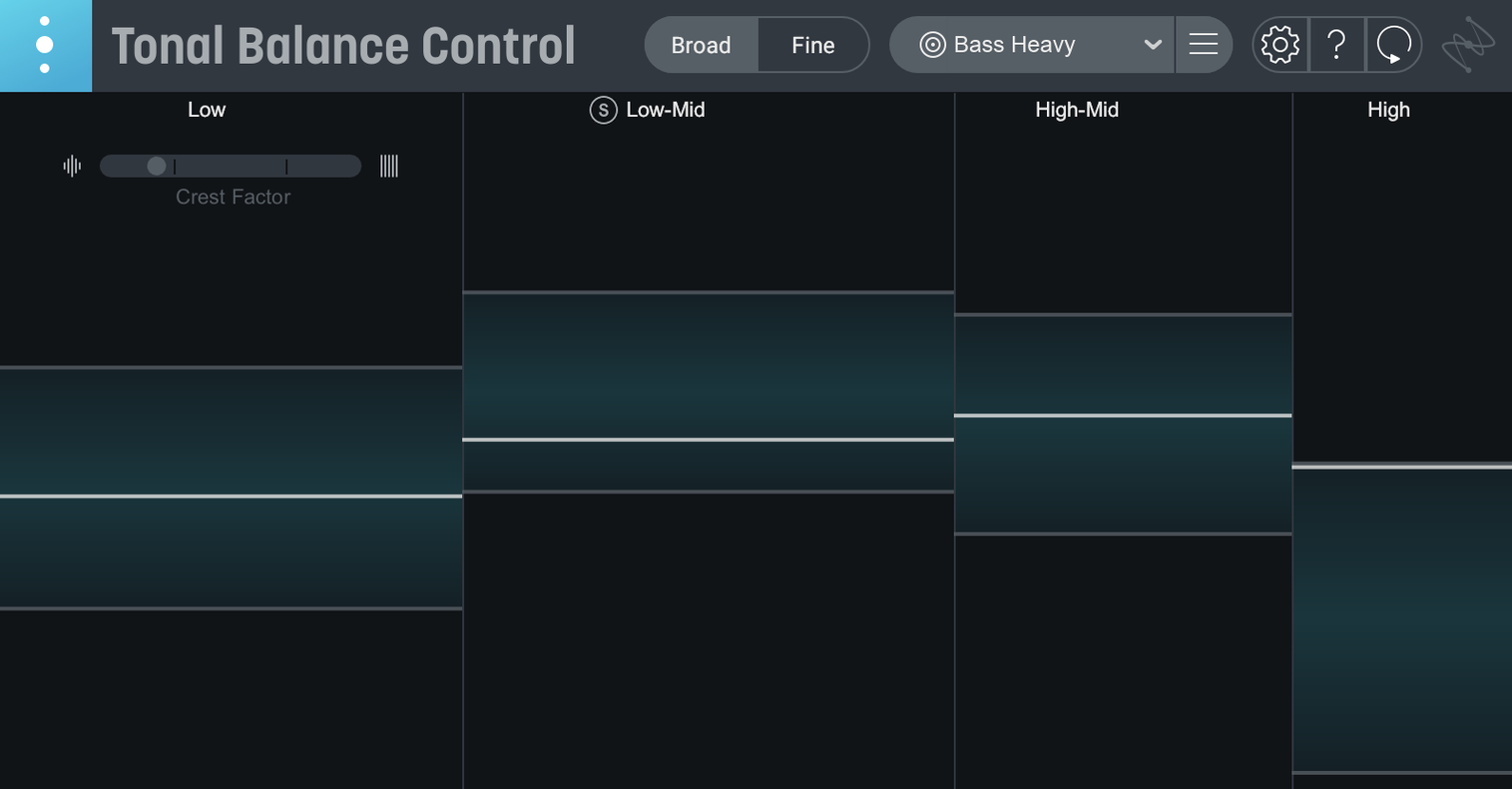
If you've ever used iZotope's RX Breath Control to clean up a vocal, you know how one precise fix can expose imbalances elsewhere in a mix. That's where Tonal Balance Control comes in — it gives you a real-time window into the overall frequency spectrum so a surgical edit in RX doesn't leave the low end feeling thin or the highs getting scratchy. Version 3.0.0 runs as both a standalone desktop app and a plugin, with native support for Intel Macs and Apple silicon M-series machines.
Spot problems with genre reference curves
- Checking a finished mix against genre reference curves to spot problem areas fast
- Creating a custom reference curve by loading an audio file from a track you admire
- Working directly with Ozone and Neutron equalizers for quick corrections
- Monitoring vocal balance, dynamics, and stereo width on the new extra meters
Requires Sonoma 14.7 or later
- Requires macOS Sonoma 14.7 or later — not backwards compatible with older systems
- The interface is English only, which may slow down non-native speakers at first
- Relay's gain, pan, and stereo imaging adjustments add another layer to learn
- The built-in hybrid EQ is useful but no replacement for a full-featured equalizer
Master bus hub linking Ozone and Neutron EQs
Tonal Balance Control 3 doesn't live in a bubble. I drop it onto the master bus while Ozone sits downstream, and the two talk back and forth — I can tweak an Ozone EQ band from inside the Tonal Balance Control interface without leaving the analysis view. That back-and-forth is where things click. Neutron on individual tracks responds the same way, so fixing a muddy low-mid buildup on a bass guitar shows up instantly on the master curve.
Relay ties the room together. Place it on every channel, and Tonal Balance Control sees the whole mix architecture. Gain staging, pan position, stereo width — all visible from one window. The new standalone app means I can open a reference session without launching a DAW, load a few commercial tracks, and study how the pros balance a chorus against a verse. On a MacBook Air M2, the standalone fires up in under two seconds, ready for a quick reality check between listening passes.
macOS integration is smooth but not flashy. The plugin respects dark mode, remembers window positions across Spaces, and doesn't fight with Stage Manager on Sequoia. I've had it running alongside Logic's stock meters and an instance of RX Breath Control without a hiccup. If you've ever searched for a tonal balance control mac solution that doesn't add friction, the AU and VST3 versions slot in like they've always been there.
2–3% CPU on an M1 Max session
On an M1 Max with a 48-track session, Tonal Balance Control 3 hovers around 2–3% CPU in plugin mode — barely a blip. The standalone app is even lighter, idling at less than 1% on an M2. Intel Macs work fine too; a 2019 i9 MacBook Pro handles the analysis display at 60 fps with no frame drops during playback. Memory footprint sits around 180 MB, which won't make anyone flinch in 2026.
I've thrown abrupt tempo changes, heavy automation, and a dozen Relay instances at it without a crash. One session ran for six hours straight while I referenced a custom curve from a mastered track, and Tonal Balance Control didn't miss a beat. The hybrid EQ responds fast — no perceptible latency when dragging bands, and the spectrum overlay refreshes in real time even when the transport is rolling. Stability-wise, version 3.0.0 feels like a mature first release, not something held together with hopes and tape.
SPAN shows the picture but skips genre targets
Three alternatives come up often when producers talk about tonal analysis. Here's how they differ.
Voxengo SPAN Plus. SPAN is a workhorse spectrum analyzer with routing flexibility and extensive customization. It shows you the frequency picture but doesn't provide genre reference curves or communicate with other plugins. Tonal Balance Control 3 pulls ahead with its curve-matching overlay and the Ozone/Neutron handshake — SPAN is purely diagnostic, not corrective.
Waves PAZ Analyzer. PAZ gives you a clean, resizable real-time display with peak and RMS readouts. It's straightforward and light on CPU. What it lacks is the reference-curve system and the ability to open an EQ from inside the analyzer. Tonal Balance Control 3 feels like PAZ's older sibling who went to engineering school — same core idea, far deeper integration.
Metric AB by ADPTR Audio. This is the closest competitor, built for A/B referencing against loaded tracks. Metric AB includes loudness matching, filtering, and detailed metering. Tonal Balance Control 3 counters with the vocal balance, dynamics, and stereo width meters that Metric AB doesn't emphasize, plus the direct plugin control. If you want rapid A/B comparisons, Metric AB shines. If you want a live tonal dashboard that talks to your mixing chain, Tonal Balance Control 3 takes the lead.
The iZotope approach ties analysis and action together. Rather than spotting a problem and then hunting through a dozen EQs, you see the curve dip and adjust it right there. That loop — watch, tweak, watch again — is what makes the tool feel less like a meter and more like a mixing partner.
The jump to version 3 brings Tonal Balance Control out as a proper standalone app for the first time. Beyond that, you get fresh meters covering vocal balance, dynamics, and stereo width, plus a built-in hybrid EQ so you can tweak without switching windows.
- macOS Sonoma 14.7 or later
- Intel or Apple silicon Mac (ARM and x86 64-bit)
- Compatible host for plugin use, or run as a standalone app
Also on readers' docks
Sign in or create an account to leave a comment.
No comments yet. Tell me how it got on with your other devices.
More in VST Plugins
See all Updated iZotope RX
12.1.0 VST Plugins
3.6 GB
Updated iZotope RX
12.1.0 VST Plugins
3.6 GB
 iZotope Neutron
5.2.0 VST Plugins
928 MB
iZotope Neutron
5.2.0 VST Plugins
928 MB
 iZotope Nectar
4.1.0 VST Plugins
545 MB
iZotope Nectar
4.1.0 VST Plugins
545 MB
 iZotope Insight
2.4.0 VST Plugins
iZotope Insight
2.4.0 VST Plugins
 Kalifornia Dynamic KD Alkane
1.0.17.0 VST Plugins
270 MB
Kalifornia Dynamic KD Alkane
1.0.17.0 VST Plugins
270 MB
 Komplete FX Bundle
2026.1 VST Plugins
3.2 GB
Komplete FX Bundle
2026.1 VST Plugins
3.2 GB
 Komplete Kontrol
3.5.4 VST Plugins
785 MB
Komplete Kontrol
3.5.4 VST Plugins
785 MB
 KORG Collection
1.0.3 VST Plugins
175 MB
KORG Collection
1.0.3 VST Plugins
175 MB