









Download iZotope Nectar for macOS
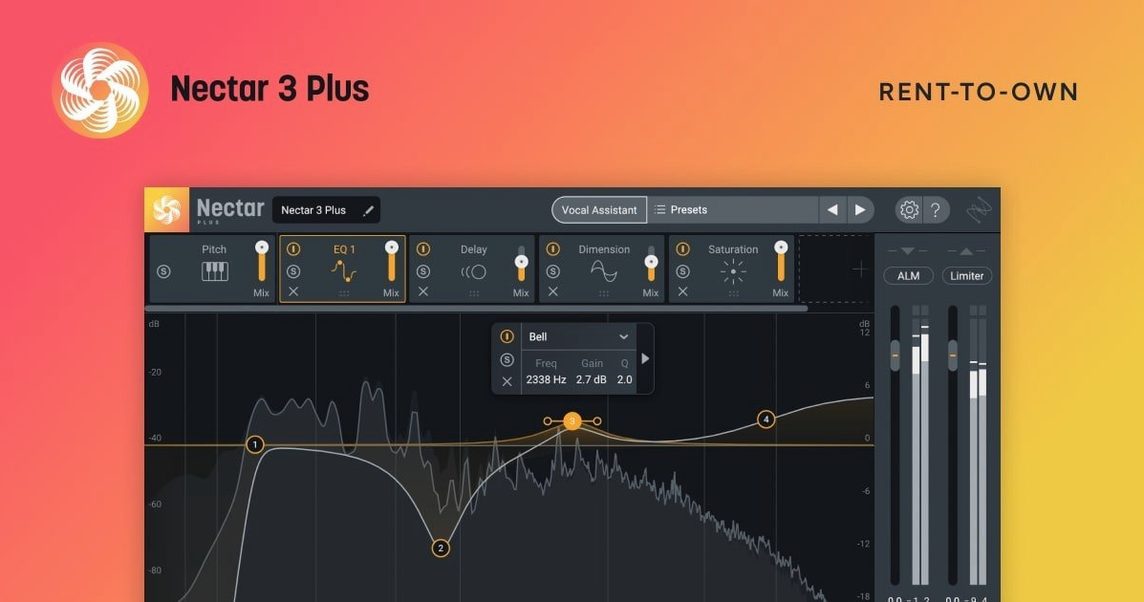
If you’ve ever wrestled with a stock channel EQ and a compressor plug-in trying to get a lead vocal to sit right, Nectar 4 is the dedicated partner that takes over that job. Think of it less as a single effect and more as a purpose-built vocal channel strip with ears of its own — it listens, then helps you shape tone, dynamics and space without building a chain from scratch.
macOS Ventura 13.7.4 minimum and Apple Silicon readiness
- macOS: Ventura 13.7.4 or later (requirement was raised in version 4.1.0)
- Architecture: Apple Silicon and Intel Macs, both supported
- Editions: Elements, Standard, and Advanced — the Backer module is in Standard and Advanced
- Language: English interface
AI-powered Vocal Assistant and automatic take leveling
Nectar 4 brings along an AI-powered Vocal Assistant that analyzes a recording and dials in a starting point for processing, so you’re not staring at blank knobs. Beyond that, modules like Auto-Level even out inconsistent takes, Voices adds harmonized layers, and Backer (in the higher editions) fills out the stereo field. You still get hands-on control over compression, EQ, de-essing, reverb and width — the assistants just give you a faster on-ramp. It’s part of iZotope’s vocal mixing lineup, and it feels like a smart console strip that learned your habits in the background.
What version 4.1.0 quietly changed
When Nectar 4.1.0 landed on June 25, 2025, the bullet points didn't scream for attention, but a couple of shifts matter for everyday users. The macOS floor got raised to Ventura 13.7.4 — if you were still clinging to Monterey, that door closed. iZotope also tidied up an iLok authorization hiccup that had been tripping up Standard edition owners, so those surprise "not authorized" pop-ups mid-session should be a thing of the past. Windows HiDPI support arrived too, which doesn't affect Mac folks directly, but it signals the developer is still polishing cross-platform parity. The supported DAW and NLE versions list got refreshed as well, so if you're on a bleeding-edge Logic or Pro Tools update, compatibility odds just improved.
Beginner stumbles I see all the time
New users often treat the Vocal Assistant like a one-click miracle and walk away. It's a starting point, not a finish line — the assistant's curve fits "most vocals," not your vocalist in your room with your microphone. After it runs, you still need to tweak the gain staging so the Auto-Level isn't fighting a hot input, and you'll want to revisit the de-esser thresholds because the assistant errs on the safe side. Another classic: piling Backer and Voices onto a take without checking phase alignment first. Layered harmony modules sound lush until they cancel frequencies in mono, and beginners rarely flip the mono switch to catch it. Last one — forgetting that Nectar sits in a plugin slot, meaning it inherits whatever latency your DAW imposes. If you're monitoring through it live, keep the buffer low or commit to printing early.
Drag-and-drop module order reshapes your signal chain
- Module order drag-and-drop: The signal flow isn't locked. Grab a module and slide it left or right in the chain — putting compression before EQ or vice versa changes the character more than most presets do.
- Auto-Level as a clip-gain alternative: Instead of manually slicing and adjusting quiet phrases, let Auto-Level catch the macro dynamics, then use the output fader to set overall level. It's faster than clip-gaining a whole verse.
- Breath control with a light touch: The breath removal tool works best when you barely notice it. Drag the reduction slider to where breaths soften rather than vanish — over-cutting turns a natural performance robotic.
- Voices module spread trick: For a wide double without muddying the center, keep the main vocal dry and send only the Voices layer wide at 100%. It thickens without blurring intelligibility.
- Mid/side tweaks in Backer: If you have the Advanced or Standard edition, Backer's width control is secretly a mid/side balance. Drop the mid channel a dB or two and the backing layers bloom outward without crowding the lead.
Diagnostic analysis versus Waves CLA Vocals’ speed-dial vibe
Stacked against Waves CLA Vocals, Nectar 4 feels more diagnostic. CLA Vocals gives you fast fader moves for bass, treble, compression and reverb — it's a speed dial for a familiar radio sound, but it doesn't analyze the source or offer harmony generation. Nectar's assistant and modular layout give you a fuller picture of what's happening before you commit. Next to Antares Auto-Tune Pro, the overlap is smaller than people assume. Auto-Tune is a pitch correction scalpel; Nectar includes pitch adjustment inside Voices, but it's woven into a broader mixing toolset rather than being the headline act. Many producers run both — Auto-Tune for surgical tuning, Nectar for tone and space. Then there's FabFilter Pro-Q 4 plus Saturn 2 as a DIY chain. That combo is endlessly flexible and sounds pristine, but it demands more decisions per second. Nectar bundles the common vocal moves into one window with assistive shortcuts, which suits people who'd rather finish a mix than audition ten compressor topologies.
If you're hunting down an iZotope Nectar 4 free download or an iZotope Nectar 4 torrent, you'll find the same 4.1.0 build floating around with team HCiSO's handiwork on activation. The iZotope Nectar torrent scene has kept pace, and the Nectar 4 Mac torrent packages usually bundle the full installer with a readme that walks you through the steps. An iZotope Nectar Mac torrent lands with all three editions in the folder, though what unlocks depends on the key included.
Version 4.1.0 tightens things up for modern setups:
- Windows HiDPI support added for sharper interfaces on high-res displays
- Fixed an authorization failure that hit Nectar Standard users with iLok
- Updated the list of supported DAW and NLE versions
- Bumped the minimum macOS requirement to Ventura 13.7.4
- macOS Ventura 13.7.4 or later
- Apple Silicon or Intel processor
Questions people ask
Does Nectar 4 work on Intel Macs as well as Apple Silicon?
Yes, Nectar 4 supports both Apple Silicon and Intel Macs, as long as you’re running macOS Ventura 13.7.4 or later.
Also on readers' docks
Sign in or create an account to leave a comment.
No comments yet. Tell me how it got on with your other devices.
More in VST Plugins
See all iZotope Insight
2.4.0 VST Plugins
iZotope Insight
2.4.0 VST Plugins
 iZotope Neutron
5.2.0 VST Plugins
928 MB
iZotope Neutron
5.2.0 VST Plugins
928 MB
 Updated iZotope RX
12.1.0 VST Plugins
3.6 GB
Updated iZotope RX
12.1.0 VST Plugins
3.6 GB
 iZotope Tonal Balance Control
3.0.0 VST Plugins
264 MB
iZotope Tonal Balance Control
3.0.0 VST Plugins
264 MB
 Kalifornia Dynamic KD Alkane
1.0.17.0 VST Plugins
270 MB
Kalifornia Dynamic KD Alkane
1.0.17.0 VST Plugins
270 MB
 Komplete FX Bundle
2026.1 VST Plugins
3.2 GB
Komplete FX Bundle
2026.1 VST Plugins
3.2 GB
 Komplete Kontrol
3.5.4 VST Plugins
785 MB
Komplete Kontrol
3.5.4 VST Plugins
785 MB
 KORG Collection
1.0.3 VST Plugins
175 MB
KORG Collection
1.0.3 VST Plugins
175 MB