









Download EZbass for macOS
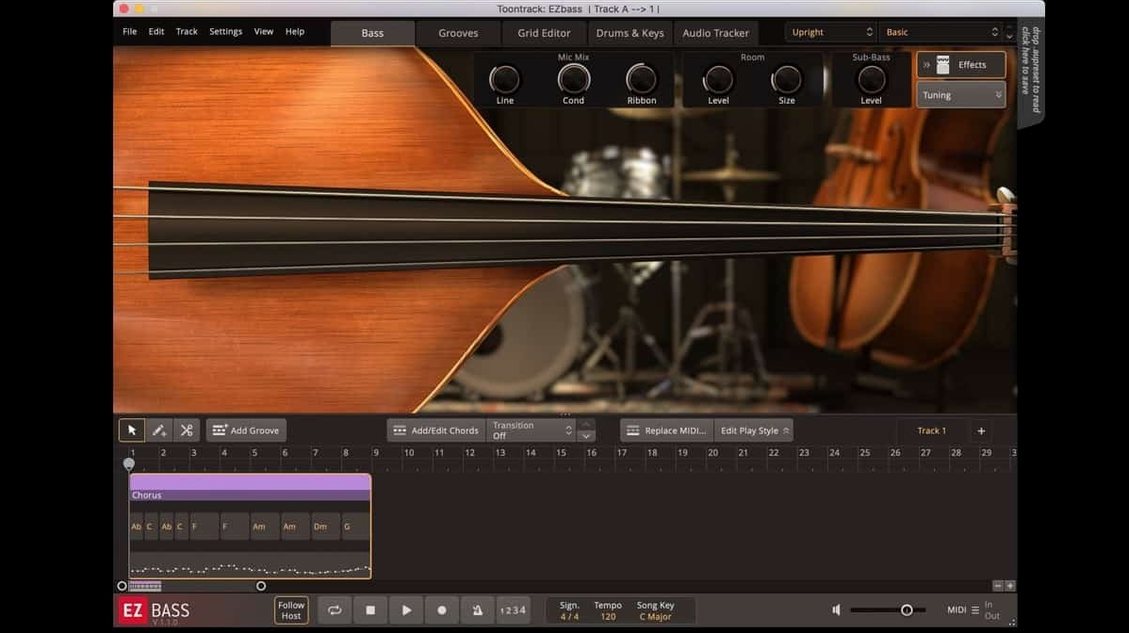
Version 1.3.3 polishes the Mac experience with updated Tahoe-style icons and a fix for menu clicks that lagged in newer Apple hosts. Timing during audio export at non-44.1 kHz sample rates is now rock-solid too.
Check your Mac’s specs
EZbass runs natively on both Intel and Apple Silicon Macs, so M-series machines are supported right out of the box. You’ll need macOS 10.15 or newer.
Build a bassline from nothing
The software comes with two sampled bass guitars—one vintage, one modern—and can generate matching parts from your drum or keyboard MIDI.
Turn audio into editable MIDI
Its audio-to-MIDI engine borrows tech from Superior Drummer 3, letting you hum or play a groove and convert it into a bassline you can tweak inside the plugin.
Who clicks with EZbass fastest
Songwriters who already think in chords and grooves rather than individual notes tend to take off inside the first hour. If you build tracks by dropping drum MIDI and chording out a keyboard part, EZbass gives you a bassline that follows both without you touching a bass guitar. That alone saves an afternoon of auditioning loops that almost fit.
Producers working to picture—commercials, podcast intros, short-form video—get a lot out of the audio-to-MIDI conversion. Hum a bass idea into your phone, drag the file in and EZbass turns it into something you can edit, quantize or swap to a different sampled instrument. The conversion isn't perfect on mumbled notes, but a clean recording with distinct attacks tracks surprisingly well.
Composers who mock up full arrangements before live sessions use it as a fast placeholder that often stays in the final mix. The two included basses cover enough ground that you don't immediately need an EBX expansion to get a usable tone. For anyone who has spent too long drawing bass MIDI with a mouse, the grid editor and the drag-and-drop song track feel like a shortcut that should have existed years ago.
On the flip side, bassists who play their own lines might still find it handy as a writing scratchpad. Drop in a drum groove, let EZbass suggest something, then learn it and replay it with your own instrument. It works as a collaborator that never gets tired of running through variations.
Standalone app versus DAW plugin
Does it work standalone or do I need a DAW? EZbass runs both ways. The standalone app is fine for building and exporting basslines, but most people load it as a plugin inside Logic Pro, Ableton Live, Cubase or whatever host they already know. The new Tahoe-style icon makes it easier to spot in your Applications folder if you lean toward standalone use.
Will the audio-to-MIDI feature handle a full mix? It's designed for monophonic sources—a single bass performance, a vocal hum, a guitar line played on the low strings. Throw a dense stereo mix at it and the results get messy fast. Feed it a clean, isolated bass track and it becomes a transcription tool that saves serious time.
Is the included MIDI actually usable or just filler? The bundled bass MIDI library covers a broad range of styles, and the patterns follow chord changes when you drop them into the song track. It's not a handful of one-bar loops repeated endlessly. You get intros, verses, choruses, fills and endings that string together into something that feels like a performance, not a copy-paste job.
Some users look around for an ezbass free download or an ezbass torrent before trying the plugin, usually to test whether the workflow fits before committing. Others search specifically for an ez bass torrent or an ezbass mac torrent when setting up a Mac-only studio. An ezbass torrent search or a query for a toontrack ezbass torrent often comes from the same curiosity—wanting to see if the audio-to-MIDI trick really works on their own material before building a whole project around it.
Missteps beginners make
Expecting the audio-to-MIDI engine to read their mind. The conversion needs clear attacks and a reasonable tempo map. A sloppy hum with drifting timing turns into a MIDI mess that takes longer to clean than playing it in fresh. Record a tight take, set the project tempo first, and the results improve dramatically.
Ignoring the articulation options and calling the tone lifeless. The two sampled basses respond to slides, mutes, ghost notes and finger-style changes. Dragging in a MIDI pattern without touching the articulations leaves half the instrument's personality on the table. Spend ten minutes mapping a few key switches and the part wakes up.
Using only the default bass and never exploring the mix controls. The built-in channel strip has amp, cab and effects sections that shape the tone more than many expect. A common complaint—"it sounds too clean"—usually means the DI signal is going straight to the output with everything bypassed. Dial in some grit, blend the mic signals and suddenly it sits in a track.
Letting the bassline generator run on autopilot with no guide. The software can follow drum MIDI and chord changes, but it does better with boundaries. Lock the complexity, set a register range and tell it how busy to play. A four-bar verse with those parameters dialed in sounds intentional. An unlimited, unmapped section sounds like a bass robot exploring every octave at once.
Version 1.3.3 brings a handful of focused improvements:
- Right-hand mute articulation support added for Rock Legend EBX.
- You can now customize some keyboard shortcuts in Settings.
- Mac standalone and project icons refreshed to match the macOS Tahoe look.
- macOS 10.15 or later
- Intel or Apple Silicon Mac (64-bit)
Questions people ask
Will EZbass run on an M1 or M2 Mac?
Yes, version 1.3.3 supports ARM and x86 64-bit processors, so it runs natively on Apple Silicon Macs without Rosetta.
Can EZbass create a bassline from a drum track?
Absolutely. It can generate matching basslines from drum or keyboard MIDI, and you can rearrange the parts inside the software.
Which bass sounds are included?
It includes two sampled bass guitars: one vintage-style and one modern, both covering a range of songwriting and production needs.
Also on readers' docks
Sign in or create an account to leave a comment.
No comments yet. Tell me how it got on with your other devices.
More in VST Plugins
See all EZdrummer
3.1.2 VST Plugins
786 MB
EZdrummer
3.1.2 VST Plugins
786 MB
 FabFilter Total Bundle
25.06.2026 VST Plugins
347 MB
FabFilter Total Bundle
25.06.2026 VST Plugins
347 MB
 elastiquePitch
2.5.0 VST Plugins
17 MB
elastiquePitch
2.5.0 VST Plugins
17 MB
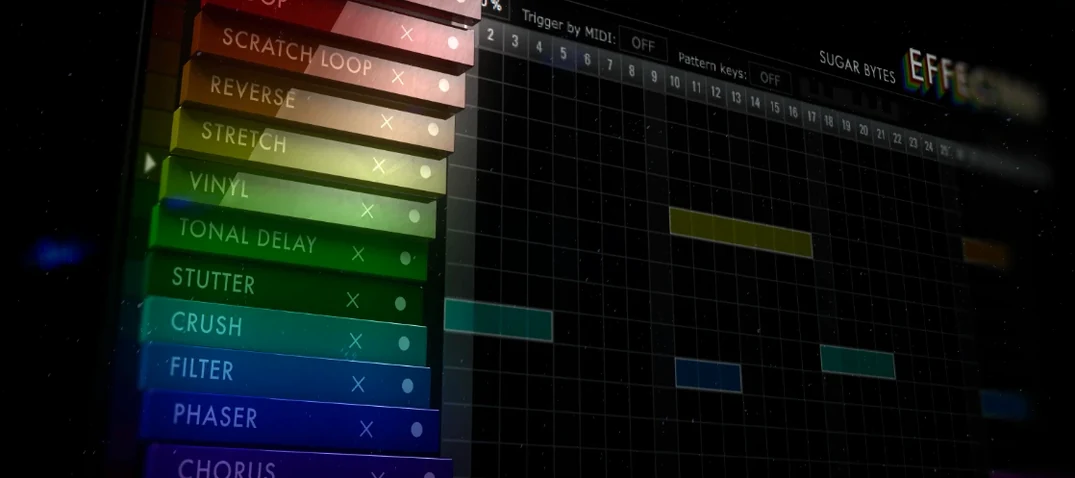 Effectrix
1.4.8 VST Plugins
20 MB
Effectrix
1.4.8 VST Plugins
20 MB
 Devious Machines Infiltrator
2.5.26 VST Plugins
46 MB
Devious Machines Infiltrator
2.5.26 VST Plugins
46 MB
 Cymatics VOXITY
1.0.0 VST Plugins
97 MB
Cymatics VOXITY
1.0.0 VST Plugins
97 MB
 Cymatics QUAKE
1.0.0 VST Plugins
1.6 GB
Cymatics QUAKE
1.0.0 VST Plugins
1.6 GB
 iZotope Insight
2.4.0 VST Plugins
iZotope Insight
2.4.0 VST Plugins