








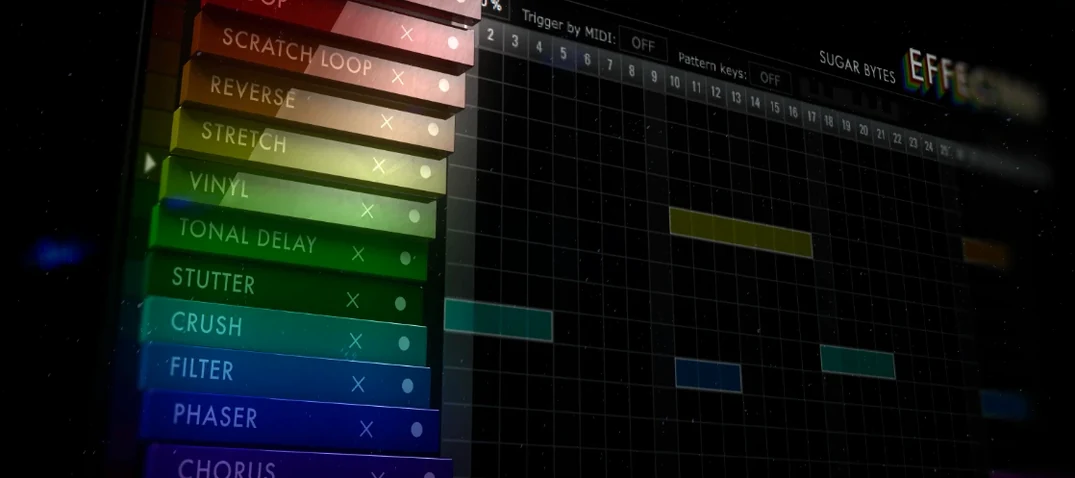
Download Effectrix for macOS
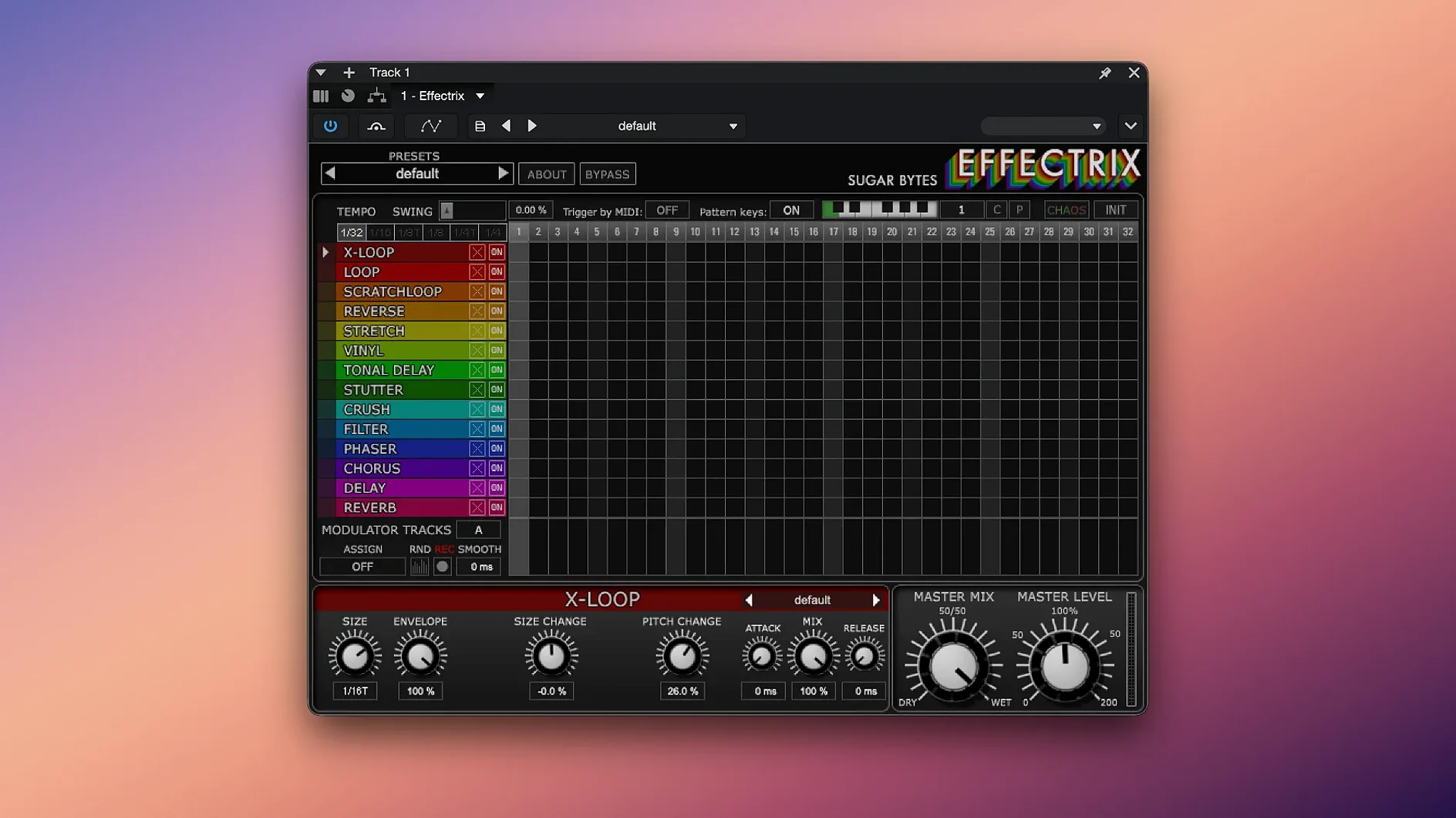
A kick drum loops cleanly, but the mix needs more. You load Effectrix VST Mac onto the channel and start painting. A few clicks on the step grid, and the kick now ducks behind a trance gate on the downbeat while a looper stutters the tail. The once-plain hit is a moving texture, perfectly locked to the tempo.
Drawing the Effect Sequence
The 16-step grid is your canvas. Drag effects like vinyl crackle, distortion, or a phaser onto individual steps. Each block has its own mini-settings, so a bit-crusher on step four can sound completely different from the same effect on step twelve. The swing function pushes the whole sequence off the grid just enough to breathe.
Switching Patterns in a Performance
A single preset holds up to 12 different sequences. Map them across a MIDI keyboard and you can jump from a subtle tape stop pattern to a glitched-out stutter pattern mid-bar. It’s immediate, turning a studio plugin into a playable instrument.
Adding Controlled Chaos
The two modulation tracks let you automate any parameter across the sequence, creating evolving filter sweeps or ramping up the wet mix. When you need a surprise, the Chaos button randomizes the entire pattern—perfect for finding happy accidents you’d never program manually.
Sequencer Won't Trigger at the Right Speed
One head-scratcher new users hit is the sequencer not triggering at the right division. Effectrix follows your DAW’s transport, but the tempo division knob can trip you up if it’s set to quarter notes when you expect sixteenths. Double-check that dial before assuming the plugin is sleeping on the job.
Another hiccup involves the internal preset system versus your DAW’s preset manager. The 12 pattern slots inside a single Effectrix preset are recalled via MIDI notes, not by switching DAW presets. If your patterns seem to vanish when you load a project, you probably saved a new DAW preset instead of storing the sequence inside the plugin itself. Always hit the save icon within Effectrix’s interface to lock those patterns into the preset file.
Latency can muddy things too, especially when stacking looper or stretch effects on a live input. Try reducing your audio buffer size if the timing feels spongy, and avoid running multiple instances with the looper active unless your machine is well-spec’d—those grains pile up fast on older Intel Macs.
Runs Natively on Apple Silicon, No Rosetta Required
Does the plugin work natively on Apple Silicon? Yes, the current build runs natively on ARM chips. You won’t need Rosetta, and the performance difference is noticeable when you throw modulation-heavy sequences at a session.
Can I use it live without a DAW? The standalone version handles that neatly. Route your audio interface’s input, load a preset, and trigger pattern changes from a MIDI controller. The Chaos button becomes surprisingly useful here—a quick tap smears the sequence into something that sounds rehearsed but unrepeatable.
What happens if I download an Effectrix crack Mac from a forum? Cracked versions tend to break in subtle ways: modulation tracks desyncing, presets failing to recall, or the plugin crashing during sample-rate changes. A clean install of the full version means the looper grabs audio accurately and the copy-paste function between patterns actually sticks. Searching for an Effectrix torrent or Effectrix crack often leads to builds missing the factory preset library too.
Tighter Modulation Response and Less Zippering
Version 1.4.8 brought native Apple Silicon support, which cut load times and let the plugin sit more comfortably in dense projects. Before that, a handful of incremental updates tightened the modulation engine—parameters now respond with less zippering when you draw fast sweeps on the mod tracks.
The pattern copy-paste workflow got a quiet polish as well. Earlier builds would occasionally drop effect assignments when pasting between slots with different cycle lengths. Now the paste respects the destination’s step count more predictably, which matters when you’re building variations of a core sequence across all 12 slots. Swing precision also improved: subtler percentages actually translate to audible shuffle without pushing the timing into corny territory.
For anyone still running an older Intel machine, the 64-bit-only requirement means the plugin stays lean on modern macOS releases, but you’ll want at least macOS 10.14 to avoid framework headaches. The AAX format remained solid for Pro Tools users throughout these updates, so switching between Logic and Pro Tools doesn’t force a rethink of your saved presets.
- macOS 10.14 or higher
- Intel or Apple Silicon Mac
- 64-bit host (VST, AU, or AAX)
Questions people ask
Does Effectrix work on Apple Silicon Macs?
Yes, Sugar Bytes officially supports both Intel and Apple Silicon processors. It requires macOS 10.14 or higher.
How many patterns can I save and recall in Effectrix?
You can save up to 12 different sequences within a single preset and recall them instantly from a MIDI keyboard.
Also on readers' docks
Sign in or create an account to leave a comment.
No comments yet. Tell me how it got on with your other devices.
More in VST Plugins
See all elastiquePitch
2.5.0 VST Plugins
17 MB
elastiquePitch
2.5.0 VST Plugins
17 MB
 EZbass
1.3.3 VST Plugins
81 MB
EZbass
1.3.3 VST Plugins
81 MB
 EZdrummer
3.1.2 VST Plugins
786 MB
EZdrummer
3.1.2 VST Plugins
786 MB
 FabFilter Total Bundle
25.06.2026 VST Plugins
347 MB
FabFilter Total Bundle
25.06.2026 VST Plugins
347 MB
 Devious Machines Infiltrator
2.5.26 VST Plugins
46 MB
Devious Machines Infiltrator
2.5.26 VST Plugins
46 MB
 Cymatics VOXITY
1.0.0 VST Plugins
97 MB
Cymatics VOXITY
1.0.0 VST Plugins
97 MB
 Cymatics QUAKE
1.0.0 VST Plugins
1.6 GB
Cymatics QUAKE
1.0.0 VST Plugins
1.6 GB
 iZotope Insight
2.4.0 VST Plugins
iZotope Insight
2.4.0 VST Plugins