








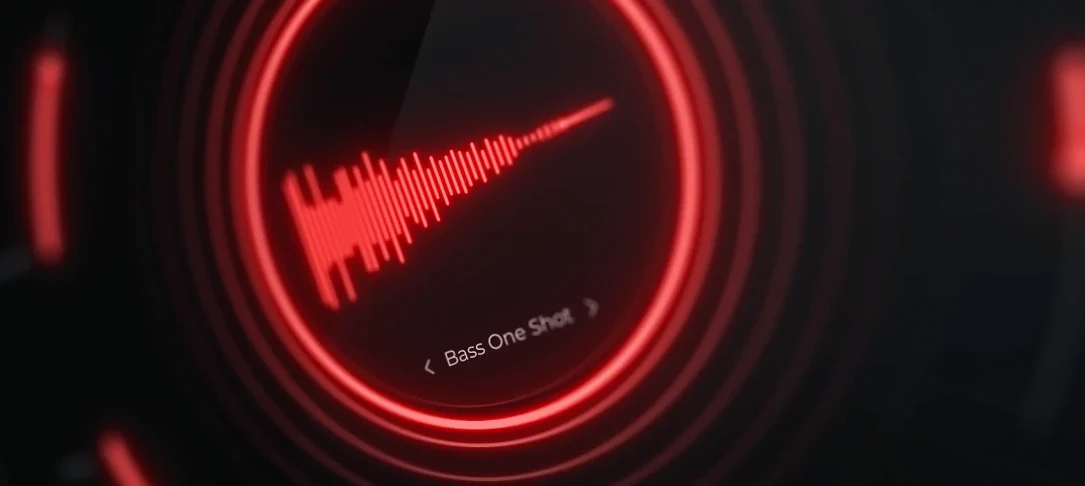
Download Cymatics QUAKE for macOS
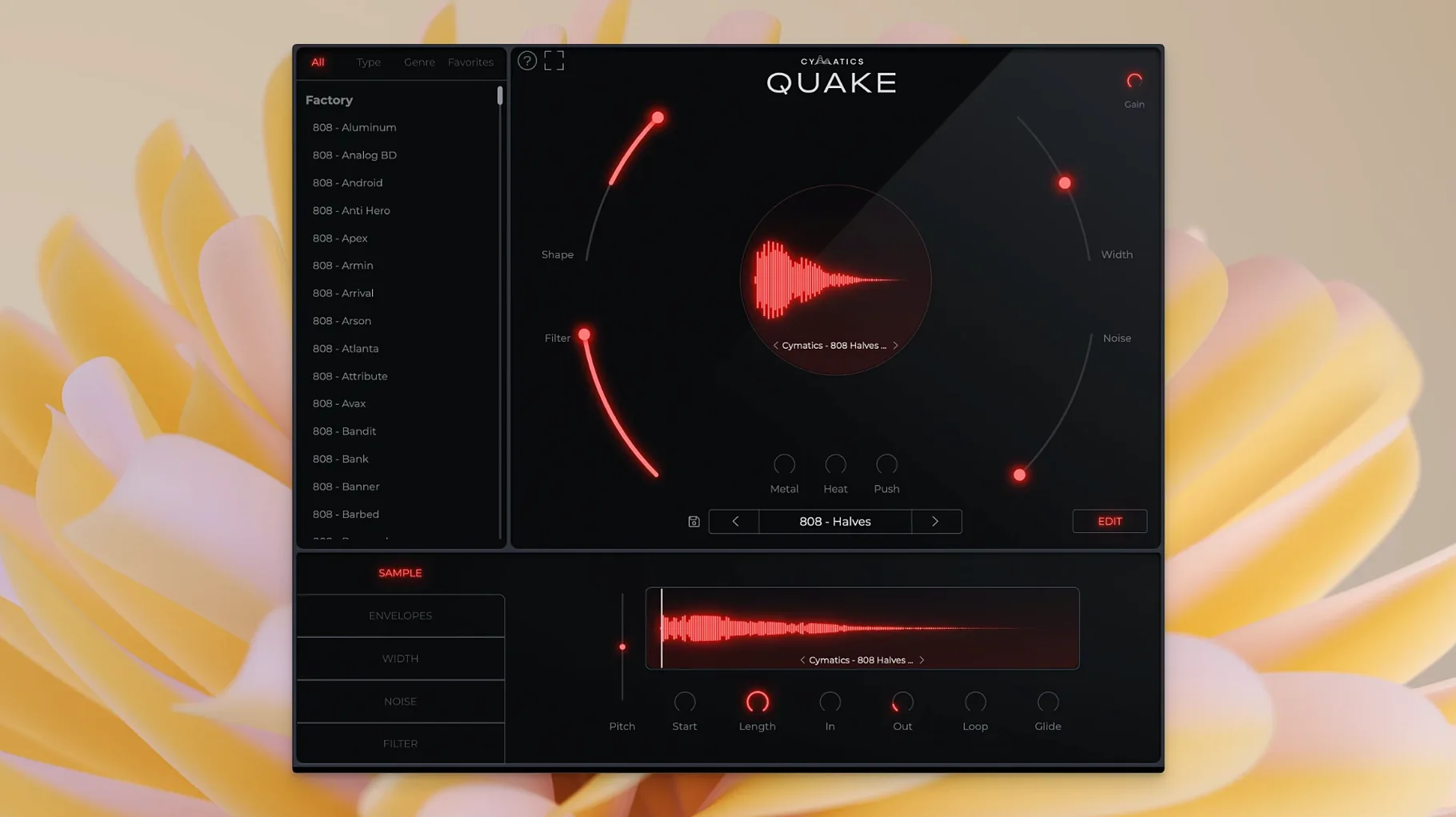
Building a bass part that actually hits usually means stacking three or four plugins, tweaking a synth, then fussing with saturation and EQ in separate windows. Cymatics QUAKE puts all of that into one place and hands you controls named for what they do, not what the circuit board says.
| What | Details |
|---|---|
| Type | Bass engine VST/AU |
| Developer | Cymatics |
| Version | 1.0.0 |
| Presets | 13+ genres (Trap, Drill, House, R&B, EDM, more) |
The heart of the plugin is a set of macro controls — Width, Shape, Filter, Noise, Metal, Heat, and Push — that tweak the tone, stereo spread, and envelope without sending you to a manual. Shape changes the core character and envelope of the sound, while Metal, Heat, and Push each add a different flavor of saturation and distortion. Noise brings in analog texture and grit when the patch needs some air. It is built to speed up getting a bass idea down, and the preset library is genuinely broad, covering the genres producers actually work in. If you spend more time dialing in 808s than writing music, QUAKE is aimed squarely at you.
No Account Required — Just Drop It In
A bass engine plugin sounds specific, and it is — so the same few questions come up every time someone grabs it. First: yes, this works as a standard VST3 or AU instrument. You do not need a Cymatics account, a launcher app, or any sample pack manager. Just drop the component or VST3 file where your DAW looks for plugins, rescan, and it appears under instruments. Logic users will find it in the AU Instruments menu, Ableton and FL Studio users under VST plug-ins.
Second question: can you use your own samples? QUAKE is not a sampler. It generates tones internally, then runs them through its processing chain. If you want to mangle an 808 one-shot from your library, this is not the tool — but the sounds it produces are meant to replace exactly that kind of thing. You build tones from scratch with the macro controls, or start from a preset and tweak.
Third: does it work on Apple Silicon? The plugin ships as a universal binary, so it loads natively whether your Mac runs Intel or an M-series chip. No Rosetta-only surprises, and no separate installer to hunt down. On a 2024 M3 MacBook Air the AU validation took maybe three seconds, and Logic dropped it straight into the instrument list without complaint.
Barely a Blip on Apple Silicon
QUAKE loads like a lightweight instrument and stays that way. A single instance idles at barely a blip on the CPU meter — think 2–3% on a modern Apple Silicon Mac. Even when you stack Metal and Heat together and push the Noise knob, the processor barely notices. I have run eight instances in a drill beat session with Slate Digital plugins on every channel and the fan never kicked on. That matters when you are building a project with 50-plus tracks and do not want the bass plugin to be the one that forces a freeze.
Stability has been uneventful in the best way. No crashes during preset browsing — a common pain point with some bass romplers — and no audio dropouts when switching genres fast. The plugin respects transport stops and starts, and it recalls settings correctly after a project reload. I left a Logic session open overnight with three QUAKE tracks in a row, and it was still playing fine in the morning.
Resource use stays lean because there is no sample library to stream from disk. Everything is synthesis and processing. That also means project files are small, and loading a saved patch is instant. If you work on a laptop away from an external drive, not needing to manage sample paths is a quiet blessing.
How It Compares — QUAKE and Similar Mac Bass Tools
Three plugins tend to occupy the same mental shelf as QUAKE, so a quick comparison helps before you commit to a workflow.
SubLab from Future Audio Workshop is probably the closest cousin. SubLab combines a synth engine with a sampler layer and a dedicated 808-style processor. It has more parameters overall — separate oscillator and sample sections, an X-Sub harmonic generator — and can load your own samples. The tradeoff is complexity. QUAKE gets from zero to a mix-ready bass faster because the controls collapse decisions into macro moves rather than menu pages. If you want surgical control, SubLab gives you more. If you want a finished tone in three knob twists, QUAKE wins the race.
Roland Cloud's TR-808 plug-in leans entirely on the classic drum machine architecture, with bass sounds as a subset of what it does. It models a specific circuit, and it sounds like that circuit. QUAKE is not modeling anything — it is a modern bass designer with saturation flavors that go from warm analog to genuinely harsh. For pure 808 nostalgia, Roland has the edge. For versatility across house, R&B, and drill, QUAKE covers more ground.
Minimal Audio's Current is a full subtractive synth with a powerful effects rack, and it can absolutely do bass. But it is a generalist. You build your own processing chain from scratch. QUAKE pre-wires everything for bass and slaps the right controls in front. If you already own a go-to synth and just need processing, Current or Serum plus a saturation chain duplicates what QUAKE does — but you spend more time setting it up every session.
Pull Back the Default Stereo Spread
Out of the box, QUAKE is ready to play, but a few tweaks in the first ten minutes make a difference you will feel in a mix.
- Width — pull it back. The default stereo spread on some presets sounds impressive soloed but eats space in a busy arrangement. Narrowing Width to around 30% keeps the bass centered where low end belongs, and you can automate it wider for a chorus or bridge moment.
- Noise — treat it like an accent, not a constant. Analog noise adds character, but leaving it on for every patch muddies a clean mix. Use it on darker, sparse beats. On a bright house track, dial it back or off.
- Heat before Metal. Heat saturates more gently, warming up the low mids without flattening the transient. Metal gets aggressive fast. Try pushing Heat first, then adding a touch of Metal to bring out the attack — the combination sounds more controlled than cranking either alone.
- Filter — high-pass early. Some presets carry sub frequencies that clash with a dedicated kick. A gentle high-pass around 30–40 Hz cleans up the master bus without thinning the body of the bass. The Filter control moves smoothly, so small adjustments go a long way.
- Push — last in the chain. Push works as a final loudness and bite stage. Set your Shape, Heat, and Metal first, then bring Push up until the bass sits where you want it against the drums. Treating it as a final fader rather than a tone shaper keeps presets from sounding overcooked.
The preset library is built wide, but the real personality of QUAKE comes out when you ignore the genre tags and just dial. Start from an init patch, add Shape for envelope snap, nudge Heat until the mids glow, and you will have a bass that fits your track better than any factory preset.
- macOS 10.14 or later
- Intel and Apple Silicon Macs
Questions people ask
What genres does the Cymatics QUAKE preset library cover?
The factory library includes bass presets for over 13 genres, including Trap, House, R&B, EDM, and Drill.
What do the Heat, Metal, and Push controls do?
Heat, Metal, and Push each apply different types of saturation and distortion, giving you three distinct ways to add harmonics and aggression to a bass sound.
Also on readers' docks
Sign in or create an account to leave a comment.
No comments yet. Tell me how it got on with your other devices.
More in VST Plugins
See all Cymatics VOXITY
1.0.0 VST Plugins
97 MB
Cymatics VOXITY
1.0.0 VST Plugins
97 MB
 Devious Machines Infiltrator
2.5.26 VST Plugins
46 MB
Devious Machines Infiltrator
2.5.26 VST Plugins
46 MB
 Effectrix
1.4.8 VST Plugins
20 MB
Effectrix
1.4.8 VST Plugins
20 MB
 elastiquePitch
2.5.0 VST Plugins
17 MB
elastiquePitch
2.5.0 VST Plugins
17 MB
 EZbass
1.3.3 VST Plugins
81 MB
EZbass
1.3.3 VST Plugins
81 MB
 EZdrummer
3.1.2 VST Plugins
786 MB
EZdrummer
3.1.2 VST Plugins
786 MB
 FabFilter Total Bundle
25.06.2026 VST Plugins
347 MB
FabFilter Total Bundle
25.06.2026 VST Plugins
347 MB
 Cableguys Snapback
1.1 VST Plugins
37 MB
Cableguys Snapback
1.1 VST Plugins
37 MB