Download Microsoft Office for macOS
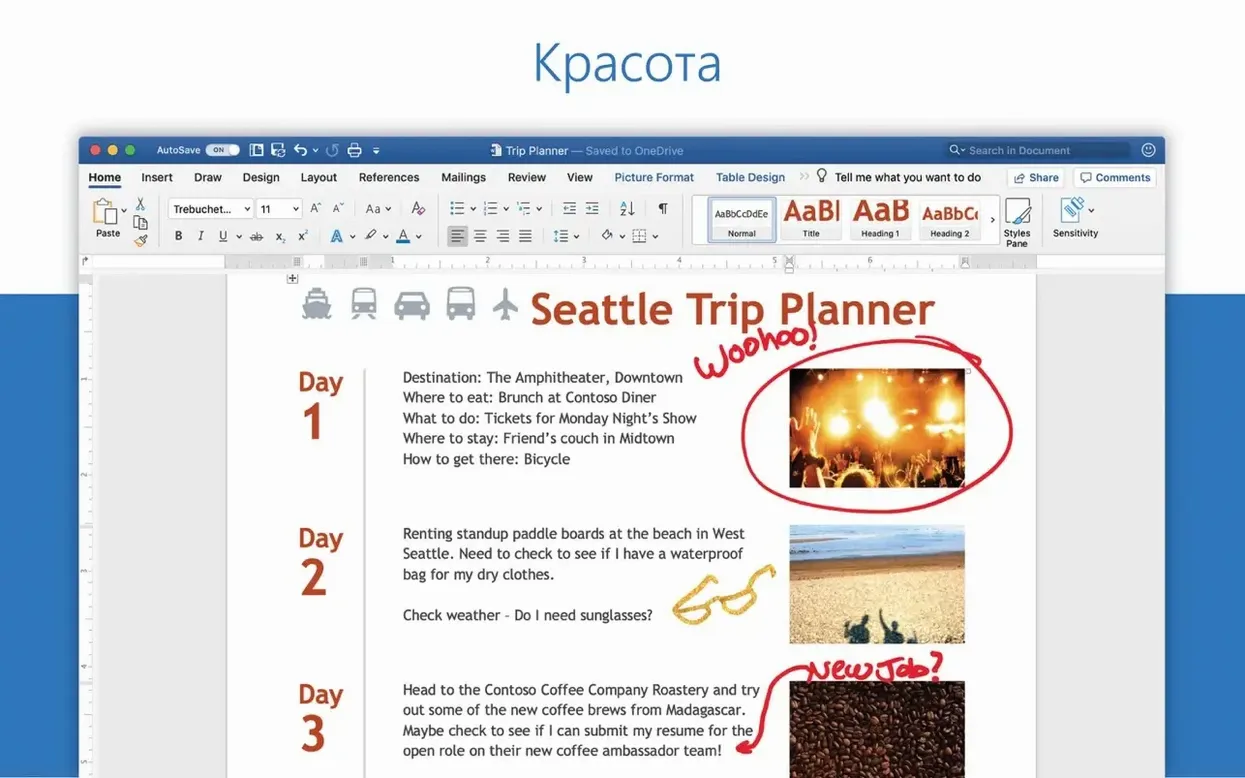
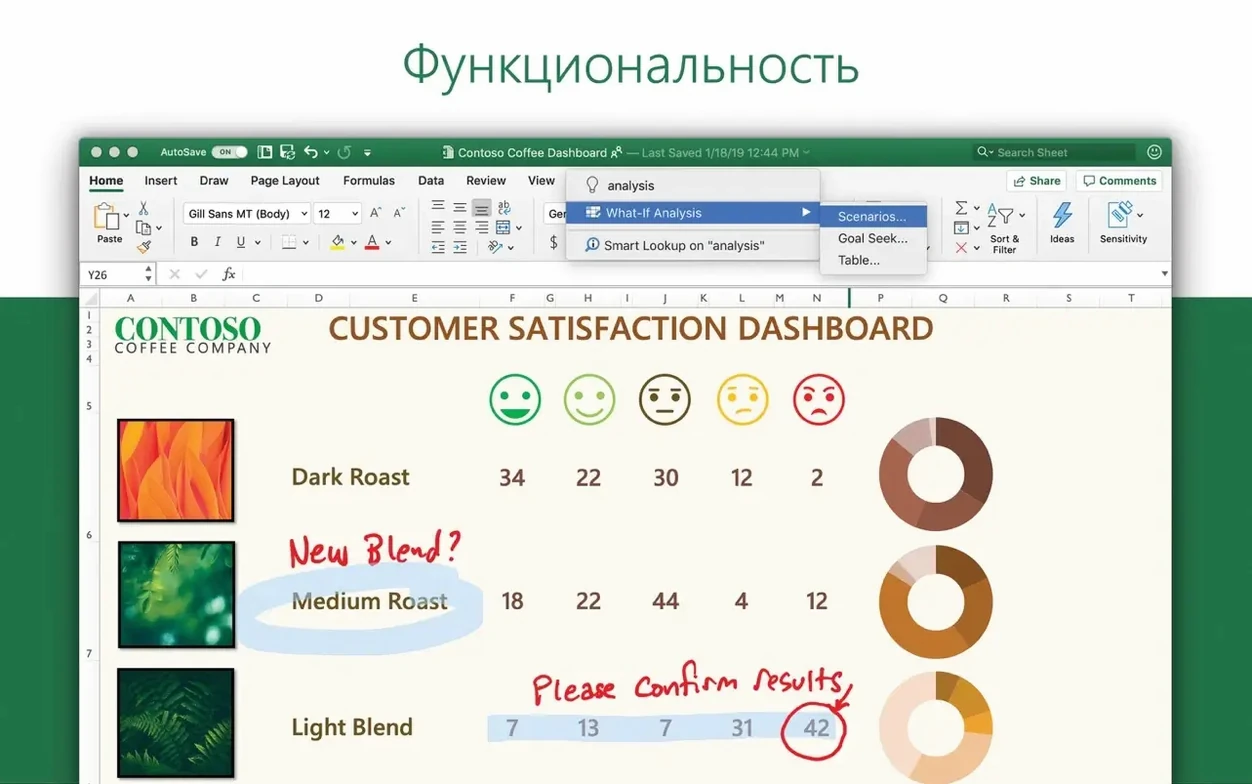
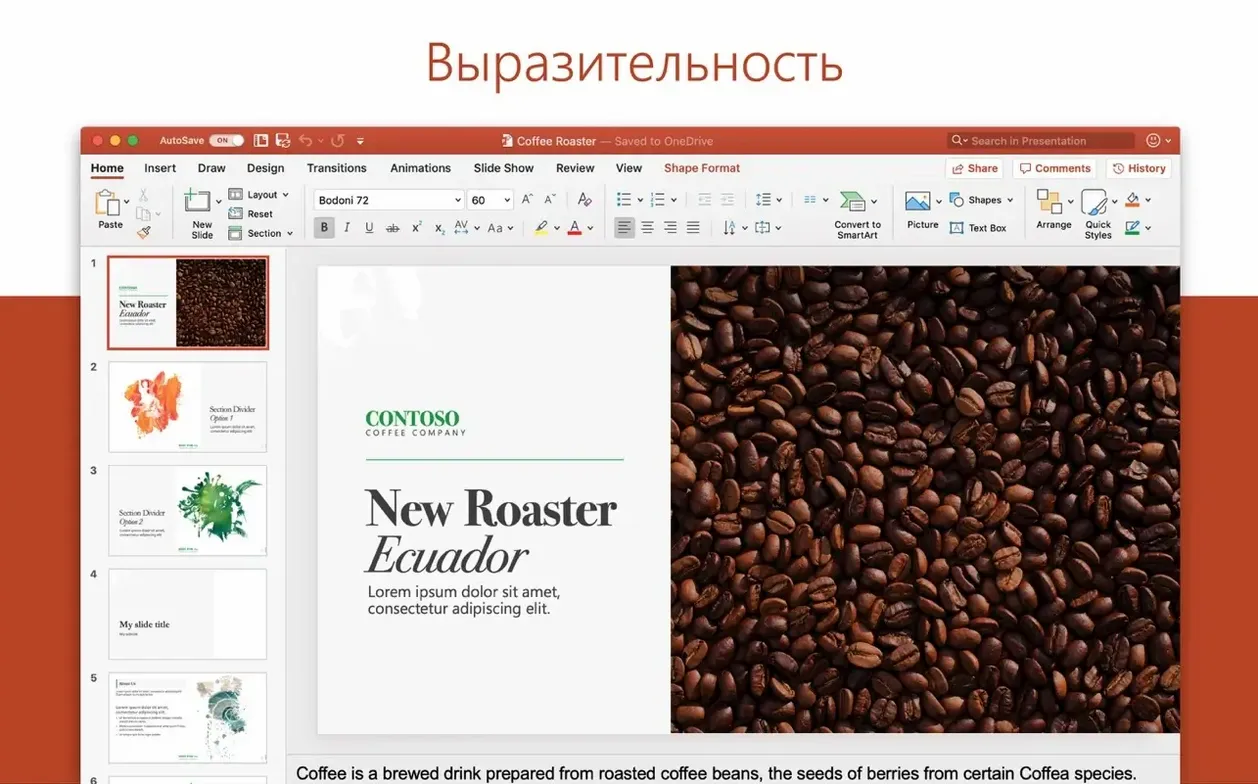
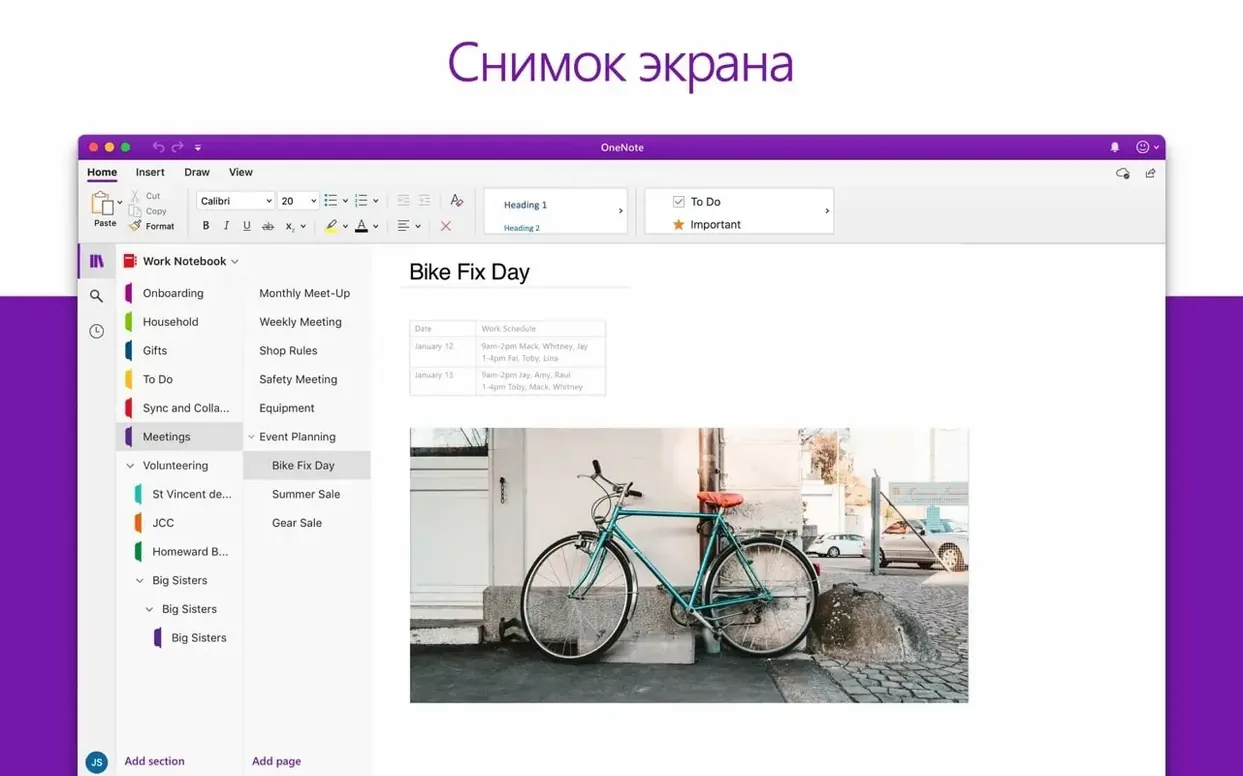
Microsoft Office for Mac is a 64-bit suite that runs on any Mac with macOS 13 or newer, whether it's powered by Intel or Apple Silicon. The current version, 16.93, bundles Word, Excel, PowerPoint, Outlook, OneNote, and OneDrive into a single monthly-updated package that feels genuinely tuned for the platform.
Rock-solid Windows file fidelity and PowerPoint’s 3D camera effects
- Working with colleagues who live in Windows, since file fidelity is rock-solid.
- Building animated presentations with PowerPoint's 3D models and motion camera effects.
- Keeping email and calendars sane in Outlook, which pulls multiple accounts into one unified inbox.
- Real-time collaboration through OneDrive, where you and a teammate can pick apart the same Excel sheet simultaneously.
64-bit only and updates that arrive on Microsoft’s schedule
- The entire suite is 64-bit only; older plugin workflows might need a check before switching.
- Monthly updates are consistent, but they arrive on Microsoft's schedule, not yours.
- OneNote and OneDrive shine brightest when you commit to the Microsoft 365 ecosystem for syncing.
A real-world workflow: quarterly budget deck in an afternoon
Picture this: finance sends over a raw Excel sheet with twelve tabs of departmental spending, and your manager wants a client-ready PowerPoint by 4 PM. Here's how I'd thread Word, Excel, PowerPoint, and OneDrive together without breaking a sweat.
Step one — clean the data in Excel. Open the workbook and immediately save a copy to OneDrive so every change is versioned. Use the Ideas button on the Home tab to surface trends you might miss: it flagged an unexpected travel spike in Q2 that I'd have glossed over. Highlight the three summary tables you actually need, add a named range for each, and apply a touch of cell styling so they paste cleanly later. No chart-building yet — that comes after the story is clear.
Step two — outline the narrative in OneNote. I keep a notebook called "Client Decks" with a section per project. Drag the Excel file right onto a OneNote page and it embeds a live preview. Below it, jot down three bullet points: the headline number, the anomaly, and the recommendation. This becomes the spine of your presentation.
Step three — build slides in PowerPoint. Use the outline from OneNote to create four section-header slides. On the data slides, copy from Excel and paste with the "Keep Source Formatting" option — the named ranges make this a two-click affair. Drop in a 3D model from the stock library for the title slide (the rotating office-building model always gets a nod from clients), and apply one of the newer Morph transitions between your key charts. The motion camera effect on a tight close-up of a bar chart makes the growth trend feel deliberate, not just decorative.
Step four — the handout in Word. PowerPoint's "Create Handouts" feature sends the slide thumbnails and speaker notes straight into a Word document. From there, add a cover page, tweak the footer to include the meeting date, and save it back to the same OneDrive folder. Your manager can review the deck and the handout from one shared link before you even grab coffee.
Mac-specific quirks that trip up longtime Windows users
Even people who've used Office on Windows for years trip over a handful of Mac-specific quirks. Here are the ones I see most often.
- Ignoring the OneDrive folder entirely. Dragging files to the desktop instead of the synced OneDrive directory means AutoSave never kicks in. If Word crashes five hours into a report, you lose everything since your last manual save. Turn on AutoSave once and the habit forms fast.
- Pasting Excel charts as static images. Right-click paste defaults can flatten a live chart into a dead PNG. Use Paste Special and pick the Microsoft Excel Chart Object option — the chart stays linked and updates when the source data changes.
- Letting Outlook's default notifications run wild. Out of the box, Outlook badges and banners fire for every single email. That's a concentration killer. Beginners leave it all on, then wonder why they can't finish a Word document without constant pings.
- Skipping the document inspector before sharing. That Excel workbook you just forwarded to a client might still contain hidden columns, personal notes in document properties, or a residual edit history. PowerPoint's inspector catches the same issues in speaker notes. Run it from Tools > Protect Document before anything leaves your machine.
- Treating OneNote like a word processor. OneNote pages are infinite canvases, not A4 sheets. Newcomers try to format notes like a Word doc, fighting the freeform layout instead of clicking anywhere and typing. Embrace the chaos — side-by-side text blocks, embedded files, and hand-drawn annotations all belong on the same page.
Dark mode integration and four other first-install dials
Office ships with sensible defaults, but a few tweaks make the suite feel like it's actually yours. These are the first five I dial in on a fresh install.
Turn on the Mac's dark mode integration. Word, Excel, and PowerPoint respect the system appearance setting, but you can override it per app in Preferences > General. If you prefer dark menus but a white canvas in Word, set the page background independently — your eyes will thank you during late-night editing sessions.
Switch Excel's default file format to .xlsx. Some configurations still default to the older .xls binary format, which chokes on large datasets and strips modern features. Under Excel > Preferences > Compatibility, set "Save files in this format" to Excel Workbook (.xlsx) and never look back.
Customize the Quick Access Toolbar. It lives above the ribbon and it's absurdly underused. Add "Paste Special," "Selection Pane" in PowerPoint, and "New Email to Selected Contact" in Outlook. Three clicks now saves dozens of trips through menus later.
Kill Outlook's "Organize by Thread" for at least one account. Threading is great for newsletters, terrible for time-sensitive client chains where a reply lands out of order. Toggle it per folder via View > Organize by Thread — keep it on for the promotions folder, off for the inbox where deals happen.
Set OneNote's default font and page color. Calibri 11 on a stark white background is the factory setting and it's fine, but a warmer page tint and a slightly larger font reduce eye strain during long planning sessions. I use Segoe UI 12 on a light cream background, and it makes the digital notebook feel less clinical.
Continuity handoffs between Mac and iPad in Word
Office plays surprisingly well with the rest of the Mac ecosystem once you know where the handshake points are.
Continuity and Handoff. Start a Word document on your Mac, then pick it up on an iPad where the same document sits in the dock, ready to open. It's not quite as fluid as Pages' Handoff, but the OneDrive-synced "Recent" list bridges the gap cleanly. On an iPhone, the Office mobile apps read the same file from the same cloud location, so edits sync in near-real time.
Spotlight integration. Outlook contacts and calendar events surface in Spotlight without opening the app. Type a colleague's name and their email appears in the suggestions — hit Return to compose a message instantly. Word and Excel documents stored locally also index their content, so searching for a phrase buried in a report brings the file up in seconds.
Share sheet and system-wide sharing. From Finder, right-click any Office file and the macOS share menu offers AirDrop, Messages, and Mail. Outlook also registers as a share destination, so you can attach a PowerPoint deck to a new email without ever opening the app first.
Dictation and accessibility. The suite hooks into macOS's built-in dictation (press the Fn key twice) across all apps. In OneNote, this turns into a quick capture tool during meetings — speak a reminder, and it lands on the page as text you can drag anywhere. VoiceOver support is solid across the board, particularly in Outlook's message list and calendar grid.
Shortcuts and automation. The Shortcuts app on macOS can trigger Office actions: create a new Excel workbook from a template, send a pre-filled email through Outlook, or append a line to a OneNote page. It's not as deep as AppleScript was in the old days, but the actions library grows with each update. Combine a Shortcut with a calendar event trigger, and you can auto-generate a daily briefing note before your first meeting.
If you've ever grabbed an office torrent just to test whether the suite clicks with your Mac workflow, you'll quickly notice how deeply it can weave into Spotlight, Shortcuts, and the share sheet. Some folks search for a microsoft office free download torrent thinking they'll only need Word and Excel, then discover Outlook and OneNote pulling their weight within the first week. The ecosystem hook is real — once OneDrive sync ties your documents to the Finder sidebar and the iOS apps, a office 365 for mac torrent setup starts feeling less like a trial and more like a permanent fixture. And if you're the type who's hunted for a mac microsoft office torrent or a microsoft office 365 mac torrent just to avoid the friction of a new suite, you'll probably end up surprised by how many Mac-native niceties are already baked in.
- macOS 13 or later
- Intel or Apple Silicon Mac
- 64-bit only
Also on readers' docks
Sign in or create an account to leave a comment.
No comments yet. Tell me how it got on with your other devices.