Download EndNote for macOS
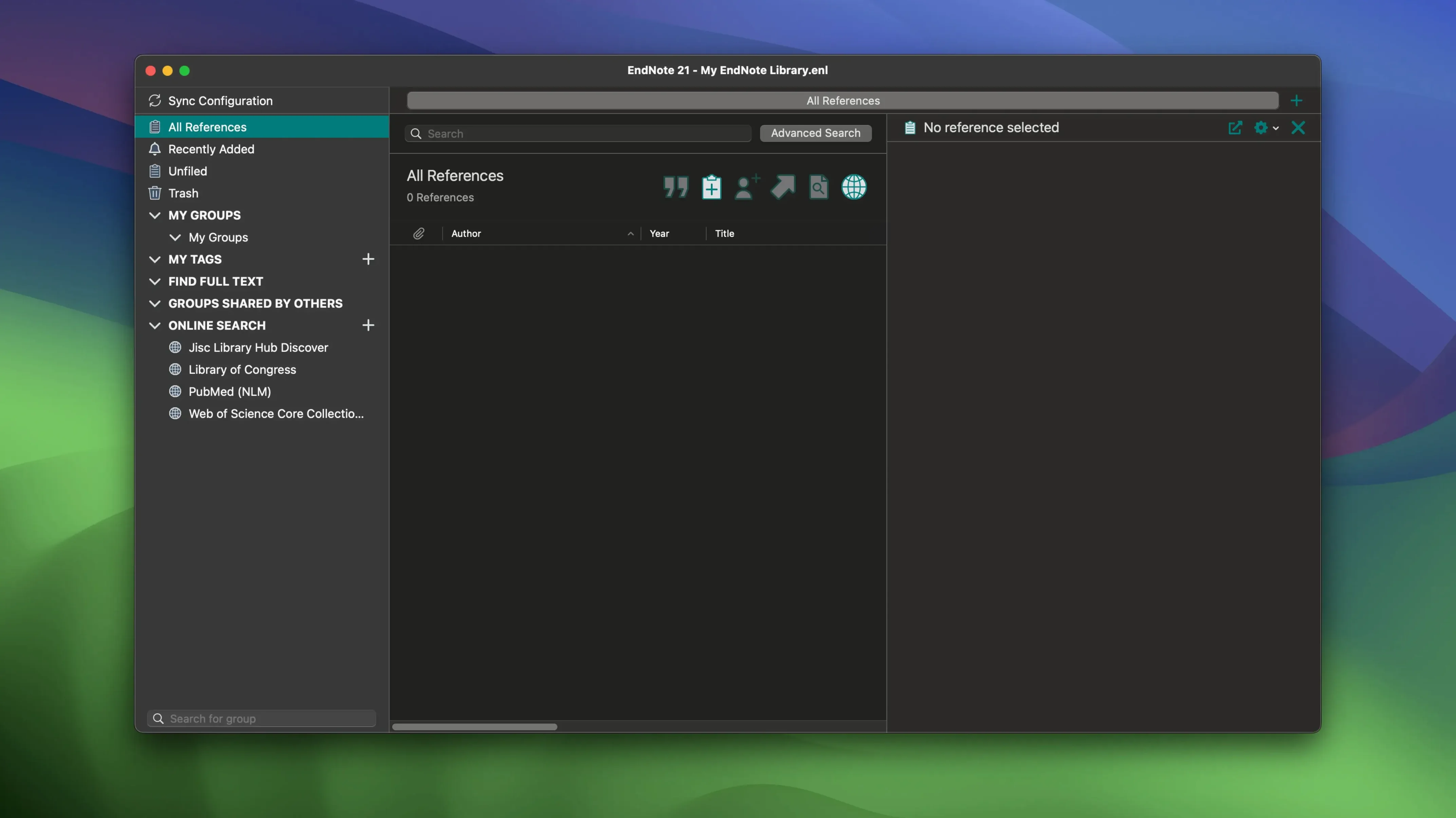
Cite While You Write for Google Docs isn't a new button — it's a shift in where a thesis can live. Version 2025.3 keeps that moving, quietly fixing a Word crash that would trip when Select Matching References appeared. For someone deep into a dissertation, that one stability note matters more than a feature list.
Building a dissertation library with in‑app search
- Writing scientific papers and dissertations with a large, evolving library
- Restoring a library directly from the cloud when you switch Macs
- Finding bibliographic data, books, journals, and articles without leaving the app
- Creating formatted bibliographies from saved references in a few clicks
- Syncing a library across devices and working with EndNote Web
A desktop app that needs its web account
- The macOS version now includes Simplified Chinese localization
- Desktop software that pairs with a web account — not a standalone island
The Word crash fix that brought researchers back
Most update notes are easy to skip, but 2025.3 had two things that affect a real writing day. The crash fix in Word — the one tied to Select Matching References — had been irritating enough that plenty of researchers learned to avoid that dialog entirely. You'd search for a citation, Word would freeze, and the only move was force-quitting. That's gone now, and the whole matching workflow feels like a tool again, not a trap.
The other change is less dramatic but quietly useful: Simplified Chinese localization. If you collaborate with colleagues who prefer working in a Chinese-language interface, your shared library now feels native to them too. Tags, search filters, sync settings — all of it reads naturally. That matters more in joint projects than it sounds on paper, especially when someone else is maintaining the group library.
Bug fixes aside, the rhythm of the app hasn't shifted. PDF syncing still hums along, tags are still color-coded the way you left them, and restoring previous versions of individual references still works when you accidentally overwrite an abstract with a stray paste. Nothing in 2025.3 rethinks EndNote — it just removes a few friction points that had no business being there.
Bookends leans on the Mac text engine; EndNote goes heavier
EndNote's closest Mac-native competitor is Bookends, and the two feel very different. Bookends is lean, fast, and deeply tied to the Mac's own text engine — if you write in Mellel or Scrivener, it's a natural fit. EndNote is heavier but broader: the Cite While You Write plugins for Word and Google Docs give it reach that Bookends can't match without extra steps. For a doctoral candidate whose whole committee works in Word, EndNote's ubiquity wins.
Zotero sits in the middle — free, open, and web-first in ways EndNote isn't. Its browser connector grabs metadata faster than EndNote's built-in search, and the group library sharing feels more modern. But Zotero lacks the polished PDF annotation sync and the tag-color system that EndNote has. If your workflow lives mostly in a browser and you want zero cost, you'll lean toward Zotero. If you're managing hundreds of annotated PDFs with color-coded tags and restoring libraries from the cloud after a machine swap, EndNote justifies its footprint.
Paperpile is the Chrome-and-Google-Docs specialist. It's brilliant if you've abandoned desktop word processors entirely, but it doesn't touch Microsoft Word and won't run offline with the confidence EndNote has. For someone writing a dissertation in Google Docs, Paperpile is simpler. For someone who needs both Word and Google Docs, plus offline access and a desktop library, EndNote covers more ground.
A month in the life of a literature review
Imagine a second-year PhD student starting the literature review for a dissertation on coastal wetland restoration. She begins by searching her university's database subscriptions directly through EndNote, pulling in fifty articles in one afternoon. Each reference lands in her library with the PDF attached, and she color-codes tags — green for field studies, blue for modeling papers, orange for policy reviews.
She reads on her iPad during a train ride, highlighting passages and scribbling notes that sync back to her Mac through the cloud. When she returns to her desk, those annotations are waiting. She opens the Word document for her first chapter draft and inserts citations with Cite While You Write, searching by author or keyword without leaving the manuscript. One afternoon, Word crashes when she triggers Select Matching References — but she's on version 2025.3, so she restarts, and the crash doesn't repeat. A small thing that saves an hour of frustration.
Mid-month, her supervisor suggests restructuring the bibliography format for a grant proposal. She switches the output style in two clicks and regenerates the whole document. When a collaborator in Shanghai joins the project, the Simplified Chinese localization means they can navigate the shared library without stumbling over interface translations. By the end of the month, her library holds over two hundred references, tagged, annotated, and versioned — and she's never once worried about losing a citation to a corrupted file.
- macOS 10.14 or later
- Apple Silicon or Intel 64-bit
Questions people ask
Does EndNote 2025.3 let me restore a library from the cloud?
Yes, it supports restoring a library from the cloud, which is handy after a clean macOS install or when moving to a new machine.
Also on readers' docks
Sign in or create an account to leave a comment.
No comments yet. Tell me how it got on with your other devices.