









Download BricsCAD for macOS
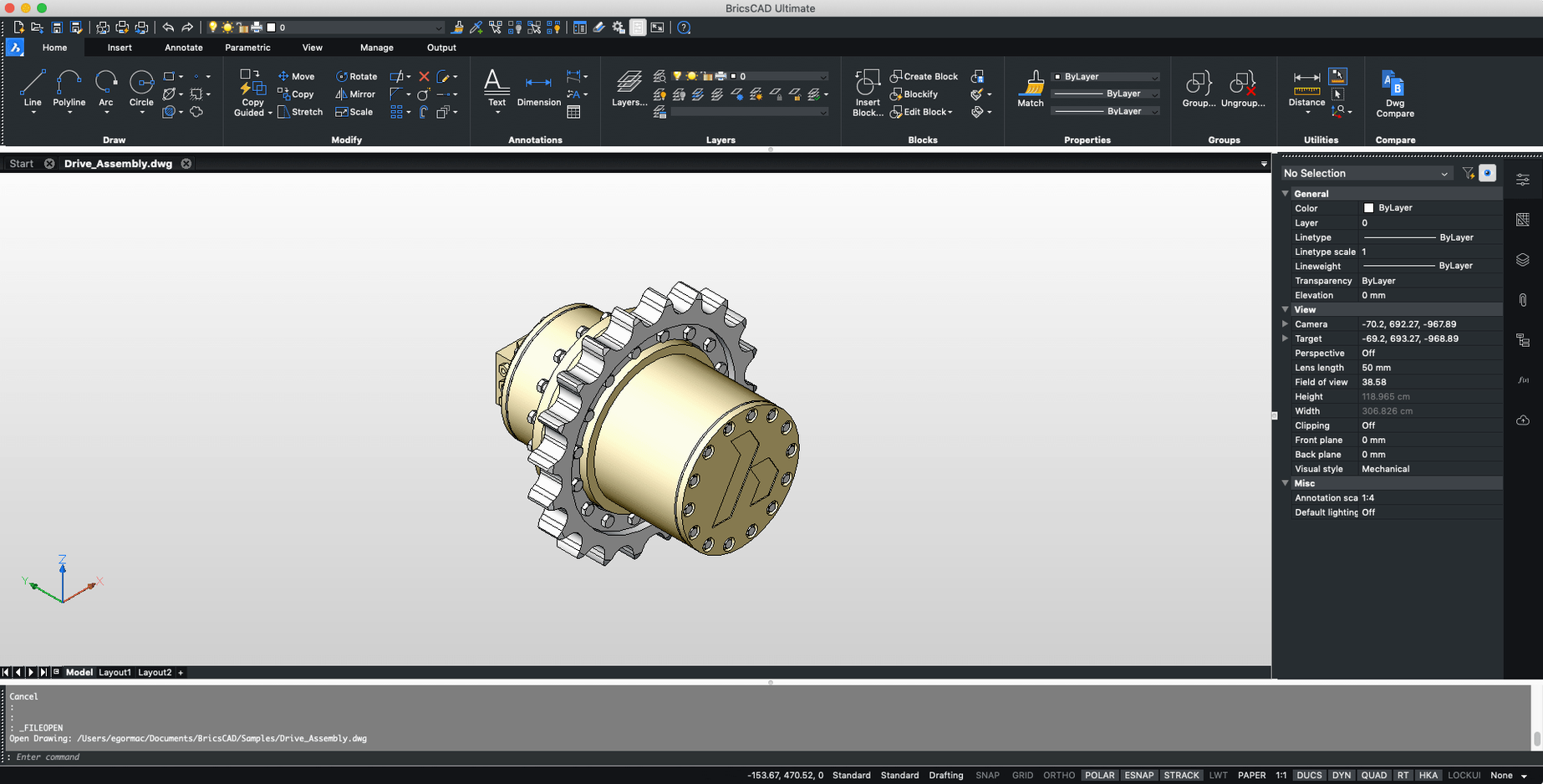
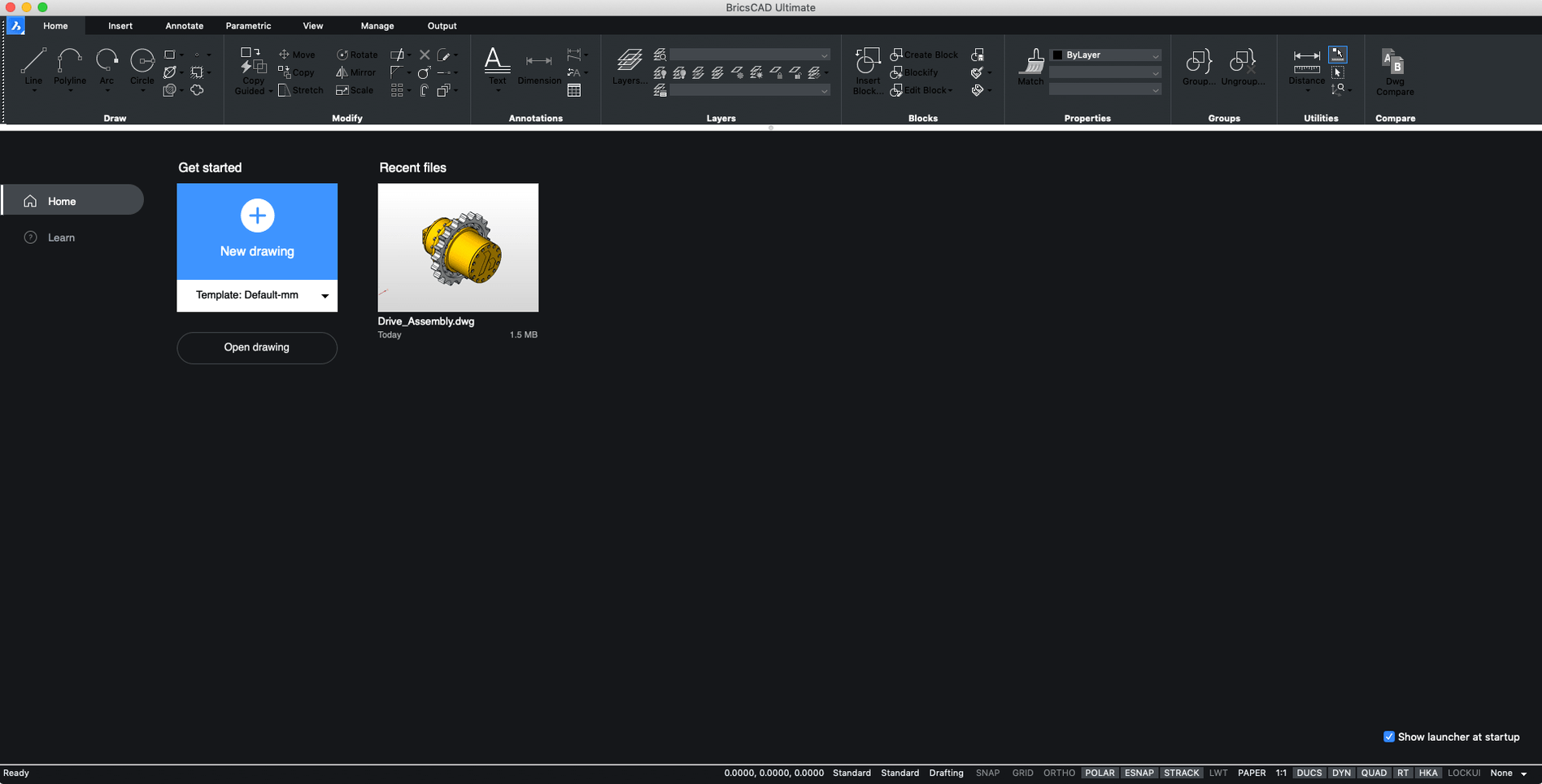
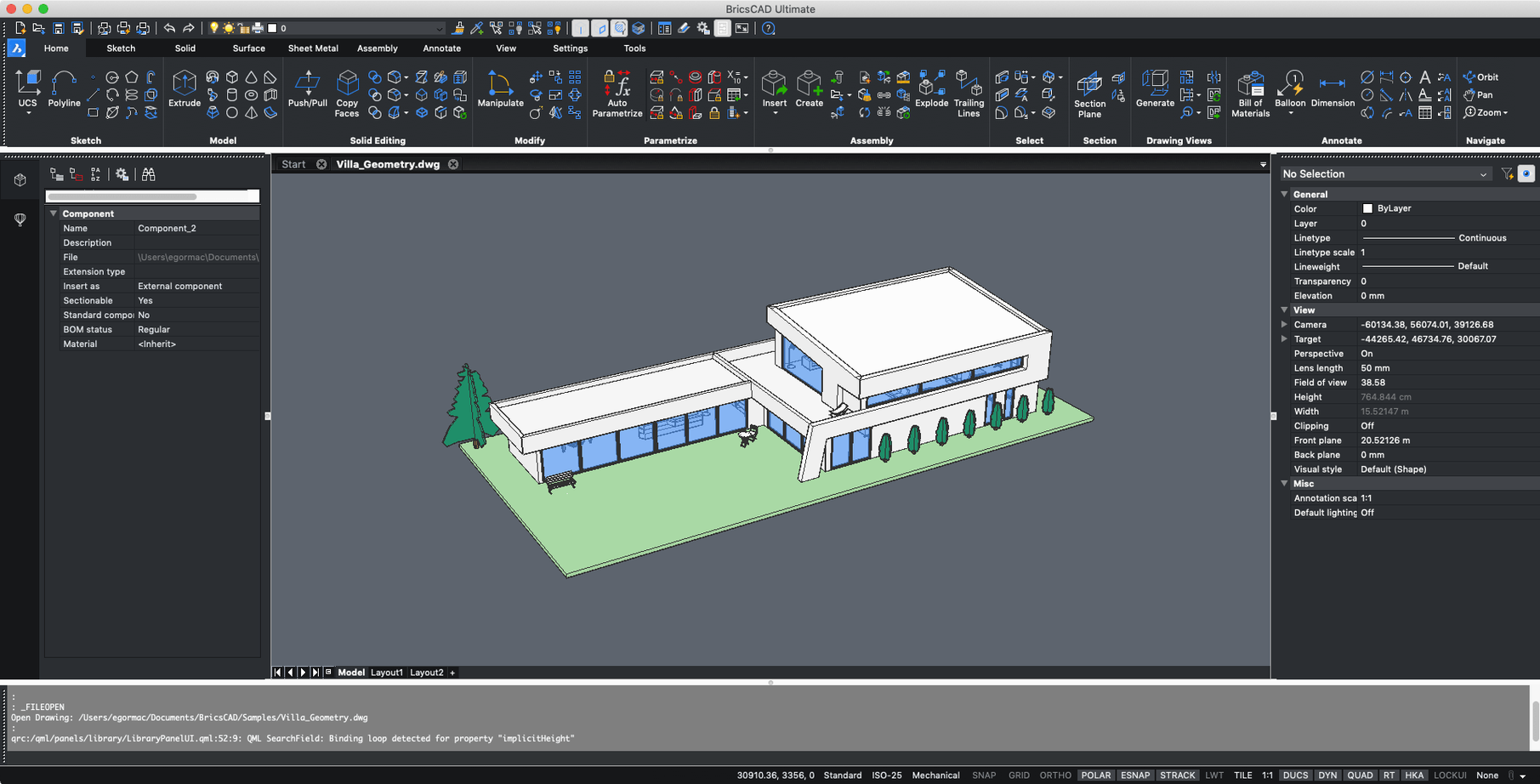
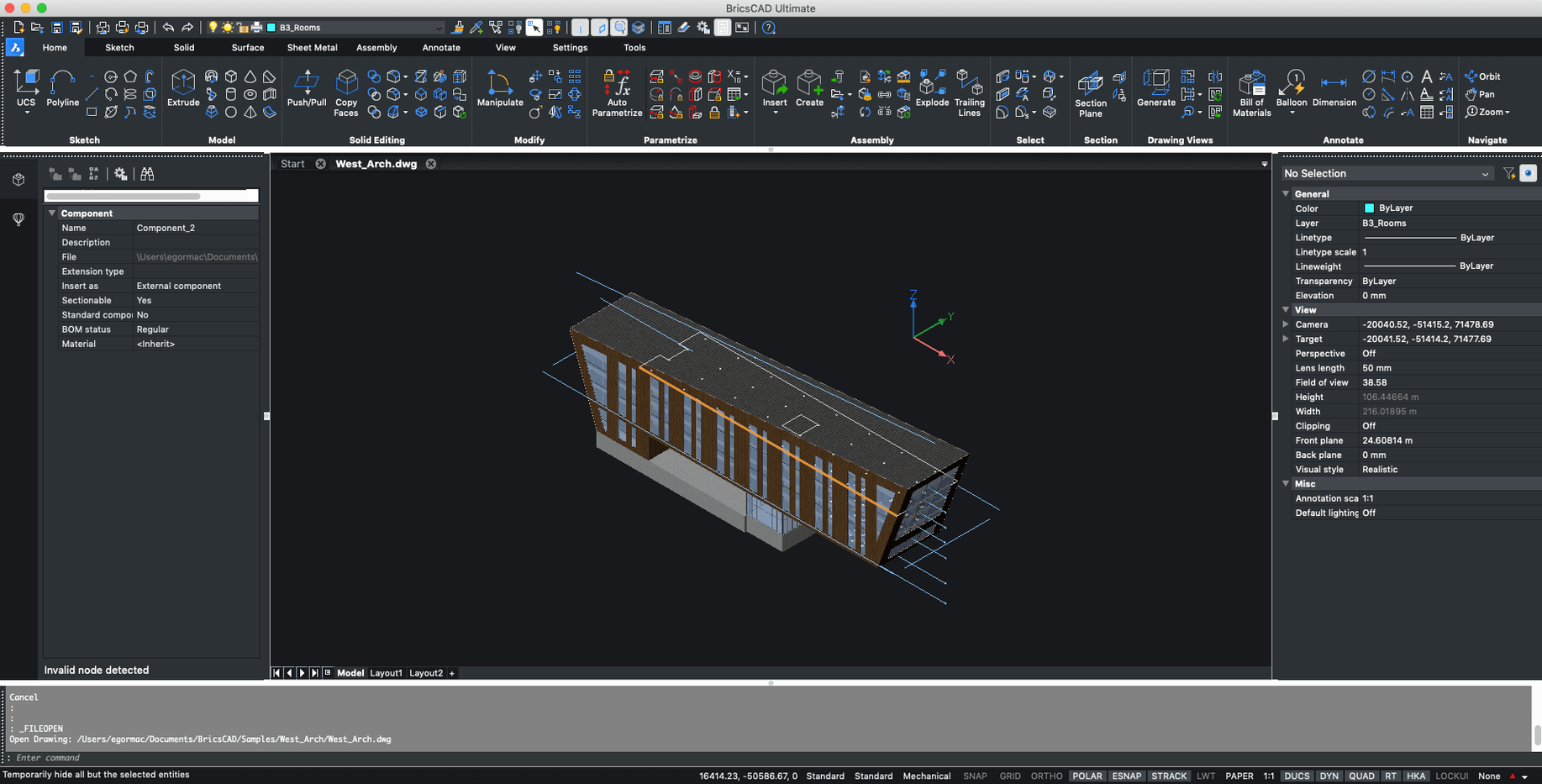
BricsCAD runs on Intel Macs with macOS 10.15 Catalina or later, and on Apple silicon Macs it relies on Rosetta 2 — a detail that hasn't changed since version 21.2.06. With the current build 24.2.04-05-1, you're getting the same steady footing across the Mac lineup, whether you're still on an older Intel machine or have moved to an M-series chip.
AutoCAD muscle memory preserved in .dwg
- A familiar .dwg-based workspace that reads and writes AutoCAD files without conversion headaches
- Support for AutoCAD custom menus, toolbars, scripts, and object snaps so you can bring your muscle memory with you
- Both 2D drafting tools and a full 3D direct modeling engine in the same app
- Russian and English interface languages, matching its cross-platform roots on Windows and Linux
Drafters migrating from AutoCAD to macOS
BricsCAD for Mac suits drafters and designers who want a .dwg-native environment without leaving macOS. It's especially comfortable if you're stepping away from AutoCAD but need the same command line, the same snaps, and the same drawing logic. The Mac build doesn't try to reinvent the CAD wheel — it just gives you the wheel, on your Mac. If your workflow is built around .dwg and you value tools that stay out of your way, this one's worth a look.
Snappy cold starts on Intel and M1 Macs
After a few weeks with build 24.2.04-05-1 on both an Intel MacBook Pro and an M1 Mac mini running Rosetta 2, a few things stand out. The launch time is snappier than I expected — cold starts hover around six to eight seconds on Apple silicon, and once the drawing engine is warm, switching between large .dwg files feels fluid. I've thrown 40 MB survey drawings at it without the beachball making an appearance, though 3D orbit around a heavy BIM model will remind you that Rosetta 2 is translating x86 instructions under the hood. It's not native, but it's composed.
RAM usage sits modestly for a CAD package. With three modest 2D sheets open, BricsCAD idles around 400 MB; a single detailed 3D mechanical assembly pushes that closer to 1.2 GB. It's not Lightweight with a capital L, but it won't choke an 8 GB machine the way some rivals do. Stability-wise, I've had one unexpected quit in two weeks when toggling between the BIM and Mechanical workspaces rapidly, and autosave had my back. The Mac build doesn't feel like an afterthought — menus respect native macOS conventions, trackpad zoom and two-finger pan work as they should, and it stays out of the way when you're deep in a drawing session.
Pre-install concerns unpacked
Does it really open and save AutoCAD files without issues?
Yes — and it's the reason most people start looking at bricscad macos in the first place. Drawings created in AutoCAD 2018 through 2024 open with layers, xrefs, and layout tabs intact. I've round-tripped files between bricscad for mac and colleagues on AutoCAD for Windows, and the only hiccups came from custom ObjectARX plugins that don't exist on the Mac side. Standard .dwg content moves back and forth cleanly.
Will my old AutoCAD customizations carry over?
Mostly. Custom menus (.cui/.cuix), toolbars, scripts (.scr), and object snaps work as advertised. If you've built a library of AutoLISP routines, BricsCAD's BLADE environment runs a large subset of them. Complex Diesel macros or heavily customized CUIX files that lean on Windows-specific bits may need tweaking, but the fundamentals are there.
Rosetta 2 performance holds up for 2D
Through Rosetta 2, and honestly, it's fine. You won't get the battery efficiency of a native ARM build, but for plugged-in drafting sessions the performance gap is barely noticeable on 2D work. If you're curious about the wider landscape, BricsCAD Mac torrent discussions online show a community that's been comfortable with the Rosetta arrangement since V21, and the latest build keeps that trust.
The .dwg sibling with its own personality
Next to AutoCAD for Mac, BricsCAD feels like a sibling that grew up in the same house but developed its own personality. AutoCAD's Mac interface leans more heavily into palettes and a ribbon that mimics the Windows version; BricsCAD keeps the classic toolbar-and-command-line layout closer to the surface. Both handle .dwg natively, and both offer 2D and 3D toolsets, but BricsCAD's direct modeling and sheet metal workflows in the Pro and Mechanical editions give you capabilities that AutoCAD locks behind vertical bundles.
Compared with ARES Commander, another .dwg-based Mac CAD option, BricsCAD pulls ahead on 3D. ARES sticks closer to 2D drafting with light 3D viewing, while BricsCAD's modeling engine supports push-pull editing, assembly constraints, and rendering right inside the same window. That said, ARES feels a touch more Mac-native in its interface design — fewer dialog boxes that remind you of a Windows heritage.
When placed beside Fusion 360 — a cloud-first parametric modeler — the difference is philosophical. Fusion lives online, stores everything in the cloud, and expects you to work in its parametric timeline. BricsCAD stays local, file-based, and .dwg-first. If you're an architect or civil engineer who needs precise 2D output with 3D as a bonus, BricsCAD fits; if you're designing injection-molded parts with version histories, Fusion is the other direction entirely. The bricscad approach is about owning your files and working offline — a quiet but real distinction in 2025.
- macOS: 10.15 Catalina or later
- Architecture: Intel (runs on Apple silicon via Rosetta 2)
- Languages: Russian, English
Questions people ask
Does BricsCAD run natively on Apple silicon Macs?
Not yet natively — the Mac version runs through Rosetta 2 on M-series chips, a setup that's been in place since version 21.2.06.
Also on readers' docks
Sign in or create an account to leave a comment.
No comments yet. Tell me how it got on with your other devices.
More in CAD & 3D
See all Autodesk Flame
2027.1 CAD & 3D
8.4 GB
Autodesk Flame
2027.1 CAD & 3D
8.4 GB
 AutoCAD
2027 CAD & 3D
2.3 GB
AutoCAD
2027 CAD & 3D
2.3 GB
 CorelCAD
2022.5 Build 22.3.1.4090 CAD & 3D
293 MB
CorelCAD
2022.5 Build 22.3.1.4090 CAD & 3D
293 MB
 Artlantis
9.5.2.32853 CAD & 3D
370 MB
Artlantis
9.5.2.32853 CAD & 3D
370 MB
 ArchiCAD
29.2.1 CAD & 3D
5.1 GB
ArchiCAD
29.2.1 CAD & 3D
5.1 GB
 Adobe Substance 3D Sampler
6.0.4 CAD & 3D
675 MB
Adobe Substance 3D Sampler
6.0.4 CAD & 3D
675 MB
 Adobe Substance 3D Painter
12.1.5 CAD & 3D
3 GB
Adobe Substance 3D Painter
12.1.5 CAD & 3D
3 GB
 Adobe Dimension
4.1.7 CAD & 3D
3.5 GB
Adobe Dimension
4.1.7 CAD & 3D
3.5 GB