









Download Artlantis for macOS
Let's get the hardware chat out of the way first. Artlantis runs on Intel-based Macs and needs macOS 10.13 (High Sierra) or later. If you're on an Apple Silicon machine, this one's strictly an Intel affair, so Rosetta 2 would be your only bridge — and even then, official development has wound down, so expectations should be kept in check.
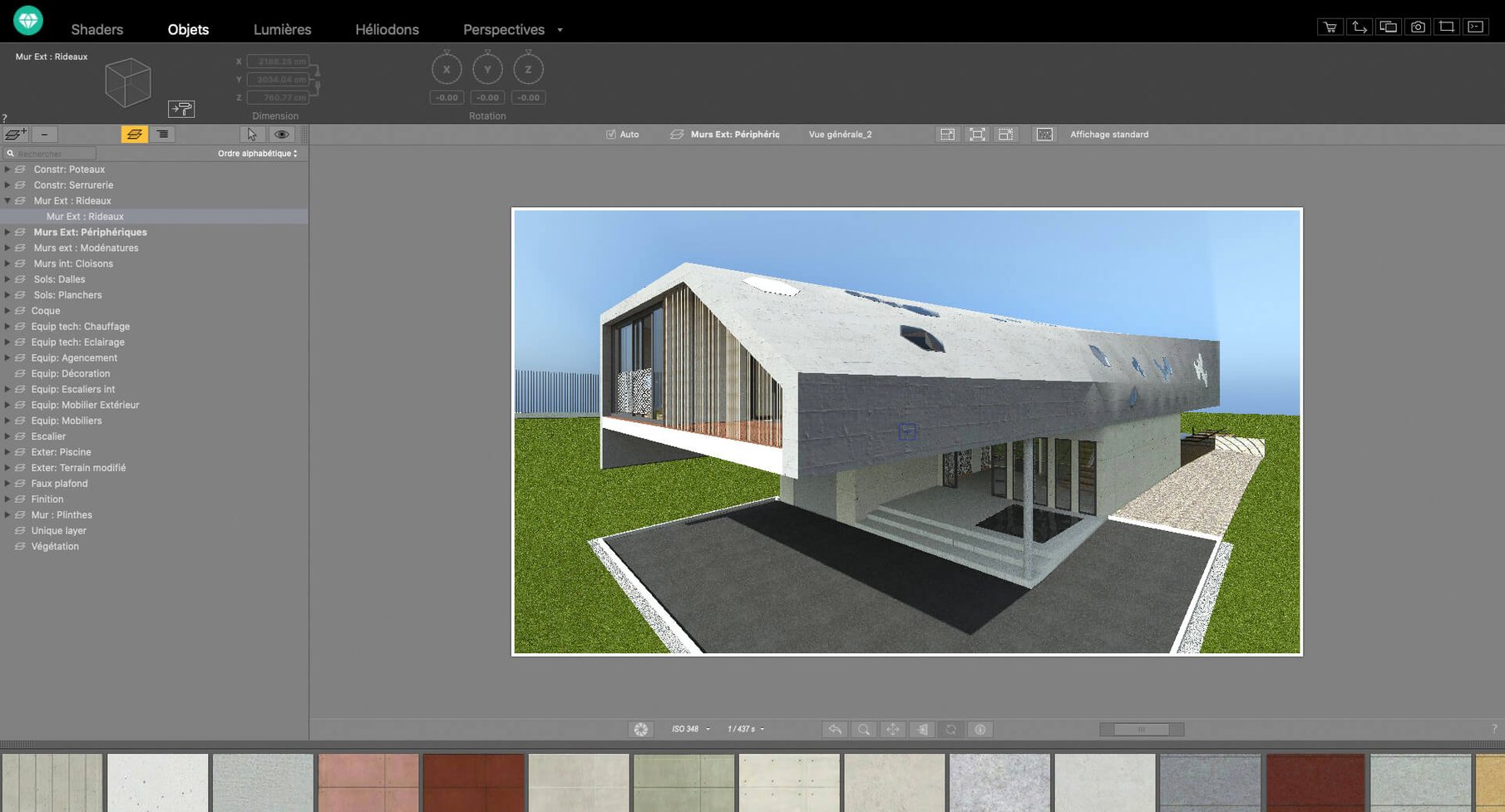
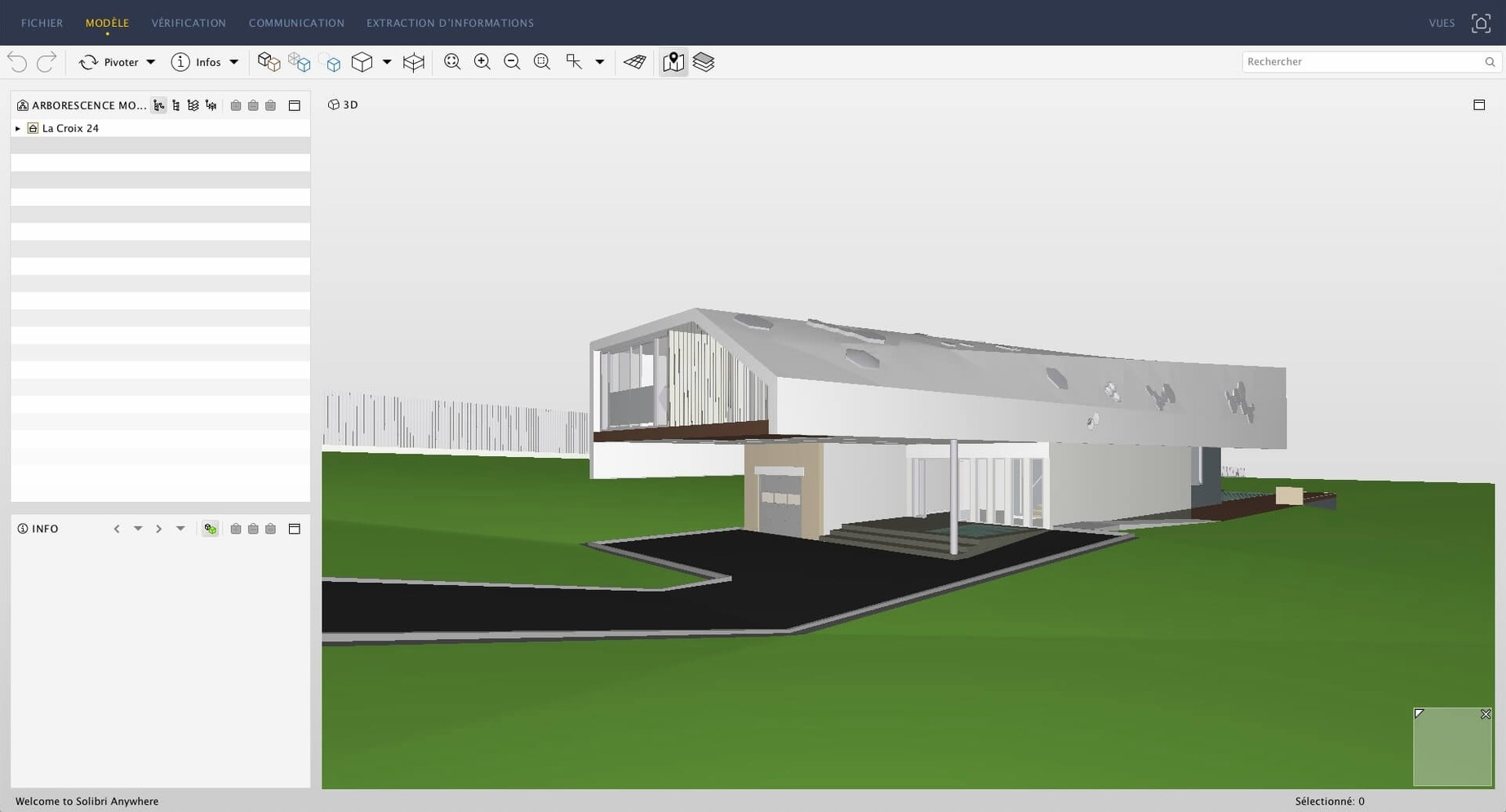
Once you're in, you're dealing with a proper presentation-grade renderer. Artlantis Studio isn't a modeler; you bring your scene in from ArchiCAD, SketchUp, VectorWorks, or AutoCAD and then start dressing it up. The built-in material and object library gives you a solid starting point, and the shader tools let you build custom textures that react to light in a believable way.
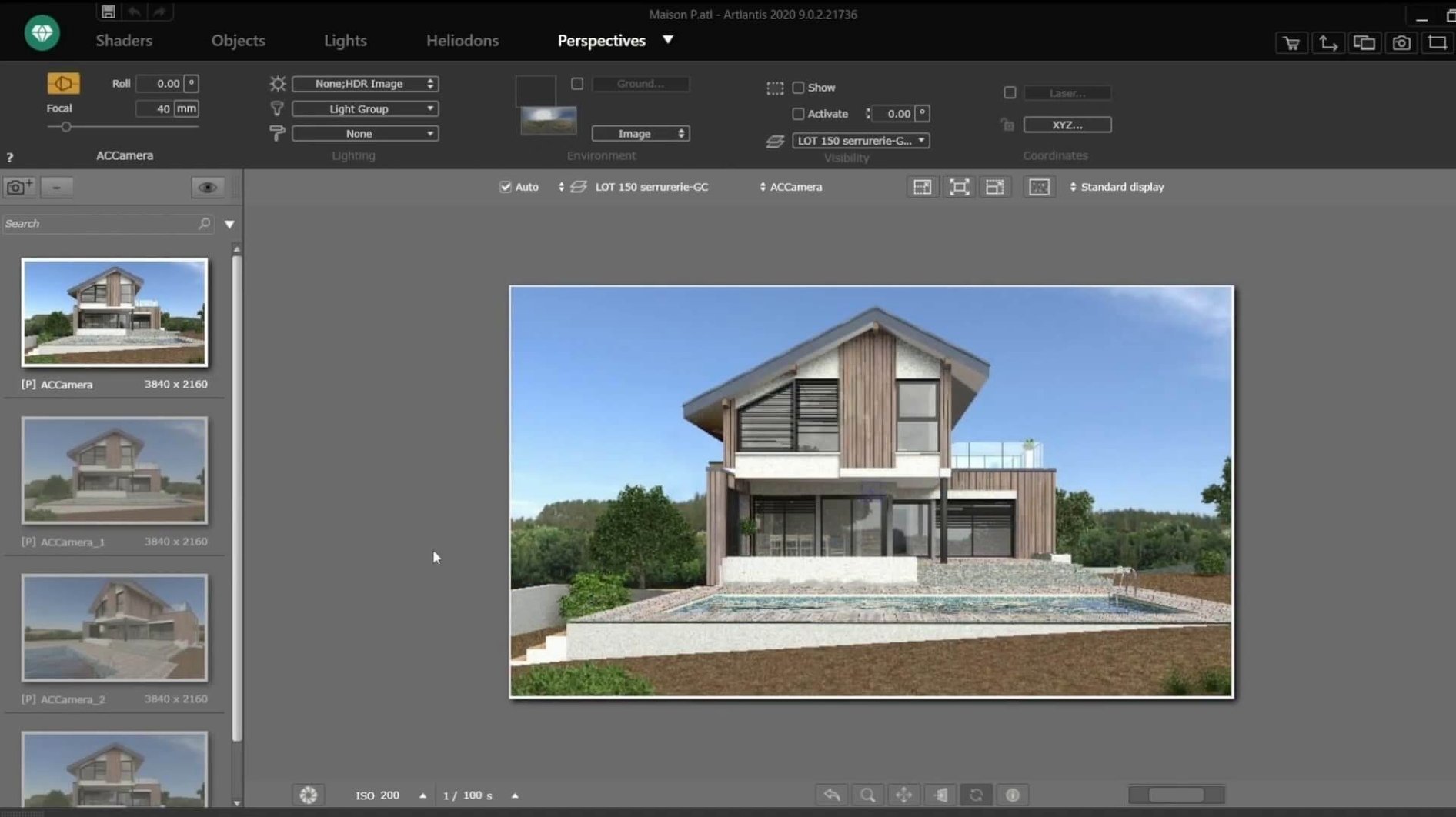
What I've always liked is how much you can tweak without leaving the viewport. You can adjust brightness, contrast, and color tables right there in the post-processing panel, so you're not bouncing between apps to get the mood right. For animation work, you can edit motion paths directly, which makes walkthroughs and flyovers feel less like a math problem and more like a creative task. The VR panorama export is a nice touch too — handy for dropping clients into a space without making them install anything fancy.
Fair warning, though: Abvent's R&D has shut down, so this is a tool from a specific moment in Mac rendering history. It still speaks a bunch of languages — English, French, Japanese, Russian, and several more — and if your workflow matches its era, it'll produce clean, realistic output without a fuss.
Artlantis really sings for a particular kind of Mac user, and it's worth being blunt about who that is. Architects and interior designers still holding onto an Intel iMac or Mac Pro from the late 2010s will feel right at home — the interface logic is built around their vocabulary, not a generalist's. If you're someone who already models in ArchiCAD or SketchUp and dreads the idea of rebuilding scenes in a separate app just to get a decent render, the direct data exchange cuts that pain completely. You import, tweak lights and materials, and hit render. That directness is what keeps it installed on a lot of older studio machines. Visualisation freelancers who occasionally need a VR panorama or a QuickTime VR file for a client pitch also get more mileage here than from a modern real-time engine that demands a completely different asset pipeline. The common thread is this: Artlantis rewards people who think in terms of finished presentation images, not endless scene tinkering.
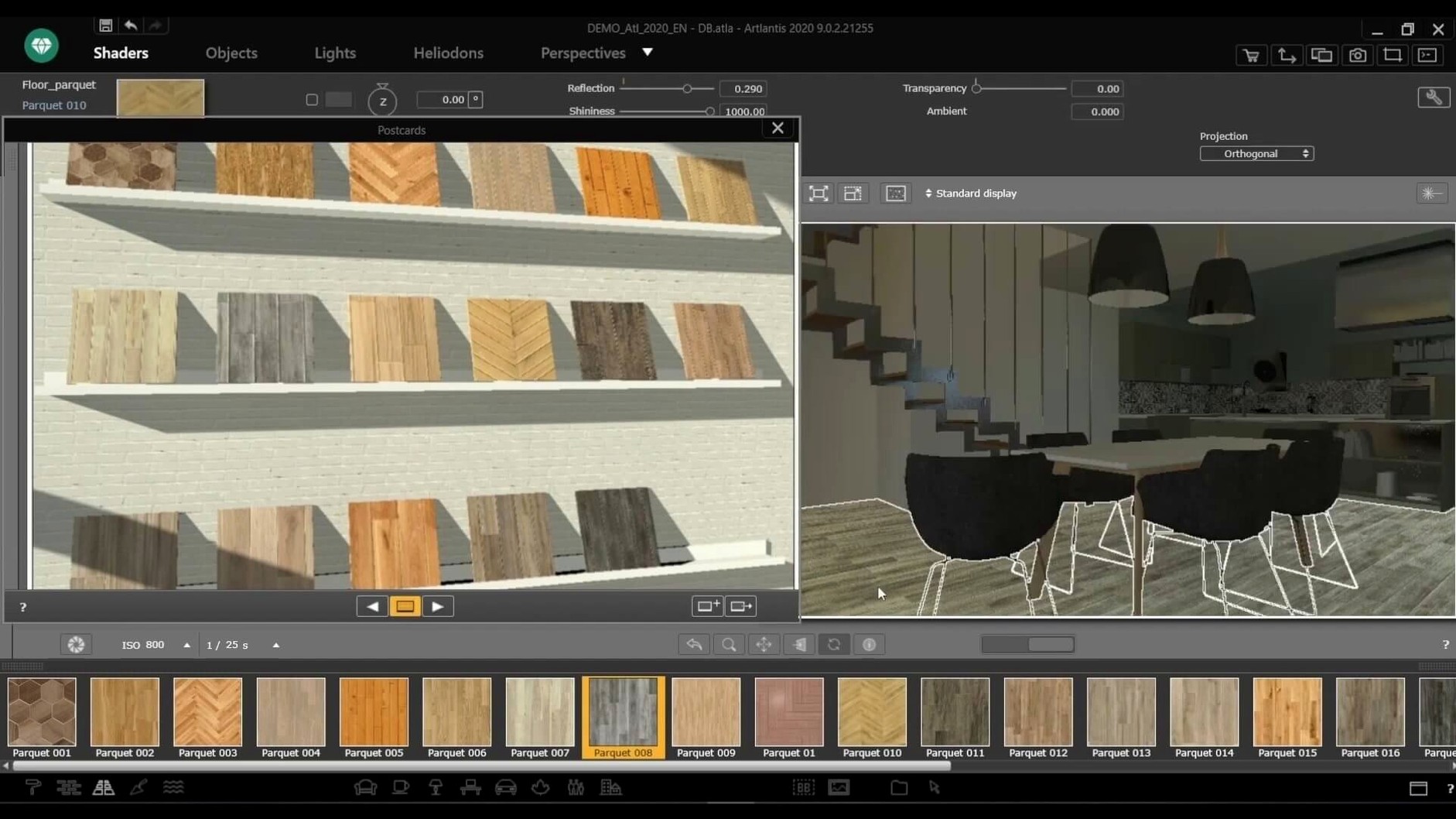
Drag a texture from Finder onto any surface
There are a few moves I only picked up after using the app for a while, and they save real time once they become muscle memory. Dragging an image straight from Finder onto a surface to use it as a custom material is one — no dialog boxes, no import wizard, just drop and adjust the scale in the shader panel. The catalog browser has a deceptively simple filter that lets you preview materials under your current lighting setup before you commit, which avoids the common "looked great in the thumbnail, weird on the wall" problem. For animation work, holding the Option key while clicking a motion path node lets you adjust tangents without switching tools — a tiny thing, but it makes smoothing out camera movements much less fiddly. And in the post-processing panel, the color table presets are stackable: you can layer a warm shift over a contrast curve and save the combination as a single click for future projects, which is brilliant for maintaining a consistent look across a presentation set.
Viewport stutter fix for Apple Silicon Macs
First up, Apple Silicon. The app is Intel through and through, and while Rosetta 2 can run it on an M1 or M2 Mac, I've seen viewport stutter when scenes get heavy with artificial lights and reflective surfaces. The fix is to keep the preview quality set to medium while positioning lights and only switch to high for final checks — it keeps navigation smooth even under translation. Another common stumble is with scenes imported from AutoCAD: sometimes the units get misinterpreted, and your building ends up the size of a shoebox. The quick remedy is to verify the import scale in the preferences before bringing anything in; there's a unit override that saves a lot of rescaling grief later. Occasionally, the material catalog can go blank if the app loses track of its library path — this happens after certain macOS updates. The solution is to re-point the media folder in Preferences > General, and everything pops back. If you're hunting for a way to try the app on older hardware, phrases like Artlantis torrent or Artlantis Mac torrent show up in the usual corners, and making sure your system locale matches the build's language pack helps everything launch smoothly. Some users searching for an Artlantis 2021 download end up with mismatched installers, so checking that the version actually matches your macOS build saves a headache.
- macOS 10.13 or later
- Intel-based Mac
Questions people ask
Can Artlantis still be used after Abvent R&D closed?
Yes, you can still run the existing software on a compatible Intel Mac, but there will be no future updates or official support.
Which CAD programs can I import files from into Artlantis?
It exchanges data directly with ArchiCAD, VectorWorks, SketchUp, AutoCAD, and Arc+, so you can bring in scenes from those apps for rendering.
Also on readers' docks
Sign in or create an account to leave a comment.
No comments yet. Tell me how it got on with your other devices.
More in CAD & 3D
See all ArchiCAD
29.2.1 CAD & 3D
5.1 GB
ArchiCAD
29.2.1 CAD & 3D
5.1 GB
 AutoCAD
2027 CAD & 3D
2.3 GB
AutoCAD
2027 CAD & 3D
2.3 GB
 Autodesk Flame
2027.1 CAD & 3D
8.4 GB
Autodesk Flame
2027.1 CAD & 3D
8.4 GB
 Adobe Substance 3D Sampler
6.0.4 CAD & 3D
675 MB
Adobe Substance 3D Sampler
6.0.4 CAD & 3D
675 MB
 Adobe Substance 3D Painter
12.1.5 CAD & 3D
3 GB
Adobe Substance 3D Painter
12.1.5 CAD & 3D
3 GB
 Adobe Dimension
4.1.7 CAD & 3D
3.5 GB
Adobe Dimension
4.1.7 CAD & 3D
3.5 GB
 BricsCAD
24.2.04-05-1 CAD & 3D
1.1 GB
BricsCAD
24.2.04-05-1 CAD & 3D
1.1 GB
 CorelCAD
2022.5 Build 22.3.1.4090 CAD & 3D
293 MB
CorelCAD
2022.5 Build 22.3.1.4090 CAD & 3D
293 MB