









Download ArchiCAD for macOS
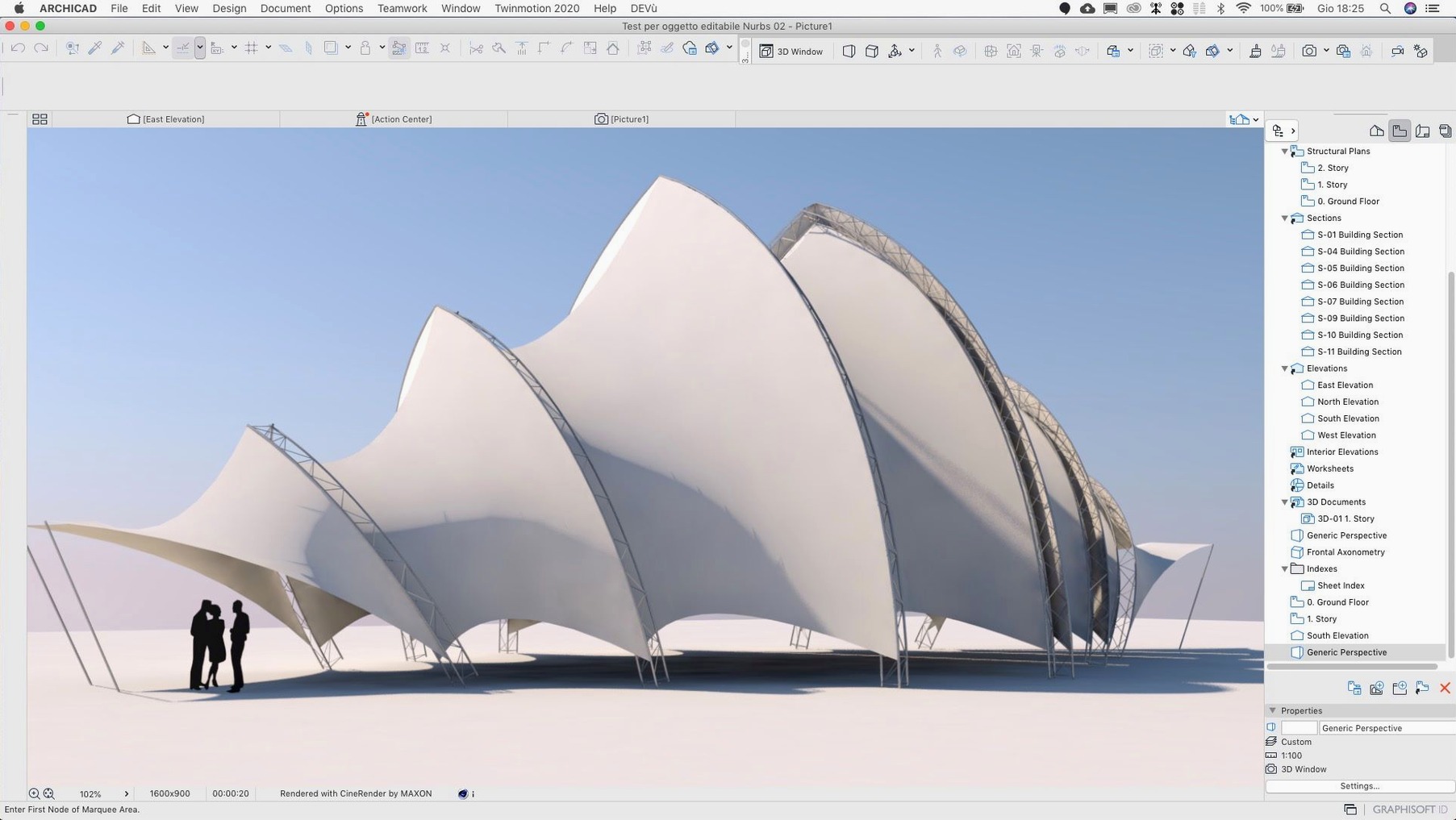
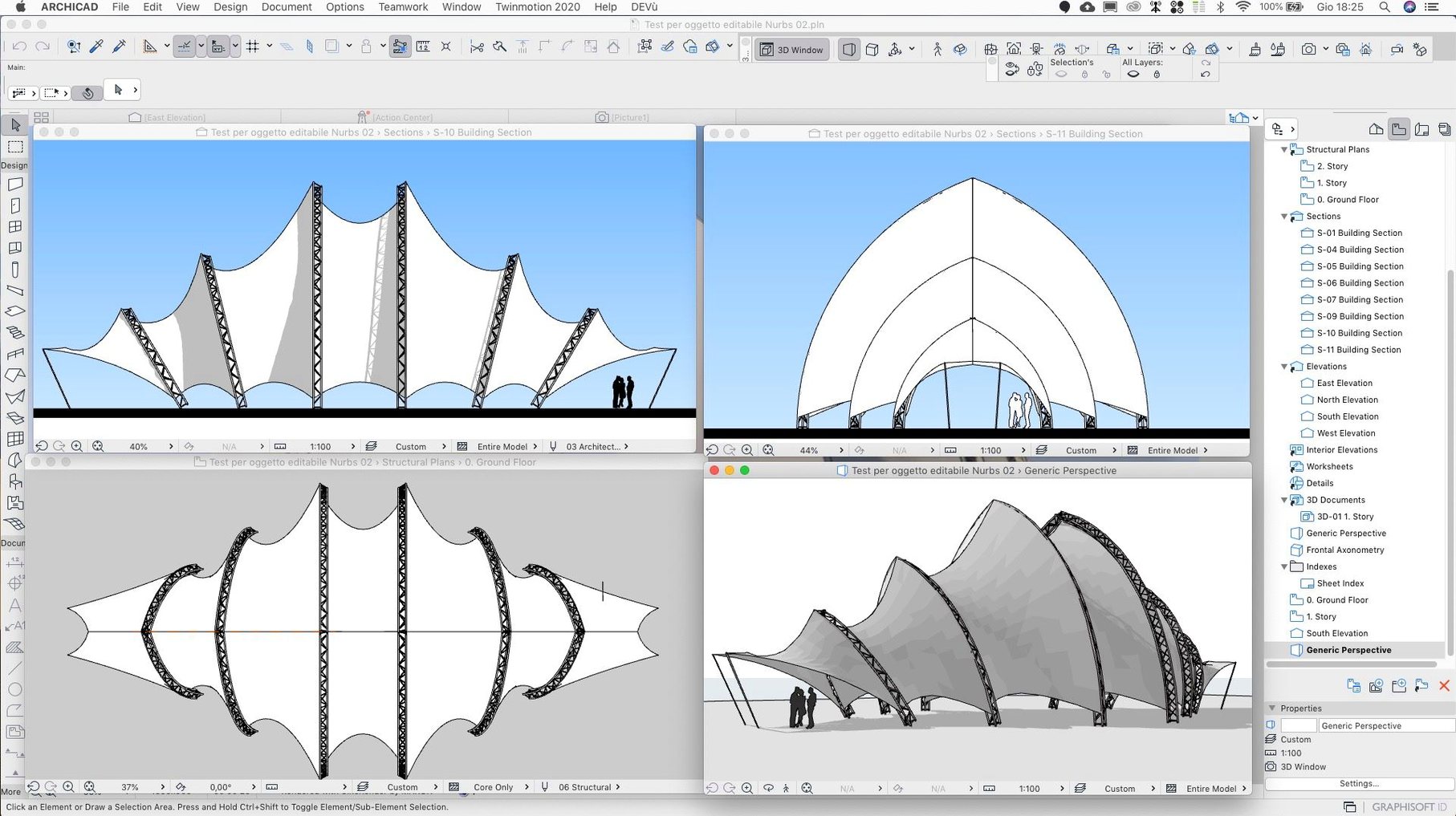
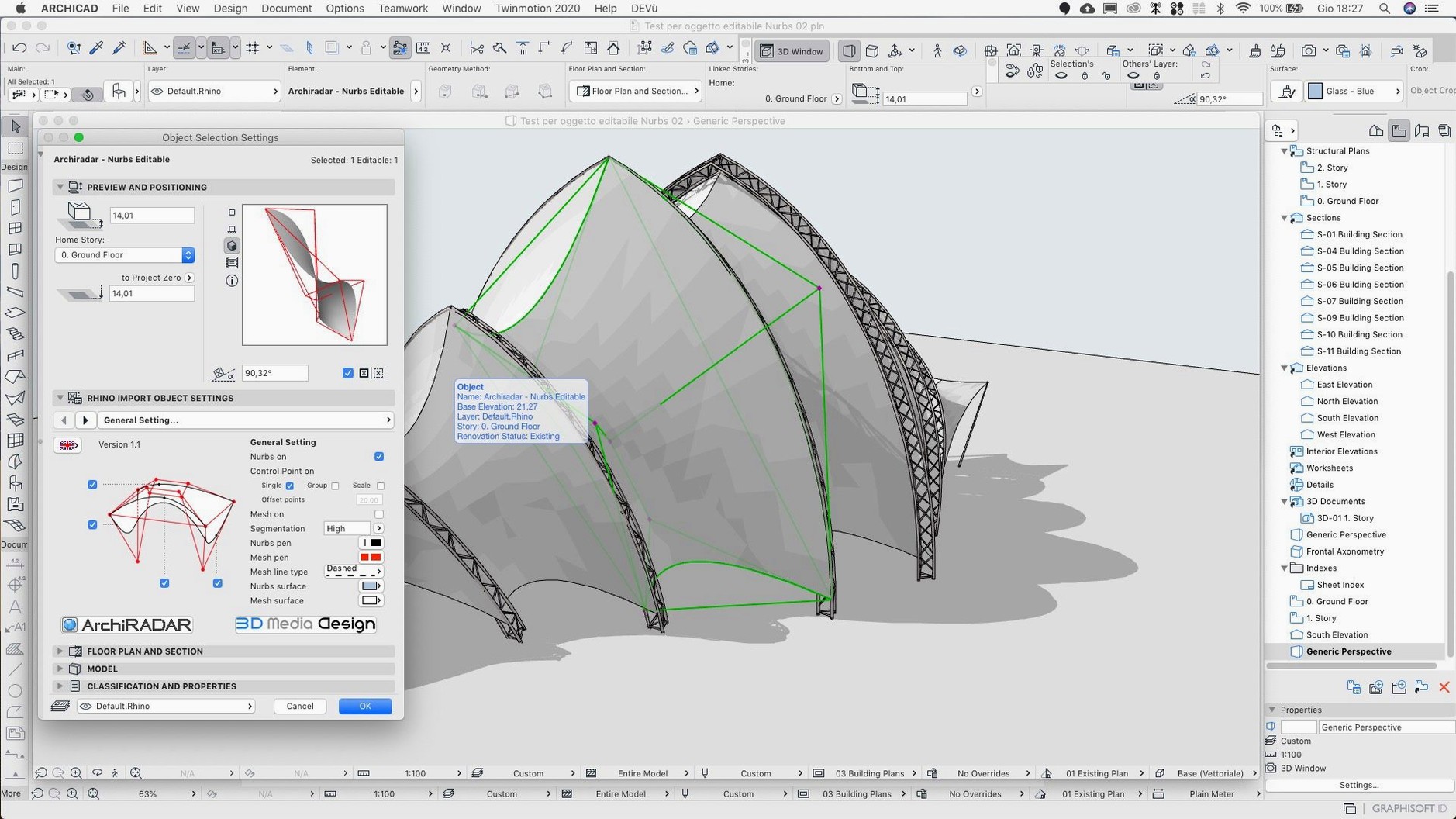
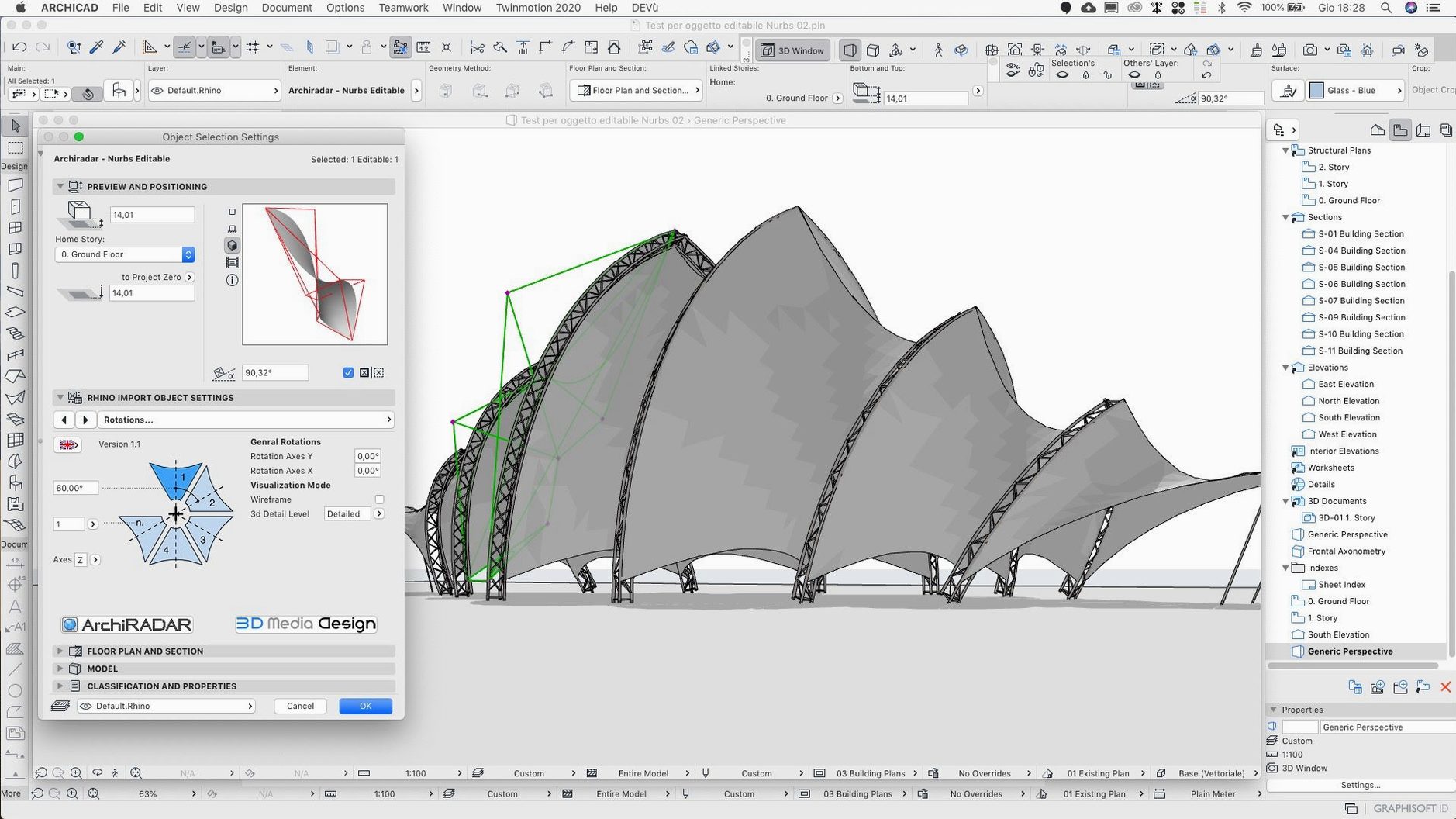
ArchiCAD finds its home with architects and BIM managers who need a deep, single-environment modeler that handles everything from massing studies to detailed construction documents. It's a staple in mid-size to large firms where teams collaborate on a shared Virtual Building and expect the model to carry real parametric intelligence, not just geometry.
Custom GDL Objects
Beyond the library, ArchiCAD's real depth shows in GDL scripting — you can write parametric elements that adapt geometry, 2D symbols, and listing data from a few lines of code. Once you build a smart door or a site element that recalculates its own dimensions based on rules, you stop settling for static blocks.
Teamwork on BIMcloud SaaS
The 29.2.1 update tightens Teamwork Send and Receive on BIMcloud SaaS, which matters when you're reserving elements across a distributed team and a slow sync breaks your flow. Smoother delta syncs keep the central model responsive, even when structural engineers are pushing changes from another office.
Interoperability and API Access
Experienced users lean on the open API and IFC exchange to pipe model data to structural consultants, energy analysts, and fabrication tools without round-tripping through dumb exports. The API site gives you a sandbox for automating repetitive tasks or building a custom bridge to the MEP engineer's toolchain.
Common Snags Worth Knowing About
Even a seasoned ArchiCAD user hits friction points. The biggest one right now is the Rotate command acting up — version 29.2.1 specifically patches an input quirk where the angle you typed wasn't the angle you got. If you haven't grabbed the hotfix yet, double-check your rotation values before sending sheets out.
Another headache people report: migrating older project files and discovering dimensions have drifted. The update resolves shifted dimension values that could sneak into migrated projects, so you're not manually re-spotting a hundred chain dimensions on a Friday afternoon.
Teamwork syncs dragging their feet on BIMcloud SaaS was a genuine pain point — the fix in this build cuts the wait, but network conditions still play a part. If you're still seeing slow Send and Receive, check whether your BIMcloud server sits behind a VPN that throttles delta updates. Sometimes the bottleneck isn't ArchiCAD at all.
The Attributes palette crash made scrolling through surfaces and building materials a lottery. That's squashed now, but a good habit remains: keep a lean attribute set per project. Importing a heavyweight template with 800 unused surfaces slows navigation and bloats the PLN file, even without crashes.
If you ever hit the Share dialog sending files to the wrong BIMcloud host, 29.2.1 sorts that out. Before the patch, the dialog occasionally grabbed the wrong server for the current folder, which meant a structural model landed on the interiors team's project by mistake.
Freeform Modeling Play vs. BIM Rigor Under One Roof
Put ArchiCAD next to Vectorworks Architect and you see two different philosophies. Vectorworks leans harder into freeform modeling and presentation — its Subdivision and NURBS tools feel more playful for early concept work. But when the job shifts to BIM coordination and multi-discipline model merging, ArchiCAD's IFC handling and Teamwork backbone pull ahead. Vectorworks suits a smaller studio doing design-build; ArchiCAD scales better once you've got four consultants and a BIM execution plan.
Revit on Mac still runs through virtualization or Parallels, which is a non-starter for plenty of Mac-native firms. ArchiCAD sits right on the metal, and its GDL scripting gives you a parametric language without diving into Dynamo's visual spaghetti. Revit's family editor is friendlier for beginners, but GDL rewards the architect willing to type a few lines of code — the geometry reacts faster and the objects stay lighter.
Against BricsCAD BIM, the difference is ecosystem maturity. BricsCAD does clever things with automatic classification and AI-driven BIMIFY on imported 3D geometry, but its Mac offering lags behind the Windows version. ArchiCAD's cross-platform parity is tighter, and the BIMcloud infrastructure is battle-tested on real projects with 20-plus concurrent users.
A Day Inside a Mid-Size Firm
A project architect at a 40-person practice opens a multi-storey mixed-use job Monday morning. The structural engineer sent revised column positions over the weekend, merged via IFC hotlink into the ArchiCAD model. She runs a quick collision check, spots a downstand beam clashing with a ceiling void the MEP consultant reserved, and flags it in the Teamwork model with a screenshot attached. By mid-morning, the BIM coordinator reserves the affected zone, nudges the ceiling height, and releases elements so the interiors team can update their reflected ceiling plan. The whole loop — clash detection, assign, fix, release — stays inside one file format and one interface. Nobody exports a DWG to mark up and re-import. That's the rhythm ArchiCAD was built for.
Apple Silicon Point-Cloud Performance Before You Install
Does it run on Apple Silicon natively? Yes. ArchiCAD has supported Apple Silicon for a while now, and the 29.2.1 build runs on both ARM and Intel Macs. On an M-series machine, model navigation stays smooth even with heavy point-cloud underlays and high-poly entourage objects.
Can I install just the update without the main version? No. The hotfix needs the full ArchiCAD 29 installation underneath it. If you try to run the updater on an empty Applications folder, it won't proceed because it's patching existing files, not laying down a fresh install.
Is registration mandatory for a point release like this? For updates, Graphisoft doesn't require sign-in — you grab the package and go. Full version downloads ask for credentials, but hotfixes skip that step.
Will my GDL objects break after updating? They shouldn't. Hotfixes in the 29.x line preserve backward compatibility with existing GDL scripts and library parts. If you authored custom objects against an older API, they'll still parse correctly in 29.2.1.
What does the crash fix actually cover? The Attributes scrolling crash that 29.2.1 addresses was reproducible when cycling through surfaces or composites quickly — particularly on machines with large custom attribute libraries. The fix stops the runaway memory spike that triggered it.
The 29.2.1 hotfix tidies up a few friction points. Here's what landed:
- Squashes a crash that could trigger while scrolling through Attributes.
- Fixes a lingering input glitch in the Rotate command.
- Sharpens Teamwork Send and Receive performance on BIMcloud SaaS.
- Corrects wrong zone wall surface area values appearing in Zone Stamps and schedules after zone geometry edits.
- macOS 14 or newer
- Supports both Intel and Apple Silicon Macs
Questions people ask
Does the ArchiCAD 29.2.1 hotfix break existing Teamwork projects?
No — the hotfix improves Teamwork Send and Receive reliability and fixes a scrolling crash, so it's designed to stabilize existing workflows, not disrupt them.
Also on readers' docks
Sign in or create an account to leave a comment.
No comments yet. Tell me how it got on with your other devices.
More in CAD & 3D
See all Artlantis
9.5.2.32853 CAD & 3D
370 MB
Artlantis
9.5.2.32853 CAD & 3D
370 MB
 AutoCAD
2027 CAD & 3D
2.3 GB
AutoCAD
2027 CAD & 3D
2.3 GB
 Autodesk Flame
2027.1 CAD & 3D
8.4 GB
Autodesk Flame
2027.1 CAD & 3D
8.4 GB
 Adobe Substance 3D Sampler
6.0.4 CAD & 3D
675 MB
Adobe Substance 3D Sampler
6.0.4 CAD & 3D
675 MB
 Adobe Substance 3D Painter
12.1.5 CAD & 3D
3 GB
Adobe Substance 3D Painter
12.1.5 CAD & 3D
3 GB
 Adobe Dimension
4.1.7 CAD & 3D
3.5 GB
Adobe Dimension
4.1.7 CAD & 3D
3.5 GB
 BricsCAD
24.2.04-05-1 CAD & 3D
1.1 GB
BricsCAD
24.2.04-05-1 CAD & 3D
1.1 GB
 CorelCAD
2022.5 Build 22.3.1.4090 CAD & 3D
293 MB
CorelCAD
2022.5 Build 22.3.1.4090 CAD & 3D
293 MB