







Download iExplorer for macOS
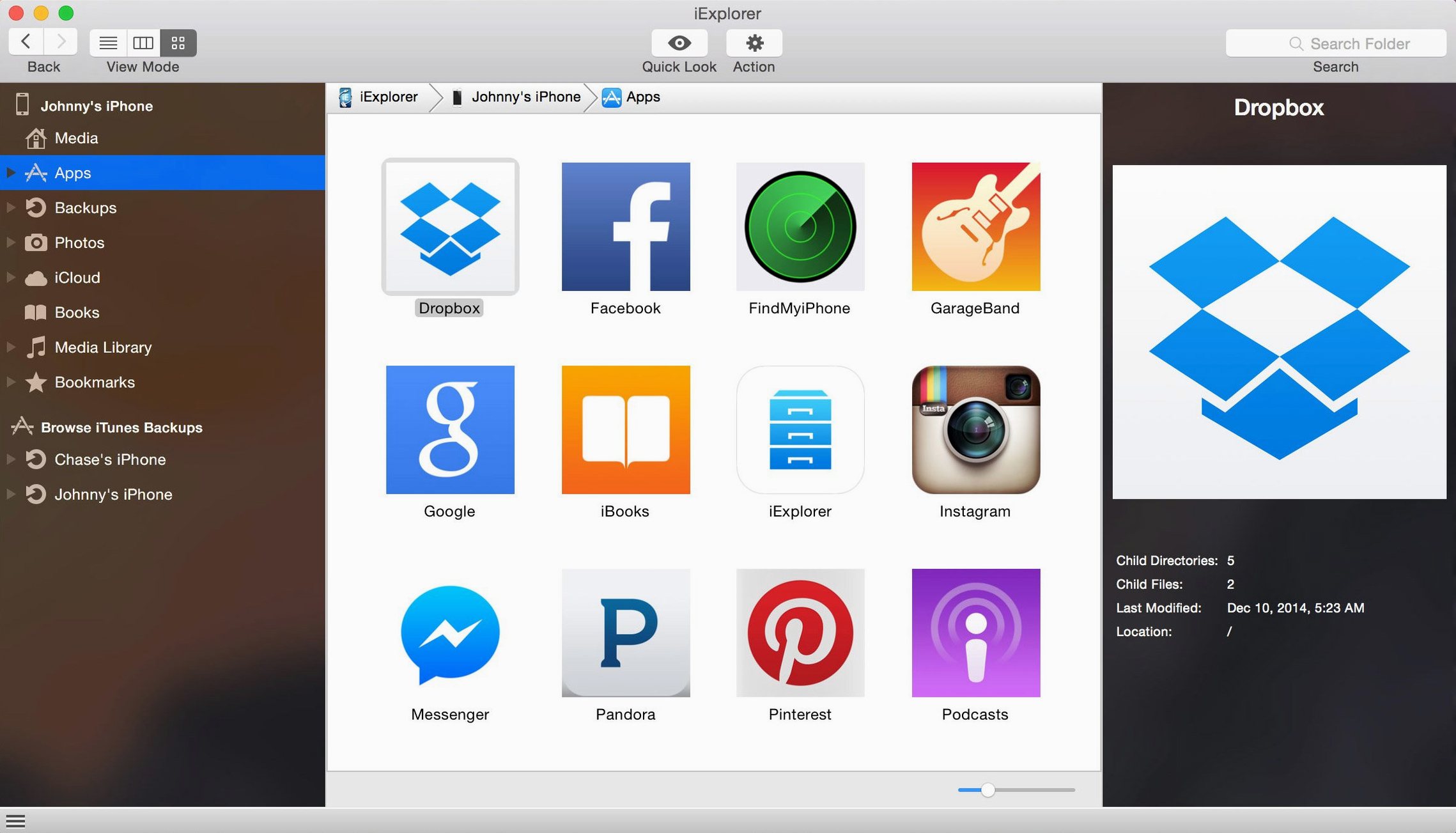
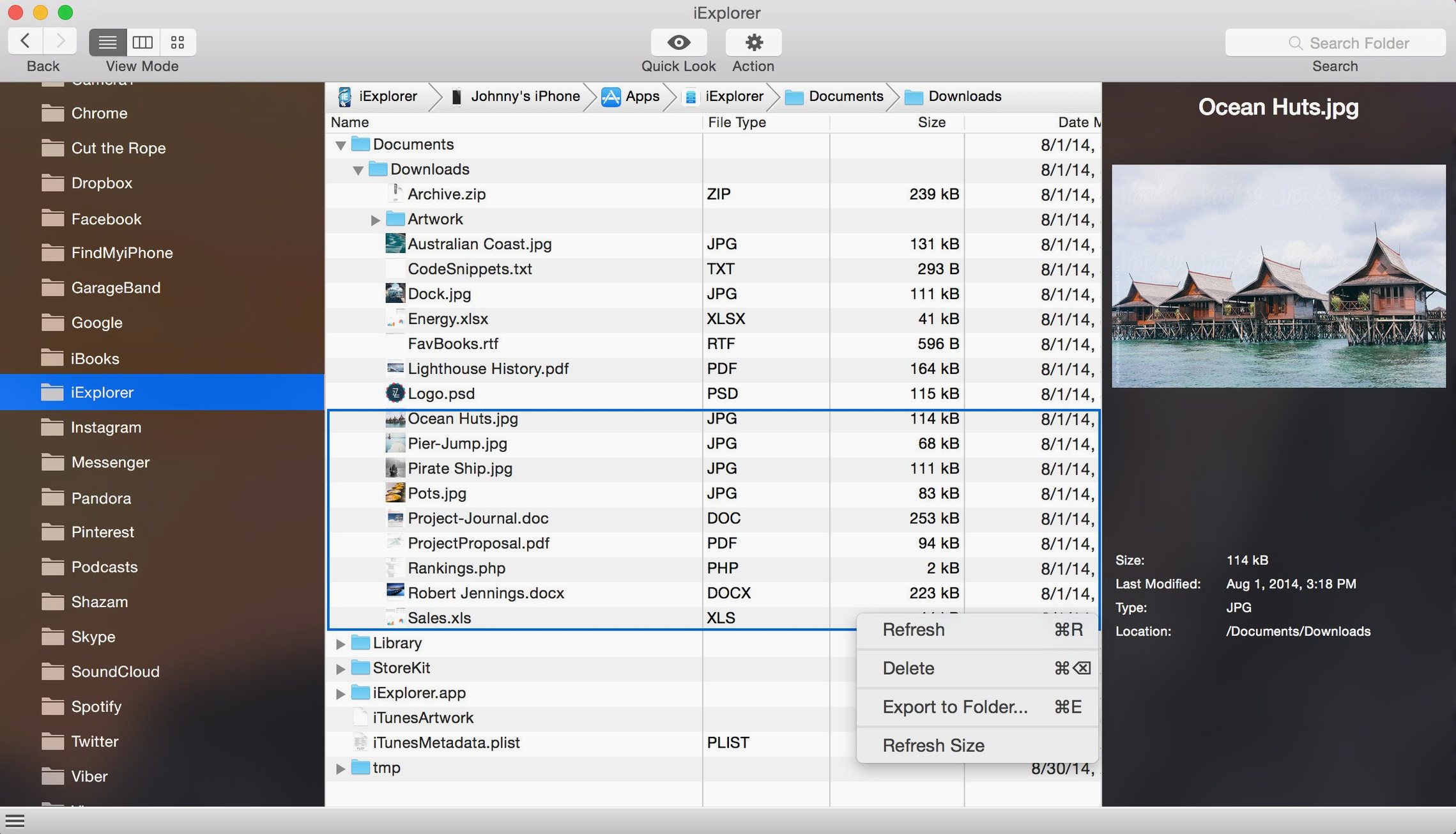
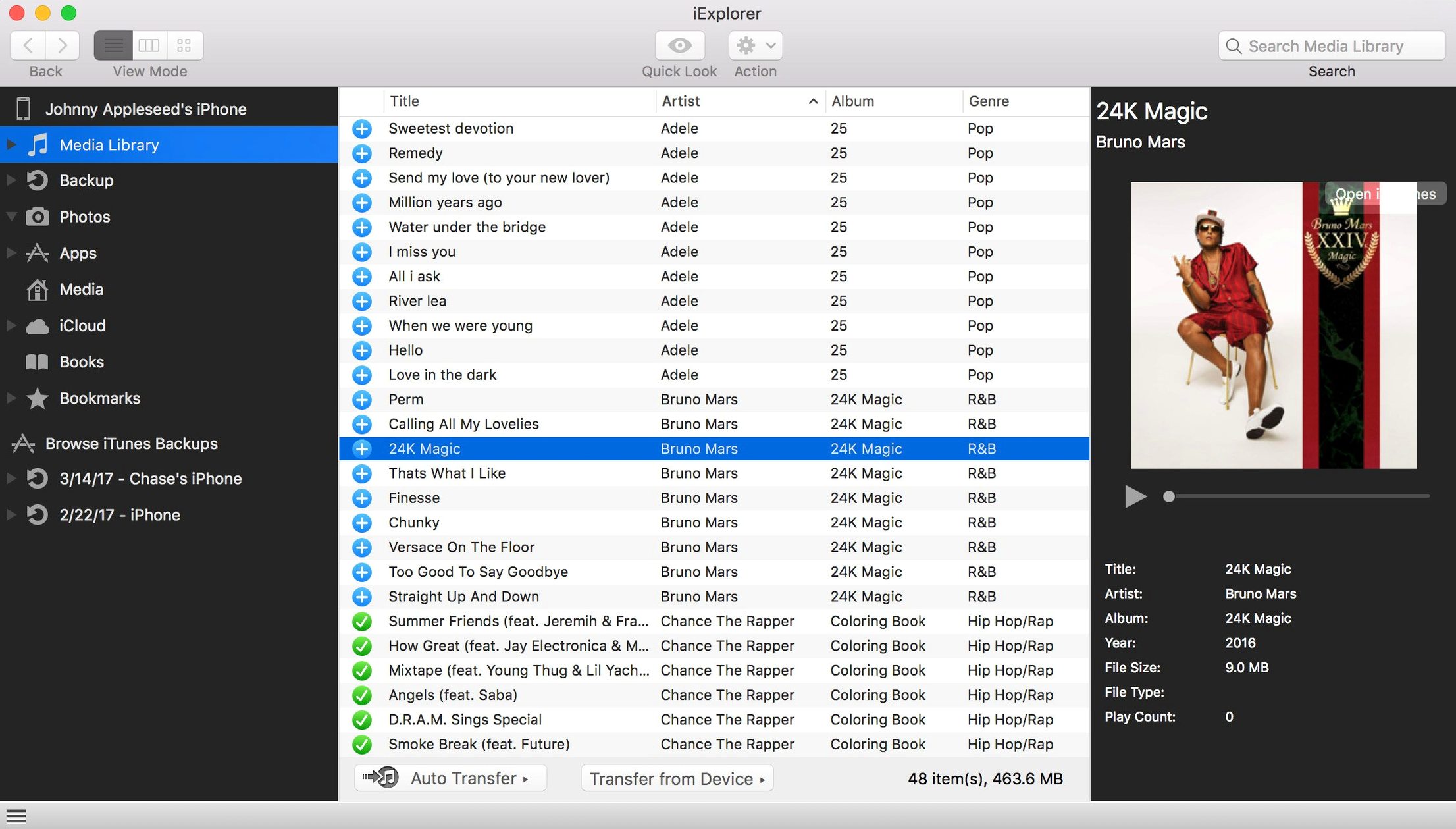
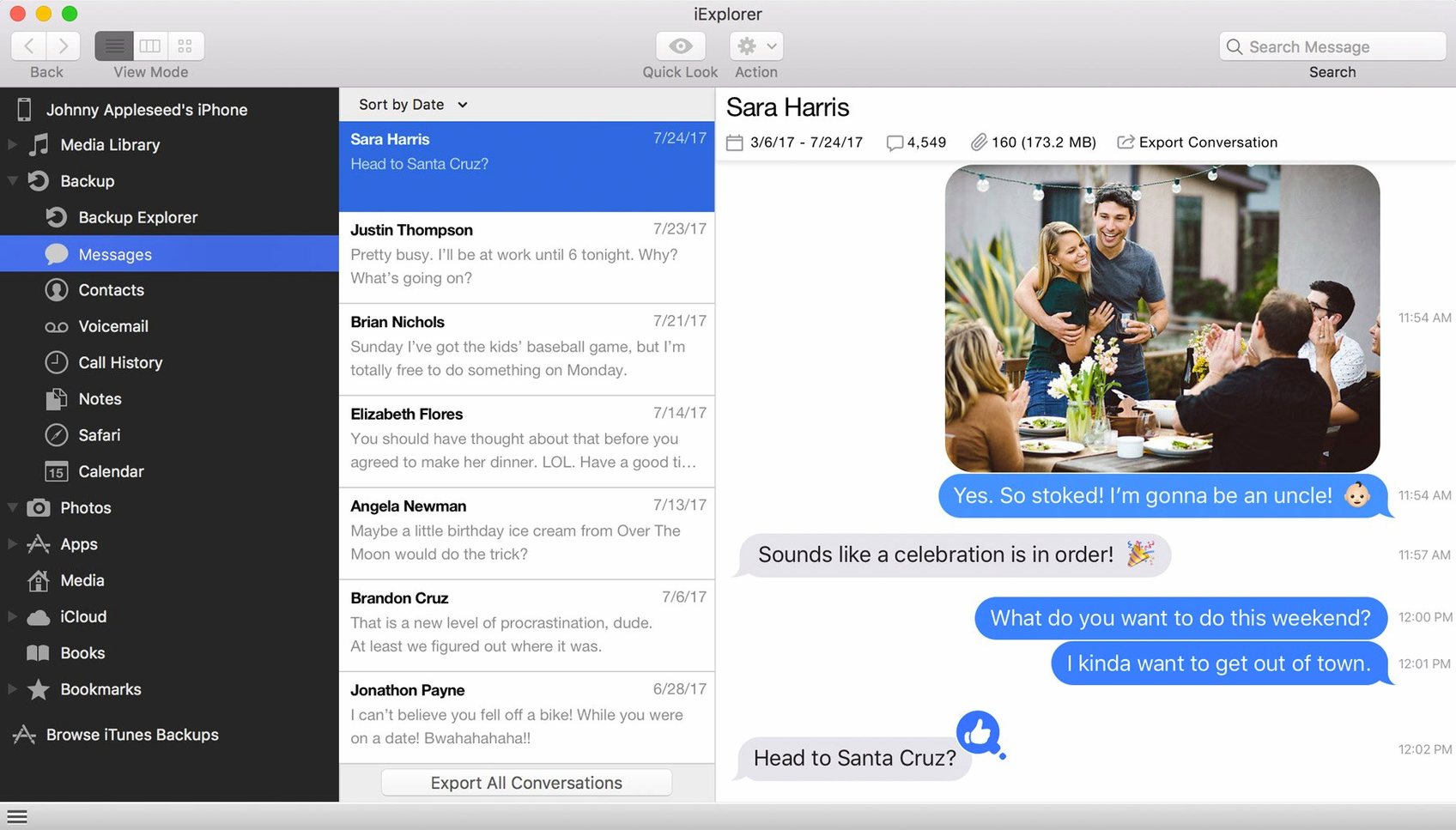
You plug your iPhone into your Mac, not to charge, but because you want a specific playlist moved over to iTunes and a few old voice memos pulled from an archived backup. That's where iExplorer steps in.
Requires iTunes as the Device Bridge
iExplorer needs macOS 10.10 or later and an Intel 64-bit processor. You also need iTunes installed—the app uses it as a bridge to talk to your device.
Browse music, files, and backups
Transfer songs and playlists straight from an iPhone, iPad, or iPod into your iTunes library, or open any backup stored on your Mac to pull out specific data.
Access iCloud and device storage
Blank Screen Fix: Install or Update iTunes
Most hiccups with iExplorer come down to two things: a missing iTunes install or a device that isn't trusted yet. If the app opens to a blank screen, double-check that iTunes is installed and fully updated—iExplorer leans on its drivers to talk to your hardware. The second culprit is the "Trust This Computer" prompt on your iPhone or iPad. Unlock the device after plugging it in and hit Trust; if you already dismissed it, unplug and reconnect to trigger it again.
Sometimes iExplorer sees the device but shows empty folders. That usually means you're looking at a section the app can't read without a full backup present. Try running a quick backup in iExplorer first—just click the device name in the sidebar and let it snapshot your data. After that, app folders and message archives tend to populate properly.
If you're hunting for an iExplorer Mac crack or an iExplorer torrent that promises to skip these setup steps, you'll want to make sure the build includes the latest iOS 16 compatibility tweaks. The 4.6.0 release specifically patched how it reads newer device structures, so a cracked build needs to match that version to handle the connection smoothly.
Pull a Voice Memo from an Old Backup
Imagine a Sunday afternoon. You've got an old iPhone backup sitting in ~/Library/Application Support/MobileSync/Backup and you want the voice memo from a trip two summers ago.
You launch iExplorer and ignore the connected-device sidebar for a moment. Instead, you click Browse Backups on the home screen. A list of dated snapshots appears. You pick the one from July and wait a few seconds while it parses the database. The left sidebar reshuffles—now it shows that backup's hierarchy: Media, Messages, Notes, Voice Memos.
You drill into Voice Memos, see a list of .m4a files with timestamps as names, and sort by date. There it is. You drag it to a folder on your desktop, and iExplorer copies it across in about the time it takes to pour a fresh coffee. Then you plug in your current iPhone, click its name in the sidebar, navigate to Media Library, and drop that same file back onto the device so it lives in the Music app. No iTunes sync, no Finder drag-and-drop fuss—just a straight line from backup to device.
Offload Years of Messages and Media
People who keep their phones for years and accumulate message threads, voice notes, and sprawling photo libraries tend to click with iExplorer fastest. If you've ever stared at a "Storage Almost Full" warning and wanted to pull off a year's worth of attachments without deleting them one by one, the app's disk-mounting mode feels like a relief valve.
Musicians and DJs who still manage local libraries in iTunes lean hard on the playlist export feature. Instead of rebuilding a setlist from scratch after switching laptops, they drag entire playlists—ratings and play counts intact—straight from an old iPod or iPhone into a fresh iTunes library. That's a niche that cloud sync still fumbles, and it's where iExplorer's local-first approach shines.
Developers testing app file structures also get mileage here. The app-data browser exposes Documents and Library folders inside each sandbox, so you can inspect sqlite databases or cached images without needing Xcode's device window open. It's not a replacement for a proper dev tool, but for quick peeks it's considerably less ceremony.
No Jailbreak Needed, Just Trusted Access
Does this need a jailbreak? No, and that's the whole point. iExplorer reads what Apple's own protocols expose to a trusted computer. You won't get root-level access, but you don't need it for music, photos, messages, or backups.
Will it mess up my iTunes library? It pulls data from a device into iTunes—it doesn't overwrite your Mac's library unless you explicitly drag files the other way. Transfers are one-directional by default, so your existing playlists stay safe.
Can I use it without an internet connection? Absolutely. Everything happens over USB between your Mac and the device. The iCloud browser section does need a connection, but local backups, file transfers, and disk mounting work offline.
What if I just want the full iexplorer full experience without hunting down separate downloads? The 4.6.0 build bundles iOS 16 compatibility and the backup browser in one package right from the start. There's no modular install where features are locked behind additional downloads—you get the backup explorer, the disk mounter, the iCloud viewer, and the media transfer tools all at once.
The app gives you a desktop window into your device's file system and even lets you reach iCloud storage without juggling browser tabs.
- Compatibility improvements for iOS 16.
- macOS 10.10 or later
- Intel 64-bit processor
- iTunes
Also on readers' docks
Sign in or create an account to leave a comment.
No comments yet. Tell me how it got on with your other devices.
More in Mac Apps
See all iDownerGo
10.15.0 Mac Apps
76 MB
iDownerGo
10.15.0 Mac Apps
76 MB
 Imagenomic Plugin Suite
2027 Mac Apps
71 MB
Imagenomic Plugin Suite
2027 Mac Apps
71 MB
 IDA Pro
9.4.260713.a97520e5 Mac Apps
947 MB
IDA Pro
9.4.260713.a97520e5 Mac Apps
947 MB
 Imagenomic Portraiture
4.5 Build 4501 Mac Apps
65 MB
Imagenomic Portraiture
4.5 Build 4501 Mac Apps
65 MB
 iMazing
3.6.5 Mac Apps
242 MB
iMazing
3.6.5 Mac Apps
242 MB
 Infuse Pro
8.5.5 CRACKFIX Mac Apps
90 MB
Infuse Pro
8.5.5 CRACKFIX Mac Apps
90 MB
 HitPaw Watermark Remover
2.4.7 Mac Apps
290 MB
HitPaw Watermark Remover
2.4.7 Mac Apps
290 MB
 HitPaw Video Converter
4.5.0 Mac Apps
577 MB
HitPaw Video Converter
4.5.0 Mac Apps
577 MB