








Download Infuse Pro for macOS
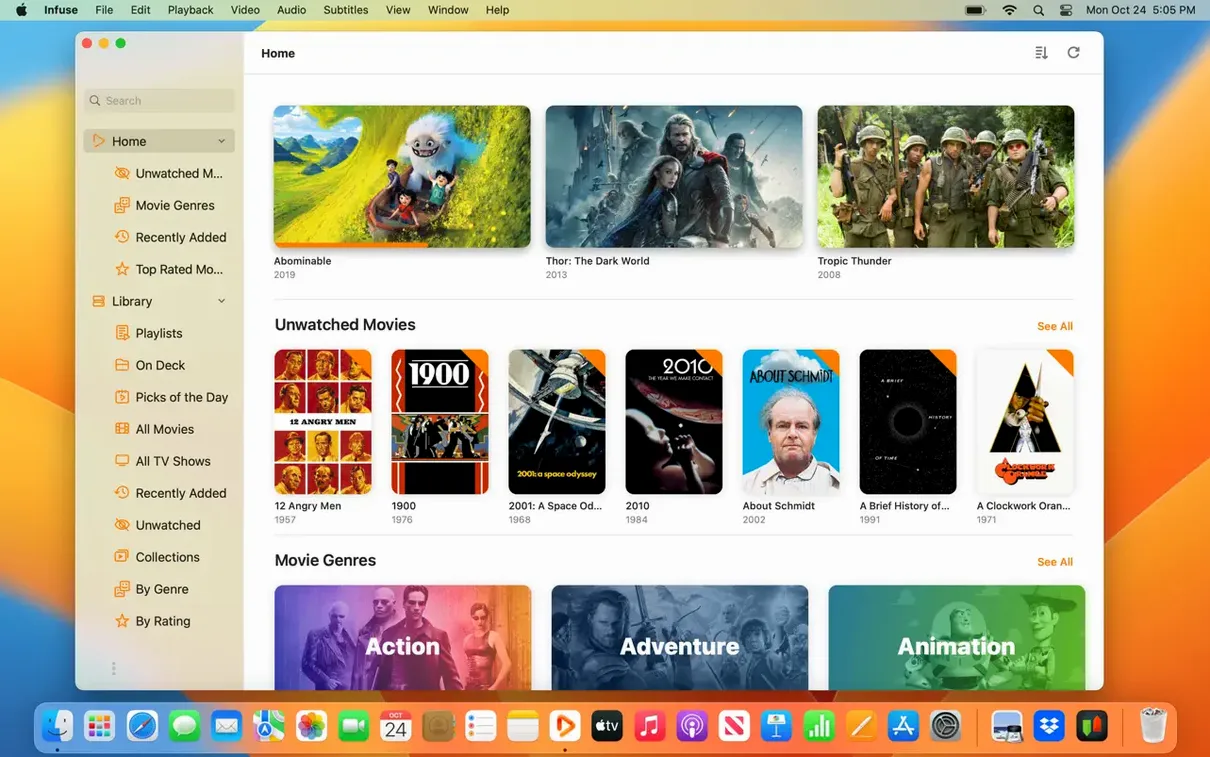
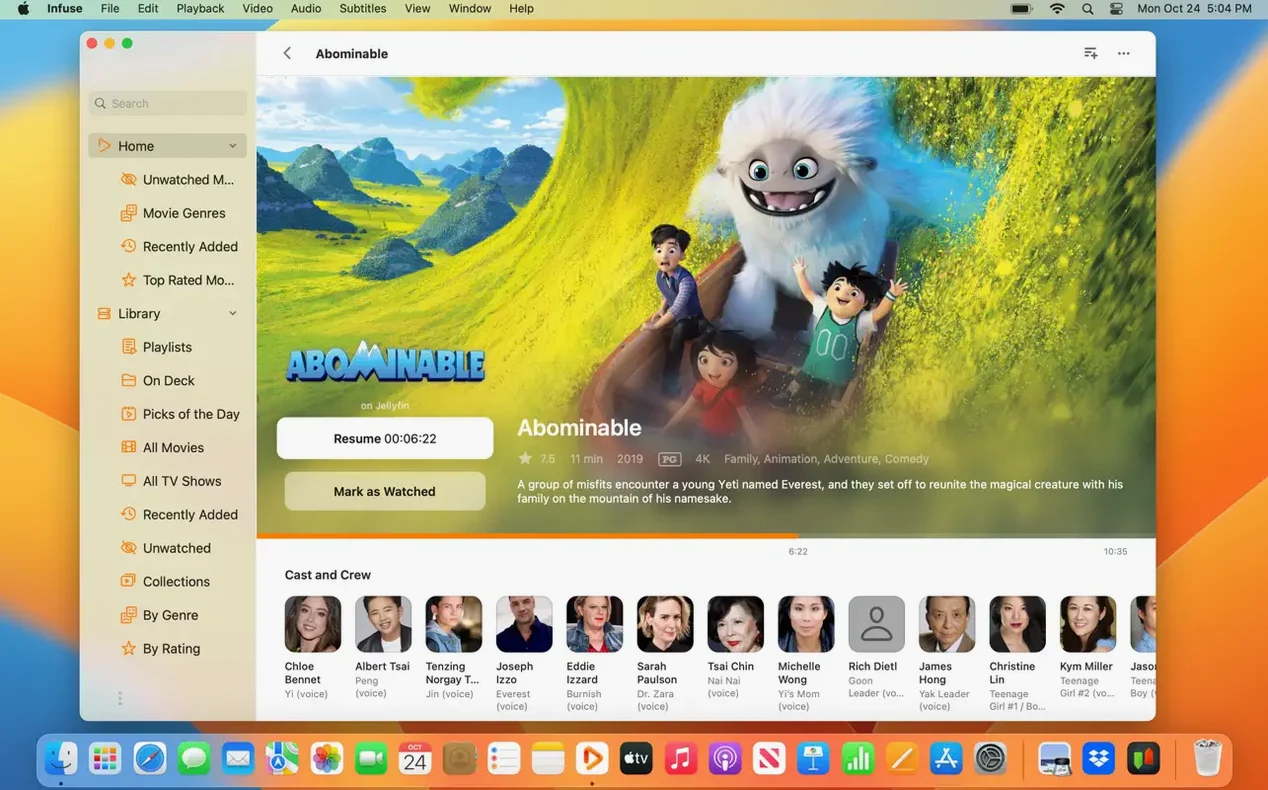
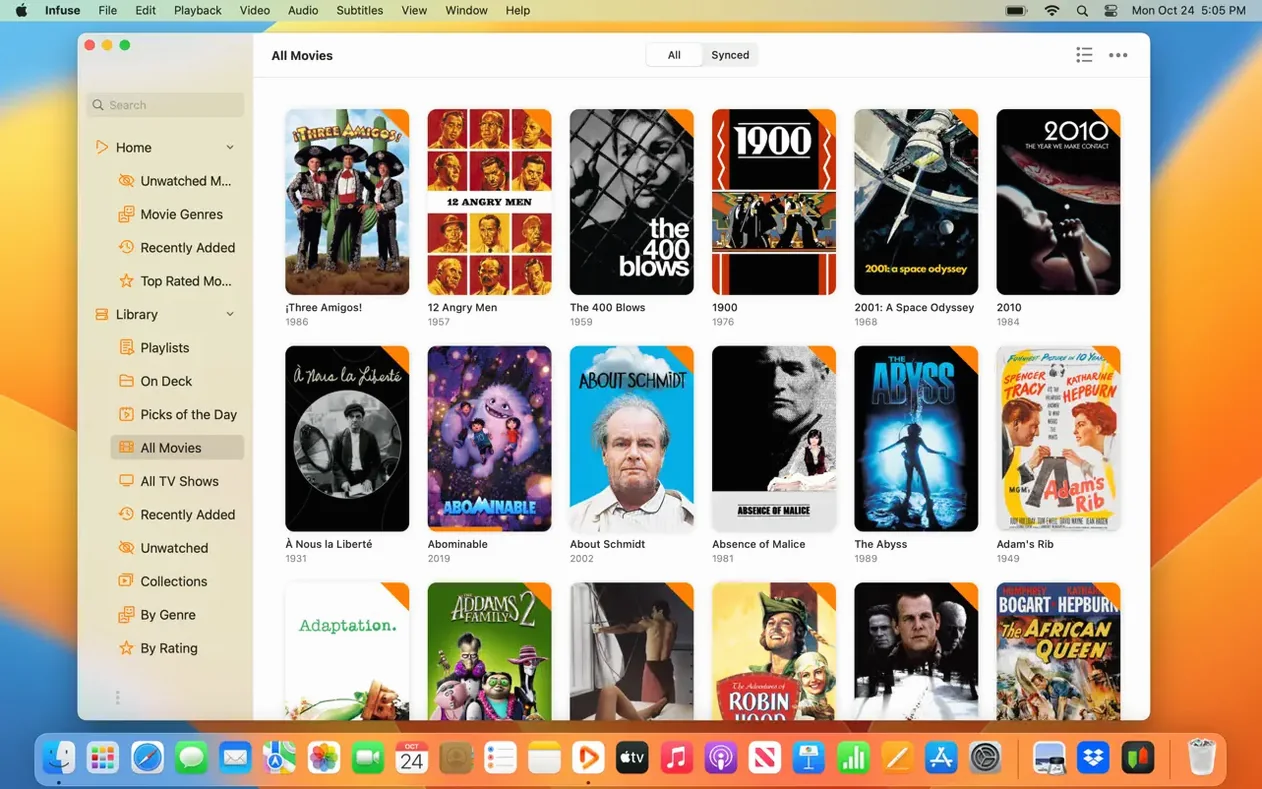
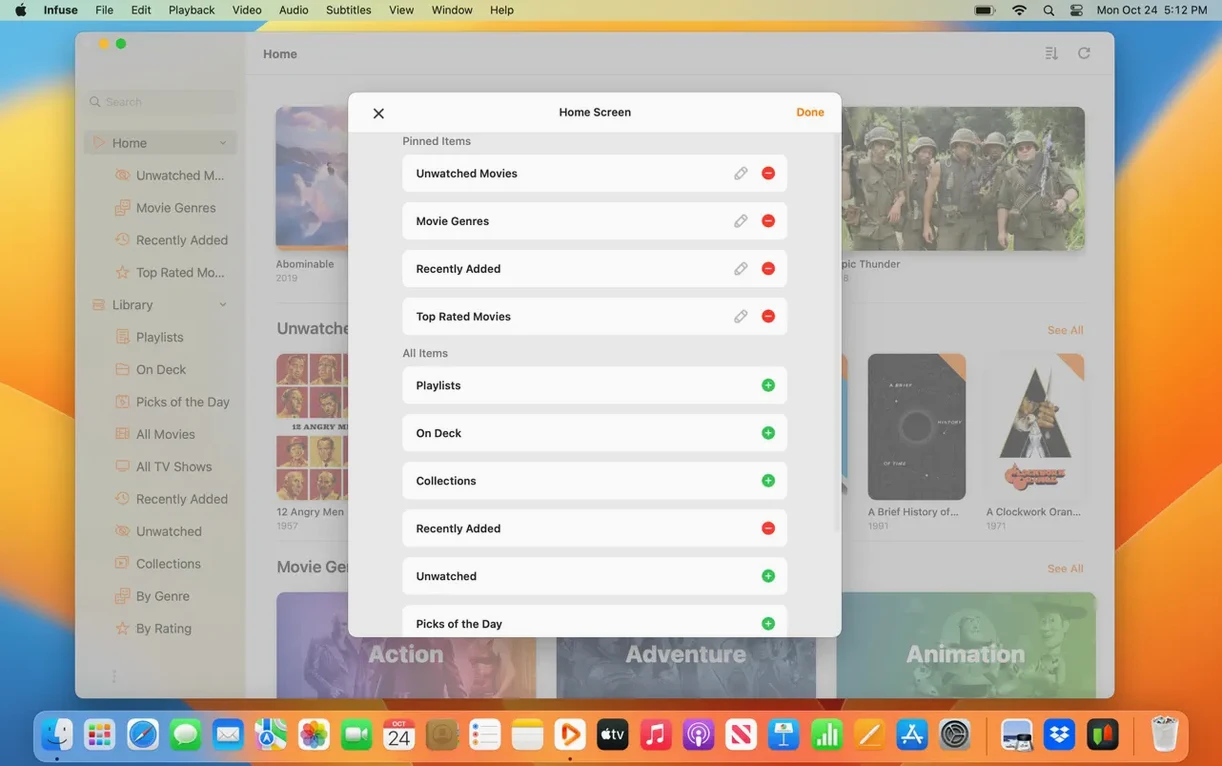
If you’ve ever opened a video in QuickTime only to get that “file not compatible” error, Infuse is the software you probably switched to VLC for. It’s built to handle almost anything you throw at it, but wraps that capability in a cleaner, more modern interface. The Pro version adds cloud streaming and a few other perks, making it feel less like a utility and more like a full media center.
What it handles out of the box
- Plays MP4, MKV, AVI, WMV, MTS, ISO, WebM, and many more without conversion
- Fetches subtitles from OpenSubtitles or lets you drag in your own files on the fly
- Streams directly from network drives, Plex, Jellyfin, Dropbox, Google Drive, and others
- Keeps watched history and ratings in sync with Trakt
Made for a multi-device library
The real draw is how it ties your local and streaming videos together. You point Infuse at a folder or a cloud account and it builds a proper library with artwork and metadata, not just a file list. Trakt sync means you can stop halfway through a movie on your Mac and pick it up on another device without thinking about it. It’s optimized for macOS 12 and up, and runs natively on both Apple Silicon and Intel Macs.
Who clicks with Infuse Pro the most
People who keep a local media library are the obvious answer, but it goes deeper than that. If your Mac sits on the same network as a NAS stuffed with Blu-ray rips and you want a player that treats that collection like a first-class library rather than a folder tree, Infuse Pro is built for exactly that rhythm. The artwork scraping, the grouped seasons, the way it remembers which episode you were on — that stuff matters when you have terabytes of content and don't want to browse by filename.
Another group that gets a lot out of it: anyone who hops between Apple devices during the day. Start a film on the Mac in the office, finish it on the iPad in bed, with watched progress synced through iCloud. The Pro tier makes that transition invisible, and it's one of those things you stop noticing until you use a player that doesn't do it and suddenly you're scrubbing around trying to remember where you left off.
Users who juggle multiple cloud accounts also benefit. Having Google Drive, OneDrive, and a WebDAV connection all accessible from one library view — without downloading everything first — turns the app into a hub. It's less about file management and more about playback convenience across sources that normally live in separate silos.
Metadata-rich library beats a bare playlist
Infuse Pro versus VLC. VLC plays everything and costs nothing, and for a quick one-off file it's hard to beat. Where Infuse pulls ahead is the library experience. VLC gives you a playlist; Infuse gives you a browsable, metadata-rich catalog. If you watch a movie every few days, VLC is fine. If you live inside a media library daily, Infuse feels like a dedicated home theater app rather than a swiss-army knife.
Infuse Pro versus IINA. IINA is a wonderful Mac-native player with a clean design and solid format support. It follows the modern macOS look more closely than VLC. Where Infuse differentiates itself is cross-device sync and cloud streaming. IINA plays local files beautifully, but it doesn't build a synced library across your iPhone and Apple TV. For a single-Mac setup, IINA might be all you need. For an ecosystem setup, Infuse makes more sense.
Infuse Pro versus Elmedia Player. Elmedia handles a broad range of formats and includes some streaming features, particularly around AirPlay and DLNA. Infuse Pro casts a wider net for cloud services and adds the Trakt and iCloud sync layers that Elmedia doesn't offer. Elmedia feels oriented toward playback on one machine; Infuse Pro keeps your place across several.
Direct-play decoding saves your server from transcoding
Does it need to transcode everything like Plex? No, and that's one of its biggest strengths. Infuse decodes almost everything in software on the device itself, so your NAS or server doesn't have to break a sweat converting files on the fly. Direct play is the default, which means faster start times and no quality loss from transcoding. If your network gear can push the bits through, Infuse can handle the decoding locally.
What happens if I drop the Pro features later? The player still works, formats still play, and your library structure remains intact. You lose the iCloud sync, the cloud streaming sources, and a few audio codec perks like DTS-HD support. The core playback engine stays just as capable. Nothing locks you out of your own files.
Will it choke on a huge library? In our experience, a library with thousands of items scans quickly on a modern Mac, especially over a wired connection or fast Wi-Fi. The initial metadata fetch takes the longest — pulling artwork and descriptions from TMDB — but playback itself isn't affected once the library is built. People running an infuse dmg fresh from setup sometimes worry about that first scan taking a while, but it's a one-time cost.
Beginner stumbling blocks worth avoiding
Pointing Infuse at the wrong folder level. If you add your entire NAS root as a source, the app tries to parse everything — backups, random ISOs, old work files — and the library becomes a mess. It's better to add specific media folders, like /Movies and /TV Shows, so the metadata scraper has clean signals to work with.
Ignoring the file naming conventions. Infuse is smart, but it's not psychic. If your TV episodes are named something like ep1-final.mp4, don't expect season and episode grouping to work. A simple pattern like Show Name S01E03.mkv goes a long way. The same applies to movies — including the year helps disambiguation enormously.
Forgetting to check subtitle settings before playback starts. Infuse can fetch subtitles from OpenSubtitles automatically, but the language preference needs to be set in advance. New users often start a foreign-language film, realize no subtitles appear, and then fumble through menus mid-playback. Setting your preferred subtitle language in the app's settings once saves that headache permanently.
Assuming cloud sources work like local files. Streaming from Google Drive or OneDrive works well, but scrubbing through a high-bitrate file relies on your internet connection. Beginners sometimes expect instant seeking the way a local SSD delivers it, then blame the app when a 4K remux buffers for a moment. The app handles the stream capably — it just can't rewrite physics.
- macOS 12 or later
- Apple Silicon or Intel Mac
Questions people ask
Does Infuse work with Plex or Jellyfin servers?
Yes, Infuse can stream videos directly from Plex, Emby, and Jellyfin servers, as well as regular network shares.
Can I add my own subtitles if the video doesn’t have them?
Absolutely. You can load subtitles from OpenSubtitles or simply drag an external subtitle file onto the player while a video is running.
Also on readers' docks
Sign in or create an account to leave a comment.
No comments yet. Tell me how it got on with your other devices.
More in Mac Apps
See all iMazing
3.6.5 Mac Apps
242 MB
iMazing
3.6.5 Mac Apps
242 MB
 Imagenomic Portraiture
4.5 Build 4501 Mac Apps
65 MB
Imagenomic Portraiture
4.5 Build 4501 Mac Apps
65 MB
 Intellij IDEA
2026.2.3 Mac Apps
1.5 GB
Intellij IDEA
2026.2.3 Mac Apps
1.5 GB
 Imagenomic Plugin Suite
2027 Mac Apps
71 MB
Imagenomic Plugin Suite
2027 Mac Apps
71 MB
 iExplorer
4.6.0 Mac Apps
30 MB
iExplorer
4.6.0 Mac Apps
30 MB
 Invisible
3.2.2 Mac Apps
5 MB
Invisible
3.2.2 Mac Apps
5 MB
 iDownerGo
10.15.0 Mac Apps
76 MB
iDownerGo
10.15.0 Mac Apps
76 MB
 IDA Pro
9.4.260713.a97520e5 Mac Apps
947 MB
IDA Pro
9.4.260713.a97520e5 Mac Apps
947 MB