







Download Invisible for macOS
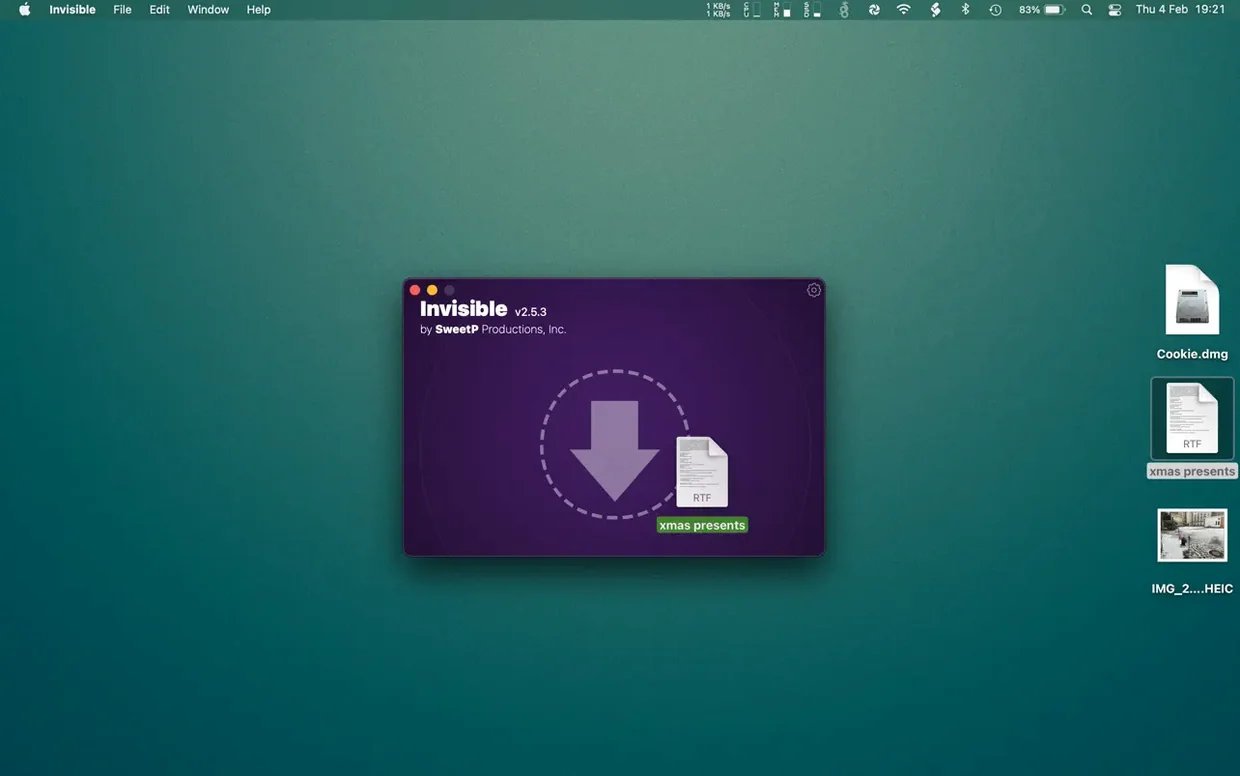
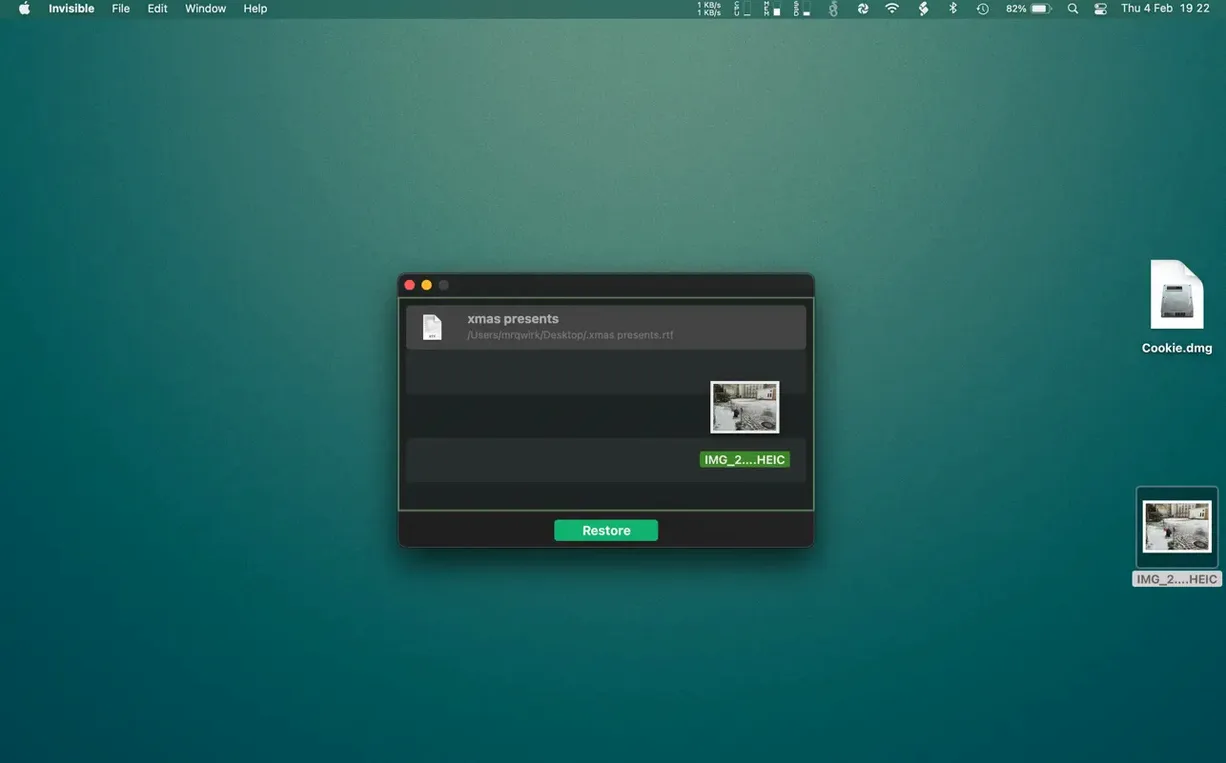
This release keeps Invisible running smoothly on current macOS versions, so the core experience remains the same: quick, unobtrusive file hiding. If you’ve just installed it, start with something low-stakes to get a feel for the flow. Drag a test folder onto the app window and watch it vanish from Finder. A double-click on the hidden item inside Invisible opens it right up, and tapping the spacebar gives you a Quick Look preview — you never need to make anything visible just to peek at it.
| Developer | SweetP Productions |
|---|---|
| Version | 3.2.2 |
| macOS | 11.5 or later |
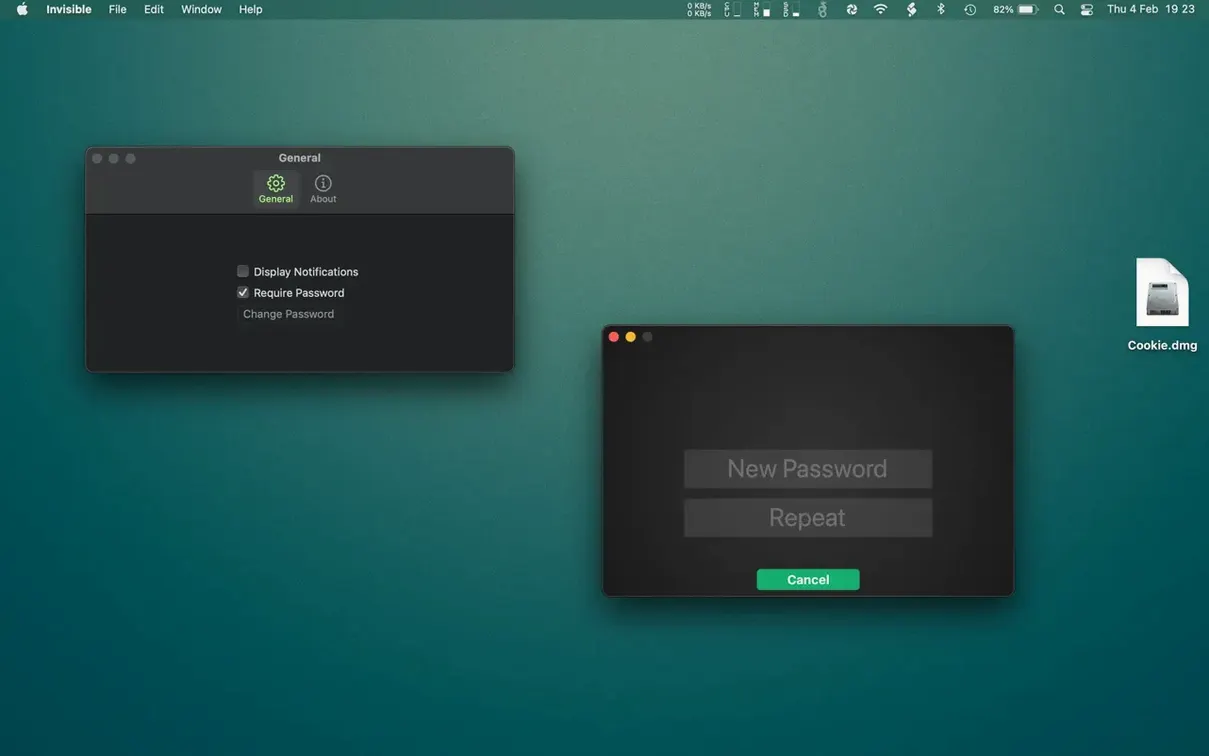
The real utility kicks in when you lock the app behind a password or Touch ID. After that, your hidden items stay invisible in Finder and Spotlight, but you can still open and preview them from inside Invisible without ever revealing them to the system at large. When you’re done, one click makes everything visible again. It leans entirely on macOS’s own hiding mechanism, so there’s no file wrapping or encryption dance — just a clean privacy layer for documents you’d rather keep out of plain sight.
Hiding a file then revealing all with AppleShowAllFiles
New users often treat Invisible like a vault and forget it leans on macOS's standard hiding flag. That leads to the first common slip: hiding a file inside Invisible, then later running a Terminal command like defaults write com.apple.finder AppleShowAllFiles YES and wondering why everything reappeared. The app doesn't encrypt or relocate anything — it flips the same invisibility bit a power user can toggle. If someone has admin access and knows where to look, hidden items are still findable.
Another early misstep is hiding app support folders or system files out of curiosity. Invisible won't stop you, but moving or hiding something a background process expects to find can cause odd behaviour that's hard to trace back. Stick to your own documents, media, and folders — nothing inside ~/Library unless you're absolutely sure.
People also forget that hiding a folder hides everything inside it, including files other apps might need. If you hide your Downloads folder while a browser is set to save there, downloads silently fail or land elsewhere. The same goes for hiding desktop items without realising Invisible's quick-clear function affects everything, not just the clutter you meant to tuck away.
No encryption, just the macOS hiding flag
Does Invisible encrypt my files? No — it uses the operating system's built-in hiding flag, not encryption. Think of it as a privacy curtain, not a safe. For sensitive material that needs cryptographic protection, you'll want a dedicated encryption tool alongside it.
Can Spotlight still find hidden items? While a file is hidden through Invisible, Spotlight won't surface it in searches. The app suppresses indexing for those items during the hiding period. Once you make them visible again, they rejoin the index.
What happens if I uninstall the app without unhiding things first? Your files stay exactly where they were, still marked as hidden. You can reveal them later by reinstalling Invisible or by using Finder's built-in visibility toggle — but the latter requires comfort with Terminal or a third-party utility that surfaces invisible macos free of charge. The app doesn't hold your data hostage.
Is this like those invisible limiter g2 free download tools for audio? Completely different domain — those are dynamics processors for music production. Invisible is strictly a file-hiding utility. The name overlap causes confusion now and then, but there's no connection.
Will hidden files survive a macOS update? Yes. The invisibility flag is a standard filesystem attribute, so system updates don't touch it. Your hidden items remain hidden across upgrades unless you manually reveal them or run a script that strips file attributes.
- macOS 11.5 or later
- Works on both Intel and Apple Silicon Macs
- Interface language: English
Questions people ask
Can I open a hidden file without making it visible again?
Yes. Double-click a file inside Invisible to open it, or press the spacebar for a Quick Look preview — no need to reveal it in Finder first.
How does Invisible protect my hidden files?
You can lock the app with a password or biometric authentication like Touch ID, which prevents anyone else from opening Invisible and seeing or restoring your hidden items.
Does Invisible encrypt my files?
No, it uses macOS's built-in file-hiding function. Think of it as a privacy curtain rather than a vault — files are hidden from view but not encrypted.
Also on readers' docks
Sign in or create an account to leave a comment.
No comments yet. Tell me how it got on with your other devices.
More in Mac Apps
See all Intellij IDEA
2026.2.3 Mac Apps
1.5 GB
Intellij IDEA
2026.2.3 Mac Apps
1.5 GB
 iStat Menus
7.50 Mac Apps
23 MB
iStat Menus
7.50 Mac Apps
23 MB
 iTubeGo
10.15.0 Mac Apps
115 MB
iTubeGo
10.15.0 Mac Apps
115 MB
 Infuse Pro
8.5.5 CRACKFIX Mac Apps
90 MB
Infuse Pro
8.5.5 CRACKFIX Mac Apps
90 MB
 iMazing
3.6.5 Mac Apps
242 MB
iMazing
3.6.5 Mac Apps
242 MB
 Imagenomic Portraiture
4.5 Build 4501 Mac Apps
65 MB
Imagenomic Portraiture
4.5 Build 4501 Mac Apps
65 MB
 Imagenomic Plugin Suite
2027 Mac Apps
71 MB
Imagenomic Plugin Suite
2027 Mac Apps
71 MB
 iExplorer
4.6.0 Mac Apps
30 MB
iExplorer
4.6.0 Mac Apps
30 MB