Download Downie for macOS
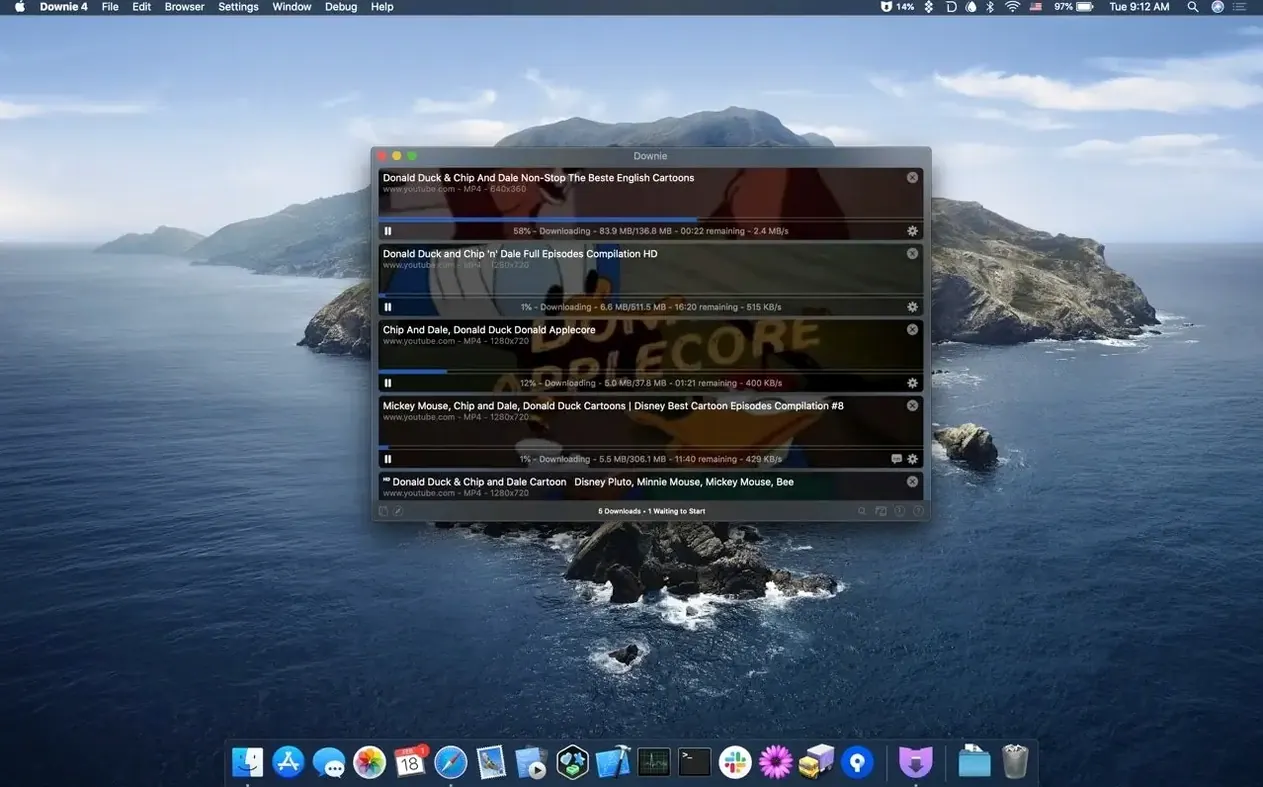
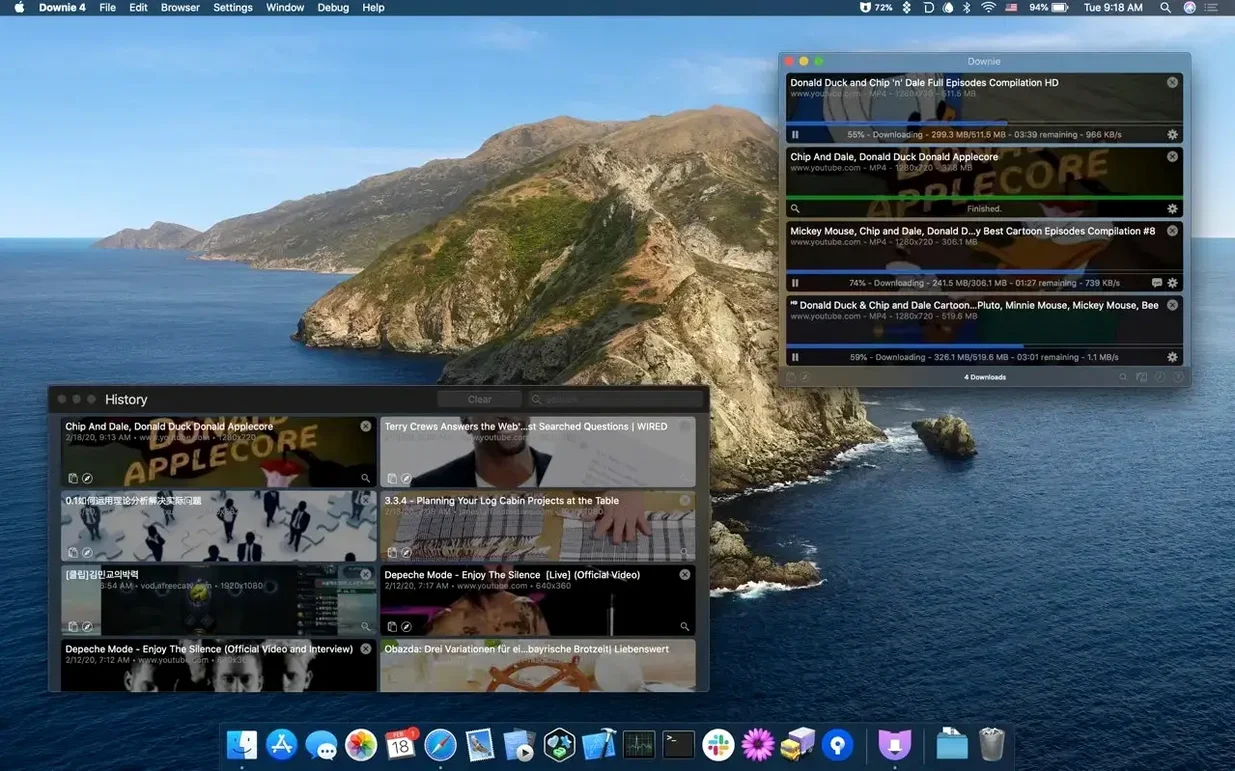
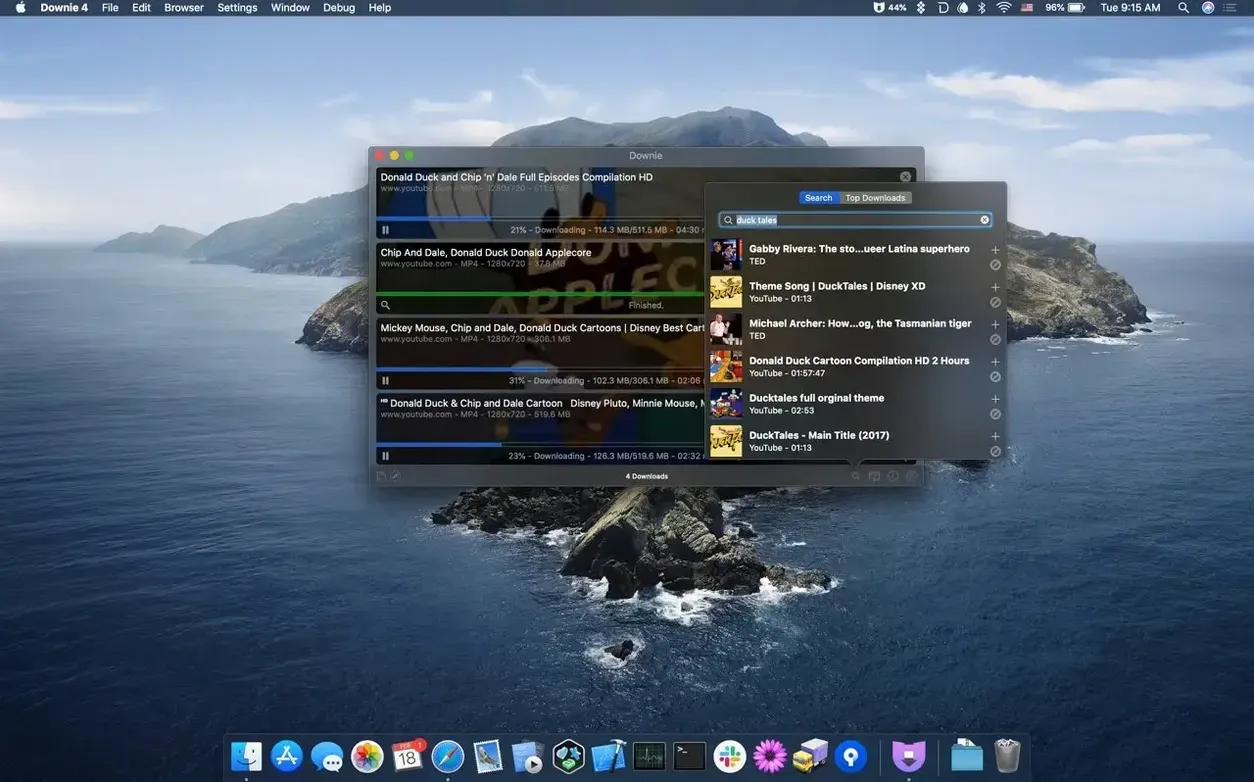
Version 4.13.1 keeps the downloader humming along with the usual under-the-hood fixes that keep those 1,200+ supported sites working day after day. Here's what makes Downie tick in plain terms.
URL detection — Paste or drag a video link into the window and Downie gets to work. No fiddling with settings unless you want to.
Format handling — The app can convert downloads to MP4 automatically. If you own Permute, the two talk to each other for more advanced conversion and joining split video parts into one file.
Audio extraction — Tell Downie to save only the audio track when you just need a song or a speech from a video.
4K support — YouTube videos come down in full 4K resolution when the source offers it, which is great for archiving or watching offline on a big display.
Plowing through 4K playlists without a stutter
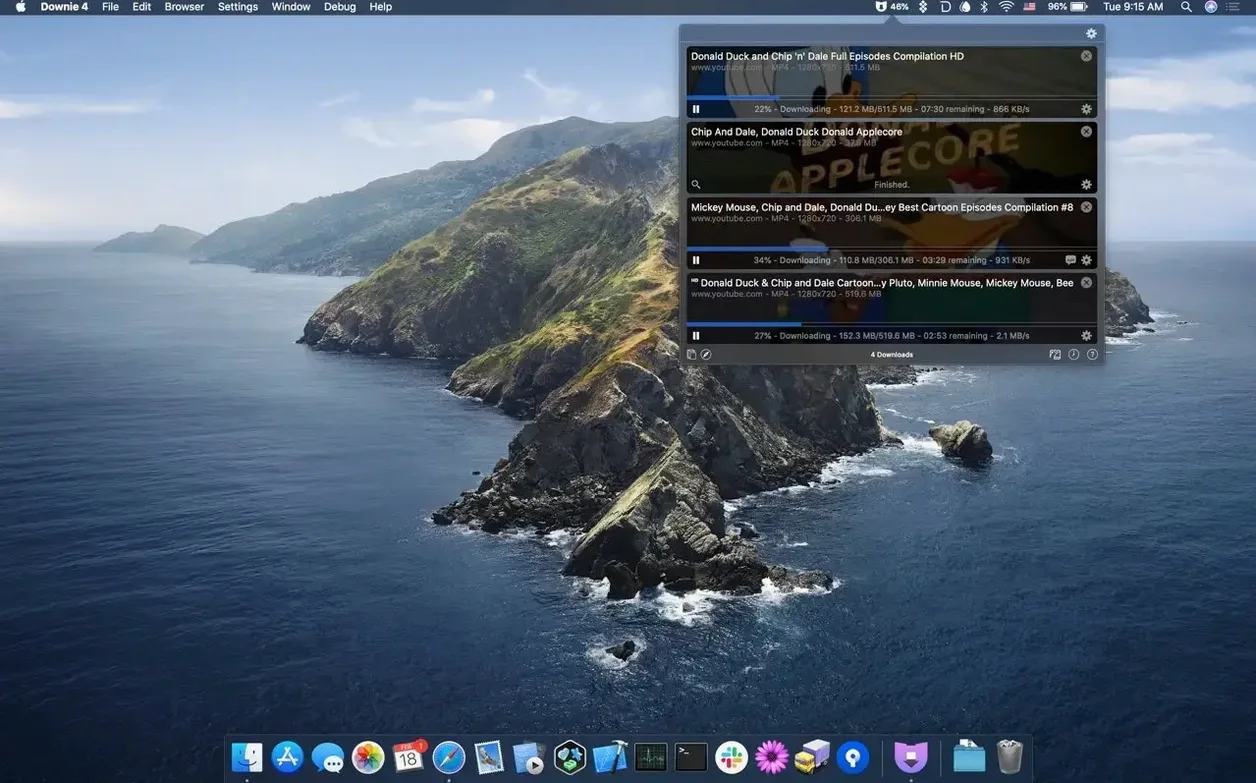
I've thrown a lot at Downie over the last couple of weeks — long 4K documentaries, thirty-second Instagram clips, whole playlists, and the occasional obscure embedded video from a blog that predates TikTok. It handles the work without fanfare. Downloads start within a second or two of pasting a URL, and the progress window stays out of the way in the menu bar unless I purposely summon it.
Resource use is refreshingly modest. On an Apple Silicon machine, a 4K download hovers around 6–8% CPU while the network does the heavy lifting. Memory sits between 150 and 220 MB for me even with a queue of a dozen videos lined up, which is leaner than any web browser with a single YouTube tab open. On older Intel Macs I've tried, the numbers climb a bit but never to the point where fans spin up. The app genuinely feels at home on macOS, not like a web wrapper that happens to run offline.
Stability has been rock-solid through version 4.13.1. I deliberately tested some edge cases — pulling videos while toggling a VPN, yanking the network mid-transfer, queuing up a CSV import with a badly formatted title — and the app either recovered gracefully or paused with a clear message. No crashes, no spinning beachball that made me reach for Force Quit. That quiet reliability is exactly what you hope for in a utility you'll fire up dozens of times a week.
ClipGrab is free—here’s where its limits bite
There are other Mac downloaders out there, and a few names come up regularly when people ask about alternatives.
ClipGrab is the one most folks try first because it's free. It does the basic job for YouTube and a handful of other sites, but the interface feels stuck in 2012 and the supported site list is anemic next to Downie's 1,200-plus. ClipGrab also lacks the queue management, custom post-processing, and browser extension polish that make daily use pleasant. It's fine for a one-off download; it wears thin when you're saving regularly.
4K Video Downloader steps closer to Downie's territory. It handles playlists well and offers a clean enough window, but its free tier limits how many videos you can grab in a playlist, and the paid version nudges you toward subscription thinking. Downie's one-and-done approach feels less like a service and more like a tool you own. The integration with Permute also tilts things toward Downie if you already work inside that ecosystem — 4K Video Downloader does its own conversion but doesn't slot into a wider Mac workflow quite as naturally.
yt-dlp (the command-line successor to youtube-dl) deserves a mention because it's immensely capable and free. It handles more sites than anything else and gives you surgical control over formats. But you live in the Terminal, and when a site's layout changes you wait for a script update instead of a background fix. Downie is the choice when you want that power without typing flags into a dark window. I use both, honestly — yt-dlp for one-off scripting oddities, Downie for everyday work where I want to paste and forget.
Playing nice with other apps and macOS
Downie doesn't try to be an island. The Permute partnership is the obvious one — downloaded files can route straight into conversion presets without any manual intervention — but there are quieter integrations that make it feel woven into the system.
The Safari extension catches video links before you even think about copying them. Click the toolbar button on a page with embedded video and Downie hands you a list of everything it found, including different quality options. Chrome and Firefox extensions work the same way, so your browser choice doesn't lock you out. The extensions are lightweight and don't slow page loads — they just sit there until a page triggers them.
Dragging a URL from any app — Mail, Notes, a messaging window — into the Downie dock icon starts a download immediately. The app also respects macOS Focus modes and won't bounce notifications at you when you've told the system you don't want interruptions. Downloaded files land wherever you've pointed them, and the naming scheme is sensible enough that Spotlight finds everything later without fuss. If you use Hazel or a similar folder-watching utility, you can build automations around the download folder that Downie populates, turning saved videos into a pipeline for further processing.
CSV and XML import is a quiet power feature for batch work. Feed Downie a list of URLs with custom filenames and let it chew through the queue overnight. I've used this to archive conference talks where someone handed me a spreadsheet of links — the whole thing ran unattended and everything was named correctly when I woke up.
1,200 sites supported, from TikTok to obscure blogs
Does it work with sites beyond YouTube? Yes, and that's the main draw. Instagram, Vimeo, Facebook, Twitter, TikTok, Dailymotion, and a long tail of regional and niche platforms round out the 1,200-plus supported destinations. If a site changes its delivery method, the app updates in the background without a full version bump. The support list isn't static — it evolves as websites do.
Will it trip over a "downie 4 not working" moment when a site breaks? Occasionally, yes — any downloader dependent on site structure will hit snags when a platform overhauls its video delivery. The developer pushes fixes quickly, usually within a day or two, and the app checks for those updates on launch. In practice, I've encountered this twice in months of regular use, and both times a restart brought the fix before I had time to get frustrated.
What about 4K and HDR? Downie pulls the highest quality available from the source. For YouTube that means 4K at 60 fps and HDR where the uploader provided it. The file lands as-is unless you've toggled auto-conversion to MP4. Notably, it doesn't re-encode just to hit a container format — the conversion step is an option, not a forced transcode that degrades quality.
Can it extract just the audio? Absolutely. Right-click a download or set the preference globally, and the video track gets stripped away. Podcast listeners and language learners lean on this heavily. The resulting file keeps whatever audio codec the source used, so there's no unnecessary re-compression.
Does it handle playlists and channels? Yes. Paste a playlist URL and Downie offers to grab the whole thing or let you pick specific entries. For YouTube channels, it can parse the video list and queue everything you select. Combined with Permute, you can download an entire playlist and have it joined into one file automatically — handy for courses or concert footage split across multiple videos.
- macOS 11 or later
- Apple Silicon and Intel Macs supported
Questions people ask
Which sites does Downie actually support?
It handles YouTube, Vimeo, Facebook, Instagram, and over 1,200 other websites. If a site hosts video, Downie likely works with it.
Can Downie save just the audio from a video?
Yes. You can set it to extract only the audio track, which is handy for grabbing music or podcast episodes from video sources.
Does Downie work with Permute?
It integrates tightly. Permute can automatically convert downloads to other formats and join multi-part videos into a single file after Downie finishes.
Also on readers' docks
Sign in or create an account to leave a comment.
No comments yet. Tell me how it got on with your other devices.