









Download 1Password for macOS
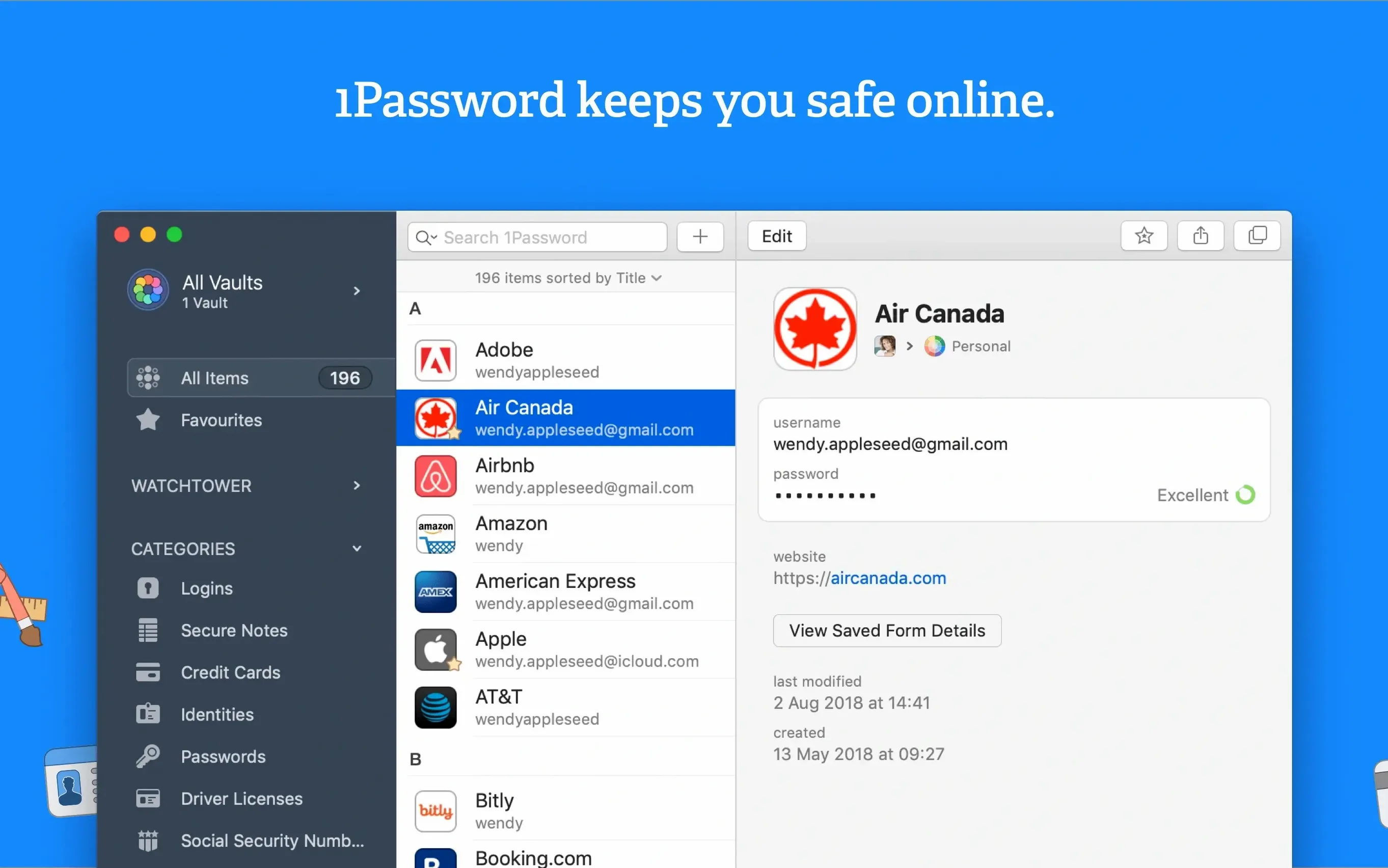
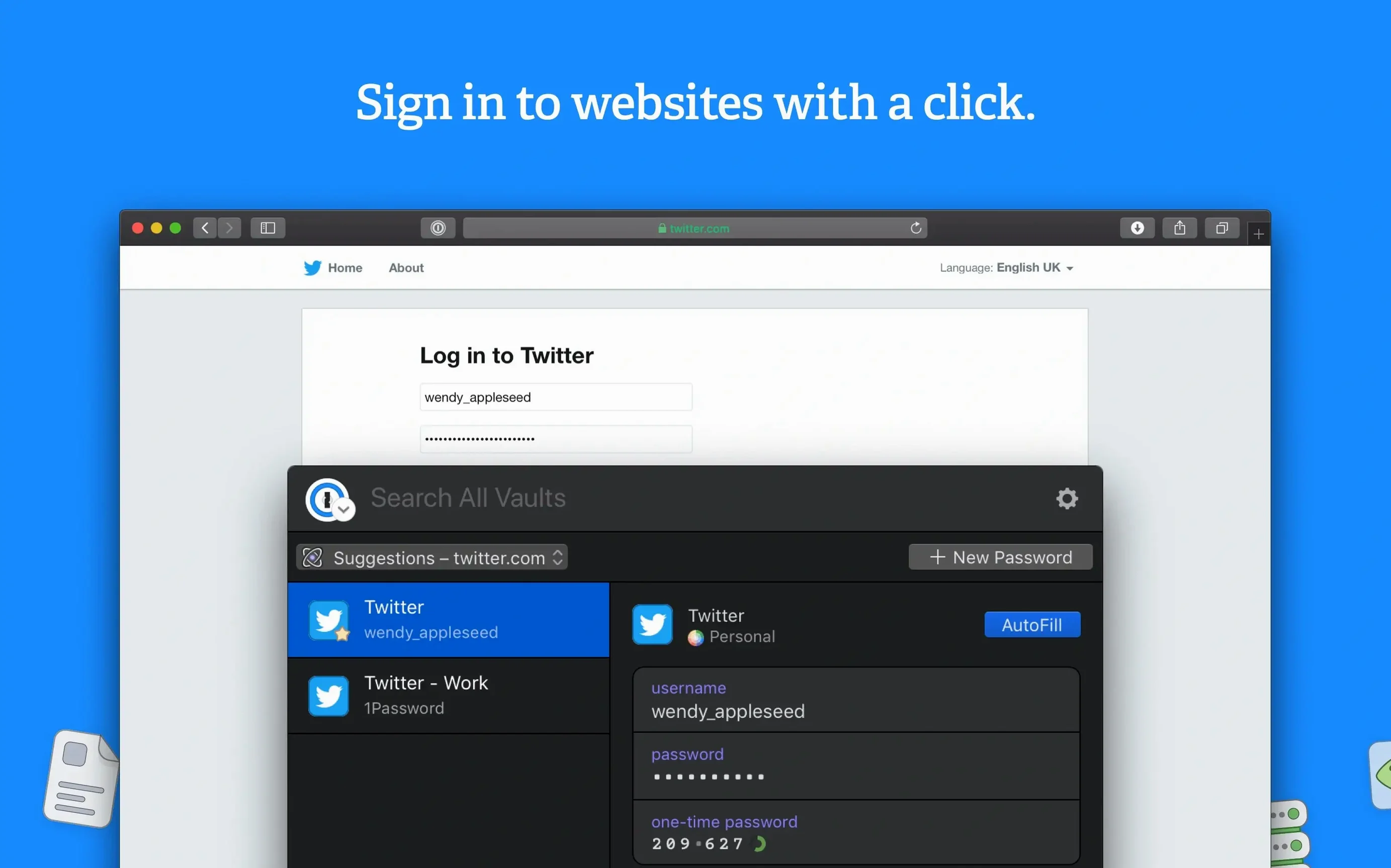
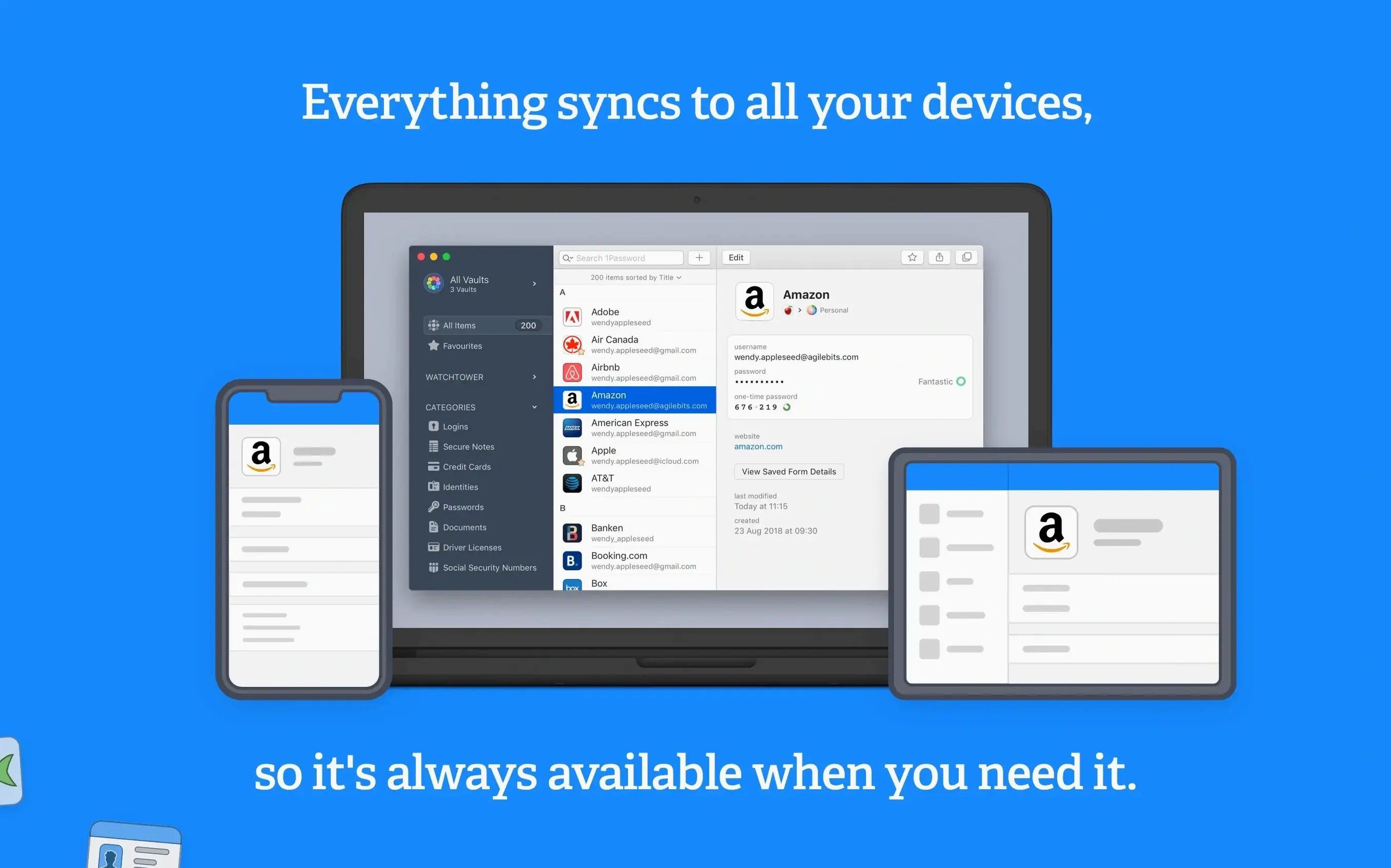
1Password is the Mac password manager that remembers everything you log into so you don't have to.
Fills logins right inside Safari and Chrome
It hooks into your browser and watches for login fields, saving new credentials the moment you sign in. You can keep using Safari or Chrome exactly as you always have—1Password just fills the gaps between them and your memory.
What makes Watchtower more than a simple checker?
Watchtower scans your vault for weak, reused, or compromised passwords and flags sites that still lack two-factor authentication. It's like a security audit that runs quietly in the background while you get on with your day.
Can I tidy up a messy vault?
Absolutely. The duplicate-item detection helps you spot logins you've saved twice, so you can merge or delete clutter without hunting through every entry by hand.
Is it built for current Macs?
Version 7.9.4 runs on Intel 64-bit architecture and asks only for macOS 10.12 or later. It's lean enough for older machines but feels right at home on recent releases too.
How 1Password fits into the wider Mac ecosystem
One thing I appreciate after weeks with version 7.9.4 is how naturally it slots into macOS rather than fighting against it. The app hooks into the system-wide Quick Look feature, so tapping the spacebar on an attached document inside a secure note shows you a preview without ever leaving the encrypted vault. That might sound small, but when you've stored a scan of your passport or a software license PDF, glancing at it instantly beats opening Preview every time.
Spotlight integration runs deep too. Typing a site name or a vault tag into the macOS search field surfaces matching entries, and hitting Return opens the main app straight to that item. It's a quiet productivity boost on busy days when launching the full interface feels like one click too many. If you've ever done a 1password mac download and wondered whether it would play nicely with Finder tags or drag-and-drop, the answer is yes—dragging an item out of the app creates a plain text snippet on your desktop, though the master password still guards the vault itself.
The browser extension isn't a separate download you need to hunt for; the Mac app installs it directly into Safari, and Chrome or Firefox users get prompted once. Cross-app communication stays snappy because the extension talks to the native helper process, not a sluggish web service. That local bridge is why unlocking the vault with Touch ID on a MacBook Pro feels instant rather than delayed by a network round trip.
Cold opens in under two seconds on Intel Monterey
On an Intel machine running macOS Monterey, the app opens cold in under two seconds and sits at around 180 MB of memory with a vault of a few hundred items. That's modest for a tool juggling encryption, Watchtower checks, and browser communication. CPU spikes are rare and brief—mostly when Watchtower recalculates its breach reports, which you can schedule or run manually if you prefer to keep background activity predictable.
Stability has been uneventful in the best way. Over three weeks of daily use across Safari and Firefox, I haven't seen a single extension crash or a vault lock-up. The helper process that bridges the browser and the main app recovers gracefully if you force-quit either side, reconnecting within seconds. If you've ever dealt with a 1password duplicate item mess after importing from another manager, the deduplication tool doesn't hang on large vaults—it churned through 80-odd duplicates in under ten seconds here.
One performance note worth knowing: the first sync after a fresh 1password mac download can feel slower if you're pulling down a vault with hundreds of attachments. That's a one-time cost, and subsequent unlocks stay quick because only metadata moves across the wire. Local vaults, of course, skip sync overhead entirely.
Settings I'd change on day one
Out of the box, 1Password locks your vault after a few minutes of inactivity. I respect the security instinct, but on a desktop Mac that never leaves my desk, I shorten the auto-lock timer to something less aggressive and enable Touch ID unlocking. Head to Preferences > Security and set "Lock after computer is idle" to a window that matches your rhythm—fifteen minutes works for me without constant re-prompting.
Next stop: Preferences > Watchtower. Turn on the "Check for vulnerable passwords" toggle if it isn't already active. I also enable notifications for newly discovered breaches, because a polite banner alert beats opening the app to find out a service you used three years ago leaked credentials last Tuesday.
The browser extension's keyboard shortcut deserves a tweak too. The default Command-\ fills logins fine, but I remap it to Command-Option-\ to stop clashing with a Finder shortcut I use constantly. That's in Preferences > General > Keyboard Shortcuts. Finally, if you rely on secure notes for software licenses or server details, switch the default note type from "Secure Note" to "Login" only when a URL is genuinely involved—it keeps searches cleaner and prevents the extension from offering to fill notes on random web forms.
- macOS 10.12 or later
- Intel 64-bit processor
Questions people ask
Does 1Password check if my accounts have been in a data breach?
Yes, Watchtower monitors for compromised passwords and alerts you when one of your logins appears in a known breach.
Will it work if I'm still on an older version of macOS?
It requires macOS 10.12 or later, so most Macs from the last several years are supported without issue.
Also on readers' docks
Sign in or create an account to leave a comment.
No comments yet. Tell me how it got on with your other devices.
More in Mac Apps
See all 4K Video Downloader
26.3.5 Mac Apps
247 MB
4K Video Downloader
26.3.5 Mac Apps
247 MB
 4K YouTube to MP3
26.3.5 Mac Apps
218 MB
4K YouTube to MP3
26.3.5 Mac Apps
218 MB
 Updated A Better Finder Attributes
7.53 Mac Apps
13 MB
Updated A Better Finder Attributes
7.53 Mac Apps
13 MB
 A Better Finder Rename
12.36 Mac Apps
16 MB
A Better Finder Rename
12.36 Mac Apps
16 MB
 ACDSee Photo Studio
26.0.3 Mac Apps
441 MB
ACDSee Photo Studio
26.0.3 Mac Apps
441 MB
 Updated Adguard
2.20.2.2629 Mac Apps
3 MB
Updated Adguard
2.20.2.2629 Mac Apps
3 MB
 Adobe After Effects
26.5.0 Mac Apps
8.8 GB
Adobe After Effects
26.5.0 Mac Apps
8.8 GB
 Adobe Animate
24.0.15 Mac Apps
6.5 GB
Adobe Animate
24.0.15 Mac Apps
6.5 GB