








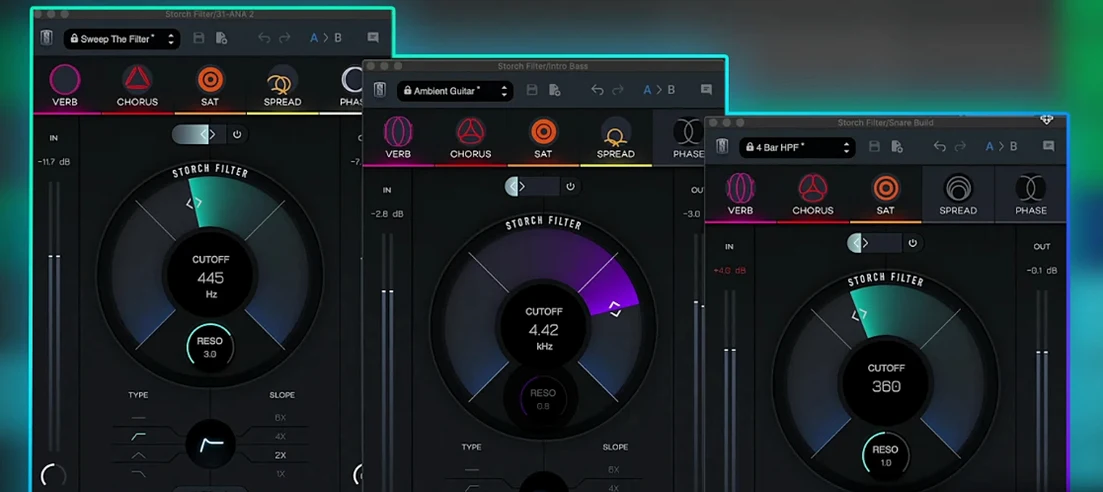
Download Slate Digital Storch Filter for macOS
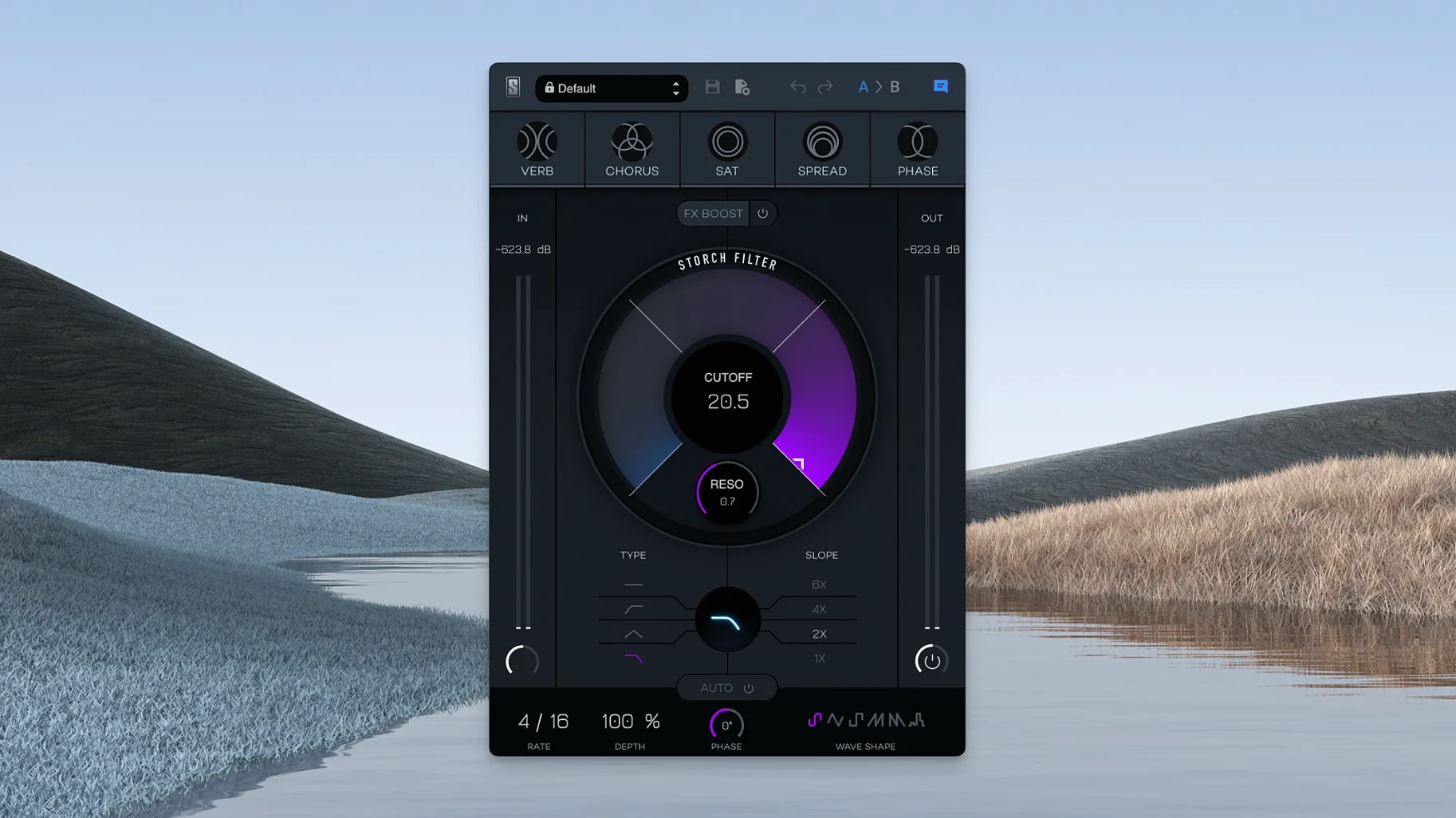
Most filter plugins give you a cutoff knob and call it a day. Storch Filter wraps that core concept in a modulation engine, so the movement comes baked in rather than bolted on.
Filter Core — A resonant filter with cutoff and resonance controls that shape the fundamental tone, from subtle warmth to aggressive sweeps.
Modulation Engine — Rhythm and depth controls that animate the cutoff automatically, pulling the sound into sequenced, pulsing territory without touching automation lanes.
FX Boost — A dedicated slider that pushes the onboard saturation and character effects harder, adding grit and presence when the track needs to cut through a dense mix.
Presets by Scott Storch — Signature settings dialed in by the producer himself, covering leads, keys, and drums with the thumbprint of his hit-making style.
FX Boost Slider Down Kills the Sound
The interface feels immediate, but a few things trip people up early on. If the plugin loads and you hear nothing, check that the FX Boost slider isn't pulled all the way down — it acts as a wet/dry gate for the effects chain, not just a saturation push. A dead signal is usually that slider sitting at zero while the filter cutoff is wide open.
Another one: the modulation engine can sound out of sync even when the rhythm knob looks right. Storch Filter doesn't read your DAW's tempo by default unless you toggle the sync switch tucked next to the LFO shape selector. Miss that, and you'll be nudging the depth control wondering why the pulse drifts against your grid.
On Apple Silicon Macs running macOS 14 or later, a few hosts need the plugin validated twice after installation. If Logic Pro flags it as incompatible right after the standard procedure, quit the DAW, reopen it, and let the rescan finish — it almost always passes on the second pass without further fuss.
Dial In the Static Filter First, Then Modulate
Start with a static sound before you reach for the modulation. Load a sustained pad or a simple sine wave bass, pick a Scott Storch preset close to what you're after, then mute the LFO entirely. Get the cutoff and resonance sitting where the tone already works in the mix. Once that foundation feels right, bring the rhythm back gradually — this stops the autofilter from masking problems you should fix first.
The six LFO wave shapes each pull the cutoff differently. The stepped shapes (square and random) work wonders on rhythmic stabs and plucks, while the sine and triangle shapes suit pads and evolving textures. Spend ten minutes cycling through all six on the same loop — you'll build a mental map of which shape suits which material, and that speeds up every session afterward.
Don't sleep on the FX Boost as a performance tool. Automate it in four-bar increments during a build section, or map it to a controller knob for live filter-sweep rides that carry the saturation and reverb along with the cutoff. It turns a single twist into a full tonal shift.
Sandwich It Inside Virtual Mix Rack Modules
Storch Filter plays nicely with Slate Digital's wider ecosystem. If you already have the Virtual Mix Rack installed, you can sandwich the filter between compression and EQ modules to shape a signal before it hits your channel strip — the modulation stays tight and predictable because everything lives in the same host chain.
Outside the Slate world, it pairs especially well with analyzers that show frequency movement in real time. Drop an adjustable low pass filter or a spectrum scope after Storch Filter in your insert chain, and you can watch exactly how the LFO shapes are carving the frequency range. This visual feedback loop is handy when you're dialing in precise cuts for a busy arrangement.
macOS Audio Units routing means you can run Storch Filter inside any AU host — from GarageBand to MainStage for live performance. If you use the plugin in a live set, save a handful of presets mapped to MIDI program changes via your host's patch list. The modulation engine keeps things animated even when both hands are on keys or pads.
For sound designers working across apps, the plugin's output pairs well with samplers that capture processed audio. Feed a few bars of filtered, modulated material into Logic's Quick Sampler or any third-party recorder, chop the results, and you've got a library of movement-rich hits that carry the Storch Filter character without needing the plugin on every channel. It's a quick way to stretch a single instance across an entire project.
- macOS 11 or later
- Apple Silicon native support
Also on readers' docks
Sign in or create an account to leave a comment.
No comments yet. Tell me how it got on with your other devices.
More in VST Plugins
See all Slate Digital Murda Melodies
1.1.1 VST Plugins
179 MB
Slate Digital Murda Melodies
1.1.1 VST Plugins
179 MB
 Slate Digital Submerge
1.0.5 VST Plugins
38 MB
Slate Digital Submerge
1.0.5 VST Plugins
38 MB
 Slate Digital Fresh Air
1.0.9 VST Plugins
40 MB
Slate Digital Fresh Air
1.0.9 VST Plugins
40 MB
 Sonic Academy KICK
1.1.8 VST Plugins
358 MB
Sonic Academy KICK
1.1.8 VST Plugins
358 MB
 Sonic Charge Synplant 2
2.0.2 VST Plugins
61 MB
Sonic Charge Synplant 2
2.0.2 VST Plugins
61 MB
 ShaperBox
3.6.1 VST Plugins
111 MB
ShaperBox
3.6.1 VST Plugins
111 MB
 Spire
1.5.19 VST Plugins
158 MB
Spire
1.5.19 VST Plugins
158 MB
 Updated Serum
2.1.5 VST Plugins
1.2 GB
Updated Serum
2.1.5 VST Plugins
1.2 GB