








Download Sonic Academy KICK for macOS
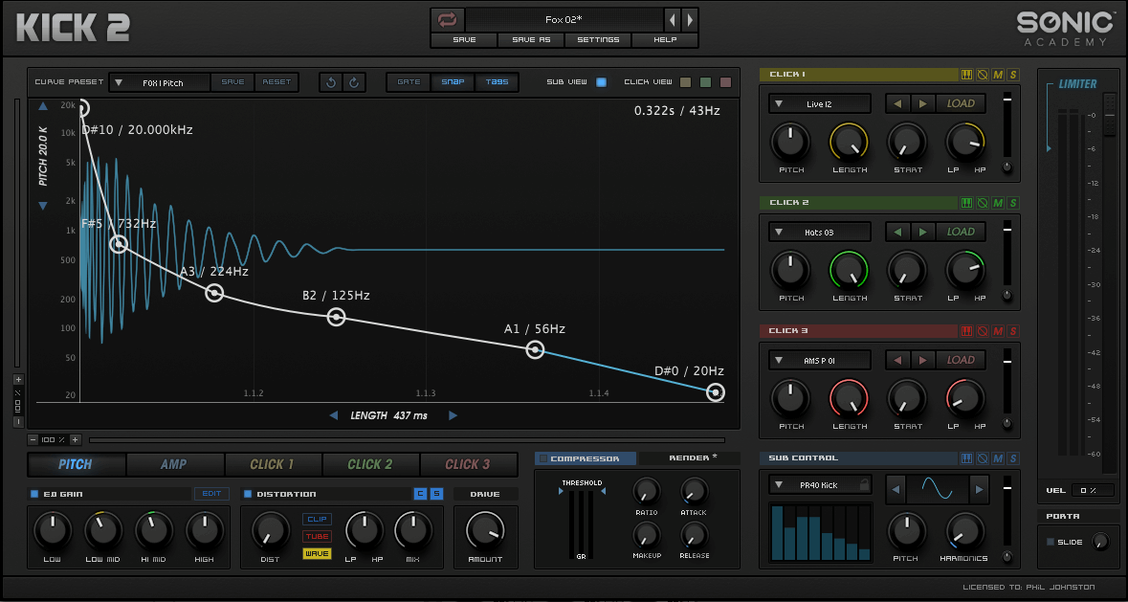
The click layer lands just ahead of the transient, and that's where KICK starts to make sense in a busy project. I'll drop it on a dedicated kick track, dial the sub oscillator away from a pure sine wave for a little extra harmonic weight, then push one of the three distortion algorithms until the attack cuts through a bass-heavy bus without eating the headroom. It's a focused tool, and that focus keeps sessions moving.
Sculpt punchy kicks with three distortion flavors
- Building kicks from scratch with a synthesized sub and sampled click layer
- Shaping tone fast with the built-in EQ, compressor, and limiter
- Adding grit through three distinct distortion flavors without reaching for extra plugins
- Keeping kick duties on their own track, leaving bus processing cleaner
Runs through Rosetta on Apple Silicon Macs
- Intel-only build, so Apple Silicon Macs run it through Rosetta
- Single LFO for modulation, which keeps things simple but less flexible for complex movement
- Interface is English-only
Techno and drum and bass producers crafting tonal kicks
Electronic producers who build tracks around a tight low end get the most mileage here — think techno, house, drum and bass, or any genre where the kick isn't just a timekeeper but a tonal centerpiece. Sound designers chasing precise, repeatable low-frequency hits will also click with it fast, because the sub oscillator offers more than a sine wave and the click layer can be shaped three different ways before any external processing touches the signal. If your sessions already lean on a handful of specialized synths rather than sprawling workstations, KICK slots right in without duplicating what you already own.
Bedroom producers working on Intel Macs get a straightforward, no-subscription tool that loads quickly and doesn't demand a manual dive. The 230-plus factory presets mean someone still developing their ear for transients and body can pull up a starting point, tweak a few knobs, and land on something usable before inspiration fades. Mix engineers who occasionally need to reinforce or replace a weak kick in a stem will appreciate the fast audition workflow — click through categories, hear the result in context, and move on.
Drops into Logic Pro, Ableton, and Studio One
KICK runs as a standard 64-bit Audio Unit, VST, or AAX plugin, so it drops into Logic Pro, Ableton Live, Studio One, and pretty much any DAW that hosts instruments. On an Intel Mac it loads natively; on Apple Silicon the system hands it to Rosetta, and I've yet to see that cause drama in a session with a reasonable track count. The plugin doesn't phone home for anything, which means offline rigs and laptops on airplane mode work exactly the same as a connected studio machine.
MIDI learn inside the DAW handles knob assignments, and because KICK responds to note pitch, you can program melodic sub lines that follow a bass progression — useful for genres where the kick needs to shift pitch between sections. The single LFO can target pitch or amplitude on the sub layer, and while it's not a full modulation matrix, it's enough to add a slight pitch dive or amplitude swell that makes repeating hits feel less robotic. I'll usually pair it with a transient shaper on the next insert for micro-control over the attack, then let KICK handle the body and sustain internally with its own compressor and limiter stage.
A kick-designing walkthrough, start to finish
Let's say I'm building a deep house kick that needs a round bottom but enough snap to push through a busy synth pad. Here's how the session looks:
- I load KICK onto an instrument track in Logic, set the tempo, and open the preset browser. I audition a few "Deep House" tagged patches to find a sub character that sits near where I want the fundamental — somewhere around 55 Hz feels right for the track key.
- With a starting preset active, I pull the sub oscillator waveform away from a pure sine into a slightly squared shape. That adds a gentle second harmonic that'll translate on small speakers without muddying the low mids. The sub envelope decay gets shortened by about 15% so the tail doesn't overlap the bass line's first note.
- Next I dig through the click layer slots. I listen to all three — a transient snap, a mid-frequency knock, and a noise-based texture — and blend two of them at unequal volumes, favoring the mid knock for chest presence. The click envelope shift knob nudges the timing a few milliseconds earlier, which tightens the groove against the hi-hat pattern that's already in the arrangement.
- The built-in EQ gets a narrow cut around 200 Hz to scoop out a little boxiness, then I bump the high shelf by 2 dB around 8 kHz to let the click layer breathe. The compressor follows with a medium attack and fast release, knocking off maybe 3 dB on the hardest hits so the limiter after it only catches the true peaks.
- I audition the three distortion algorithms — one breaks up smoothly like analog saturation, one adds a harder clip, and the third leans into bit-crushed territory. I settle on the first one, dialed to about 20% wet, just enough to give the attack a little hair. The LFO gets assigned to pitch with a very short decay-shaped modulation, creating a subtle downward pitch swoop that lands right as the body of the kick blooms.
- Finally I bounce the track in place so I can see the waveform alignment against the bass. A quick A/B against the unprocessed version confirms the kick now cuts through the pad layer while keeping the low end round and controlled — no additional plugins needed beyond what KICK already provided.
KICK builds drums, Kickstart shapes volume
KICK versus Nicky Romero Kickstart — These two get confused sometimes because of the names, but they serve different purposes. Kickstart is a volume-shaping sidechain plugin, not a kick synthesizer. KICK actually builds the drum sound itself. If someone grabbed a kick 2 torrent expecting sidechain ducking, they'd be looking at the wrong tool entirely. KICK generates audio; Kickstart shapes existing audio. A producer might use both — KICK to create the hit, Kickstart to carve space for it in the bass — but they sit at opposite ends of the signal chain.
KICK versus BazzISM — BazzISM also synthesizes kick drums from oscillators and envelopes, and it's been a go-to for years. Where KICK pulls ahead is the click layer architecture: BazzISM leans mostly on synthesized transients, while KICK blends sampled clicks with the synthesized sub, which can sound more natural on acoustic-leaning electronic styles. BazzISM feels more immediate with fewer tabs, but KICK's built-in EQ, compression, and three distortion types mean you're less likely to chain three extra plugins just to finish the sound. On the flip side, BazzISM runs natively on Apple Silicon; KICK still routes through Rosetta.
KICK versus Punchbox — D16 Group's Punchbox is probably the closest direct comparison, with multiple sound engines and a similar hybrid approach. Punchbox offers more layers (kick, click, noise, and a tool layer), more effects, and a more elaborate preset management system. KICK keeps things simpler — sub plus three click slots, one LFO, a tighter effects chain. For someone who wants to sculpt a kick quickly and get back to arranging, KICK's streamlined interface wins. For a sound designer who wants to build complex, multi-layered kicks with detailed envelope control per layer, Punchbox gives more to explore. I've noticed people who searched for a kick 2 vst free download mac often end up comparing it against demos of Punchbox and realizing KICK covers 90% of what they need with half the parameter count.
Kick 3 1.1.8 brings the developer’s latest round of subtle corrections and behind-the-scenes tidying to keep things running smoothly.
- macOS 10.13 or later
- Apple Silicon or Intel 64-bit Mac
Questions people ask
How does KICK generate its low end?
It combines a synthesized sub oscillator — with waveform options beyond a basic sine wave — and a layer of sampled clicks for the attack portion.
Also on readers' docks
Sign in or create an account to leave a comment.
No comments yet. Tell me how it got on with your other devices.
More in VST Plugins
See all Sonic Charge Synplant 2
2.0.2 VST Plugins
61 MB
Sonic Charge Synplant 2
2.0.2 VST Plugins
61 MB
 Slate Digital Submerge
1.0.5 VST Plugins
38 MB
Slate Digital Submerge
1.0.5 VST Plugins
38 MB
 Spire
1.5.19 VST Plugins
158 MB
Spire
1.5.19 VST Plugins
158 MB
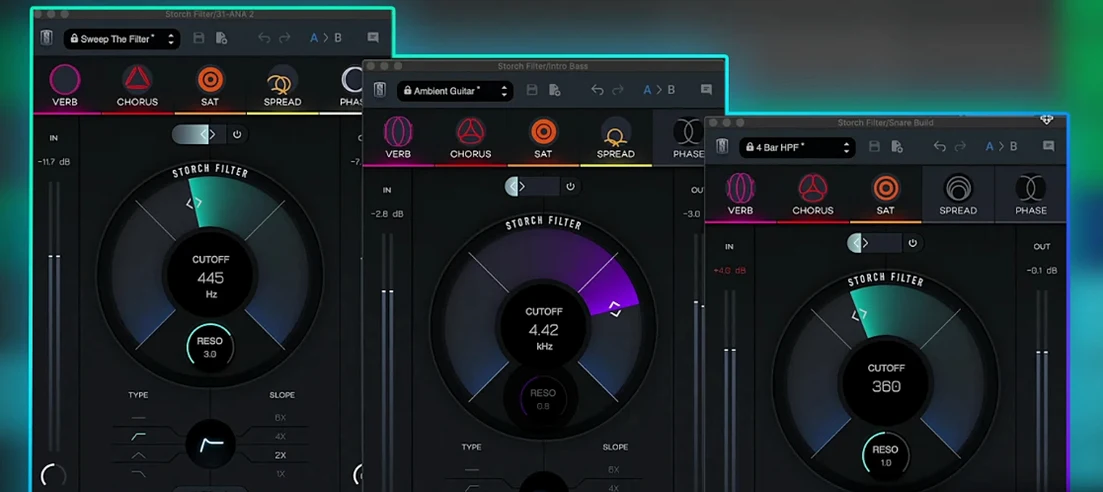 Slate Digital Storch Filter
1.0.6 VST Plugins
69 MB
Slate Digital Storch Filter
1.0.6 VST Plugins
69 MB
 Slate Digital Murda Melodies
1.1.1 VST Plugins
179 MB
Slate Digital Murda Melodies
1.1.1 VST Plugins
179 MB
 Slate Digital Fresh Air
1.0.9 VST Plugins
40 MB
Slate Digital Fresh Air
1.0.9 VST Plugins
40 MB
 Steinberg GrooveAgent
6.0.30 VST Plugins
575 MB
Steinberg GrooveAgent
6.0.30 VST Plugins
575 MB
 Steinberg SpectraLayers Pro
13.0.20-All-in-One VST Plugins
3.9 GB
Steinberg SpectraLayers Pro
13.0.20-All-in-One VST Plugins
3.9 GB