








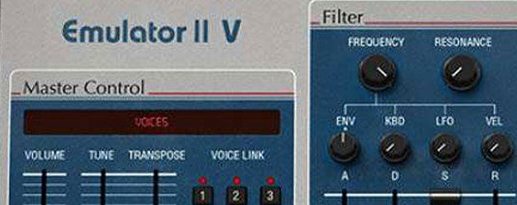
Download Arturia Emulator II V for macOS
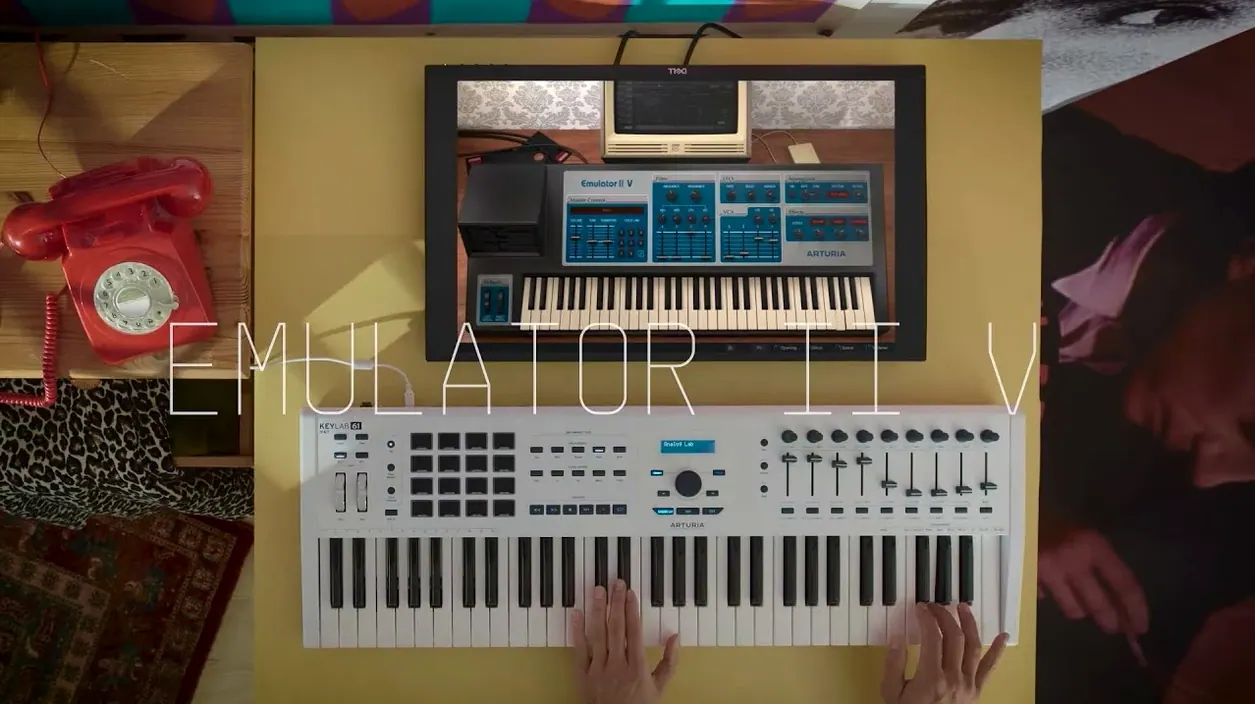
Beat makers chasing the crunchy tone of early hip-hop and producers who layer dusty textures into modern pop will feel right at home here. Arturia's Emulator II V takes the spirit of the E-Mu Systems original—a floppy-disk-driven 8-bit sampler with a sound nothing else can touch—and wraps it in a modern plug-in that doesn't fight your workflow.
Plug-in Formats and DAW Hosts
- Runs as VST, AU and AAX on macOS 11 and later, native on both Intel and Apple Silicon machines.
- Works in Logic Pro, Ableton Live, FL Studio, Cubase, Pro Tools and any DAW that hosts standard plug-in formats.
- Its sample engine streams from disk, so you won't choke your RAM loading the curated library of original Emulator and Synclavier patches.
The Sound That Defined a Generation
Under the hood, Arturia's TAE tech models the Emulator II's signal path down to the quirks of its analogue output stage. You get 8 voices of multitimbral sampling, with each layer packing its own VCF, ADSR envelope, LFO and a VCA with a second ADSR—enough movement to turn a simple choir stab into a breathing texture. The library ships with 250 presets pulled straight from the golden age of hardware samplers alongside cleaner modern material, so you can lean lo-fi or layer both worlds.
A Full Workflow: From Floppy Era Pad to Modern Hook
Let's walk through building a track foundation that leans into the Emulator II V's particular magic—not just slapping on a preset, but shaping something from the ground up that sounds authentically like a dusty record find.
Start with an empty instrument track in your DAW. Load the Emulator II V and browse to the "Vintage Keys" category. Pick something simple—a sine-like tone or an electric piano patch—and play a four-bar chord progression in the lower mids. Record it raw. Now open the layer editor and duplicate that first layer. On the duplicate, pitch it up an octave, narrow the VCF cutoff to about 40%, and dial the attack envelope back so it swells in behind the original. You've just turned a single patch into a two-layer pad that moves.
Next, add a third layer with a completely different source—grab a choir sample from the OMI Universe of Sounds bank (the original Emulator II library that came on those five-and-a-quarter-inch floppies). Tune it down a fifth, set its LFO to modulate pitch at a slow triangle wave, and mix it low. Now you have an unstable, warbling bed underneath the cleaner layers. Print all three to a single audio stem. The 8-bit companding and 27.7 kHz sample rate will have already done their work—transients feel softer, highs roll off in a way that EQ can't fake. Drop that stem into your arrangement and sidechain it lightly to the kick. What started as a single preset is now a textured, breathing section that sounds like it came off a cassette.
Fitting Into the Bigger Picture
The Emulator II V isn't trying to be your only sampler. It works best as a character piece inside a wider setup.
Drag its audio output into Apple's Quick Sampler in Logic and you can mash Emulator tones into a format that triggers from MIDI pads with zero latency. Use macOS's Aggregate Device feature to route audio from a hardware synth into the Emulator II V's input—the plug-in accepts external audio, so you can process your real Minilogue or a guitar through the Emulator's output stage for instant 8-bit grit. Drop the plug-in on a send rather than an insert and you have a parallel lo-fi channel that degrades anything you throw at it, from vocals to drum buses.
For producers working with Ableton Live's Drum Rack, load an instance on each pad that needs texture—kick and snare get the full 8-bit treatment, hi-hats stay clean—and the contrast glues a beat together faster than any compressor. The curated library includes Synclavier samples too, so pairing the Emulator II V with Arturia's own Synclavier V creates a period-accurate hybrid rig that was the stuff of studio dreams in 1985.
Skip the Redundant Bit‑Crush
First instinct for newcomers is to crank the bit-crush and call it a day. The Emulator II V already runs at 8 bits—stacking a bit-reducer on top just turns everything to digital noise. Instead, lean into the analogue output stage modeling. Push the VCA gain until the modeled circuitry saturates gently. That's where the real warmth lives.
Another common slip: treating every layer like a separate instrument. The Emulator II V gives you eight multitimbral slots, but the original hardware had a fixed voice architecture. When you stack three thick pads across four voices each, you run out of polyphony fast. Learn to work within the limitations—thin out layers you don't actively hear, use the arpeggiator to voice chords across fewer notes, and commit to audio early instead of keeping everything live. The original Emulator II forced producers to print stems; that limitation bred creativity, not frustration.
Finally, don't sleep on the modulation. The ADSR on the VCA and the separate ADSR on the VCF aren't decoration—they're your main sculpting tools. Set the filter envelope's decay shorter than the amplitude envelope's decay and you get a pluck that brightens at the attack then darkens while the note still rings. It's a simple move that turns a static sample into something that responds to your playing, and it's the kind of detail that separates a track that sounds "retro" from one that sounds alive.
- macOS 11 or later
- Intel or Apple Silicon Mac
- VST, AU or AAX compatible host
Questions people ask
Does the Emulator II V include sounds from the original hardware?
Yes, it comes with a curated library of samples from the original Emulator II and Synclavier, alongside a collection of more modern samples.
Also on readers' docks
Sign in or create an account to leave a comment.
No comments yet. Tell me how it got on with your other devices.
More in VST Plugins
See all Arturia FX Collection
2026.02 VST Plugins
16.1 GB
Arturia FX Collection
2026.02 VST Plugins
16.1 GB
 Arturia Efx AMBIENT
1.0.0 VST Plugins
285 MB
Arturia Efx AMBIENT
1.0.0 VST Plugins
285 MB
 Arturia Mellotron V
1.9.3 VST Plugins
2.1 GB
Arturia Mellotron V
1.9.3 VST Plugins
2.1 GB
 Arturia DX7 V
11.13.4 VST Plugins
475 MB
Arturia DX7 V
11.13.4 VST Plugins
475 MB
 Arturia MiniFreak V
5.1.1 VST Plugins
468 MB
Arturia MiniFreak V
5.1.1 VST Plugins
468 MB
 Arturia Augmented Voices
2.0.2 VST Plugins
4.8 GB
Arturia Augmented Voices
2.0.2 VST Plugins
4.8 GB
 Arturia Pigments
7.0.1-6772 VST Plugins
1.8 GB
Arturia Pigments
7.0.1-6772 VST Plugins
1.8 GB
 Arturia Augmented STRINGS
2.0.0 VST Plugins
4.9 GB
Arturia Augmented STRINGS
2.0.0 VST Plugins
4.9 GB