








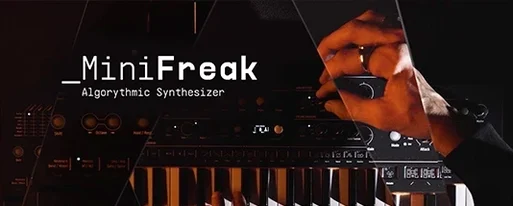
Download Arturia MiniFreak V for macOS
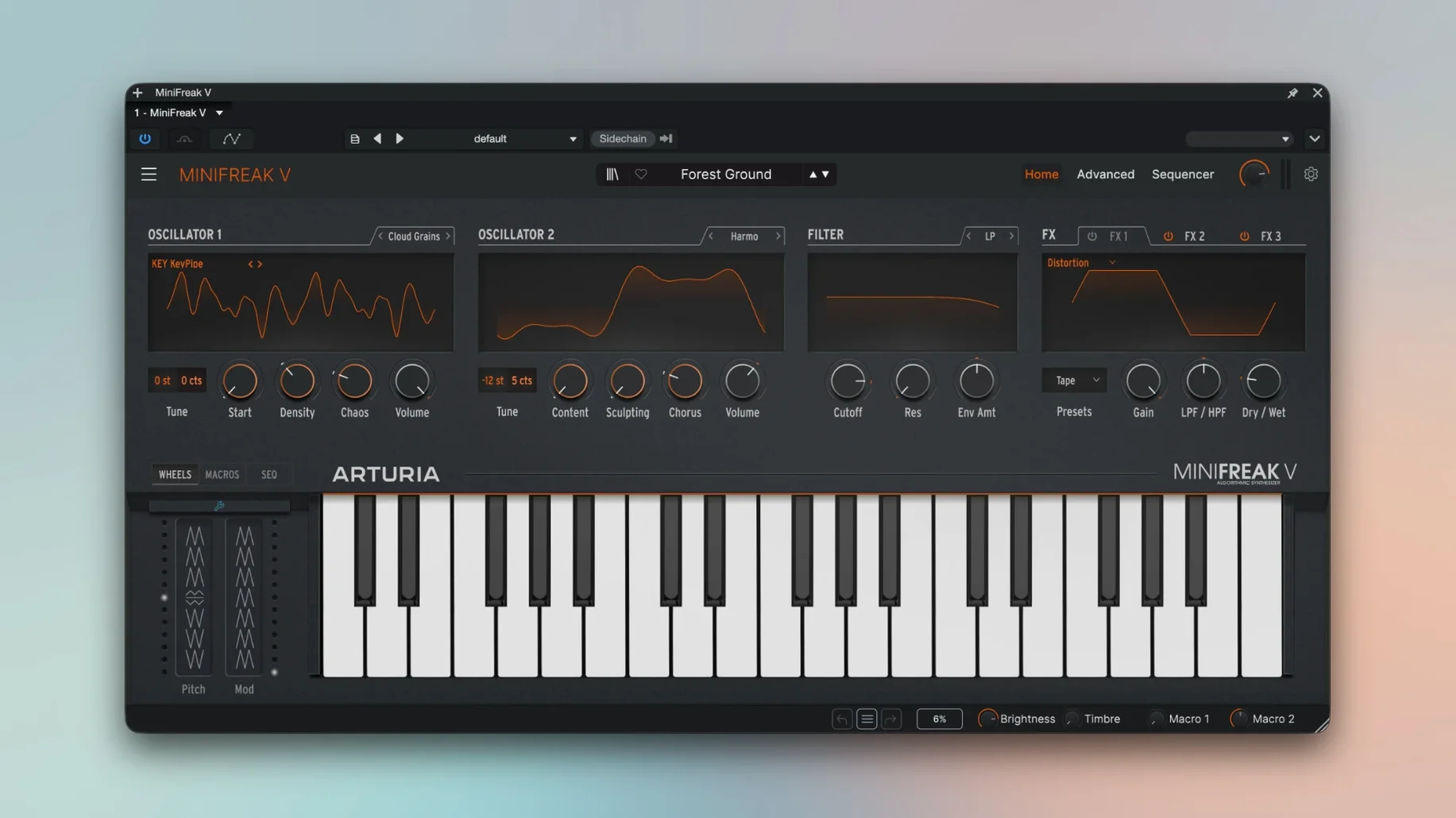
MiniFreak V runs on any Mac with macOS 11 or later, with native support for both Apple Silicon and Intel 64-bit machines. That covers a lot of ground, from older Intel workhorses to current M-series laptops. It works as a standalone instrument or inside a DAW.
Dual-Engine Grit for Leads, Basses, and Texture
- Tracks: It's a natural fit for leads, basses, and textures that need a little analog grit without eating a hardware input. The dual-engine architecture gives you plenty of starting points, and the analog filters keep things from sounding sterile.
- Buses: The three FX slots mean you can shape a sound enough to send it straight to a group bus without a pile of inserts. Full stereo processing helps when you're feeding a wide synth pad into a mix bus.
- Typical jobs: Quick arpeggiated hooks, sequenced patterns that run while you tweak filters, or doubling a MiniFreak hardware part when you're away from the desk. The Seq & Arp section does the heavy lifting for rhythmic ideas.
Hardware Companion, Software Convenience
If you own a MiniFreak, the software mirrors its sound and architecture, and you can map the hardware controls directly to MiniFreak V. That's a rare workflow win: patch on the hardware, capture it in the DAW, and keep working. Even without the hardware, it's a capable hybrid synth that slots into a project without fuss.
A Real-World Patch Design: Ethereal Keys from Scratch
Here’s a start-to-finish workflow for building a shifting, cinematic keys patch. Open MiniFreak V in standalone or on an instrument track. Grab an Init preset so you’re starting from zero. Leave Engine 1 on the default VA waveform, but set Engine 2 to FM and dial the Ratio to 3.00 — just enough for a bell-like overtone. Blend them about 60/40 with the Mix knob, leaning toward the VA side so the body stays warm.
Next, head to the analog filter — the 12 dB/octave LP mode feels right for this. Pull the Cutoff down to around 400 Hz and add a healthy dose of Envelope Amount from the amp envelope, so each note starts bright and settles into a rounded sustain. Now the fun part: open the modulation matrix. Route an LFO to Engine 2’s Shape at a slow triangle rate, and assign aftertouch to the filter Cutoff for expressive swells. Drop a Chorus, a Stereo Delay, and a Reverb into the three FX slots. Save it, play a few wide voicings, and you’ve got a pad that breathes.
Modulation Matrix as a Sound Designer’s Playground
Sound designers who live in the modulation matrix will take to MiniFreak V immediately. It rewards the kind of person who hears a static preset and thinks, “What if I cross-modded the two engines and routed key tracking to the FX mix?” The dual digital engines plus analog-modeled filters mean you can coax out everything from lo-fi warbles to glassy, high-end plucks. Electronic music producers who build everything in the box but crave hardware-style spontaneity — the Seq & Arp with its per-step parameter locks is aimed straight at them. And if you’ve ever used an Arturia MiniFreak V Mac torrent to sketch ideas on a laptop while traveling, the software version keeps those same presets and quirks intact.
A Half-Hour Session, Step by Step
You open a half-finished track, a downtempo thing that needs a hook. MiniFreak V loads on track three. You browse presets for a minute, then land on a plucky arpeggio sound that’s close but too polite. You flip to the Seq section, shorten the pattern to 12 steps, and nudge a few step velocities to give it a lopsided groove. The arpeggiator goes on, synced to the DAW clock, and you twist the filter cutoff while it runs — the modeled analog resonance pushes back in a way that feels satisfyingly physical. By the time you’ve swapped the second delay for a bit-crushing distortion and assigned the mod wheel to Engines 1 and 2’s detune, the part has teeth. You hit record, jam the mod wheel for four bars, and suddenly the track has a centerpiece.
Arturia hasn't published a public change log for version 5.1.1 (6945), so the specifics are under wraps — expect the usual round of behind-the-scenes fixes and stability improvements that keep the MiniFreak's hybrid engine humming.
- macOS 11 or later
- Apple Silicon or Intel 64-bit processor
Questions people ask
Does MiniFreak V work without MiniFreak hardware?
Yes, MiniFreak V runs as a standalone virtual instrument or in a DAW without the hardware.
What Macs can run MiniFreak V?
It runs on Macs with macOS 11 or later and supports both ARM and x86 64-bit architectures.
Can MiniFreak V use the hardware's controls?
Yes, MiniFreak hardware controls can be mapped to MiniFreak V for hands-on editing.
Also on readers' docks
Sign in or create an account to leave a comment.
No comments yet. Tell me how it got on with your other devices.
More in VST Plugins
See all Arturia Mellotron V
1.9.3 VST Plugins
2.1 GB
Arturia Mellotron V
1.9.3 VST Plugins
2.1 GB
 Arturia Pigments
7.0.1-6772 VST Plugins
1.8 GB
Arturia Pigments
7.0.1-6772 VST Plugins
1.8 GB
 Arturia FX Collection
2026.02 VST Plugins
16.1 GB
Arturia FX Collection
2026.02 VST Plugins
16.1 GB
 Arturia Rev LX-24
1.2.1-6567 VST Plugins
403 MB
Arturia Rev LX-24
1.2.1-6567 VST Plugins
403 MB
 Arturia Emulator II V
1.6.2 VST Plugins
700 MB
Arturia Emulator II V
1.6.2 VST Plugins
700 MB
 Arturia Efx AMBIENT
1.0.0 VST Plugins
285 MB
Arturia Efx AMBIENT
1.0.0 VST Plugins
285 MB
 Arturia DX7 V
11.13.4 VST Plugins
475 MB
Arturia DX7 V
11.13.4 VST Plugins
475 MB
 Arturia Augmented Voices
2.0.2 VST Plugins
4.8 GB
Arturia Augmented Voices
2.0.2 VST Plugins
4.8 GB