









Download Arturia Efx AMBIENT for macOS
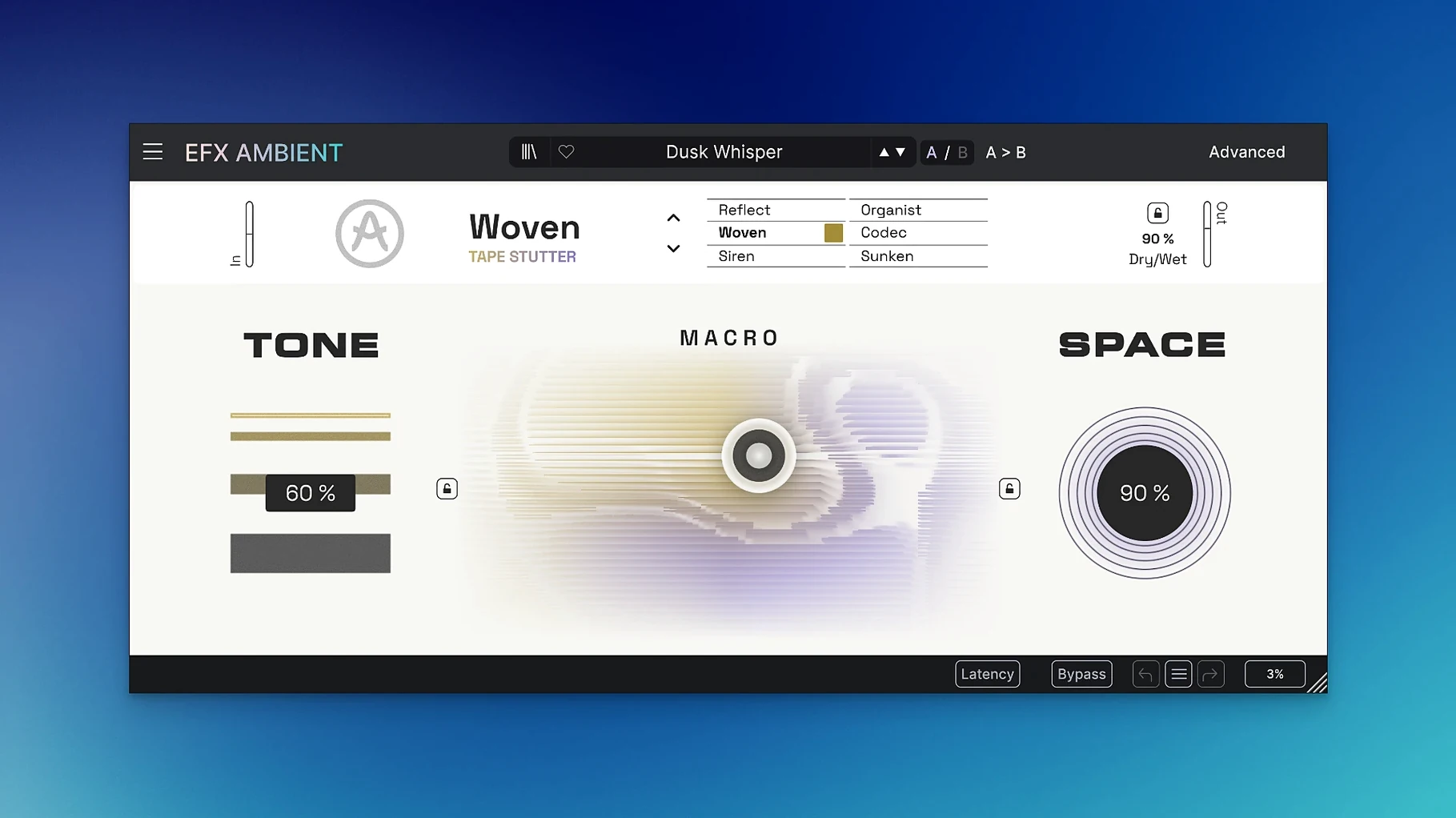
Arturia Efx AMBIENT is a creative effect plugin that pulls a sound into hazy, spatial territory through six distinct operating modes. It combines multiple processing technologies to turn straightforward material into ambient pads, experimental textures, and unusual transitions without piling on a dozen extra plugins.
- Six modes, six personalities. One set leans into pitch shifting for detuned washes, while others focus on granular smearing, reverb-like diffusion, or rhythmic filtering. Switching modes rewires the whole signal path rather than swapping a single parameter.
- Pitch shifting gets ambient. Shifted voices bloom into slow, chorused tails that feel more like a synth pad than a standard doubler.
- Space beyond reverb. Diffusion and blur controls stretch transients until plucks and hits become beds of tone, not just wet reflections.
- Movement without modulation plugins. Built-in LFOs and randomizers animate the stereo field, so static loops evolve over time.
- Experimental sound design at the turn of a dial. Extreme settings push into sci-fi textures, while gentle blends add depth without losing the source.
It works as a single-window laboratory for atmospheric sound. Drop it on a synth, a guitar line, or a vocal chop, and it introduces spatial drift that would otherwise require a chain of separate effects. The controls reward tweaking, and switching between modes often sparks ideas you weren't looking for.
How Efx AMBIENT fits into a wider setup
What makes this plugin click for me is how naturally it slots into a workflow that leans on other macOS tools. I'll often bounce a few bars of a software instrument in Logic Pro, drag the audio into an empty lane, and drop Efx AMBIENT onto it as the first creative insert. From there the output feeds into a gentle compressor and a surgical EQ — the plugin handles the heavy spatial lifting so the later processors only need to tidy up. It also plays nicely with Quick Sampler; record a few seconds of wet output, map it across the keyboard, and you've got an instant pad instrument with baked-in movement that no static sample library can match.
One workflow I keep coming back to involves sending a vocal bus to Efx AMBIENT on a return track, with the mix set fully wet and the mode dialed toward the diffusion side. The result sits behind the dry vocal like a breathy shadow, and because it follows the performance exactly, it stays tighter than a reverb send ever would. For users who run multiple instances, the plugin's CPU footprint stays reasonable enough to use on three or four tracks without freezing, even on older Intel machines.
macOS integration goes beyond the DAW. The plug-in passes AU validation cleanly, works inside host automation lanes without hiccups, and its presets appear in Logic's library browser just like any first-party effect — small touches that keep the flow smooth when you're flipping through sounds at speed.
Trackpad gestures on the 2D Macro pad
A few details are easy to overlook on first pass. The 2D Macro pad, for instance, responds to trackpad gestures as naturally as a knob — two-finger drags let you sweep across the XY field with a precision that feels more organic than mouse-clicking. Holding Option while adjusting any parameter slows the movement for fine-tuning without touching a sensitivity setting. And if you stumble onto a texture you love but want to push it further, the randomize button in the Advanced panel generates new modulation routings while keeping the core mode and mix intact, which is a smarter way to explore than starting from scratch each time.
The six modes aren't just static presets — each one exposes a different slice of the Advanced panel's time-based controls. In the reverse-playback mode, for example, the grain size and feedback sliders behave differently than they do in the pitch-shifting mode, so learning one mode doesn't fully transfer to the next. It's worth spending an afternoon with a single loop, cycling through all six, and saving the results to a folder for later. Over time you build a personal library of textures that no factory preset list can anticipate.
Another hidden convenience is the way the plugin handles wet/dry balancing. Instead of a linear crossfade, the mix control curves its response — early travel adds space without burying the source, while the last quarter sweeps into fully submerged territory. That taper suits ambient work beautifully, since you rarely need the binary choice of all-dry or all-wet.
Collapsing layered pad design into one plugin
Producers working in electronic and downtempo genres will find the most immediate home for Efx AMBIENT. If you already build tracks around layered pads and evolving textures, this plugin collapses several steps into one. Drop it on a simple sine pluck and you get a shifting bed of tone without touching a separate reverb, delay, chorus, or LFO. The same goes for lo-fi beatmakers who want to turn a four-bar sample into a washed-out backdrop — a single instance on an aux track does what used to require a chain of three or four effects.
Sound designers and media composers stand to gain just as much. The granular and reverse modes excel at turning everyday recordings — a door creak, a piano note, a spoken word — into sci-fi atmospheres and cinematic transitions that sit comfortably under dialogue or sound effects. The Advanced panel's routing options let you dial in exactly how much of the original signal bleeds through the deformation, so it's equally useful for creating subtle tension and full-on alien ambiences.
Even guitarists and vocalists dipping into ambient territory can benefit. A clean DI signal, run through Efx AMBIENT before hitting an amp sim, becomes something closer to a synth pad with a human attack. It's not a replacement for traditional time-based effects, but a different category — one where the source material becomes raw clay rather than a signal to be decorated. If you enjoy resampling your own work, running stems through this plugin and then slicing the results in a sampler opens up sound pools that feel custom-made rather than pulled from a pack.
- Initial release version 1.0.0.
- macOS 11.0 or later
- Apple Silicon and Intel support via 64-bit build
Questions people ask
What is Arturia Efx AMBIENT made for?
It's designed for experimental sound design, ambient pad creation, and unusual transitions, using six modes that combine multiple audio-processing technologies for atmospheric results.
Also on readers' docks
Sign in or create an account to leave a comment.
No comments yet. Tell me how it got on with your other devices.
More in VST Plugins
See all Arturia DX7 V
11.13.4 VST Plugins
475 MB
Arturia DX7 V
11.13.4 VST Plugins
475 MB
 Arturia Emulator II V
1.6.2 VST Plugins
700 MB
Arturia Emulator II V
1.6.2 VST Plugins
700 MB
 Arturia FX Collection
2026.02 VST Plugins
16.1 GB
Arturia FX Collection
2026.02 VST Plugins
16.1 GB
 Arturia Augmented Voices
2.0.2 VST Plugins
4.8 GB
Arturia Augmented Voices
2.0.2 VST Plugins
4.8 GB
 Arturia Mellotron V
1.9.3 VST Plugins
2.1 GB
Arturia Mellotron V
1.9.3 VST Plugins
2.1 GB
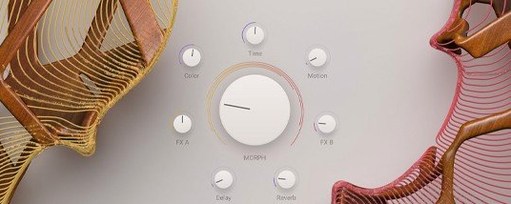 Arturia Augmented STRINGS
2.0.0 VST Plugins
4.9 GB
Arturia Augmented STRINGS
2.0.0 VST Plugins
4.9 GB
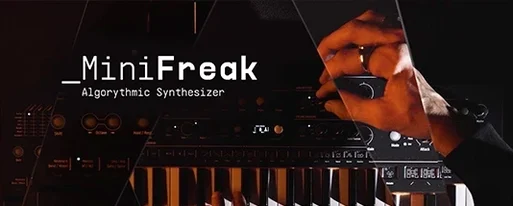 Arturia MiniFreak V
5.1.1 VST Plugins
468 MB
Arturia MiniFreak V
5.1.1 VST Plugins
468 MB
 Updated Arturia Analog Lab V
5.12.6 VST Plugins
2 GB
Updated Arturia Analog Lab V
5.12.6 VST Plugins
2 GB