








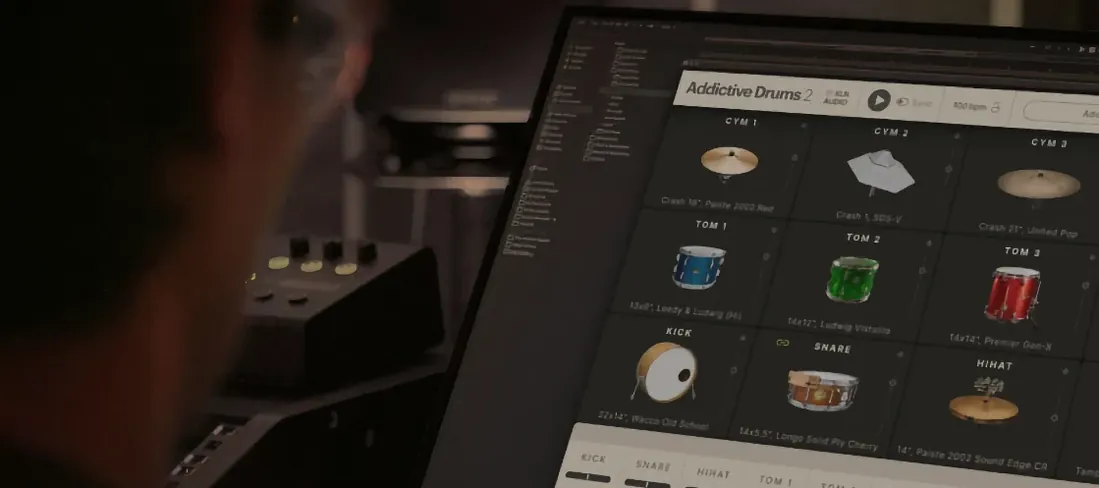
Download Addictive Drums 2 for macOS
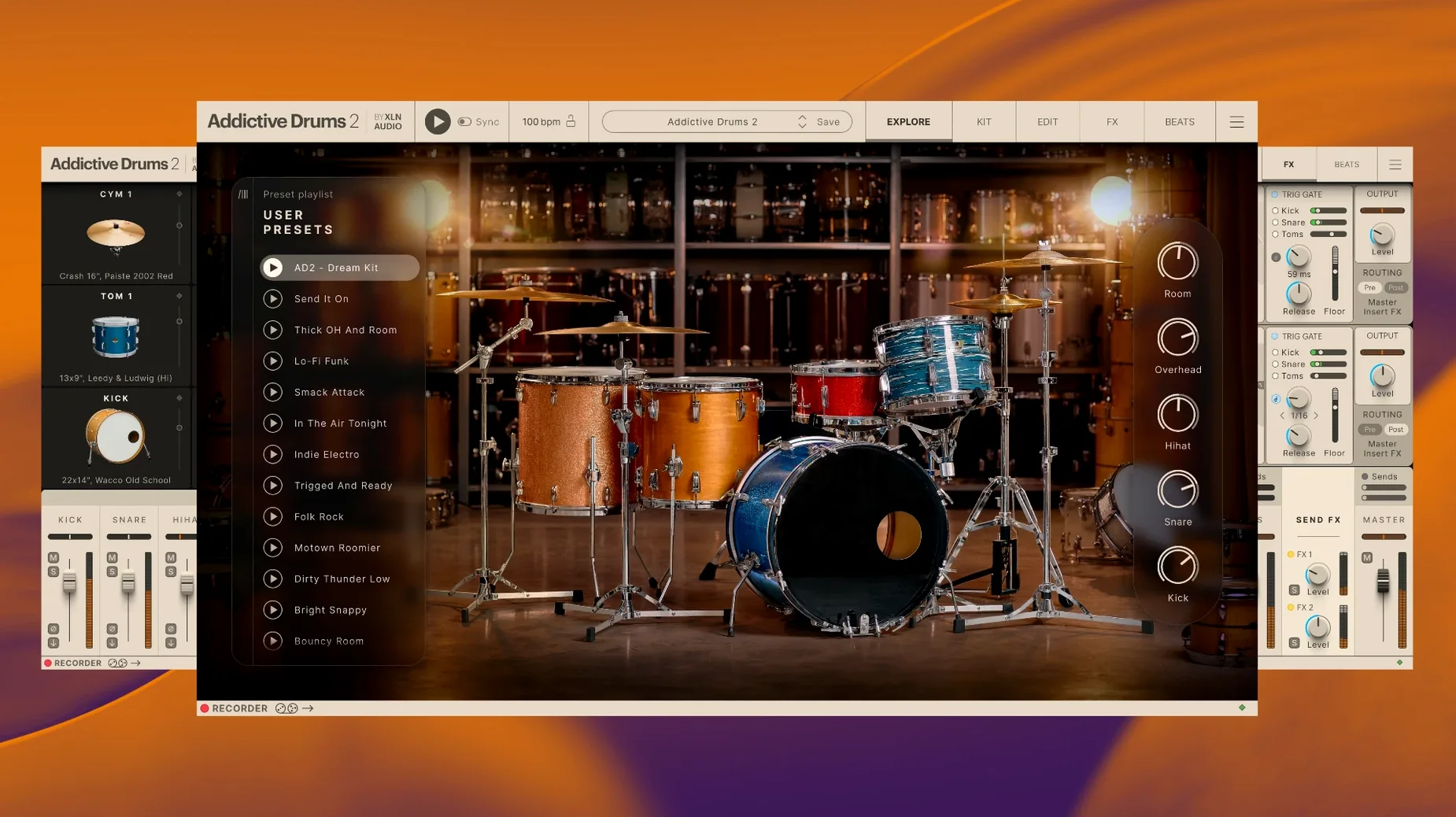
Over 130 presets ship inside the core library, each one a fully mixed, ready-to-record drum sound. That number tells you where Addictive Drums 2 sits in a session: it's the instrument you load when you need a great kit fast, without leaving the arrange window to tweak a dozen mics first.
Where AD2 fits in the mixer
- As a stereo instrument track. Load the plugin, pick a preset, and play it via MIDI. The internal mixer sends a polished, mix-ready stereo signal straight to your DAW's main drum bus.
- Multi-out routing. Kick, snare, overheads, and room mics can each hit separate aux tracks. This makes parallel compression or sending the room mic to a long reverb feel natural, just like a live kit.
- Standalone practice rig. The desktop app runs without a DAW. Drag in a groove from the built-in library and jam along while AD2 drives your headphones—no project file needed.
Scratch tracks, chorus lifts, and adpak alchemy
I reach for AD2 for three main tasks: laying down a scratch track that already sounds like a record, building a chorus lift by swapping a verse beat for a busier MIDI groove from the browser, and treating ADpaks as session players. A Fairfax kit feels different from a Black Velvet kit—different room, different sticks, different bus compression. Swapping an ADpak changes the energy without touching EQ, which keeps mixes moving forward. It's a songwriter's drum room that scales into a mix engineer's toolkit.
First-scan patience, then kits in under 5 seconds
Loading the full Complete Collection means the plugin scans a hefty library on first launch, and that initial scan takes a minute or two. After that, kits pop open quickly—usually under three seconds on an Apple Silicon Mac, maybe five or six on an older Intel machine with a spinning drive. Once a kit is loaded, swapping between presets inside the same ADpak is nearly instant. Switching to a different ADpak triggers a new sample load, so you'll wait a beat while the new kit pieces stream in, but it's rarely long enough to break your flow.
RAM use sits around 1.5 to 3 GB for a full multi-out kit with all mics active, which is reasonable for a drum instrument of this depth. If you're stacking multiple instances—say a Fairfax kit for verses and a Black Velvet kit for choruses—you'll want 16 GB of RAM minimum to keep the session breathing. CPU hit is modest. On a modern machine I can run three or four AD2 instances alongside synths and amp sims without freezing tracks, though the internal effects and multiple mic channels add up if you go heavy on the room mics and bus processing.
Stability has been solid across Logic Pro, Ableton Live, and the standalone app. Crashes are rare and usually trace back to sample-rate mismatches between the plugin and an audio interface that changed settings mid-session. AD2's offline bounce mode works reliably; I've printed stems at 2x speed without glitches or missing hits.
The flat, disconnected sound of close mics alone
A few habits I see again and again when someone first opens AD2—and they all make the instrument sound worse than it actually is.
- Ignoring the overhead and room channels. The close mics alone sound flat and disconnected. The magic lives in the overheads and room mics, where the kit gels into a single instrument. Crank the room fader before you reach for an EQ.
- Using only the default MIDI mapping. AD2's default map works, but many pad controllers and electronic kits send notes on different numbers. The kick might trigger a tom. The mapping page takes thirty seconds to configure and saves with your DAW session.
- Loading a kit and never touching the tuning. The stock tunings are versatile, but a half-step up or down on the snare can pull it out of the vocal range without any EQ carve. Tuning is per-drum and non-destructive—use it.
- Stacking too many internal effects before checking gain staging. The internal mixer has headroom, but slamming the bus compressor while every channel runs hot produces mush. Pull the individual faders back, then drive the bus effects gently.
- Leaving the hi-hat articulation settings ignored. AD2 models open, closed, pedal, and foot-splash articulations, but they only respond if your MIDI part uses the correct notes. Check the mapping for the hi-hat group and program some variation.
Drag-and-drop grooves straight from the browser
Some features sit quietly in the interface and get overlooked even by people who've used AD2 for months. These are the ones I point out most often.
- Drag-and-drop MIDI from the groove browser. You don't need to use the internal player. Grab a groove from the Beats tab and drop it straight onto a MIDI track in your DAW. The MIDI data lands as editable notes you can chop, quantize, or re-map immediately.
- Copy kit pieces between presets. Right-click a snare or kick in the kit view and choose Copy. Load a different preset, right-click the same drum, and paste. It carries over tuning, envelope, and mic balance settings—perfect for building hybrid kits across ADpaks without starting from scratch.
- Alt-click solo and mute. Alt-click a solo button and AD2 solos only that channel, clearing any other solos. Same for mute. Tiny thing, but it speeds up checking the snare bottom mic or the room mic in isolation during a busy mix session.
- The built-in transient shaper on every channel. It's easy to miss because the mixer strip looks clean, but each channel has a transient processor tucked into the dynamics section. A little attack boost on the kick gives it more snap without reaching for an external plugin.
- Kit piece linking. You can link the snare top and bottom mics so moving one fader moves both proportionally. Find it in the mixer's channel settings—useful once you've balanced the blend and just want to raise the snare as a whole.
When the plugin won’t appear in your DAW
AD2 is mature software, but a few recurring headaches surface on forums and in studios. Here's what tends to happen and how to sort it.
Plugin doesn't show up in the DAW. This usually means the VST or AU component didn't land in the right folder. The standalone app installs separately and can load kits fine while the plugin is missing. On macOS, check that the .component file (AU) is in /Library/Audio/Plug-Ins/Components/ and the .vst or .vst3 is in the corresponding VST folder. A rescan in your DAW's plugin manager is the quickest fix—no reinstall needed unless a file is genuinely absent.
Kits load but produce no sound. First, check that the AD2 mixer's master fader is up and no channel is accidentally soloed. Second, look at the MIDI input indicator on the plugin toolbar; if it blinks when you play notes but you hear nothing, the routing inside AD2 might be set to multi-out with nothing patched to the main outputs. Switch back to stereo output temporarily to confirm the kit is producing audio, then rebuild the multi-out routing.
Disk streaming pops and clicks. This crops up when the library lives on a slow external drive or a nearly full SSD. AD2 streams samples from disk rather than loading everything into RAM, so drive speed matters. Moving the library to a faster drive—or at least defragmenting a mechanical drive—clears it up. The Settings menu lets you increase the preload buffer size, which trades a bit more RAM for smoother playback.
Authorization hiccups after an OS update. A macOS point update occasionally invalidates the license file. Running the standalone application once, rather than the plugin, often re-establishes the authorization without any further steps. If that fails, a fresh install of the core application over the existing one usually resets things without touching the library or user presets.
MIDI grooves sound stiff or machine-gun repetitive. The stock grooves are recorded by real drummers, but they'll still loop robotically if you just drag the same two-bar pattern across a whole chorus. Use the Transform tab in the groove browser to add subtle timing and velocity humanization. Even a 3% timing random and a 5% velocity variation can break the machine feel without losing the pocket.
Those who grab the full collection from an addictive drums download sometimes miss that the core installer and the library content are separate pieces; install the application first, point it to the sound data folder, and then do a full rescan from the plugin's settings panel to ensure every ADpak registers correctly.
- macOS 10.13 or later
- 64-bit Intel or Apple Silicon Mac
Questions people ask
What is an ADpak and why would I need one?
ADpaks are official expansion collections for Addictive Drums 2 that add new drum kits, presets, and MIDI grooves. Each one captures a distinct studio, kit character, and playing style.
Does Addictive Drums 2 work on Apple Silicon Macs?
Yes, XLN Audio supports both ARM and x86 64-bit architectures, so it runs natively on Apple Silicon and Intel Macs with macOS 10.13 or later.
Can I use Addictive Drums 2 without a digital audio workstation?
Absolutely. It includes a standalone desktop application for macOS, which is perfect for practice, sound browsing, or playing grooves without opening your DAW.
Also on readers' docks
Sign in or create an account to leave a comment.
No comments yet. Tell me how it got on with your other devices.
More in VST Plugins
See all Addictive Keys
1.7.3 VST Plugins
4.2 GB
Addictive Keys
1.7.3 VST Plugins
4.2 GB
 Ample Guitar M
4.1.0 VST Plugins
5.2 GB
Ample Guitar M
4.1.0 VST Plugins
5.2 GB
 Ample Sound Ample Guitar LP III
4.0.1 VST Plugins
9.2 GB
Ample Sound Ample Guitar LP III
4.0.1 VST Plugins
9.2 GB
 Updated Arturia Analog Lab V
5.12.6 VST Plugins
2 GB
Updated Arturia Analog Lab V
5.12.6 VST Plugins
2 GB
 Arturia Augmented STRINGS
2.0.0 VST Plugins
4.9 GB
Arturia Augmented STRINGS
2.0.0 VST Plugins
4.9 GB
 Arturia Augmented Voices
2.0.2 VST Plugins
4.8 GB
Arturia Augmented Voices
2.0.2 VST Plugins
4.8 GB
 Arturia DX7 V
11.13.4 VST Plugins
475 MB
Arturia DX7 V
11.13.4 VST Plugins
475 MB
 Arturia Efx AMBIENT
1.0.0 VST Plugins
285 MB
Arturia Efx AMBIENT
1.0.0 VST Plugins
285 MB