








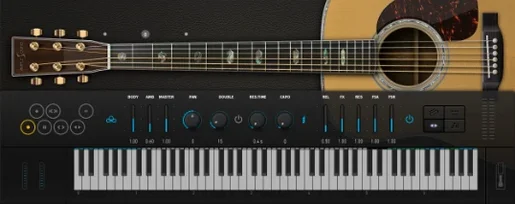
Download Ample Guitar M for macOS
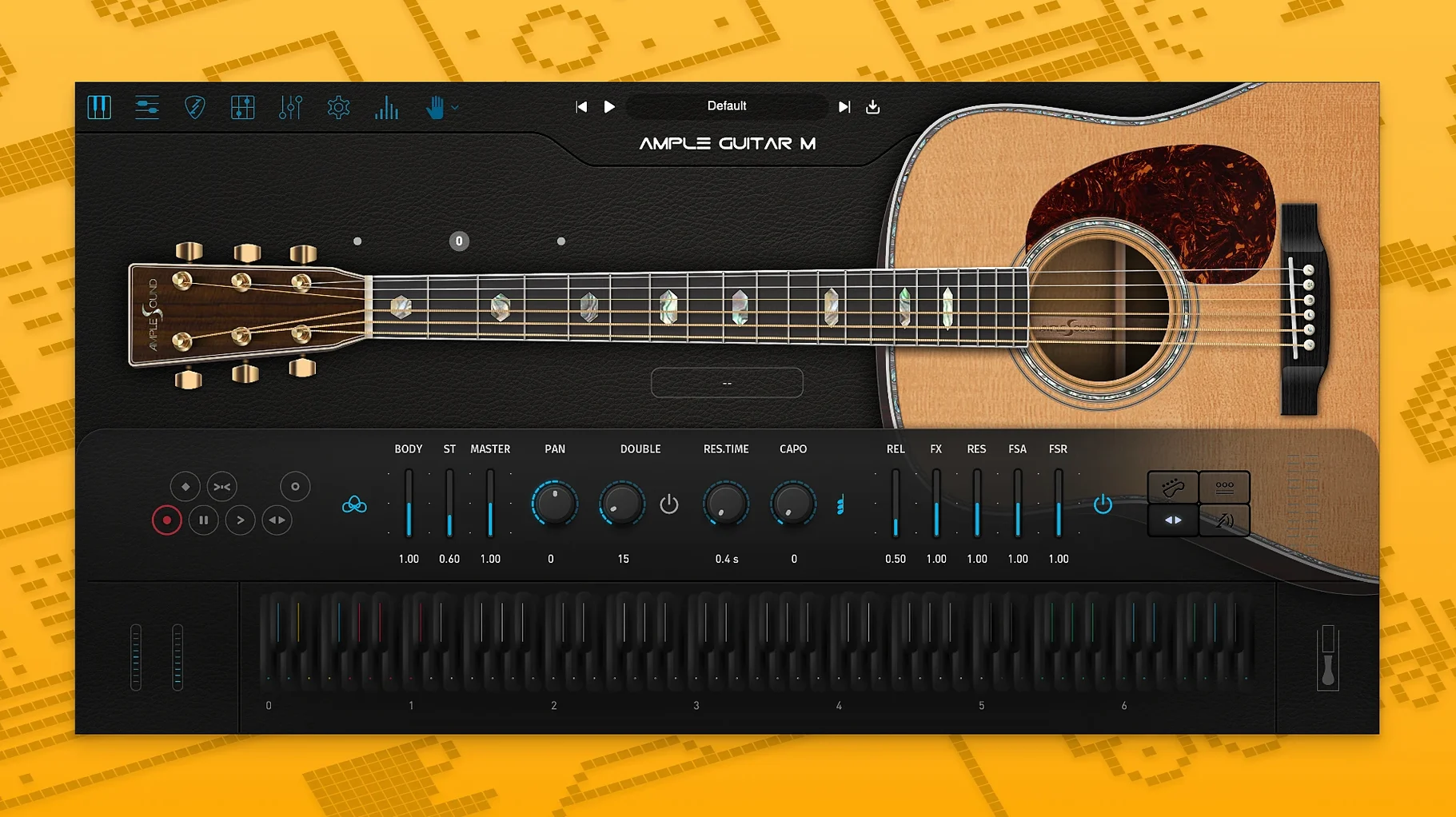
Ample Guitar M is a sample-based virtual acoustic guitar instrument that lives inside your DAW, offering fingered picking patterns, strumming engines, and an onboard tablature player.
Formats, hosts and macOS compatibility
Version 4.1.0 runs natively on both Intel and Apple Silicon Macs from macOS 10.13 onward. It ships as VST3, AU and AAX plug-ins, so it slots into most major hosts — think Logic Pro, Ableton Live, Cubase, or Pro Tools — without extra bridging. The installation is straightforward: a PKG installer handles the plug-in side, then you add the separate sample library download. That split keeps the plug-in lean while the full sound set lives wherever you have the drive space.
A sound built for players and programmers
What sets it apart from a static sample pack is the articulation engine. Fingerpicking, strumming, palm muting, hammer-ons, pull-offs, legato slides, harmonics, and vibrato all respond to how you feed it MIDI. The built-in tablature player, called Riffer, got a nice bump in 4.1 with Auto Vibrato Curve and Swing Quantization, making it feel less robotic when you draw or import patterns. If you program acoustic parts note-by-note and care about realistic fretboard behavior, this is a tool that understands a guitar neck.
Routing MIDI sketches into a full mix
Plugin instruments don't live in a vacuum, and Ample Guitar M shines brightest when you treat it as a voice in a wider arrangement. macOS makes it easy to route MIDI from almost anywhere — I often sketch a chord progression in Scaler 2, drag the MIDI into Logic's piano roll, then let Ample Guitar M interpret it through its own strumming engine. The plug-in respects Audio Units parameter automation, so you can draw articulation switches, capo position changes, or strum speed curves right alongside volume rides without touching the GUI. For producers who build acoustic layers under vocals or piano, dropping a gentle palm-muted pattern from the Riffer into a session and then sidechaining it lightly against the lead vocal compressor gives the track movement without clutter.
It also plays nicely with macOS's aggregate device routing. On a Mac with an Apogee interface and a pair of studio monitors, I set the system output to the interface and let Ample Guitar M sit in Logic with a touch of Space Designer reverb. The result is far more convincing than stacking room samples inside the plug-in itself — the convolution reverb places the dry Martin tone in a believable space, and the direct monitoring path stays tight.
A full fingerpicking part, step by step
Here's a workflow that turns a blank timeline into a finished acoustic guitar track without touching a real guitar.
- Set up the capo and tuning. Open Ample Guitar M on an instrument track. Decide on a key — let's say E major — and a capo position. Engaging the virtual capo at fret 4 transposes the open strings up, giving the part a brighter, tighter character typical of a small-bodied acoustic. The plug-in recalculates fingering instantly.
- Build a strumming pattern. Open the Strummer panel, pick a 16th-note subdivision grid, and paint accents on beats 1 and the "and" of 2. Set the strum direction to alternate and dial the randomness slider to about 15%. That slight timing variation stops the pattern from sounding quantized to death.
- Add melody on top. Switch to the Solo mode on an adjacent MIDI region. Program a simple ascending line — E, F♯, G♯ — using hammer-ons and pull-offs. Because Ample Guitar M models string transitions realistically, a hammer-on from an open E to an F♯ on the A string sounds different than the same pitch on the D string. Toggle the String Selector manually if the default fingering picks an unrealistic jump.
- Layer articulations. Drop a harmonic on the high E string at the end of every second bar. Right-click the note in your piano roll, set it to trigger the harmonic articulation via keyswitch, and drop the velocity slightly. The harmonic cuts through a mix without adding low-mid mud.
- Humanize with Riffer. Drag the MIDI regions into the Riffer tab. Apply Swing Quantization at about 56% and draw a gentle Auto Vibrato Curve that starts subtle and swells toward longer notes. Play it back and adjust the curve's depth until the vibrato feels like a player's finger wobble, not a modulation wheel LFO.
Faster patch loads for multi-articulation presets
The jump to version 4.1 brought changes that seasoned users notice immediately when loading older sessions. The sampler engine improvements mean that patch loading — especially the heavy multi-articulation presets — now happens in a fraction of the previous wait. On an M1 MacBook Air, a full preset with all articulations loaded went from a noticeable beachball pause to completing before I could reach for my coffee. Playback itself feels snappier; dense strumming passages with overlapping voices used to edge toward crackling on larger buffer settings, and that's mostly gone now.
For programmers who rely on the Riffer for quick ideas, the Auto Vibrato Curve removes the tedious step of drawing modulation data by hand. Instead of painting CC lanes for every sustained note, you shape a single curve that applies musical vibrato to held pitches automatically. Swing Quantization is the other quiet hero — it pushes the Riffer closer to the feel of an actual guitarist who rushes and drags slightly, especially useful when you layer Ample Guitar M alongside a live-recorded vocal or percussion track that already breathes.
On the compatibility side, Apple Silicon support in 4.1 means Logic Pro running natively no longer needs Rosetta for this plug-in. If you've been holding off on a full ARM-native session template, this removes one more reason to wait. And because the sample library remains a separate download, updating the plug-in doesn't force a multi-gigabyte re-download — you swap the PKG and keep your existing sound files where they are.
Version 4.1.0 tightens up playback and adds more feel to the Riffer:
- Improved sampler engine performance with faster loading and smoother playback.
- Auto Vibrato Curve and Swing Quantization added to the Riffer tab player.
- macOS 10.13 or later (Intel and Apple Silicon)
- Separate sample library download required
- VST3, AU, or AAX-compatible host
- Interface language: English
Questions people ask
Does Ample Guitar M include a tab player?
Yes, it includes a built-in tablature player called Riffer for creating and editing guitar parts.
What articulations are included in Ample Guitar M?
It covers fingerpicking, strumming, palm muting, hammer-ons, pull-offs, legato, slides, harmonics, and vibrato.
Also on readers' docks
Sign in or create an account to leave a comment.
No comments yet. Tell me how it got on with your other devices.
More in VST Plugins
See all Ample Sound Ample Guitar LP III
4.0.1 VST Plugins
9.2 GB
Ample Sound Ample Guitar LP III
4.0.1 VST Plugins
9.2 GB
 Updated Arturia Analog Lab V
5.12.6 VST Plugins
2 GB
Updated Arturia Analog Lab V
5.12.6 VST Plugins
2 GB
 Arturia Augmented STRINGS
2.0.0 VST Plugins
4.9 GB
Arturia Augmented STRINGS
2.0.0 VST Plugins
4.9 GB
 Arturia Augmented Voices
2.0.2 VST Plugins
4.8 GB
Arturia Augmented Voices
2.0.2 VST Plugins
4.8 GB
 Arturia DX7 V
11.13.4 VST Plugins
475 MB
Arturia DX7 V
11.13.4 VST Plugins
475 MB
 Arturia Efx AMBIENT
1.0.0 VST Plugins
285 MB
Arturia Efx AMBIENT
1.0.0 VST Plugins
285 MB
 Arturia Emulator II V
1.6.2 VST Plugins
700 MB
Arturia Emulator II V
1.6.2 VST Plugins
700 MB
 Arturia FX Collection
2026.02 VST Plugins
16.1 GB
Arturia FX Collection
2026.02 VST Plugins
16.1 GB