








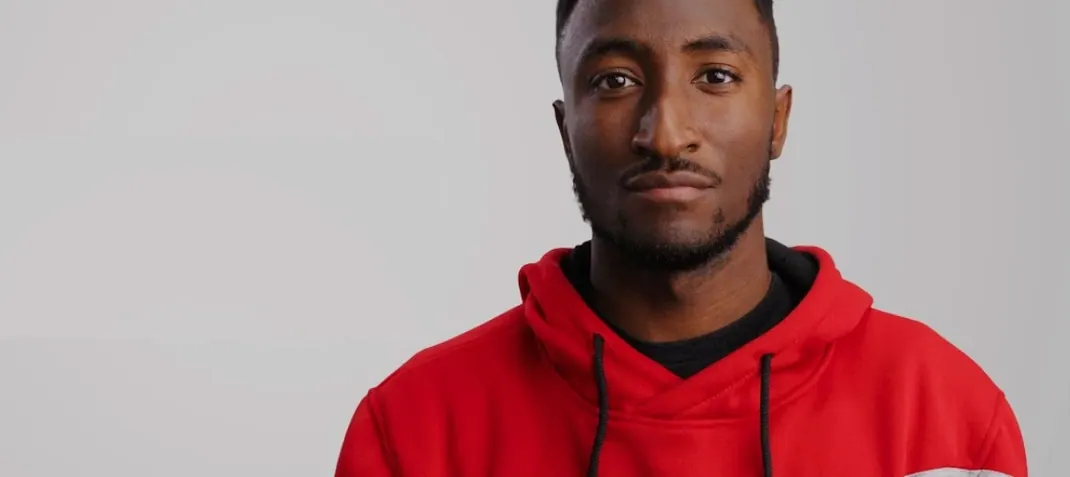
Download MotionVFX mKBHD for macOS

Fifty-one presets. That’s what lands in your editing bay with mKBHD — a plugin suite built around the clean cuts, smooth ramps and bold text treatments Marques Brownlee uses across his tech reviews. It’s not a generic motion graphics pack. Every transition and title was shaped with MKBHD to mirror the tricks from his channel, so you’re dragging in effects that already feel dialled-in.
| What | Details |
|---|---|
| Host apps | Final Cut Pro, DaVinci Resolve, Adobe Premiere Pro |
| Aspect ratios | Horizontal & vertical (FCP); horizontal (Premiere) |
| Presets | 51 drag-and-drop elements |
The controls keep things direct. You pick a transition or title, drop it onto the timeline, and tweak a handful of sliders — duration, colour accent, blur intensity, text placement. The plugin reads your clip’s motion and adapts the timing, so a speed ramp doesn’t fight the edit underneath. On Final Cut Pro you can flip between horizontal and vertical framing without rebuilding the effect, which is handy when a project ships to both YouTube and Shorts. The English-only interface stays out of the way, and the preset thumbnails give you a honest preview before you commit. It’s most at home in fast-turnaround tech reviews, product spotlights or any project where the edit needs to feel slick without hours of keyframing from scratch.
Why Preset Defaults Won't Match Your Clip
Dragging a preset onto the timeline and walking away is the number one trap. mKBHD’s presets land with sensible defaults, but those defaults don’t know your clip’s lighting, your background clutter or where the viewer’s eye should go. Spend ninety seconds on the accent colour picker and the blur slider — skip it, and the effect looks stamped-on rather than built for your shot.
Another early stumble: stacking too many presets on a single cut. The speed ramp transitions feel punchy on their own; layer a title animation over one without adjusting the timing, and the motion becomes a jittery mess. Leave breathing room. Let one element land before the next one kicks in. The presets carry MKBHD’s restrained rhythm — two or three per minute of edit is usually plenty.
On DaVinci Resolve, people forget the VRAM requirement. A 4 GB minimum is firm. Pushing these effects through a 2 GB card produces stuttery playback and render glitches that look like corrupted frames. Check your hardware before blaming the plugin.
Beginners also ignore the vertical framing toggle in Final Cut Pro. They’ll rotate a landscape preset manually, warping the text and throwing off the safe zones, when a single switch handles the conversion cleanly. If you’re delivering to Shorts or Reels, hit that toggle before you start customising.
Finishing a Phone Review with mKBHD Look
You open a project that needs finishing by end of day — a seven-minute review of a phone, shot on two cameras with a handful of B-roll clips. The rough cut is locked. Now you want the edit to breathe like an MKBHD video.
You start with the opener. In Final Cut Pro, you browse the Titles library and spot a bold kinetic title preset. Dragging it onto the first clip, the text placeholder reads “Product Name.” You swap it for the phone model, bump the accent colour to match the device’s finish, and pull the duration handle to three seconds. The animation ramps in and settles just as the product lands on screen.
Next, the transitions. Between the B-roll segments, a whip-pan cut feels too abrupt. You open the Transitions folder, audition two presets, and land on a snappy speed ramp that matches the camera movement. You drop it between the clips, watch the preview loop twice, and shorten it by half a second. The motion flows.
Midway through, a specs segment needs visual structure. You layer two title presets — one for category labels, one for the numbers — and copy the style across six bullet points. The consistent animation ties the sequence together without extra keyframing. For the outro, you reach for a clean fade transition and a closing title with a subtle blur dissolve. The session clocks under an hour, and the edit feels polished enough that a viewer wouldn’t guess how fast it came together.
Offline Editing with Local Presets
Does this work without an internet connection? Yes. Once the folders are in place, the presets live locally inside Motion Templates. No activation check, no cloud call-home. You can edit offline on a flight or in a studio with the network unplugged. The Russian download page confirms activation isn’t required, and that lines up with how motionVFX builds their template packs.
Will it slow down my timeline? On a machine that meets the specs, scrubbing stays smooth. Final Cut Pro handles the presets natively through Motion Templates, so the render pipeline is the same as any built-in effect. DaVinci Resolve users should note the 16 GB system memory requirement — if you’re right at the edge, drop the timeline resolution for playback and switch back for export. Premiere Pro benefits from having After Effects 2022+ installed, even if you never open it; the dynamic link keeps previews snappy.
Is there a way to try it before committing? Some editors look for a motionvfx download mac on forums, hoping to test the presets on their own footage. Others search for motionvfx cracked variants or a motionvfx torrent to jump right into the workflow. A few hunt for a motionvfx crack or a motionvfx free download, assuming the plugin works standalone. It doesn’t — it’s a template pack that needs a compatible host app, and the presets themselves are straightforward files. If you’ve got Final Cut Pro 10.6.5, DaVinci Resolve 17.4, or Premiere Pro 2022+ already running, the drag-and-drop workflow slots right in.
Can I use these in vertical video? On Final Cut Pro and DaVinci Resolve, yes — both support horizontal and vertical aspect ratios directly. Premiere Pro sticks to horizontal framing for this release, so vertical edits in Premiere need workarounds. If Shorts or Reels are your main output, FCP gives the smoothest path.
Do the presets work with custom fonts? The titles ship with their own type treatments baked into the animation. You can swap the text content, but the font styling is part of the preset aesthetic. If your brand demands a specific typeface, you’ll need to dig into the Motion project files, which is possible but not a one-click swap.
The latest release packs in 51 ready-made presets, so you can drag and drop MKBHD-style transitions and titles straight onto your timeline.
- macOS Big Sur 11.7.10 or later
- Final Cut Pro 10.6.5, DaVinci Resolve 17.4, or Adobe Premiere Pro 2022+
- After Effects 2022+ (for Premiere Pro workflows)
- 16 GB system memory
- 4 GB VRAM
Questions people ask
Which editing apps does mKBHD support?
It runs in Final Cut Pro, DaVinci Resolve, and Adobe Premiere Pro. The Premiere Pro version also requires After Effects 2022+.
What macOS version do I need for the Final Cut Pro plugin?
You need macOS Big Sur 11.7.10 or newer and Final Cut Pro 10.6.5.
Can I use mKBHD for vertical video?
Yes, the Final Cut Pro version supports both horizontal and vertical aspect ratios. The Premiere Pro version is designed for horizontal timelines.
Also on readers' docks
Sign in or create an account to leave a comment.
No comments yet. Tell me how it got on with your other devices.
More in Final Cut Pro Plugins
See all MotionVFX mInfographics
Final Cut Pro Plugins
8 MB
MotionVFX mInfographics
Final Cut Pro Plugins
8 MB
 MotionVFX - mLowers Universal for FCP
Final Cut Pro Plugins
71 MB
MotionVFX - mLowers Universal for FCP
Final Cut Pro Plugins
71 MB
 MotionVFX mModules
Final Cut Pro Plugins
5 MB
MotionVFX mModules
Final Cut Pro Plugins
5 MB
 Motionvfx - mTitle Cinematic
Final Cut Pro Plugins
5 MB
Motionvfx - mTitle Cinematic
Final Cut Pro Plugins
5 MB
 FxFactory Pro
9.0.5-8654 Final Cut Pro Plugins
68 MB
FxFactory Pro
9.0.5-8654 Final Cut Pro Plugins
68 MB
 Flicker Free
2.1.6 Final Cut Pro Plugins
24 MB
Flicker Free
2.1.6 Final Cut Pro Plugins
24 MB
 Dehancer Pro
7.3.4 Final Cut Pro Plugins
382 MB
Dehancer Pro
7.3.4 Final Cut Pro Plugins
382 MB
 Color Finale
2.2.8 Final Cut Pro Plugins
35 MB
Color Finale
2.2.8 Final Cut Pro Plugins
35 MB