









Download FxFactory Pro for macOS
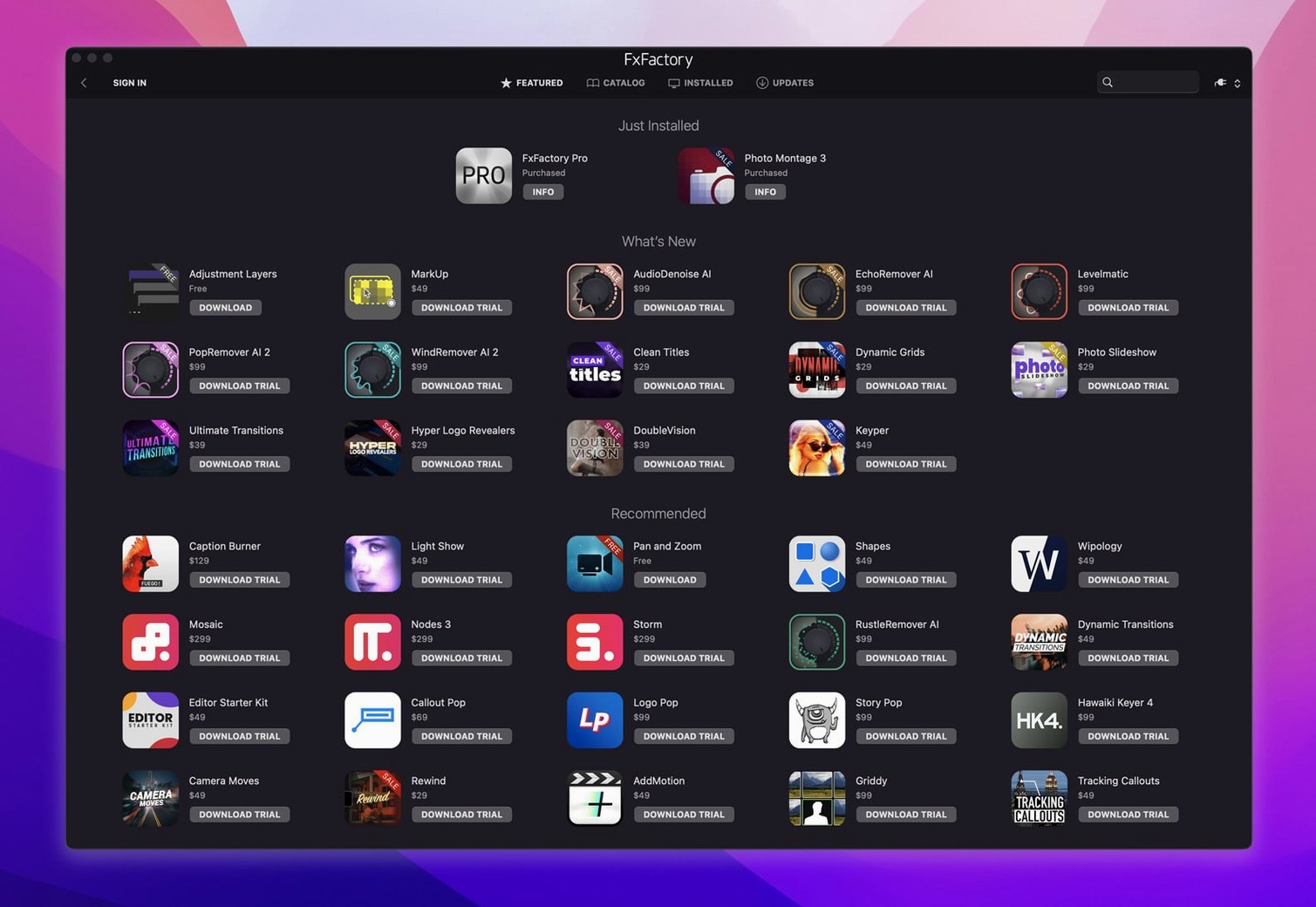
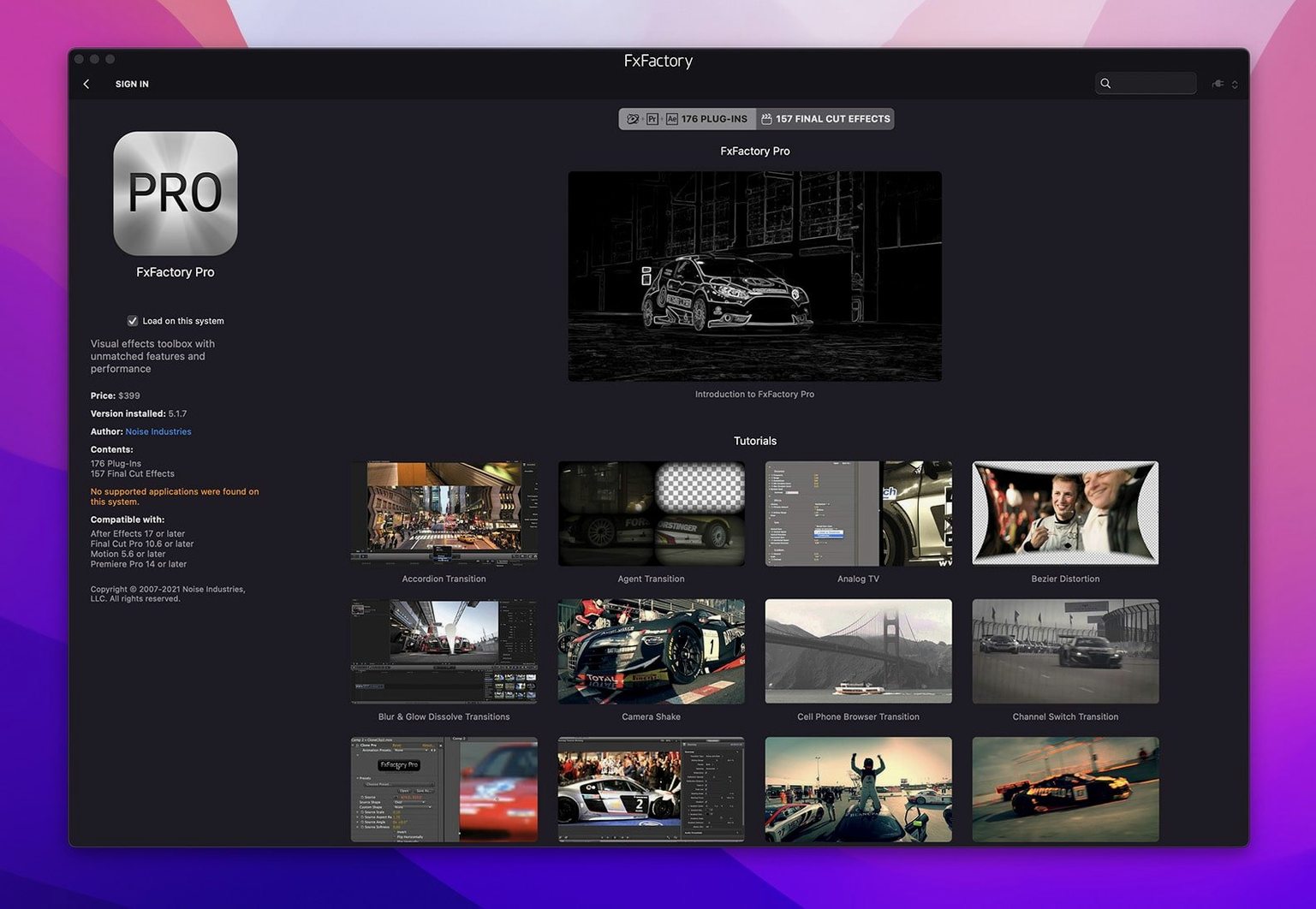
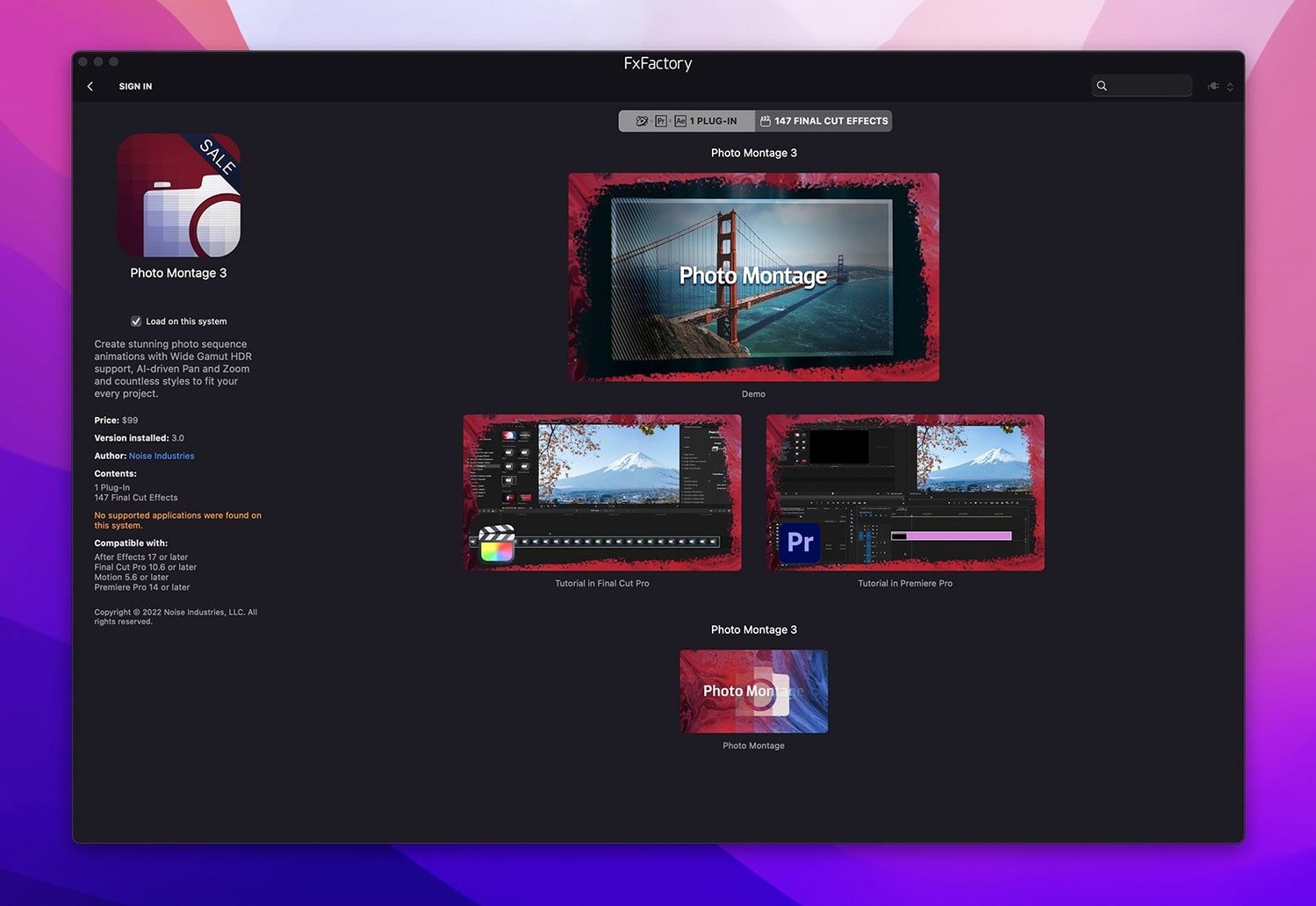
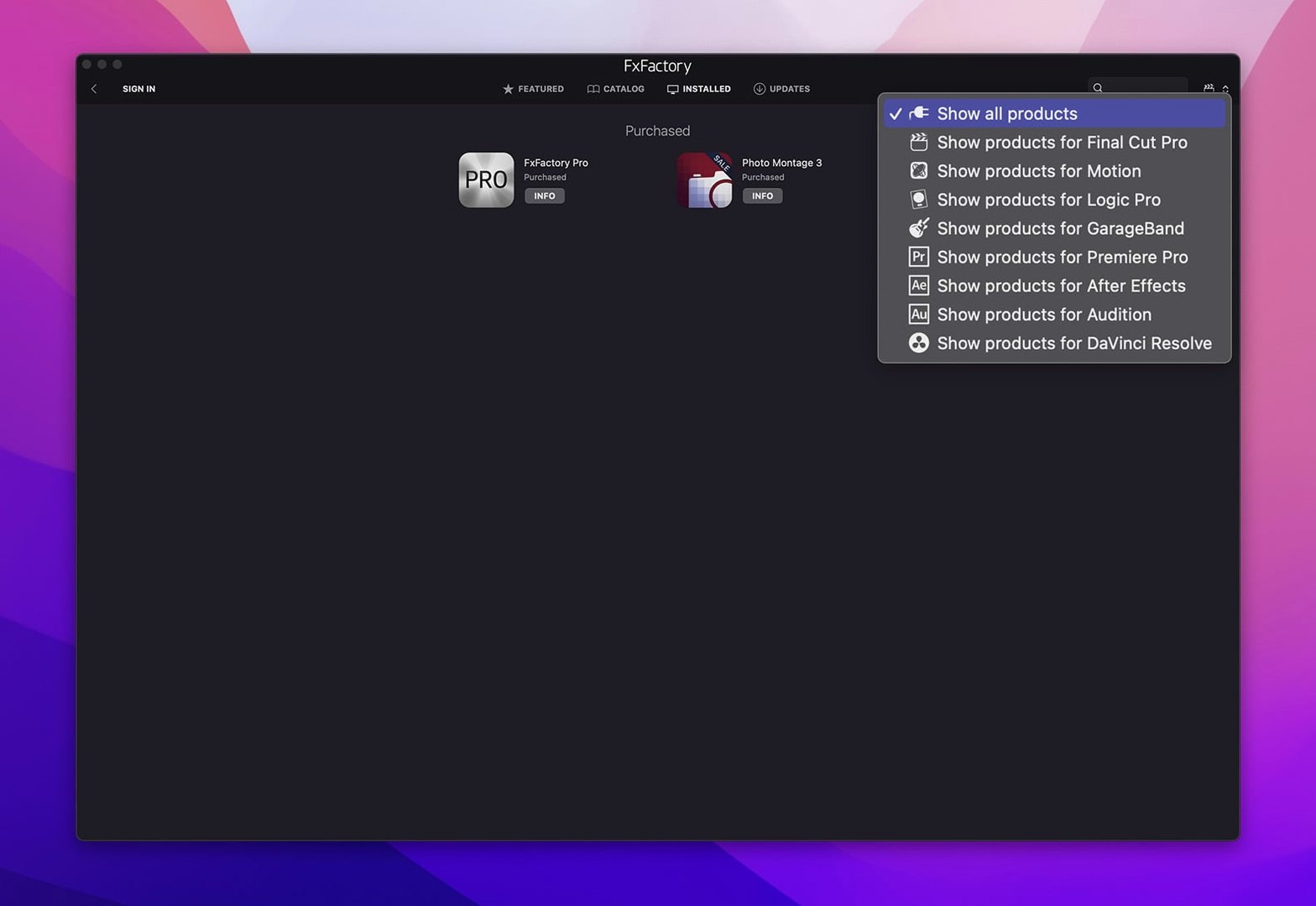
If you spend your day in Final Cut Pro or Premiere, you already know the hunt for the right look. FxFactory Pro slides right into that workflow as a visual effects package that bridges your host app and a sprawling catalog of plugins. It lives across Final Cut Pro, Motion, Premiere Pro, After Effects, and DaVinci Resolve, giving you one consistent way to reach for the effect you need. The built-in interface connects installed plugins directly to your project for preview and final rendering, and it handles managing and registering commercial packs when your toolkit grows.
- Browse and apply effects from a single interface inside your host application.
- Create custom looks without touching a line of code.
- Manage all your installed FxFactory effects in one place.
- Work natively on both Apple Silicon and Intel Macs.
It is the kind of utility that doesn't try to be a whole new app—it just makes the tools you already use feel more capable. Editors who regularly swap between different host applications will appreciate having one plugin system that follows them across the board.
Over the years, I’ve watched editors weigh up FxFactory against a few other heavy hitters. The comparisons always come down to how you work, not just what the plugins do.
Curated Universe vs. FxFactory’s À La Carte Breadth
Let’s talk about Red Giant Universe first. Universe gives you a tightly curated set of transitions and effects that feel modern straight out of the box. It works across the same host apps, but you don’t get the à la carte ecosystem FxFactory has built. With FxFactory, you’re not locked into one developer’s vision—third-party creators sell packs directly through the platform, and you can mix free plugins with paid ones. Universe is more of a single subscription with a known set of tools. FxFactory is more of a framework that grows sideways whenever a new developer releases something interesting. I’ve seen motion designers stick with Universe because they love the consistency, while editors who need to solve oddball problems—glitchy lower thirds, niche transitions, custom generators—end up searching fxfactory for that one specific pack.
Then there’s MotionVFX, which releases staggeringly polished plugins for Final Cut Pro. Their 3D titles and transitions are genuinely stunning. The catch? They’re almost entirely Final Cut Pro only. If you jump into After Effects for a compositing shot, those plugins won’t follow you. FxFactory’s cross-host support is the differentiator here. When I’m hopping between Motion for titles, Premiere for a rough cut, and Resolve for color, having the same glows, blurs, and film grain available in every app saves me from rebuilding a look three times.
Boris FX Sapphire is the third comparison worth making. Sapphire is a professional monster—hundreds of effects built for high-end compositing, with more parameters than most people will ever touch. It’s brilliant and deep, but it doesn’t pretend to be a lightweight plugin manager. FxFactory prioritizes discoverability. The interface surfaces your installed effects without forcing you through nested menus, and the free tier means someone curious can download fx factory just to try out a few no-cost generators before committing to anything bigger. Sapphire expects you to know what you need. FxFactory is happier if you’re still figuring it out.
FCP Panel Not Showing After Install
A handful of hiccups crop up enough that they’re worth addressing head-on. The first usually hits right after installation: you open Final Cut Pro and the FxFactory panel doesn’t appear. Nine times out of ten, the plugin hasn’t been enabled in the host’s preferences. In After Effects, that means checking Window > Extensions. In Premiere, look under Window > Extensions as well. In Final Cut Pro, you want to verify the FxFactory title and generator categories show up in the browser. If they’re missing, a quick relaunch of the FxFactory app itself often triggers the host to recognize the installed components.
Another headache: applying a Pro Pack effect and seeing a watermark or red crosshatch overlay on export. This trips people up constantly, especially if they’re evaluating a commercial pack they haven’t registered yet. FxFactory’s free plugins render cleanly with no strings attached, but any commercial plugin that requires purchase will stamp your footage until it’s properly registered. The fix is straightforward—open the FxFactory application, check the registration status for that effect, and make sure your license is active. No license means a watermark, every time.
Performance stumbles are the third big one. Heavy Pro Pack effects—particularly those doing 32-bit floating-point processing—can bring playback to a crawl on older Intel machines. If your timeline chokes, try switching the effect’s processing mode from 32-bit float to 16-bit in the effect parameters. The visual difference is often imperceptible, and your render times will thank you. Also, keep an eye on the FxFactory app’s preferences: the disk cache location defaults to your system drive, and moving it to a fast external SSD can ease the load when you’re stacking multiple effects.
Apple Silicon Support Across the Entire Catalog
Version 9.0.5 arrived as a maintenance build, but the 9.0 cycle as a whole brought a few workflow shifts that I’ve felt in daily editing. The big architectural change was native Apple Silicon support across the entire plugin catalog. Earlier versions ran under Rosetta emulation for some effects, and you’d occasionally hit a render glitch or a plugin that simply refused to load on an M1 or M2 machine. That friction is gone now. Opening a project that mixes third-party FxFactory effects with built-in Final Cut Pro filters no longer triggers a Rosetta prompt, and export times on Apple Silicon Macs saw a genuine improvement with the 9.0 updates.
The interface in the FxFactory manager app got subtler but smarter. The effects browser now groups plugins by their host application compatibility right on the tile, so you can tell at a glance whether a newly installed generator works in Resolve or only in Final Cut Pro and Motion. The registration panel also cleaned up the distinction between free products and trials—a small thing, but it cut down on the “why is this watermarked” confusion I mentioned earlier. Under the hood, the FxPlug integration received updates that improved stability with After Effects multi-frame rendering, which matters if you’re compositing on a deadline.
Daily Switching Between Final Cut Pro and DaVinci Resolve
Editors who split their time between multiple host apps are the first group I’d point to. If your week bounces between Final Cut Pro for quick turnarounds and DaVinci Resolve for color-critical jobs, you’ll feel the difference when your go-to film grain or vignette plugin is waiting for you in both places. Cross-host consistency isn’t just a convenience—it means a look you build in one app translates without manual matching.
Motion graphics generalists also thrive here. The free plugin ecosystem within FxFactory is genuinely worth exploring, and I’ve seen people fall down rabbit holes browsing fxfactory free plugins to find title templates and generators that would take hours to build from scratch. You don’t need to be a heavy After Effects user to get value out of a few well-chosen generators applied inside Motion or Final Cut Pro. The Pro Pack processing pipeline also appeals to anyone working in 16-bit or 32-bit color, especially when delivering for HDR or film festival screenings where banding in gradients is a real concern.
Solo video producers and small post-production teams benefit from the modular nature of the platform. Instead of buying a massive all-in-one suite where half the effects go unused, you can pick up exactly the packs you need—maybe a glitch toolkit and a color grading helper—and ignore the rest. The manager app stays clean, your project load times don’t balloon, and you’re not paying for bloat.
Ignoring the FxFactory App After Installing a Plugin
The most common beginner mistake is treating FxFactory like an effect and then forgetting it’s also a manager. People download fx factory, install a free plugin or two, and never open the actual FxFactory app again. That’s fine until an effect stops working or they want to try something new. The manager app tracks registrations, handles updates, and lets you browse available plugins without launching a host. Ignoring it means missing out on free product updates and new releases that don’t get pushed through the host applications themselves.
Another classic: loading up a timeline with a dozen Pro Pack effects, all running at their default 32-bit float settings, and then wondering why a five-minute sequence takes forty minutes to export. Beginners often don’t realize that the processing bit depth is adjustable per effect. Dialing a background blur down to 16-bit while leaving a key compositing effect at 32-bit is a smart compromise that costs almost nothing visually.
Some editors also assume every FxFactory plugin works in every host, which isn’t the case. A plugin built specifically for Final Cut Pro’s FxPlug architecture won’t show up in Premiere or Resolve, even if the FxFactory panel appears in those apps. Before buying a commercial pack, it’s worth scanning the compatibility list in the FxFactory manager to confirm your host is covered. The tiles make this clearer than they used to, but old habits die hard.
Finally, there’s the assumption that all free plugins are watered-down demoware. Plenty of them render without watermarks and with full parameter control forever. The free tier isn’t just a trial bait—it’s a working toolkit that some editors use daily without ever buying a commercial pack. Treating it as a limited-time preview means leaving perfectly good generators and transitions on the table.
- macOS 12.6 or later
- Apple Silicon or Intel (64-bit) Mac
- Compatible host: Final Cut Pro, Motion, Premiere Pro, After Effects, or DaVinci Resolve
- English interface
Also on readers' docks
Sign in or create an account to leave a comment.
No comments yet. Tell me how it got on with your other devices.
More in Final Cut Pro Plugins
See all Flicker Free
2.1.6 Final Cut Pro Plugins
24 MB
Flicker Free
2.1.6 Final Cut Pro Plugins
24 MB
 Dehancer Pro
7.3.4 Final Cut Pro Plugins
382 MB
Dehancer Pro
7.3.4 Final Cut Pro Plugins
382 MB
 Color Finale
2.2.8 Final Cut Pro Plugins
35 MB
Color Finale
2.2.8 Final Cut Pro Plugins
35 MB
 MotionVFX mInfographics
Final Cut Pro Plugins
8 MB
MotionVFX mInfographics
Final Cut Pro Plugins
8 MB
 MotionVFX mKBHD
Final Cut Pro Plugins
12 MB
MotionVFX mKBHD
Final Cut Pro Plugins
12 MB
 MotionVFX - mLowers Universal for FCP
Final Cut Pro Plugins
71 MB
MotionVFX - mLowers Universal for FCP
Final Cut Pro Plugins
71 MB
 MotionVFX mModules
Final Cut Pro Plugins
5 MB
MotionVFX mModules
Final Cut Pro Plugins
5 MB
 Motionvfx - mTitle Cinematic
Final Cut Pro Plugins
5 MB
Motionvfx - mTitle Cinematic
Final Cut Pro Plugins
5 MB