









Download Plugin Alliance Shadow Hills OptoMax for macOS
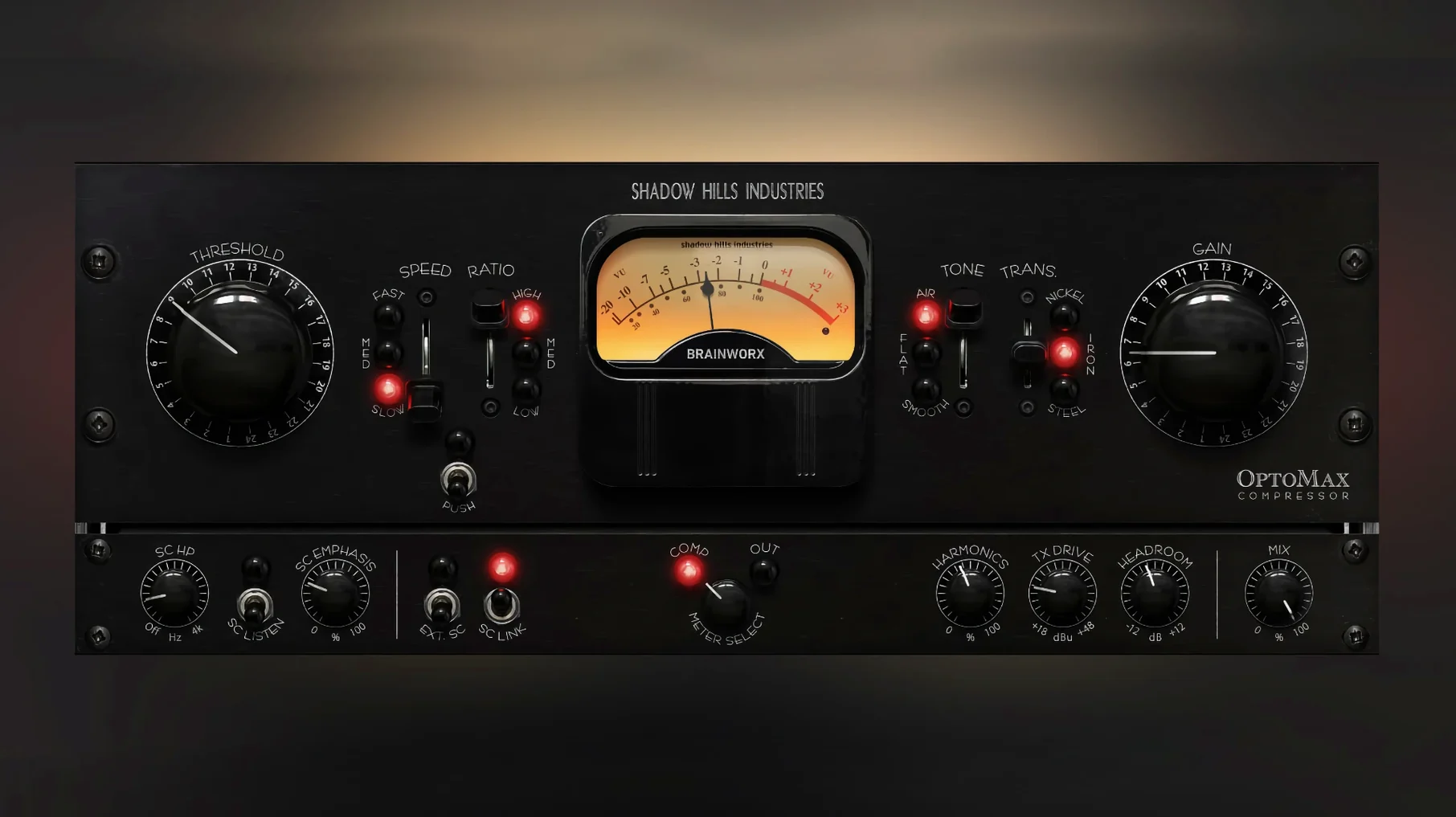
Shadow Hills OptoMax is an optical compressor plugin that brings the smooth, program-dependent reaction of classic hardware to your Mac session.
Vocal Leveling
Slip it on a lead vocal track and switch on the Shine mode to let air and presence through while the opto cell gently reigns in uneven phrases, keeping the performance natural instead of squashed.
Drum Bus Glue
Across a drum group, the Softness circuit rounds off transient spikes without dulling the attack, pulling the kick, snare and overheads into a cohesive pocket that breathes together.
Mix Bus Polish
On the stereo bus, advanced sidechain filtering lets you ignore low-end pumping from the kick and bass, so the compression tightens the overall image while the bottom end stays full and stable.
Start on the Nickel Transformer with Familiar Material
After the installer finishes, pull up something you know inside out — a half-mixed track, a vocal stem you've heard a hundred times. The nickel transformer is the safest starting point. It's the most transparent of the three, adding just a whisper of harmonic weight without calling attention to itself. Dial the threshold until you're seeing three to five decibels of reduction on the loudest phrases, then toggle through the slow, medium and fast response settings before touching anything else.
Those three timing options are where the plugin's personality lives. Slow lets syllables breathe and works beautifully on sustained vocals or string pads. Medium tightens things up just enough for strummed acoustics and snappy bass lines. Fast can catch sharp consonants and pick transients without the grab-and-release artifacts you'd get from a VCA compressor — but it needs the Shine circuit engaged to keep things from feeling choked up top.
Leave the mix knob at 100% wet while you're learning the flavor. Parallel blending comes later, once your ears know what the compressor is contributing. Spend your first session on one source only.
Fix Full-Mix Pumping via the Sidechain Filter
The most common head-scratcher happens when someone slaps OptoMax across a full mix and the low end starts pumping. Nine times out of ten, the culprit isn't the attack or release — it's the sidechain filter sitting untouched. Open the advanced sidechain panel and engage the high-pass filter somewhere between 80 and 120 Hz. The kick and bass still drive the groove, but the compressor stops reacting to sub frequencies that were never the problem in the first place.
Another frequent stumble: switching from iron to steel and recoiling at the sudden midrange forwardness. Steel saturates more aggressively through the mids, and on material that's already dense in that area — stacked guitars, brassy synths — the jump can feel jarring. Dial the output gain back a couple of decibels before comparing transformer types. Level-matched comparisons stop your ears from mistaking loudness for tone.
If Pro Tools users notice the gain reduction meter acting oddly, the 1.0.1 update addressed exactly that. Those on the initial build might see the meter hang or misreport, but the audio path itself remains solid — it's a display bug, not a processing fault.
Lean CPU Hit Across Dozens of Instances on Apple Silicon
On Apple Silicon machines, OptoMax runs natively and loads sessions without complaint. The plugin's footprint is lean enough that inserting it across a dozen tracks on an M1 or M2 machine barely nudges the CPU meter, though the steel transformer — with its more involved saturation curve — uses slightly more cycles than nickel or iron. On Intel Macs still running Monterey or Ventura, performance stays respectable; a six-instance drum and vocal session on a 2019 iMac sat comfortably with headroom to spare.
Stability has been uneventful in the best way. Across Logic Pro, Ableton Live and Studio One sessions, there were no crashes tied to the plugin, no GUI freezes when automating parameters, and no pops or silence bursts when bypassing during playback. The interface redraws at a smooth rate, even when adjusting the sidechain filter graph while audio runs — a small detail that keeps the workflow frictionless during long mixing stretches.
Latency sits in the usable zone for tracking at low buffer sizes, though optical compression isn't really a tracking tool. For mixing, the delay is low enough that parallel chains stay phase-coherent without manual compensation, which matters more in practice than any spec sheet number.
Alongside Its Neighbors
Stacked against Brainworx's own Shadow Hills Mastering Compressor — the full unit OptoMax borrows from — the difference is focus versus scope. The Mastering Compressor gives you optical and discrete VCA sections, stepped controls, and a mastering-grade output stage. OptoMax strips that down to the optical cell alone and adds tools the bigger plugin doesn't: the Shine and Softness circuits, transformer-switching per instance, and a more flexible sidechain section. For someone who already owns the Mastering Compressor, OptoMax isn't redundant; it's the optical section freed from the master bus and made track-friendly.
Next to UAD LA-2A emulations, the character lands differently. An LA-2A is all about midrange push and a specific tube-warmth envelope. OptoMax's three transformer choices let it drift from near-clean (nickel) to thick and iron-weighted (steel), and the Shine mode keeps top-end air in play in a way that classic opto emulations often shelve off. Where an LA-2A tends to soften transients into a vintage roundness, OptoMax can stay modern and forward when you want it to — especially with the fast response setting and Softness disengaged.
Compared with Klanghelm MJUC, another variable-character compressor, OptoMax leans harder into hardware-inspired saturation behaviors. MJUC's three models cover tube, FET and optical flavors but keep the compression curves relatively clean unless you push the drive controls. OptoMax embeds transformer coloration into its core signal path from the start, so the tone shifts even at modest gain reduction levels. MJUC rewards deliberate drive-staging; OptoMax bakes the color into every decision, which can speed up mix moves once you learn what each metal brings to the table.
Version 1.0.0 marks the initial release of the Brainworx-crafted optical compressor, landing on 18 September 2025.
- macOS 12 or later
- Apple Silicon and Intel Macs
Questions people ask
Can Shadow Hills OptoMax do subtle leveling and harder peak control?
Yes, the plugin handles both gentle, transparent evening of levels and more assertive peak control, so you can dial in anything from a feather-light touch to a firmer grip.
Also on readers' docks
Sign in or create an account to leave a comment.
No comments yet. Tell me how it got on with your other devices.
More in VST Plugins
See all Plugin Alliance Brainworx Bundle
2025.06.16 VST Plugins
2.1 GB
Plugin Alliance Brainworx Bundle
2025.06.16 VST Plugins
2.1 GB
 Pulsar Audio IPA
1.0.9 VST Plugins
75 MB
Pulsar Audio IPA
1.0.9 VST Plugins
75 MB
 Pulsar Modular Everything Bundle
04.2026 VST Plugins
771 MB
Pulsar Modular Everything Bundle
04.2026 VST Plugins
771 MB
 RC-20 Retro Color
1.5.1 VST Plugins
170 MB
RC-20 Retro Color
1.5.1 VST Plugins
170 MB
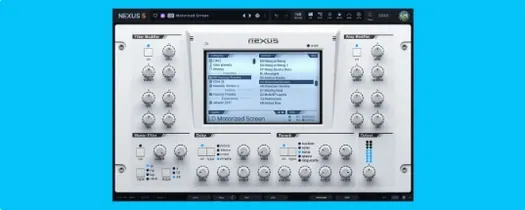 reFX Nexus
5.5.21 VST Plugins
72 MB
reFX Nexus
5.5.21 VST Plugins
72 MB
 Revoice Pro
5.1.30 VST Plugins
39 MB
Revoice Pro
5.1.30 VST Plugins
39 MB
 RipX DAW Pro
8.0.3 VST Plugins
1.6 GB
RipX DAW Pro
8.0.3 VST Plugins
1.6 GB
 Roland Cloud Legendary Series
2025.06.29 VST Plugins
1.3 GB
Roland Cloud Legendary Series
2025.06.29 VST Plugins
1.3 GB