









Download Lunacy Audio CUBE for macOS
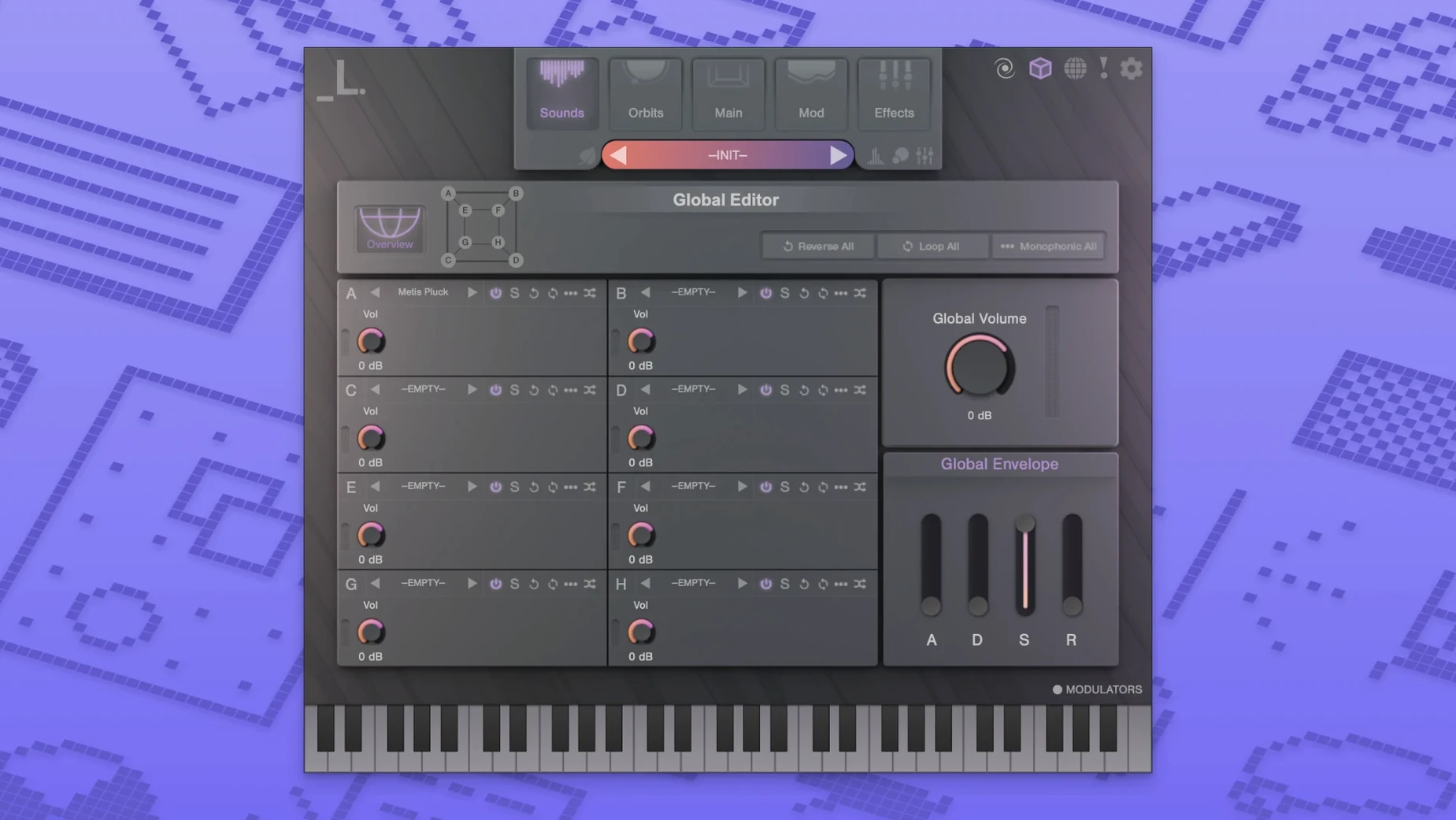
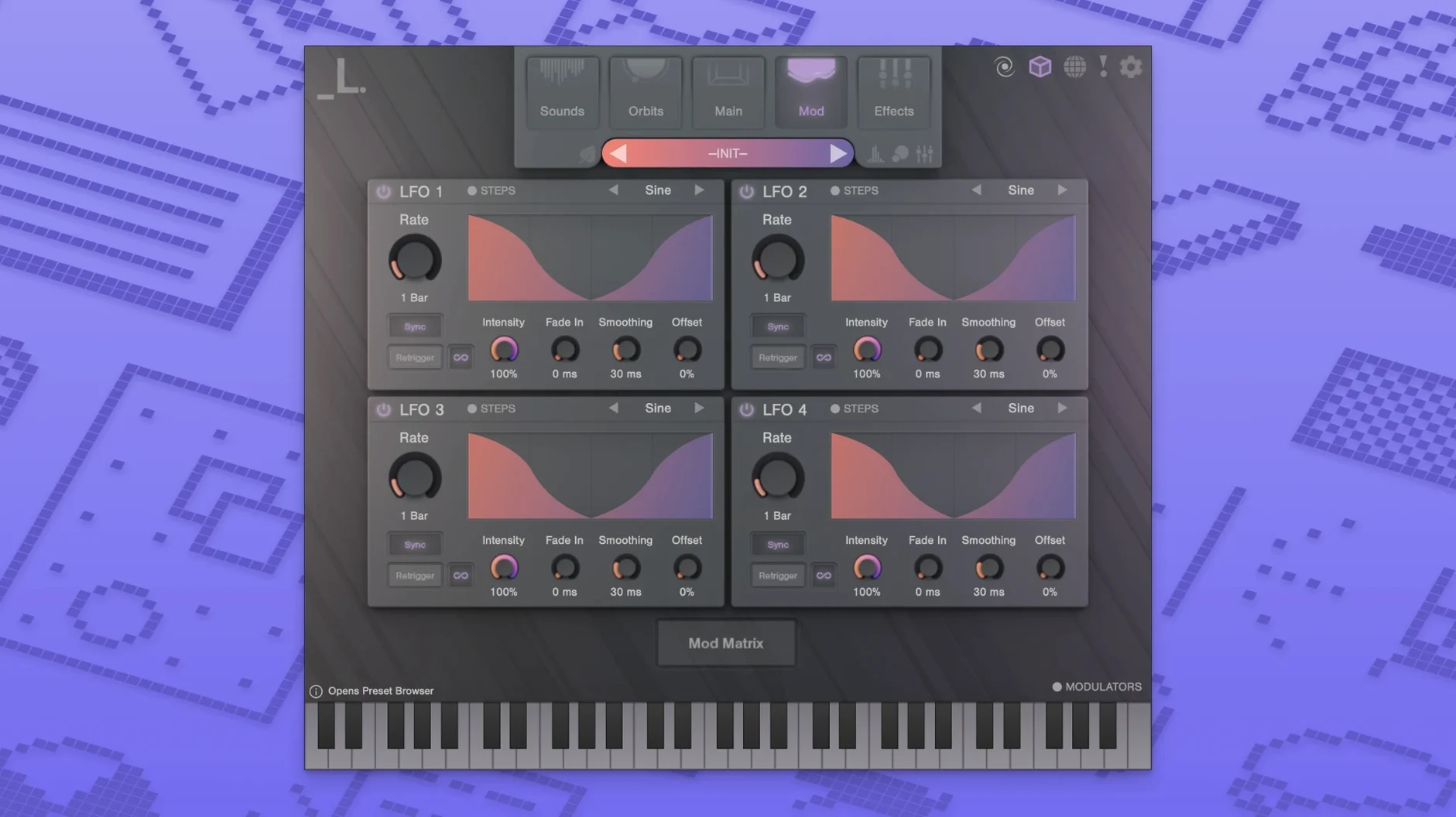
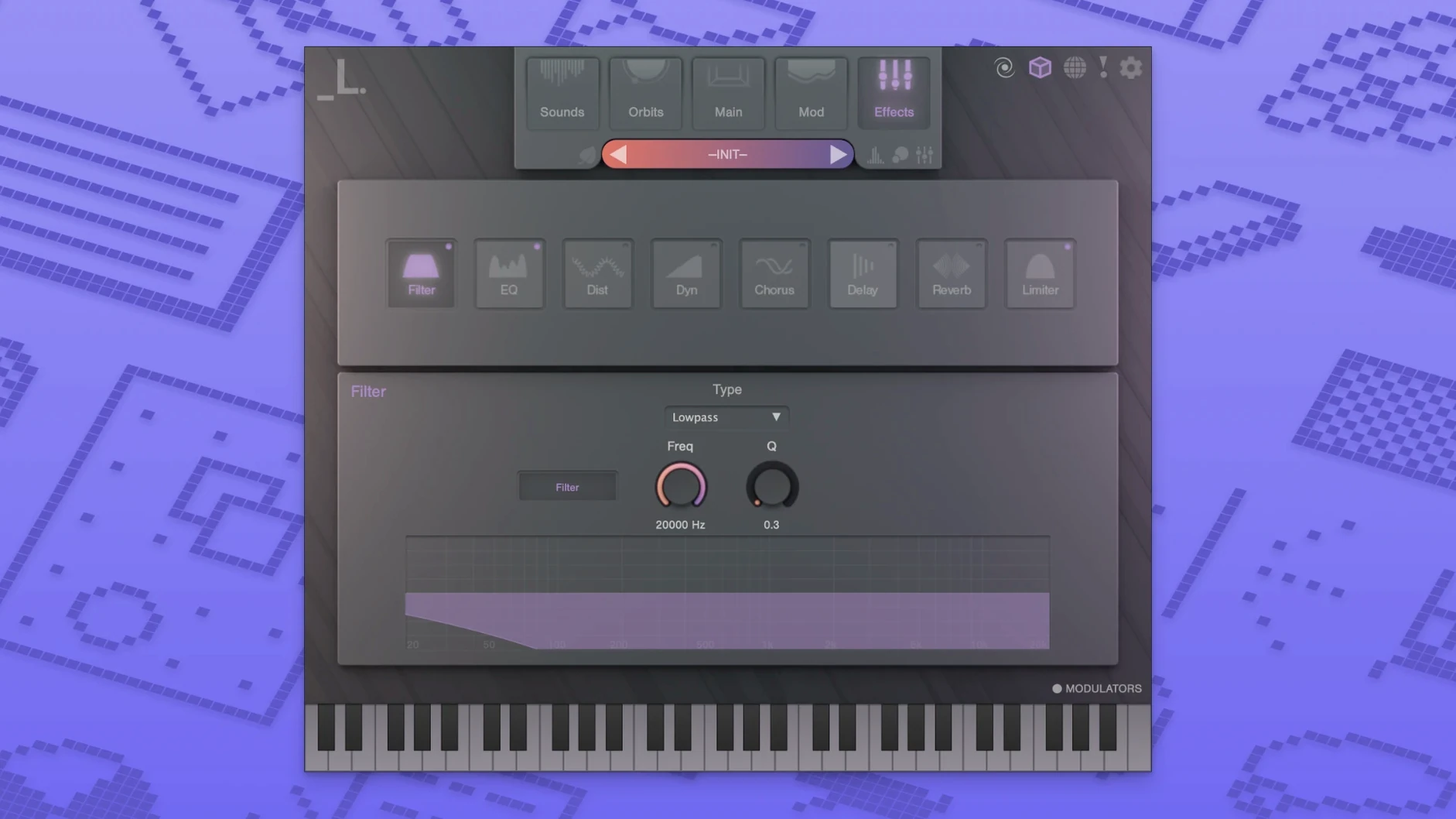
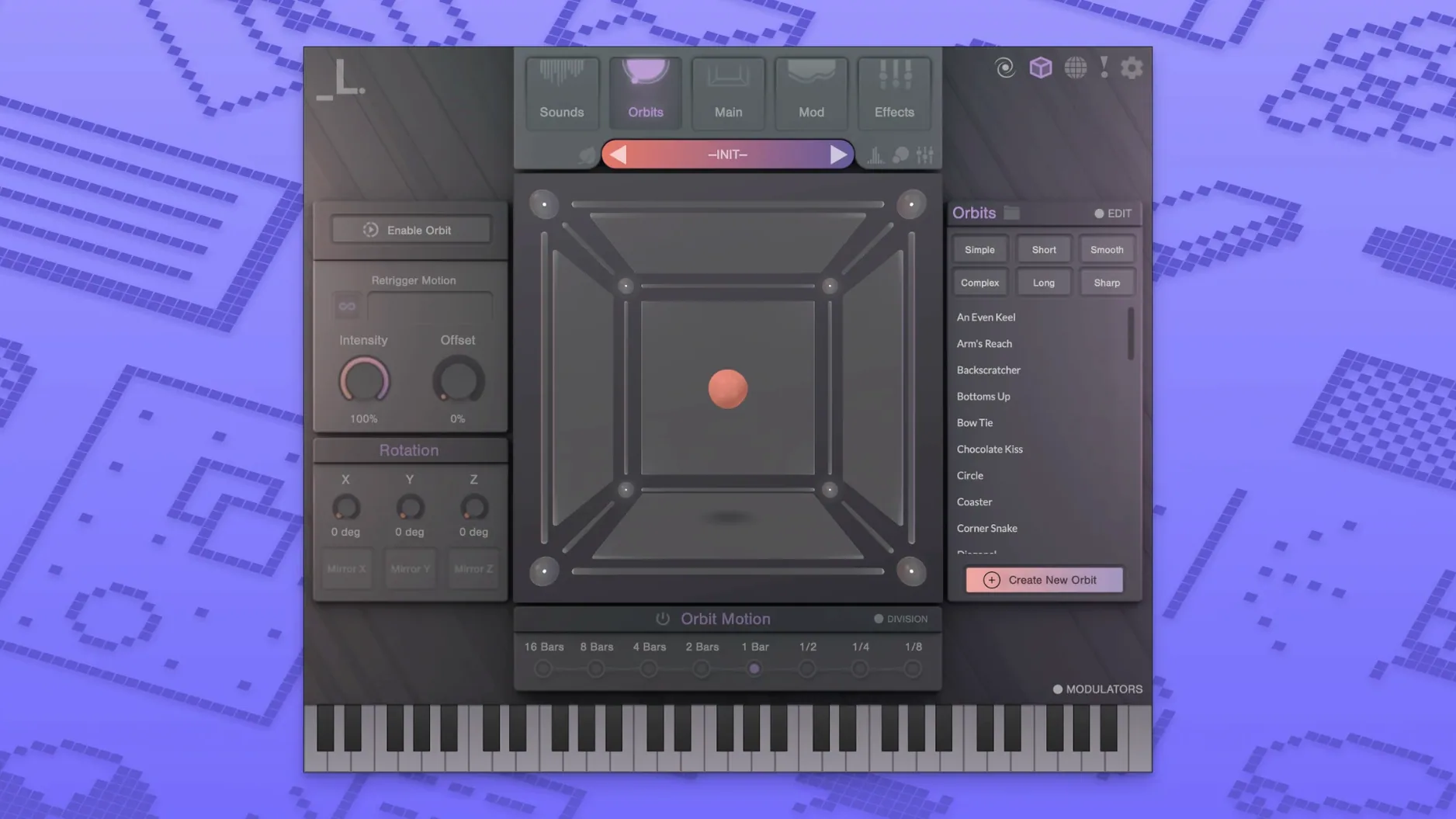
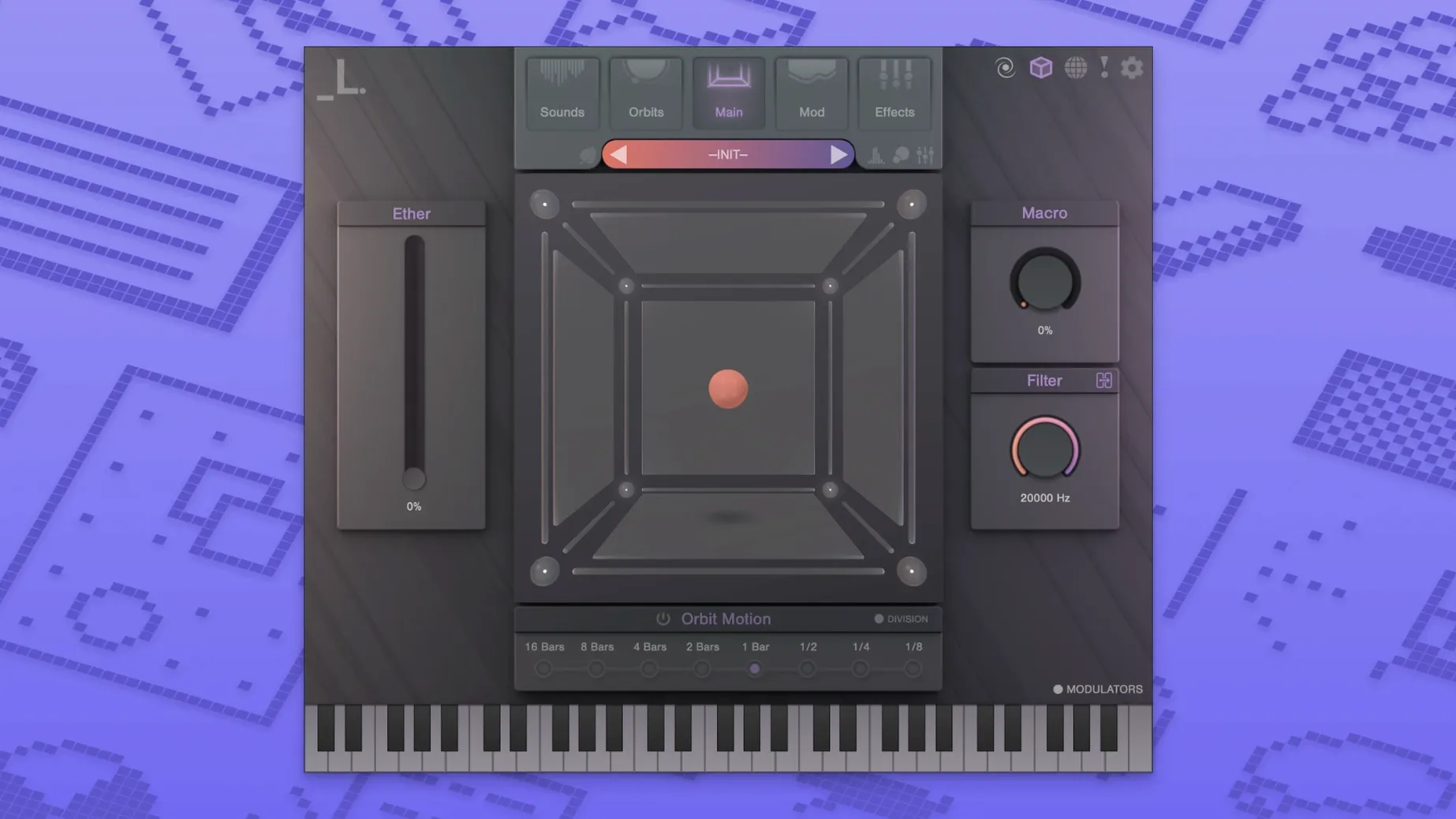
Eight is the magic number inside CUBE. Each of the eight sound layers gets its own set of controls, and you blend them by dragging a node around a three-dimensional cube, not by pushing faders. The result is sample morphing that feels more like sculpting than mixing, with the engine pulling from a factory library that ships with over 500 presets right out of the gate.
Pads with built-in morphing movement
I reach for CUBE when a pad needs motion that a static wavetable can't deliver. The automatic motion systems do a lot of the heavy lifting — set a path for the morphing node and the sound shifts over time without drawing a single automation lane. It works equally well on a dedicated instrument track as the main texture or tucked into a bus with the built-in distortion, reverb, and delay doing their thing. Loading your own audio files pushes it beyond the factory library, so field recordings and vocal chops can become morphing sources alongside the stock samples.
What makes it click
The 3D morphing isn't a gimmick. Moving between four sound sources on a flat plane is familiar, but adding that third axis opens up blends that would take half a dozen crossfaders to fake. With Apple Silicon support listed as recommended, the morphing stays responsive even with all eight layers running and the onboard effects active. CUBE ends up filling the gap between a traditional rompler and a granular playground, especially on sessions where evolving backgrounds and shifting textures carry the arrangement.
What 1.6.0 brought to everyday sessions
The jump to version 1.6.0 polished a few friction points that crept up during longer production days. The most welcome change for me is how the preset browser responds when you're flipping through categories quickly — there's noticeably less lag browsing the 500-plus presets on an Apple Silicon machine, which keeps the creative flow from stalling while you audition sounds. Behind the scenes, the morphing engine got tighter with custom audio imports, so dragging in your own samples now snaps to the cube's nodes with fewer hiccups. The low-power mode also saw some attention — it's smarter about scaling back without flattening the texture, which means you can leave CUBE running on a dense arrangement and still scroll through other tracks without the beachball making an appearance.
A session with CUBE, step by step
Here's how a recent beat sketch played out. I loaded CUBE onto an instrument track in Logic, picked the "Glass Horizon" preset, and immediately dragged the morphing node toward the upper-rear corner — suddenly the glassy attack softened into a woolly pad tail that sat behind the kick. Layer three got swapped for a vocal chop I dropped in from Finder, and the node's Z-axis blend between it and the stock piano layer gave the chop an eerie, half-buried quality that felt like a radio signal bleeding through a wall. I clicked the orbit button on the motion panel, set a slow circular path for the node, and the sound started breathing on its own — no automation written, just motion. A touch of the built-in distortion on layer five dirtied up the low-mids, and the onboard reverb on the master output pushed everything back into a hazy wash. Twenty minutes later the core texture of the track was done, and I'd barely looked at a fader. If you're setting up a Lunacy Audio CUBE torrent macOS build, a smooth run usually comes down to the same install flow: run the plugin installer first, then the sample installer, and point the samples wherever your drive layout prefers.
- macOS 10.14 or later
- Apple Silicon or Intel processor (M1/M2 recommended)
Questions people ask
Does CUBE let me use my own samples?
Yes, it supports loading custom audio files alongside the factory library so you can morph your own sounds in 3D space.
Also on readers' docks
Sign in or create an account to leave a comment.
No comments yet. Tell me how it got on with your other devices.
More in VST Plugins
See all LFOTool
1.768 VST Plugins
7 MB
LFOTool
1.768 VST Plugins
7 MB
 LANDR Vocal Bundle
2025.12 VST Plugins
447 MB
LANDR Vocal Bundle
2025.12 VST Plugins
447 MB
 LANDR Mastering Plugin PRO
1.1.35 VST Plugins
365 MB
LANDR Mastering Plugin PRO
1.1.35 VST Plugins
365 MB
 KORG TRITON
1.4.7 VST Plugins
586 MB
KORG TRITON
1.4.7 VST Plugins
586 MB
 KORG Software Modwave Native
1.4.2 VST Plugins
111 MB
KORG Software Modwave Native
1.4.2 VST Plugins
111 MB
 KORG Collection
1.0.3 VST Plugins
175 MB
KORG Collection
1.0.3 VST Plugins
175 MB
 Komplete Kontrol
3.5.4 VST Plugins
785 MB
Komplete Kontrol
3.5.4 VST Plugins
785 MB
 Komplete FX Bundle
2026.1 VST Plugins
3.2 GB
Komplete FX Bundle
2026.1 VST Plugins
3.2 GB