









Download LANDR Vocal Bundle for macOS
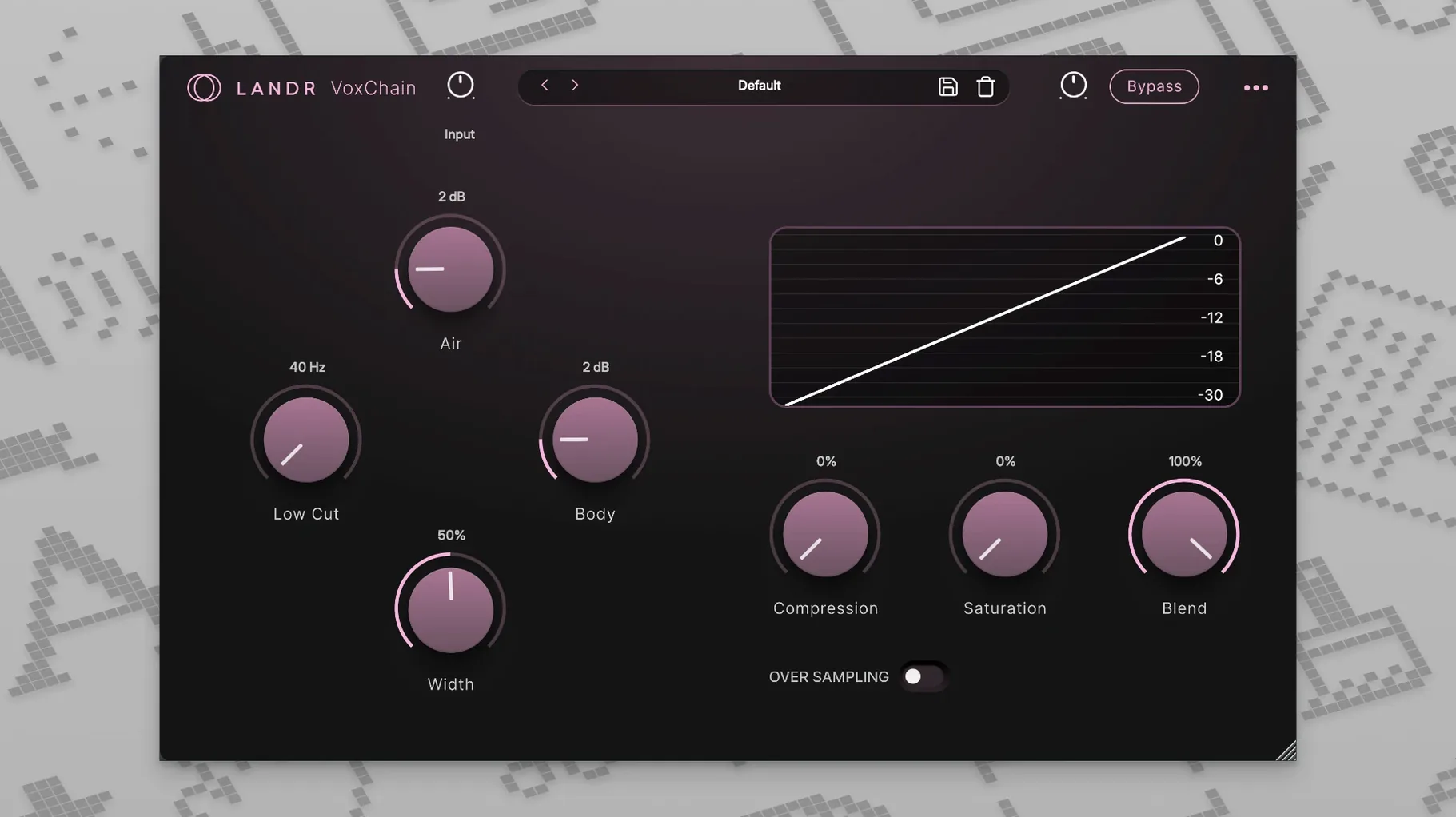
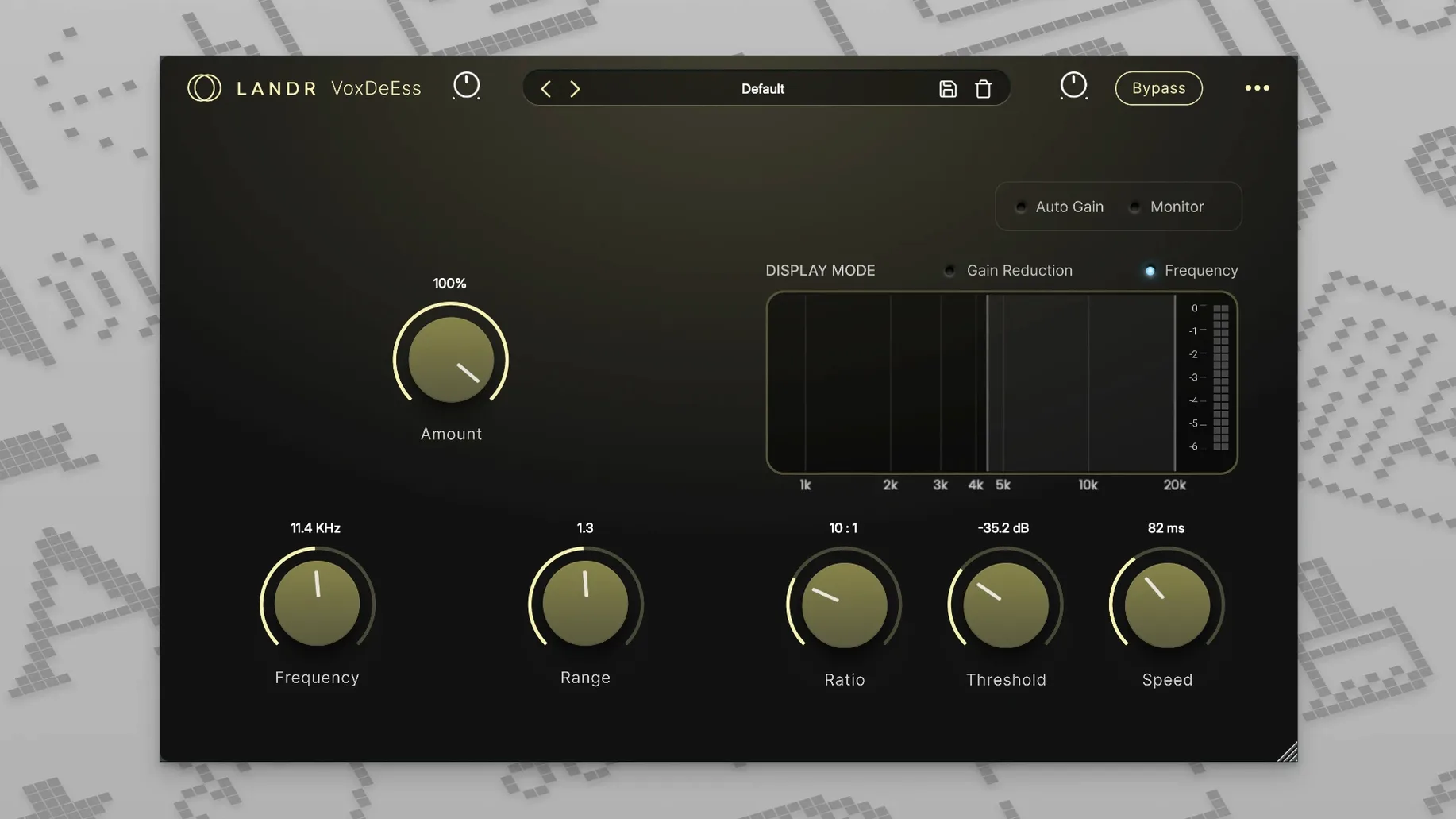
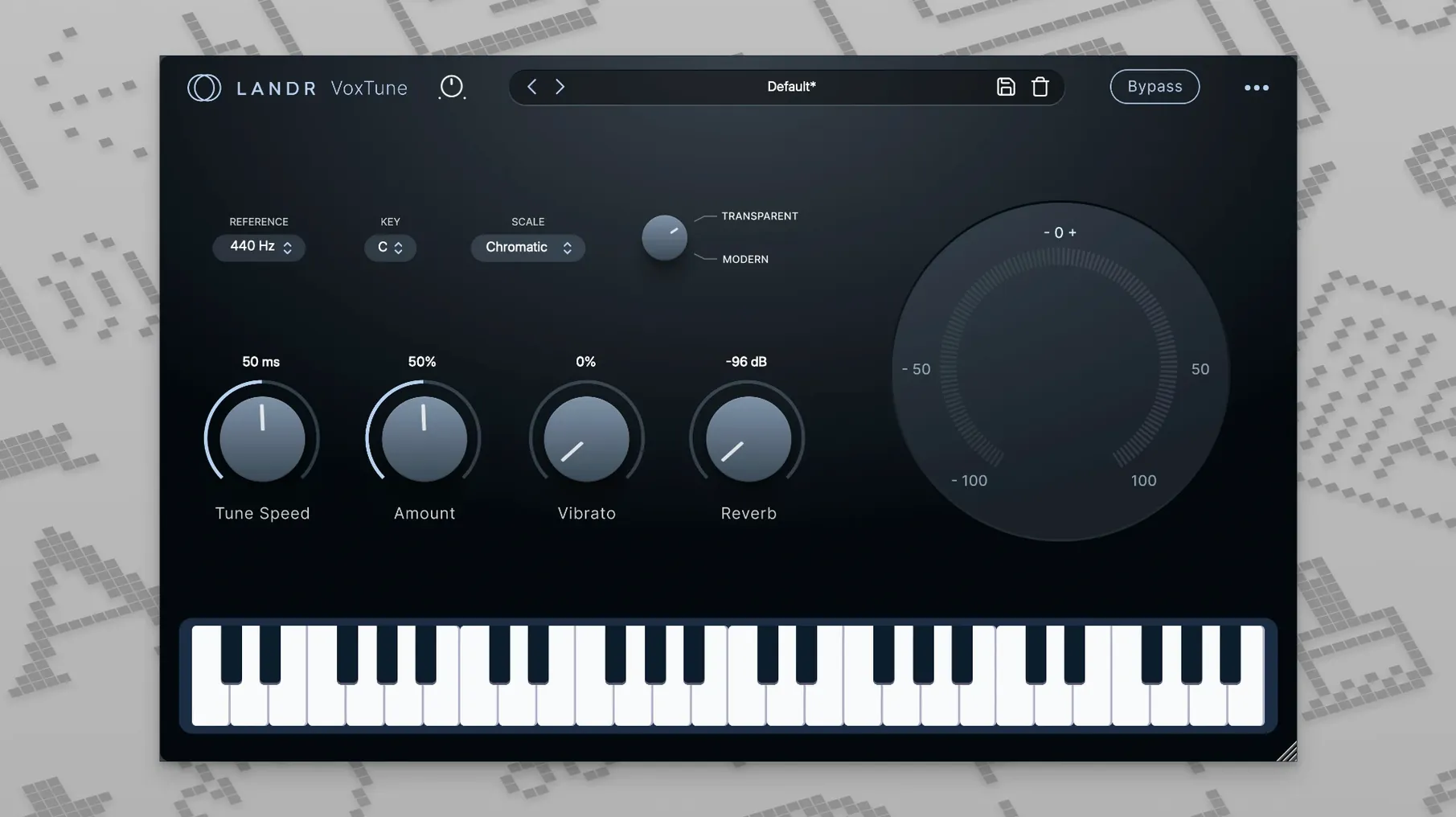
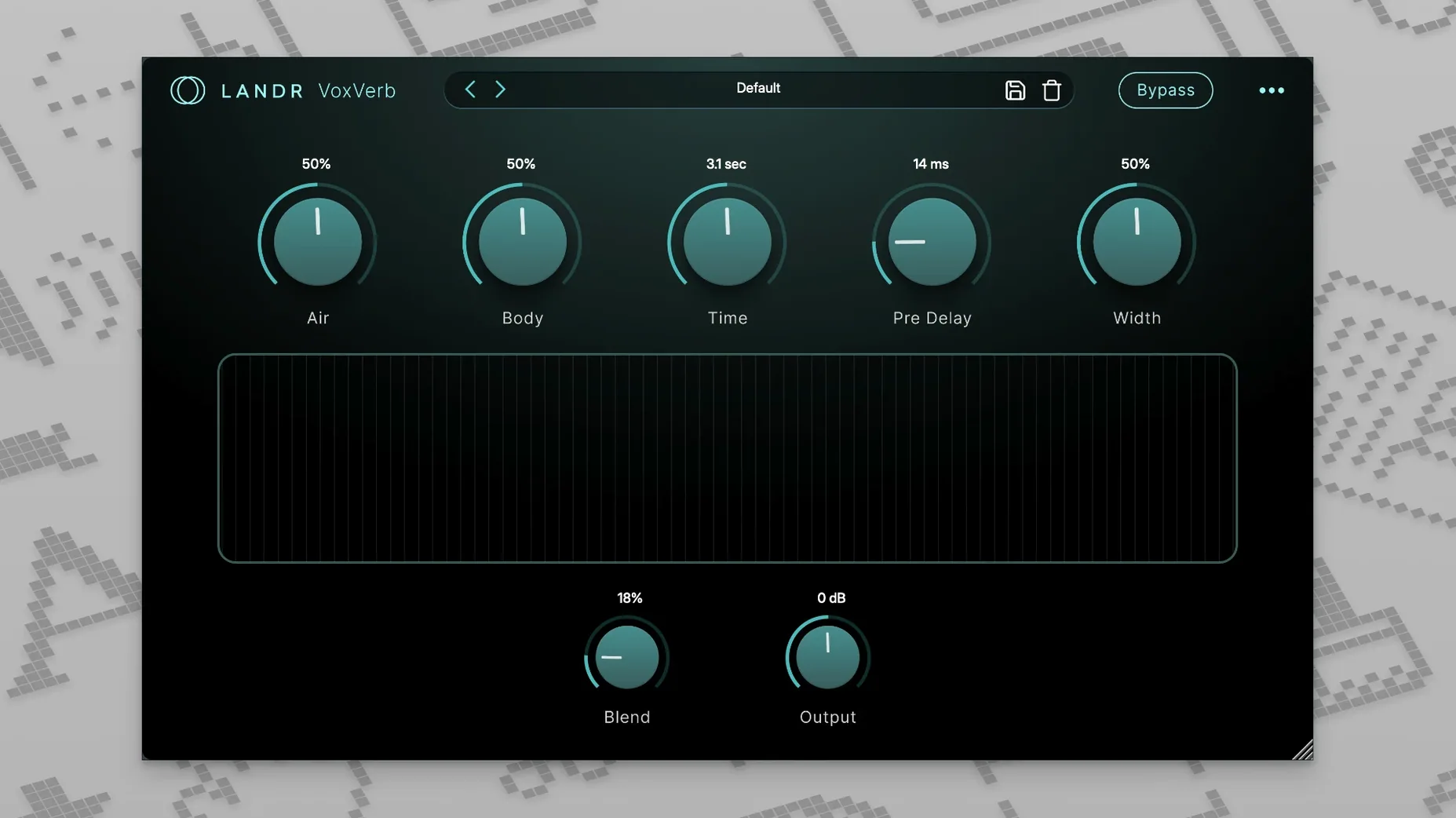
You drop a raw vocal take into your DAW and the timing is great but the pitch wavers in a few spots. That’s exactly the kind of session the LANDR Vocal Bundle slides into — four focused plugins that cover the core vocal chain without turning the screen into a cockpit. It runs the same workflow from quick corrective nudges in VoxTune to adding space with VoxVerb, all in a set that feels built for people who’d rather sing than tweak menus.
- VoxTune handles pitch correction with a natural mode for transparency or a stronger tuned effect when the song calls for it, plus voice color and vibrato controls to keep things human.
- VoxChain is the channel strip of the bunch, giving you compression, EQ, and saturation in one window so you shape the tone fast.
- VoxVerb is a reverb tuned specifically for vocals — it sits the voice in a space without washing it out.
- VoxDeEss tackles sibilance cleanly, which matters the moment you add compression and high-end air.
- All four plugins are available as VST and AU formats on macOS 12 and later, with native support for both Apple Silicon and Intel Macs.
Where the bundle fits in your Mac setup
I tend to think of these four plugins as a vocal-specific drawer inside a bigger toolbox. They play nicely alongside any DAW that hosts AU or VST — Logic Pro, Ableton Live, Cubase, Reaper, you name it — and they don't fight for attention with your go-to channel strips or meters. If you already lean on stock macOS tools like QuickTime for scratch recordings or Voice Memos for catching an idea, the bundle picks up right where those stop: once you've dragged the file into a proper session, VoxChain and VoxTune become the next logical click.
Because the plugins are light on CPU and built natively for Apple Silicon, they coexist with heavier third-party instruments and sample libraries without much drama. I've had sessions where Kontakt, Superior Drummer, and the LANDR Vocal Bundle all sat in the same project on an M1 MacBook Air, and the fan never woke up. That's the kind of integration that matters when you're tracking vocals late at night and don't want to freeze tracks just to keep the transport rolling.
One less obvious fit is with macOS accessibility features. The simple, large-knob interfaces in VoxVerb and VoxDeEss play well with VoiceOver and screen zoom, which not every plugin developer thinks about. If you rely on those tools, there's less squinting and tabbing through tiny parameter labels here than in some more sprawling suites.
Gentle compression often erases perceived pitchiness
- Start with VoxChain, not VoxTune. Get the basic tone right before you touch pitch. Load VoxChain first, dial in gentle compression and a touch of saturation, then listen. Half the pitchiness you thought you heard often disappears once the vocal sits in the mix.
- Use VoxDeEss before compression and EQ, not after. It seems backward if you're used to placing a de-esser at the end of the chain, but catching sibilance early stops it from being exaggerated by the compressor in VoxChain. The order really matters across these four plugins — they're designed as a chain, not just a grab bag.
- Twist the vibrato control on VoxTune even when you're in natural mode. The default setting is conservative, but a small bump — maybe 10 to 15 percent — can rescue a vocal that felt stiff after correction. It's one of those parameters you forget about until you remember it, and then you use it on everything.
- Save a default preset for your voice. Spend twenty minutes on a throwaway take, set VoxChain and VoxTune where you like them, and save it as a user preset. Next session, you load the bundle and you're already 80 percent there.
Skipped docs invite activation and pacing issues
A few things pop up regularly when folks first install the LANDR Vocal Bundle, especially if they grabbed it through a landr plugin torrent or a landr mac torrent and are working through the setup on their own. The plugins themselves are solid, but the setup can trip you up if you're not expecting a couple quirks.
Plugin scan fails after installation. This happens most often when the DAW was open during the install. Quit everything, relaunch the DAW, and force a rescan. In Logic, that means going to the Plug-in Manager and hitting "Reset & Rescan Selection." If you're using a landr vocal plugin bundle free download that came as a disk image, make sure you actually dragged the component and VST files to the right folders — some people leave them mounted on the image and wonder why the DAW can't find them next reboot.
VoxTune latency complaints, even though it's zero-latency. The plugin itself doesn't add latency, but if you insert it after a lookahead limiter or a linear-phase EQ in the same chain, your DAW's delay compensation can push the whole track out of sync. Keep VoxTune early in the chain, before any high-latency processors. If you're tracking live through the bundle, bypass anything downstream that reports more than a few samples of delay.
VoxVerb sounding muddy on certain Macs. The reverb algorithm in VoxVerb is tuned to stay clear, but on older Intel machines with smaller buffer sizes, the tail can get grainy. Bump your buffer to 256 or 512 samples when mixing — you don't need low latency during playback — and the clarity comes right back.
If you're experimenting with a landr rehance free download or any repackaged version, be aware that some third-party installers don't place the presets in the user Library folder correctly. The plugins will load, but the factory preset menu is empty. The fix is usually just manually moving a folder to ~/Library/Audio/Presets/LANDR/, but it's worth checking before you assume something is broken.
If you want a vocal chain you can set up in minutes and actually enjoy using, this bundle earns its place in the plugin folder.
- macOS 12 or later
- Apple Silicon or Intel processor
- VST or AU host
Also on readers' docks
Sign in or create an account to leave a comment.
No comments yet. Tell me how it got on with your other devices.
More in VST Plugins
See all LANDR Mastering Plugin PRO
1.1.35 VST Plugins
365 MB
LANDR Mastering Plugin PRO
1.1.35 VST Plugins
365 MB
 KORG TRITON
1.4.7 VST Plugins
586 MB
KORG TRITON
1.4.7 VST Plugins
586 MB
 KORG Software Modwave Native
1.4.2 VST Plugins
111 MB
KORG Software Modwave Native
1.4.2 VST Plugins
111 MB
 LFOTool
1.768 VST Plugins
7 MB
LFOTool
1.768 VST Plugins
7 MB
 KORG Collection
1.0.3 VST Plugins
175 MB
KORG Collection
1.0.3 VST Plugins
175 MB
 Komplete Kontrol
3.5.4 VST Plugins
785 MB
Komplete Kontrol
3.5.4 VST Plugins
785 MB
 Komplete FX Bundle
2026.1 VST Plugins
3.2 GB
Komplete FX Bundle
2026.1 VST Plugins
3.2 GB
 Kalifornia Dynamic KD Alkane
1.0.17.0 VST Plugins
270 MB
Kalifornia Dynamic KD Alkane
1.0.17.0 VST Plugins
270 MB