








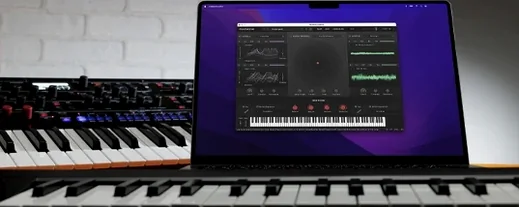
Download KORG Software Modwave Native for macOS
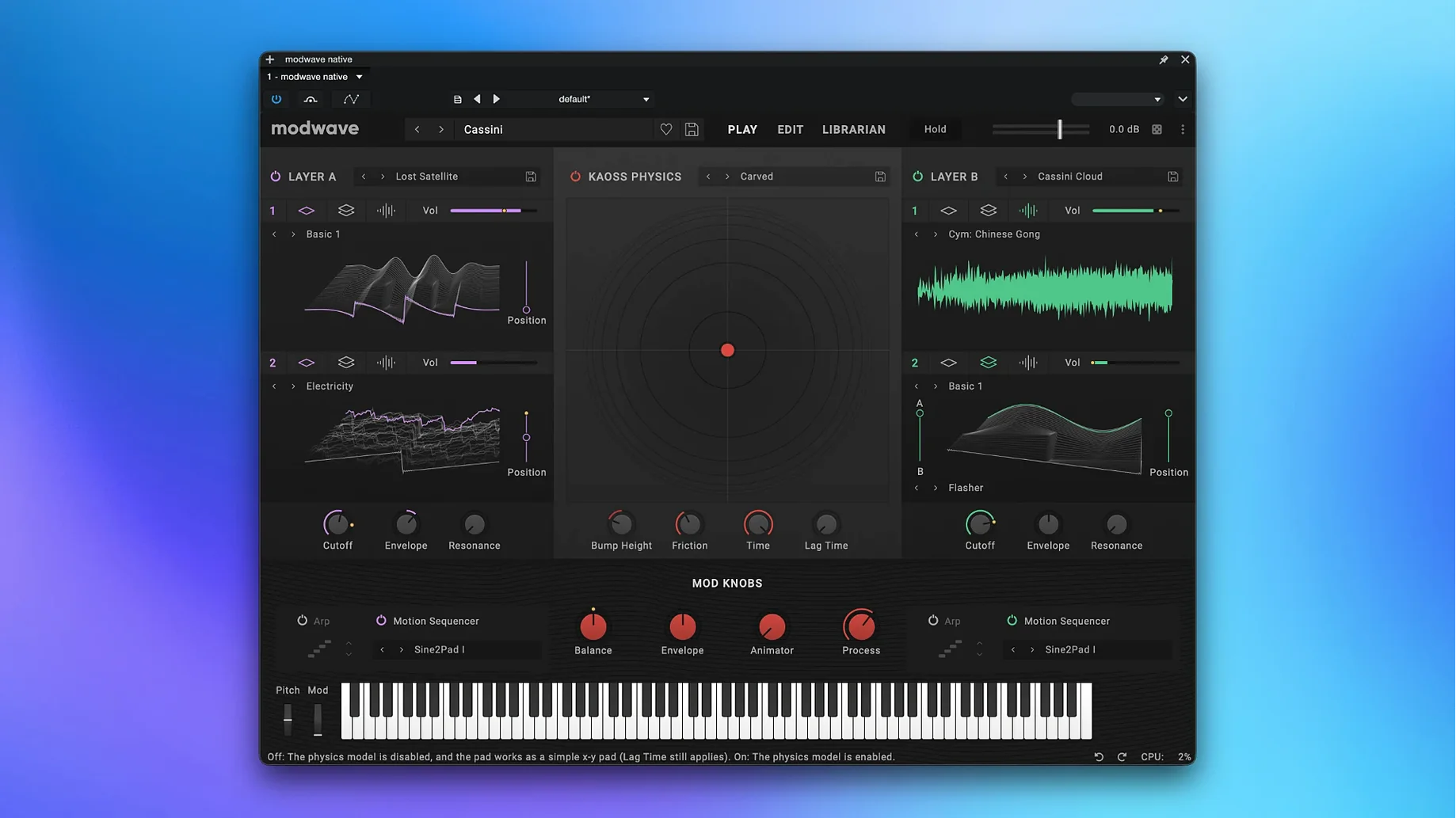
Modwave Native runs on just about any modern Mac—it's happy on both Apple Silicon and Intel 64-bit machines from macOS 10.14 Mojave onward, and you get it as a VST3, AU, AAX, or standalone app. That flexibility means it'll slot into a Logic session, an Ableton Live set, or a live keyboard rig without fuss.
What makes the oscillators tick?
At its heart is wavetable synthesis with a twist: you can blend any two wavetables in an A/B mix mode. That alone lets you morph between glassy digital sheen and aggressive, evolving textures just by dragging a virtual knob.
Modulation that pulls you into motion
Everything pushes you toward movement. The mod knobs and deep modulation routing aren't tucked away in menus—they're right there, begging you to assign an LFO to the wavetable position or sweep a filter with an envelope. It turns a static patch into something that breathes and shifts over a whole phrase.
Polished wavetables that cut through a mix
It cuts through without needing a pile of external processing. The wavetables have a polished, present character that sits up front in a pop mix, but dial back the intensity and the A/B blend gives you pad swells that fill the background without muddying the low end. It's one of those instruments that makes you reach for faders less often.
Stacked against something like Xfer Serum, the difference is one of philosophy. Serum wants you to build wavetables from scratch—draw harmonics, import audio, tweak every microscopic detail. Modwave Native feels more like a performer's instrument; you grab a pair of wavetables from its deep library, morph between them with A/B blend, and shape the result with modifiers that already sound great without endless dialing. Serum rewards the scientist, Modwave rewards the musician who just wants to play.
Compared to Native Instruments Massive X, which leans into its semi-modular routing and an almost intimidating sonic palette, Modwave Native keeps things more immediate. Massive X can feel like wiring a patch bay; Modwave puts Kaoss Physics and Motion Sequencing 2.0 front and center, so you're sculpting rhythm and motion with gestures rather than clicking through routing grids. For pad design that evolves over a bar, I reach for Modwave. For raw, distorted bass that needs surgical control, Massive X still has an edge.
DAW-host fixes that keep sessions rolling
Version 1.4.2 brought a practical fix for AU users on macOS, smoothing out behaviour that had been tripping up some DAW hosts. That's the kind of unglamorous update that makes a real difference when you're deep in a session and the plugin stops behaving. Earlier 1.x revisions tightened up the overall stability across VST3 and AAX formats, and the sound exchange with the hardware modwave became more reliable—so bouncing patches between your desktop and a stage keyboard now works without second-guessing whether the LFO rates survived the trip.
The bigger picture is that KORG has been quietly refining how Kaoss Physics responds under automation. In daily use, that means recording a knob twist in Logic or Ableton and hearing the X/Y pad react with the same fluidity you'd get from the physical hardware. It's a small thing that makes the standalone and plugin feel like one instrument, not two separate experiences.
The latest update keeps things simple: the official notes highlight using the AU version on macOS as a workaround for any current hiccups.
- macOS 10.14 or newer
- Apple Silicon or Intel 64-bit processor
Questions people ask
Is Modwave Native the same as the hardware synth?
It's the software counterpart to the 2021 hardware modwave, packing the same wavetable engine into a plugin you can run in a DAW or on stage from a laptop.
Also on readers' docks
Sign in or create an account to leave a comment.
No comments yet. Tell me how it got on with your other devices.
More in VST Plugins
See all KORG TRITON
1.4.7 VST Plugins
586 MB
KORG TRITON
1.4.7 VST Plugins
586 MB
 KORG Collection
1.0.3 VST Plugins
175 MB
KORG Collection
1.0.3 VST Plugins
175 MB
 LANDR Mastering Plugin PRO
1.1.35 VST Plugins
365 MB
LANDR Mastering Plugin PRO
1.1.35 VST Plugins
365 MB
 LANDR Vocal Bundle
2025.12 VST Plugins
447 MB
LANDR Vocal Bundle
2025.12 VST Plugins
447 MB
 Komplete Kontrol
3.5.4 VST Plugins
785 MB
Komplete Kontrol
3.5.4 VST Plugins
785 MB
 Komplete FX Bundle
2026.1 VST Plugins
3.2 GB
Komplete FX Bundle
2026.1 VST Plugins
3.2 GB
 LFOTool
1.768 VST Plugins
7 MB
LFOTool
1.768 VST Plugins
7 MB
 Kalifornia Dynamic KD Alkane
1.0.17.0 VST Plugins
270 MB
Kalifornia Dynamic KD Alkane
1.0.17.0 VST Plugins
270 MB