








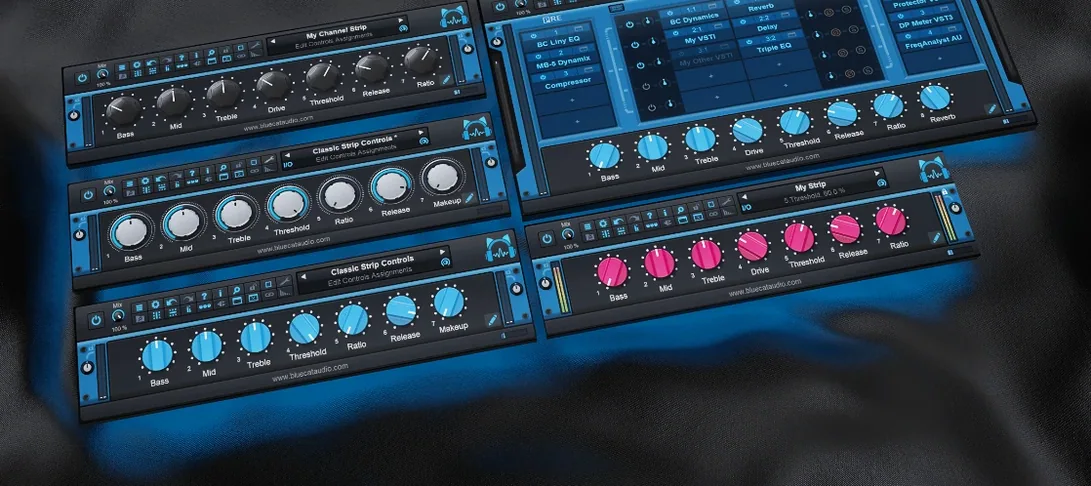
Download Blue Cat Audio Blue Cats PatchWork for macOS
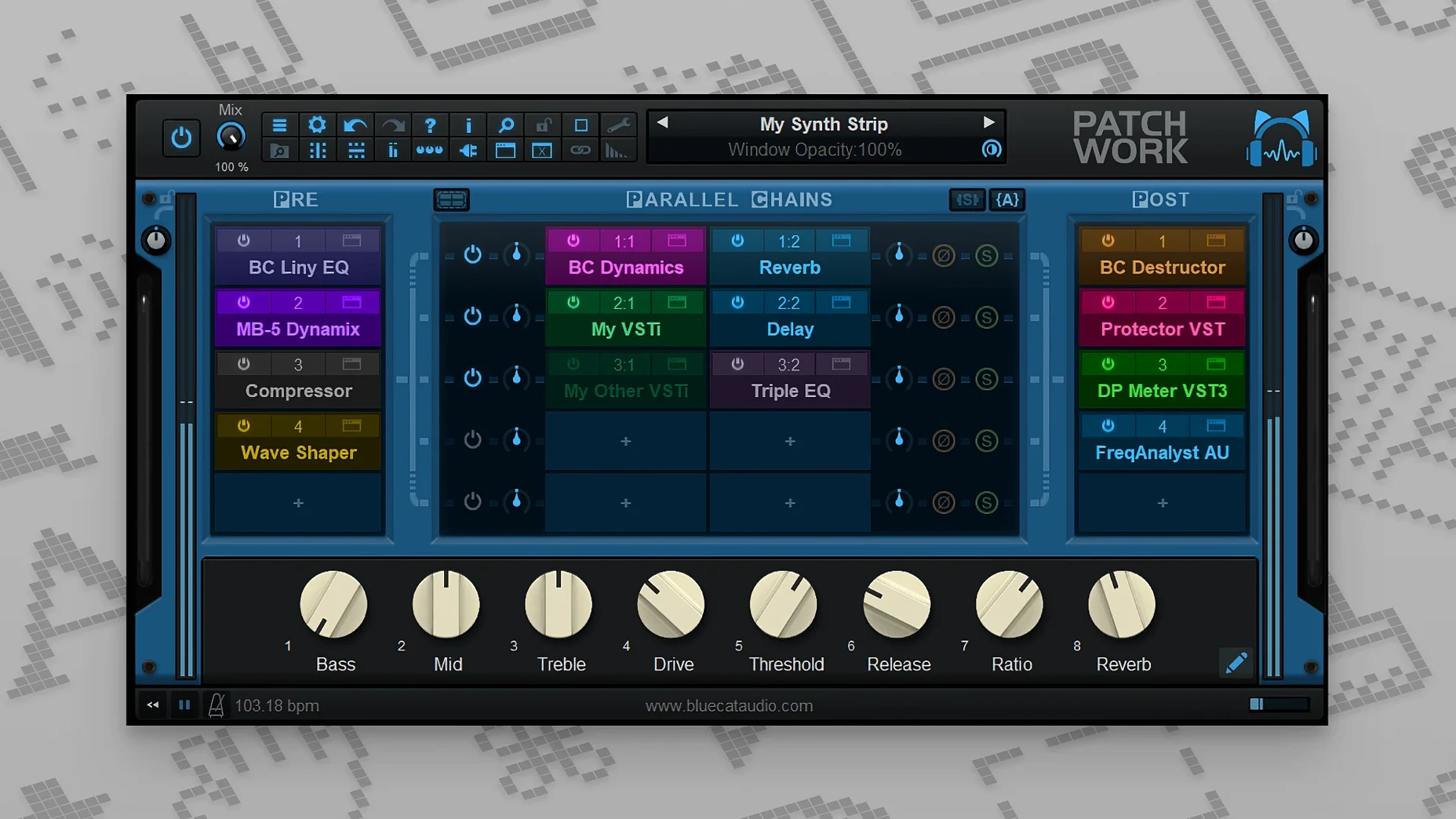
Drag in a parallel chains module and that single vocal track suddenly splits into a dry center and a wide, modulated stereo wash — without adding three more aux tracks. PatchWork shows up in your DAW as one insert, but inside it’s a full plug-in patchbay with up to 64 slots for VST, VST3, Audio Unit, or its own built-in effects. I reach for it on buses where I want to blend parallel compression without touching the DAW’s routing, and on instrument tracks where a synth needs a chain of outboard emulations that would normally require multiple insert slots I don’t have.
| Feature | Details |
|---|---|
| Plugin slots | Up to 64 per instance |
| Formats hosted | VST, VST3, Audio Unit, built-in |
| Version | 2.7.5 |
| Runs as | DAW plugin & standalone app |
The workflow clicks because the browser searches across all your formats at once, and the scanner keeps everything indexed without fuss. Recent updates brought a 16-channel audio recorder baked right in and more MIDI event types for parameter control, so you can capture ideas or automate complex chains without leaving the window. It’s the kind of tool that makes a dense session feel tidy — no more cascading bus tracks just to try a wet/dry blend, and no more freezing tracks because you ran out of insert slots on a channel that needed one more compressor.
Clipboard for Whole Parallel Routing Chains
If you’ve been using PatchWork for a while, the 2.75 release changed how you move between sessions. Effects chain management got a proper clipboard, so you can copy an entire parallel routing setup from one project, save it to disk, and reload it months later without reconstructing anything. Drag-and-drop installation for plug-in UIs from the Finder makes adding new tools from a folder feel less like a software update and more like grabbing a pedal from a drawer.
The built-in 16-channel audio recorder landed quietly, but it shifts how you prototype. Drop it at the end of a chain inside PatchWork, and you’re capturing the fully processed signal — no DAW track arming, no re-routing. MIDI control deepened, too: you can now bypass individual plug-ins or show and hide their interfaces via MIDI notes or CCs, which live performers on stage with a controller will notice immediately.
How a Sound Designer Might Actually Use It
Imagine a sound designer building creature vocals for an animated short. In one track, they load PatchWork with a granular pitch shifter in slot one, a convolution reverb loaded with an impulse response from a metal pipe in slot two, and a resonant filter from the built-in set in slot three. Instead of three insert slots across three DAW tracks, it’s one tidy block on a dialogue stem. Mid-session, they want to try the reverb in parallel with a dry feed — they drop a parallel split module before the convolution, blend to taste, and record a 16-channel pass of the result right inside PatchWork to share with the director. No bouncing stems, no extra routing.
Background Scanner Stays Out of Your Way
On an Apple Silicon Mac running macOS 14, PatchWork loads inside Logic Pro in about the same beat as any well-optimized AU. The plug-in scanner runs in the background without locking up the DAW, and I’ve thrown dense chains — ten to fifteen slots mixing compressors, EQs, and modulation — at it without a beach ball. Memory use climbs with each hosted plug-in, naturally, but PatchWork itself stays lean; it’s the third-party VST3s that decide how heavy the session gets.
The window stays snappy when you toggle between a serial chain and a parallel routing view, even with spectrum analyzers running inside a nested slot. Stability over long sessions holds up — I left a 24-channel recording template running for six hours without a crash, though I’d still recommend saving chains before swapping heavy plug-ins while audio flows. The VST3 editor loading behavior on macOS (interface shown only when you open it) keeps idle CPU draw lower than you’d expect, which matters on a laptop session away from power.
- macOS 10.9 or newer
- Intel or Apple Silicon Mac
- 64-bit only
Questions people ask
Can PatchWork load Audio Unit plugins on a Mac?
Yes, it hosts Audio Unit, VST, and VST3 effects and instruments alongside its built-in plug-ins, all searchable from a single browser.
Also on readers' docks
Sign in or create an account to leave a comment.
No comments yet. Tell me how it got on with your other devices.
More in VST Plugins
See all Bogren Digital Ampknob BDH 66o6 Plus
1.2.118 VST Plugins
253 MB
Bogren Digital Ampknob BDH 66o6 Plus
1.2.118 VST Plugins
253 MB
 Black Rooster Audio The ALL Bundle
3.2.0 VST Plugins
3.5 GB
Black Rooster Audio The ALL Bundle
3.2.0 VST Plugins
3.5 GB
 Cableguys Snapback
1.1 VST Plugins
37 MB
Cableguys Snapback
1.1 VST Plugins
37 MB
 Arturia Rev LX-24
1.2.1-6567 VST Plugins
403 MB
Arturia Rev LX-24
1.2.1-6567 VST Plugins
403 MB
 Arturia Pigments
7.0.1-6772 VST Plugins
1.8 GB
Arturia Pigments
7.0.1-6772 VST Plugins
1.8 GB
 Arturia MiniFreak V
5.1.1 VST Plugins
468 MB
Arturia MiniFreak V
5.1.1 VST Plugins
468 MB
 Arturia Mellotron V
1.9.3 VST Plugins
2.1 GB
Arturia Mellotron V
1.9.3 VST Plugins
2.1 GB
 Arturia FX Collection
2026.02 VST Plugins
16.1 GB
Arturia FX Collection
2026.02 VST Plugins
16.1 GB