









Download Craft The World for macOS
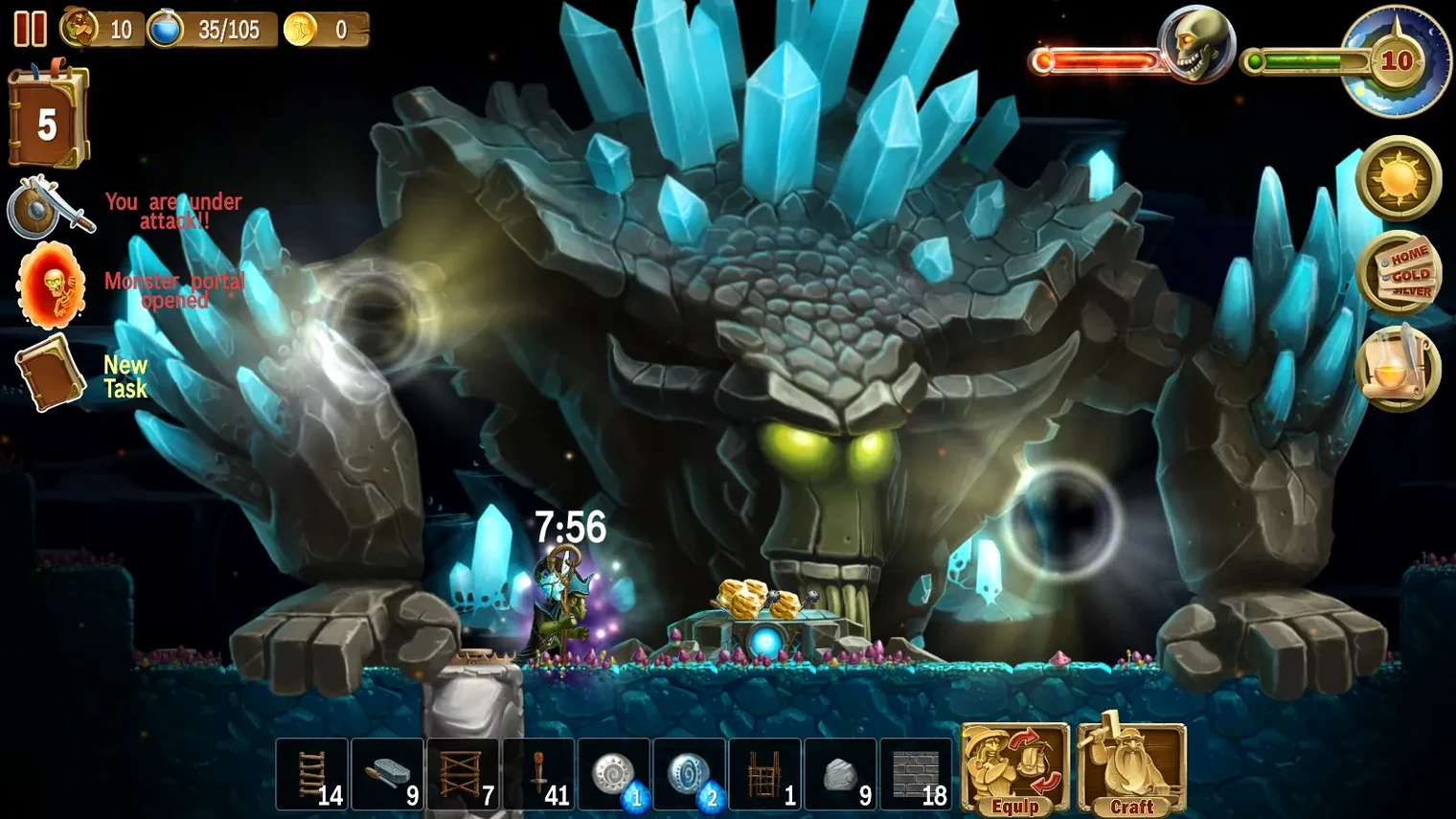
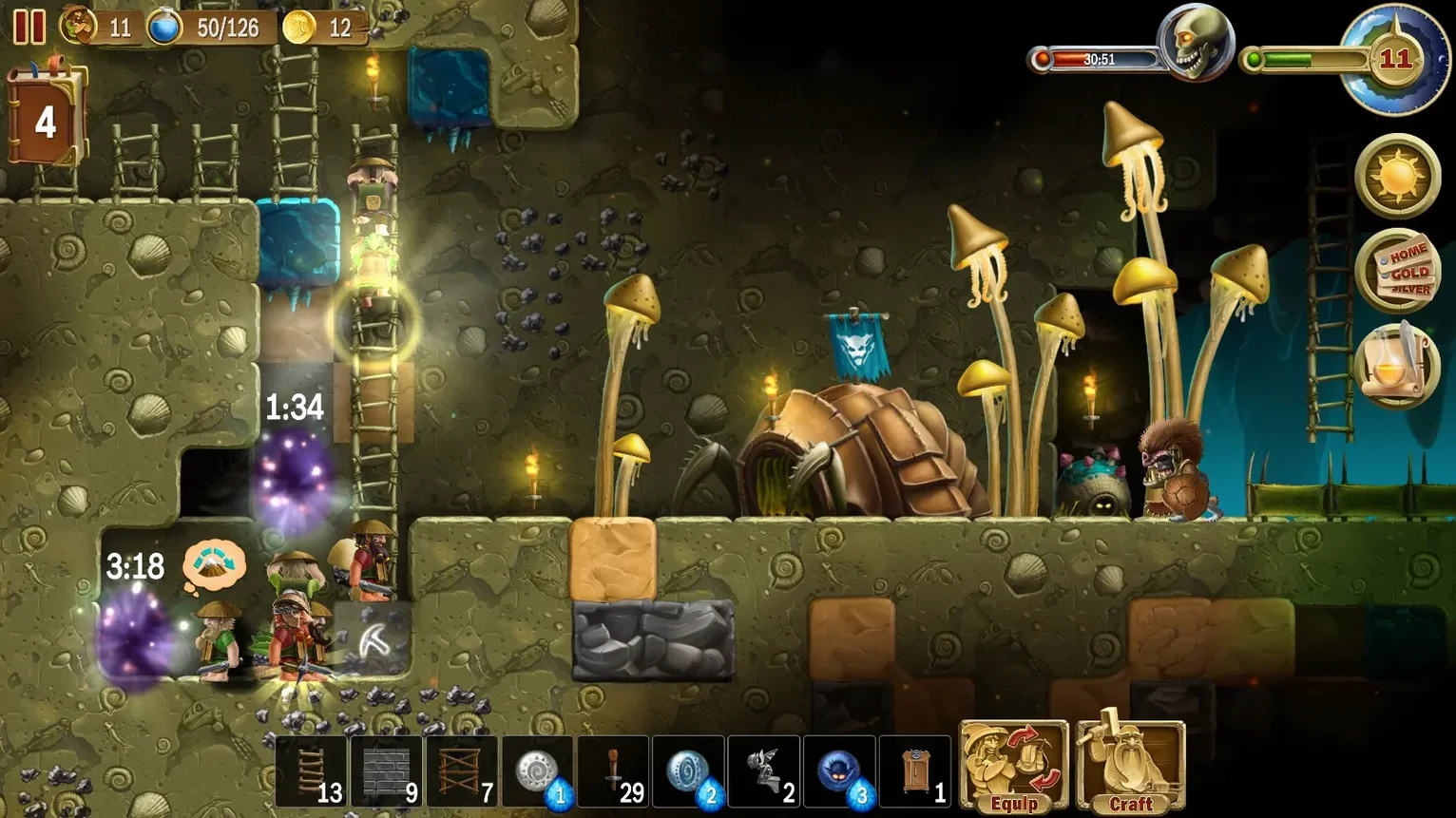
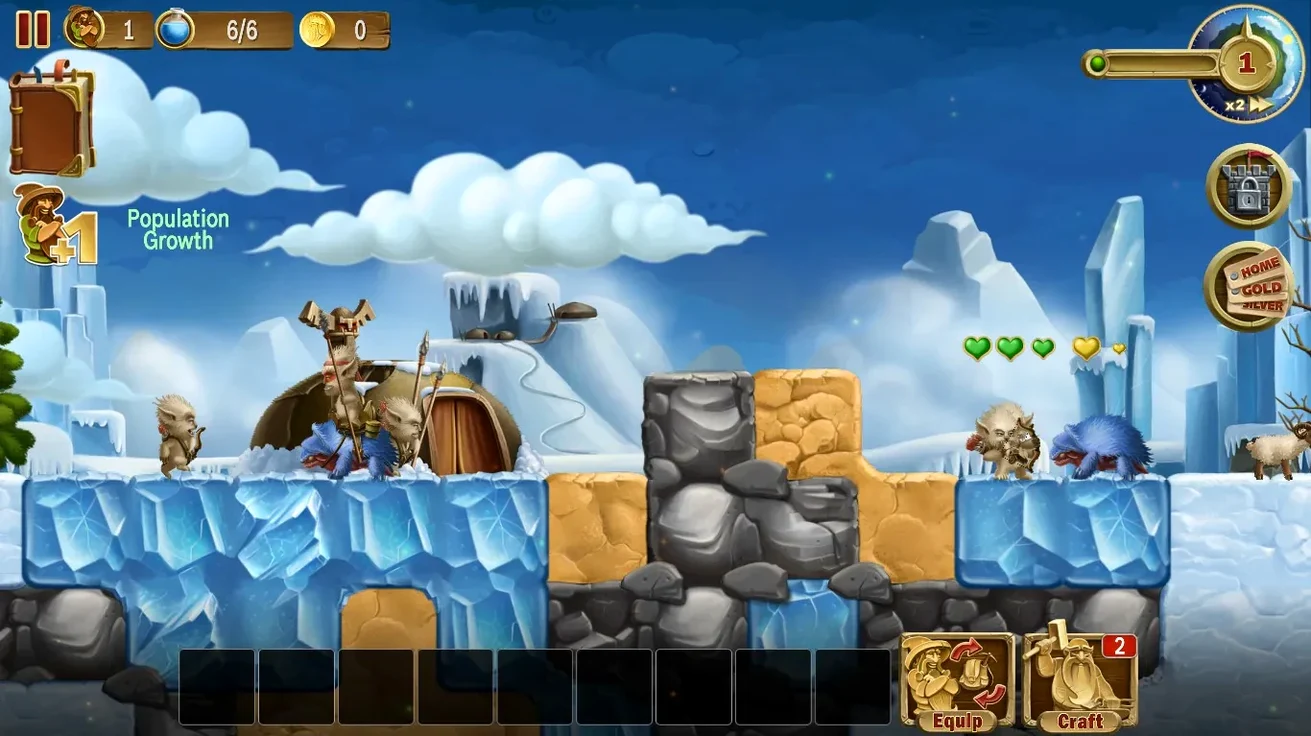
Released on 24 November 2014, this sandbox strategy runs on 64-bit Intel Macs and hands you a randomly generated world full of digging, chopping, and breaking blocks for resources.
- Dwarf management — You command a small crew, assigning tasks while they gather, craft, and build.
- Fortress defense — Walls and traps hold off monsters, especially when portals start producing waves of them.
- Living world — Day and night cycles and changing weather shape how you plan each session.
- Pacing — This is a patient, slow-build game. If you want instant action, it may frustrate you. If you enjoy tinkering and defense prep, it clicks.
The voice language is English, with interface support for over ten languages. Players who like methodical base building and defending a home will find the most to enjoy here.
Even on an Intel Mac running through Rosetta 2 on Apple Silicon, Craft The World stays surprisingly light. The 2D side-scrolling view, block-by-block terrain, and modest sprite work mean the fan rarely spins up. I've left it open during other tasks — Safari with a dozen tabs, a music stream in the background — and the dwarves keep chugging along without a hitch. Memory sits comfortably under a gigabyte, CPU usage rarely spikes, and I've yet to see a crash across sessions that ran past midnight.
Stability is one of those things you stop noticing when it's good, and here it's good. Autosaves tick away in the background; the only time I think about saving is when I quit. On the framerate front, the game holds steady even when a portal dumps a wave of skeletons onto a screen already full of torches, crafting stations, and twenty dwarves scrambling for weapons. It's not a looker by modern standards, but it's polished where it counts.
Scanning stockpiles at sunrise after a week-long build
I boot up a world I've been nursing for a week. The night cycle just ended, so my dwarves are waking up in their cramped underground bunks. First move: scan the stockpile. Wood is fine, stone is fine, but iron ore is low. I tag a vein three levels down.
The dwarves grab pickaxes and start descending the ladder shaft I carved earlier. While they dig, I zoom out and check the perimeter. A couple of wooden walls near the left tunnel look flimsy, so I queue replacements in stone. The crafting menu gets a quick visit — I set an order for two iron helmets and a new bow, which drains the ore I'm about to mine, but that's the loop. You gather so you can craft, you craft so you can survive.
Midday hits and rain starts. The dwarves slow down outdoors, so I pull them inside and assign a few to build a covered walkway toward the eastern forest. A stray skeleton wanders in from a dark corner and triggers a trap; one dwarf rushes over to finish it off, then goes right back to hauling logs. By evening I'm placing torches in a freshly dug cavern, watching the light spread, and hitting the next autosave before the portal spawns whatever the night throws at us.
Running in a window alongside Notes and browser tabs
The game plays nicely with macOS multitasking. It runs in a window and doesn't hijack the display, so I can keep Notes open on the side for a build checklist or pull up a browser to look at crafting trees without tabbing out. Mission Control handles it gracefully — swipe to a different desktop and the dwarves keep working, then swipe back to find new walls up.
Because the world saves on exit, I've fallen into a habit of treating it like a persistent desktop companion: half an hour of digging while a podcast plays in Overcast, then hide it and get back to work. The DRM-free build means no launchers or background services, just a clean app bundle in Applications. For anyone who's grabbed a Craft The World Mac torrent to try before buying, this setup is refreshingly simple — no activation windows, no online checks.
The game also respects macOS notifications quietly. If you minimize it or switch spaces, it won't buzz you when night falls or when dwarves get hungry. You check in on your terms, which fits the slow-burn design perfectly. It's the kind of app you leave running because it doesn't demand attention, just rewards it when you're ready.
- Architecture: Intel (64-bit)
- Interface languages: Russian, English, German, Spanish, Italian, Traditional Chinese, Simplified Chinese, Korean, Polish, French, Japanese
Questions people ask
Does Craft The World run on Apple Silicon?
The listed architecture is 64-bit Intel, so Apple Silicon Macs would rely on Rosetta for compatibility.
How do monsters appear in the game?
Portals in the world can produce waves of monsters, which you defend against using walls, traps, and your fortress design.
Also on readers' docks
Sign in or create an account to leave a comment.
No comments yet. Tell me how it got on with your other devices.
More in Games
See all Crime Scene Cleaner
4.0.6a Games
21 GB
Crime Scene Cleaner
4.0.6a Games
21 GB
 Crimson Desert
2.02.00 Games
101 GB
Crimson Desert
2.02.00 Games
101 GB
 Cronos: The New Dawn
356600 Games
22 GB
Cronos: The New Dawn
356600 Games
22 GB
 Control Ultimate Edition
1.33.1 Games
26 GB
Control Ultimate Edition
1.33.1 Games
26 GB
 Updated Crusader Kings III
1.20.0.4 Native Games
9.4 GB
Updated Crusader Kings III
1.20.0.4 Native Games
9.4 GB
 Company of Heroes 2
1.3.8 Games
30 GB
Company of Heroes 2
1.3.8 Games
30 GB
 CULTIC
2.02i Rev 1 Games
2.2 GB
CULTIC
2.02i Rev 1 Games
2.2 GB
 Cuphead
1.3.3 DLC Games
Cuphead
1.3.3 DLC Games